The default table language in Python
pandas turns rows and columns into objects that are pleasant to manipulate in Python. A DataFrame can filter records, join tables, group values, reshape columns, fill missing entries, and work with dated observations. Labels follow the data through those operations, which is often safer and easier to read than coordinating several bare NumPy arrays.
Its reach matters as much as the API. Notebook examples, plotting packages, statistical libraries, database connectors, and machine-learning tools commonly accept or return pandas objects. That makes pandas a sensible choice when data has to move between several Python packages. You spend less time translating table formats and more time checking the result.
The library is broad without pretending to be a database. It reads common text files, Excel sheets, SQL results, and other formats when the relevant optional packages are installed. Grouping, merging, pivoting, hierarchical indexes, and time-series operations cover most day-to-day analysis. Those features have accumulated since development began in 2008, and the documentation usually has both a conceptual guide and an API entry for them.
Compatibility is pandas's strongest advantage
A faster DataFrame library can win an isolated comparison and still cost a team time if every downstream plotting or modeling step expects pandas. For datasets that fit comfortably in memory, that shared format is often worth more than changing engines for a single operation.
The labeled model is also good for exploratory work. You can inspect intermediate frames in a notebook, name columns clearly, and turn the useful sequence into a script later. Missing-value behavior, alignment, joins, and date handling have many edge cases, but pandas documents them in detail. The size of the issue tracker partly reflects that wide surface and long history. GitHub currently reports 2,775 open issues and pull requests, not 2,775 confirmed bugs.
There is still plenty to learn. Index alignment can surprise developers who expect positional arithmetic. A chained transformation can copy more data than expected. Different file formats need optional packages, and dtype choices affect both behavior and memory. pandas is easy to start and large enough that experienced users keep finding sharper ways to use it.
What happened when we ran it
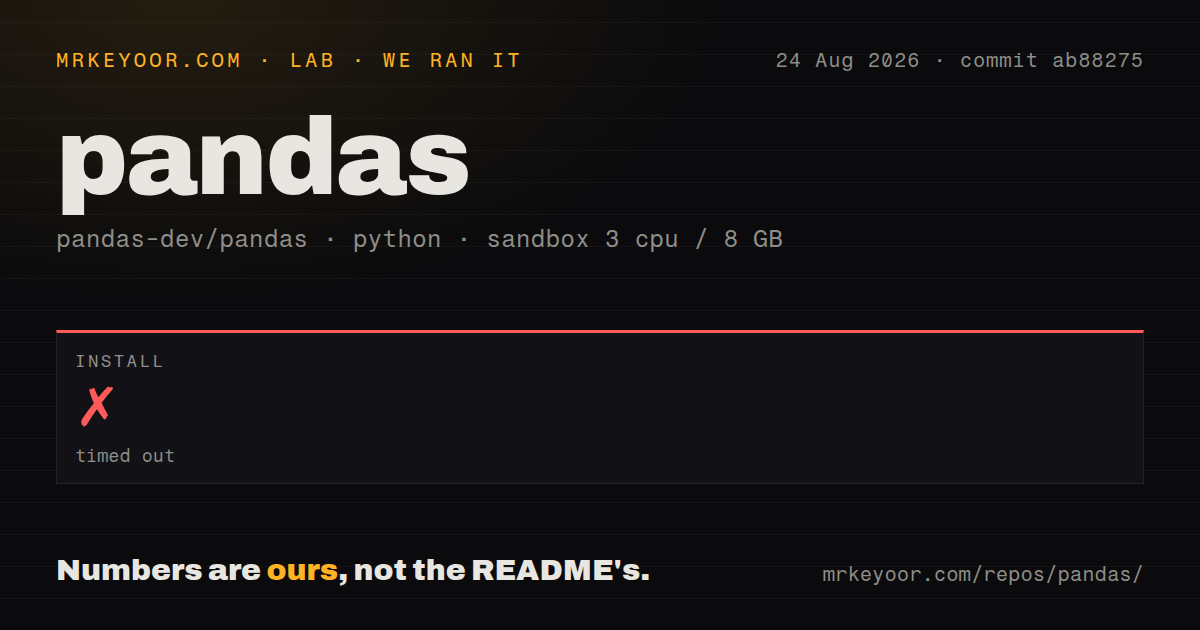
We cloned commit ab88275 into an unprivileged Debian container with 3 CPUs, 8 GB of RAM, no secrets, and a Python 3.12 uv image. The checkout was 59.4 MB, with 2,649 files and roughly 719,581 lines of source. This is a large development tree, even though end users normally install a built package rather than clone it.
The installation timed out after 900 seconds. Our measurement contains no useful log tail, so it would be guesswork to blame a compiler, dependency, network request, or project defect. The only defensible result is that the source checkout did not install inside the allowed 15 minutes in this fresh container. Because installation never completed, we did not build or run tests. The scan found 13 CI workflow files, no Dockerfile, and no top-level tests directory.
That outcome changes the setup advice. The README makes the normal install look simple because pip install pandas and the Conda command can fetch published packages. For a cloned checkout, it separately calls out Cython and links to a contributor environment guide. Anyone evaluating pandas as a library should start with the release package. Source contributors should budget for the documented development environment rather than treating pip install . as equivalent to the user path.
Memory is the boundary to watch
The official scaling guide is candid: pandas provides structures for in-memory analytics, and datasets larger than memory are tricky. Some operations create temporary copies, so a table that merely fits in RAM can still become uncomfortable during a join, sort, or dtype conversion. Reading fewer columns, choosing smaller dtypes, processing chunks, and avoiding unnecessary copies can extend the useful range.
Once those techniques dominate the design, another engine deserves a trial. Dask partitions DataFrame work and can spread it across cores or machines. Polars has a lazy API and query optimizer alongside its eager interface. DuckDB is often simpler when the work is naturally SQL over Parquet, CSV, or database-shaped tables. None is a universal replacement. Compatibility with the rest of the Python stack may still pull the final result back into pandas.
The practical split is straightforward. Use pandas for interactive analysis, modest data pipelines, feature preparation, reporting, and glue between Python tools. Reconsider it when every job strains RAM, parallel execution is a central requirement, or the task is mostly a SQL query over files.
Version 3.0.5 and August activity show active maintenance
The repository was pushed on August 26, 2026, and issue activity continued on August 27. Release 3.0.5 shipped on July 22 as a patch with regression and bug fixes. The project also runs community meetings, new-contributor meetings, a mailing list, Slack, and GitHub discussions.
The 3.0 line requires Python 3.11 or newer, which may block an older application before API fit even enters the discussion. Production users should read the versioned change notes and pin a tested release, particularly around major upgrades. The breadth of dtype, input, and indexing behavior makes casual upgrades riskier than the one-line install suggests.
pandas is still the first library I would try for ordinary Python table work. Its source development setup is heavier than its end-user install, as our timeout made plain, and its memory model sets a real ceiling. Within that ceiling, the combination of expressive operations, documentation, and ecosystem acceptance is difficult to beat.