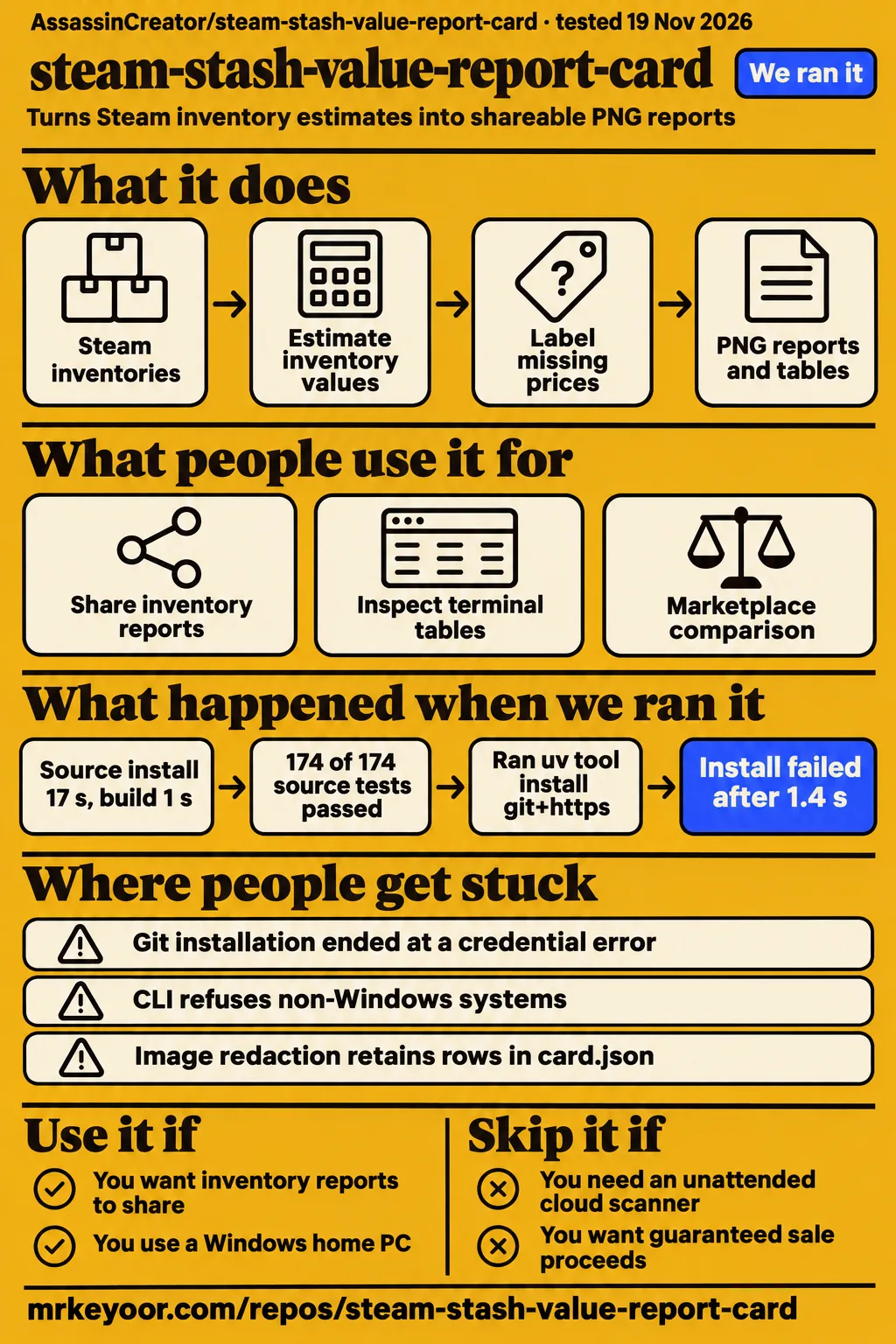
Our repository checks at fbfeac0 installed Stashcard in 17 seconds and recorded 174 passing tests. A separate attempt at the README's Git installation route ended with a credential error. Use this project to explore Steam inventory reports on the author's recommended Windows home-PC setup; avoid it for a dependable unattended cloud scanner or a sale-proceeds guarantee. The practical appeal is its documented separation of wallet funds, cash estimates and fallback prices, rather than a single unexplained inventory total.
What people use steam-stash-value-report-card for
Stashcard documents PNG reports for CS2, Dota 2, TF2, Rust, Steam community items and custom inventories. The README's report formats include a summary, a single-game card, an icon grid, a receipt and a marketplace comparison. A collector can choose a picture for sharing or terminal tables for inspection. These formats answer different presentation needs while retaining the source venue and price window behind the figures.
| Who | What they did | Outcome |
|---|---|---|
| Project author | Generated cards from a fictional profile with a dated price snapshot | Forkcast describes the gallery's demo origin |
| Our lab, November 19, 2026 | Attempted the documented Git CLI installation in a fresh container | installation stopped |
The author's gallery uses a fictional profile with real item names, icons and dated prices, according to the README's gallery description. Forkcast makes the same distinction in its reel description. The examples illustrate choices such as a marketplace strip, a receipt or a comparison between profiles. For a collector deciding which layout to use, those examples are more informative than a repository's star count because they show the report's organization and labels.
The documented diff commands cover both a profile compared with its saved history and two profiles compared side by side. JSON and CSV exports serve a different purpose: they expose the underlying valuation for inspection outside the picture. An app/context pair selects a game's particular inventory collection. That option extends the input beyond the named games without changing the need to understand which items have market prices.
What happened when we ran it
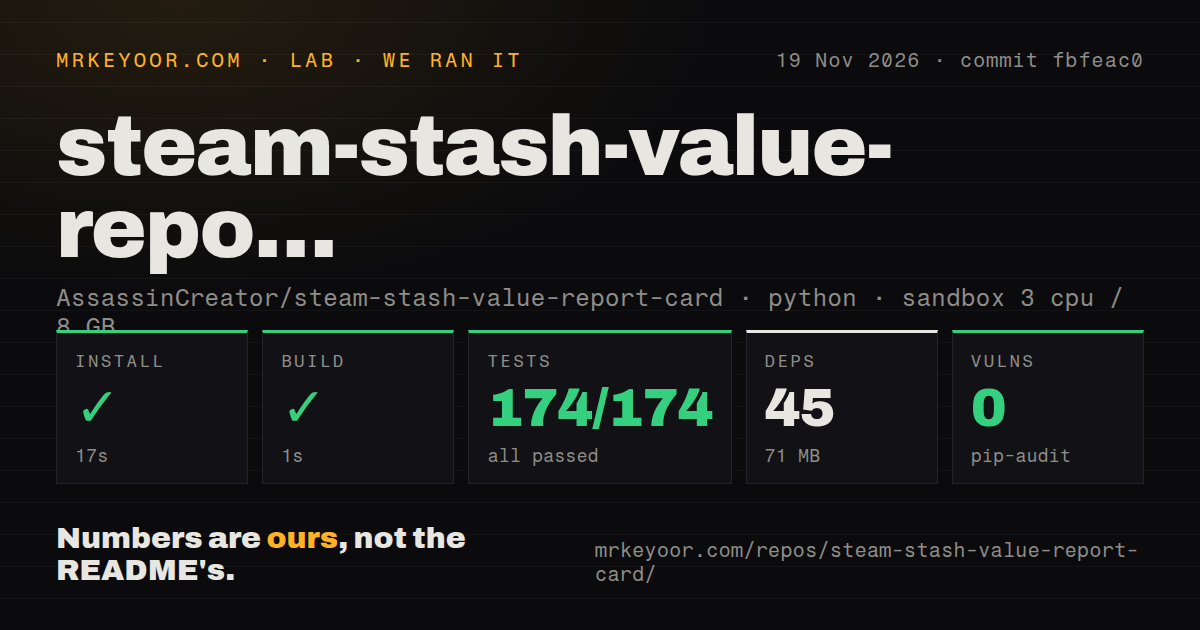
Our November 19, 2026 run at commit fbfeac0 recorded installation in 17 seconds, build in 1 second and tests in 50 seconds. These are our repository-check measurements, with pytest reporting 174 passed and 0 failed of 174. The checkout contained 92 files, approximately 10,954 source lines and 19.9 MB of files. Keeping the commit beside these results identifies the checkout that produced them instead of assigning the timings to every installation route.
| Repository check | Recorded result |
|---|---|
| Installation | Succeeded in 17 seconds; 45 dependencies recorded; 71 MB on disk |
| Build | Succeeded in 1 second |
| Tests | Succeeded in 50 seconds; pytest: 174 passed, 0 failed of 174 |
| Dependency audit | pip-audit: 0 known vulnerabilities; 44 packages scanned; one package skipped |
| Repository scan | 92 files; approximately 10,954 source lines; 19.9 MB checked out |
| Delivery signals | One CI workflow file, a tests directory, no Dockerfile detected |
The audit recorded 45 reported packages, 44 scanned packages and one skipped package. Reporting that coverage alongside zero findings gives the result its proper denominator. The sandbox configuration recorded 3 CPUs, 8 GB RAM and image label ghcr.io/astral-sh/uv:python3.12-bookworm. GitHub's v1.0.5 release page also identifies fbfeac0 and displays a November 18 release, connecting the measured checkout to an exact release record.
The separate quick-start run on November 19 recorded commit fbfeac019390 and a fresh unprivileged container with 2 CPUs, 4 GB RAM, no published ports and no secrets. Its clone step took 2 seconds. The lab then adapted the README's pipx command to uv tool install git+https://github.com/AssassinCreator/steam-account-value-checker.git. That installation failed in 1.4 seconds with exit 2, and Git returned fatal: could not read Username for 'https://github.com': terminal prompts disabled in the recorded failure. The run's teardown completed successfully.
Where people get stuck: the install target and Windows guidance
The README's source command targets steam-account-value-checker, while this review concerns steam-stash-value-report-card. Its installation section also says the CLI refuses non-Windows systems because its packaged companion runtime is a Windows program. Later, the same README says home Linux and macOS work. A reader choosing a machine encounters contradictory platform guidance alongside a differently named installation target; Windows 10/11 x64 is the explicit download target.
| Obstacle | Documented response | How to read it |
|---|---|---|
| Git cannot obtain credentials | The README gives the steam-account-value-checker target | The recorded command failed at that URL |
| Windows-only startup message | Release instructions target Windows 10/11 x64 | The later Linux/macOS wording contradicts the installation warning |
| SmartScreen warning | The README describes More info, then Run anyway | The author says the executable is unsigned |
| Steam responds with HTTP 429 | The author recommends a home connection and demo or cached data on servers | This is the author's deployment guidance |
The Windows terminal instructions describe another possible source of confusion: a saved card and an inline preview are separate outputs. Windows Terminal shows a half-block preview, while the classic console prints the PNG path. The --open option opens the saved image in a viewer. A path appearing without an inline picture therefore matches the documented classic-console behavior, rather than identifying an export failure by itself.
LOWEST, AVG and cash net answer different questions
The README defines LOWEST as the current cheapest listing and AVG as the mean of actual sales over a selected window. Its pricing reference documents LOWEST from Steam and AVG from Skinport as the default combination. A listing records an asking price; a sales average summarizes transactions over time. Reading the venue and window beside each figure is essential to understanding which question the report answers.
For Steam community items, identified as appid 753, the README says AVG falls back to Steam median · 24h. A median is the middle observation, while a mean adds the observations and divides by their count. The documented fallback label appears on the card, table rows and footer. A reader requesting a longer sales window can therefore see when the displayed number instead comes from Steam's daily median.
Seller-fee defaults are dated October 29, 2026, and the README marks them TODO(verify) in markets.py. The fee option lets a user override a venue's deduction with --fee. The documentation distinguishes Steam wallet net from cash-venue net: Steam funds can be spent on Steam, while cash totals reflect the selected venue's fee calculation. Keeping those totals separate preserves a meaningful distinction even when the same item appears in several markets.
Steam throttling shapes the deployment choice
The author reports HTTP 429 on a datacenter Linux server's first inventory request. The README recommends a home PC, preferably Windows, and describes demo or cached data as the reliable server uses. That report concerns the connection to Steam rather than the amount of CPU or RAM available. It gives an operator a specific reason to consider the network location before choosing a server for repeated inventory refreshes.
The command reference documents --offline as cache-only operation and --steam-budget as a limit on live Steam price lookups. The README also describes per-host pacing, backoff and respect for Retry-After. These controls distinguish three jobs: inspecting a fictional demo, rendering previously collected data and fetching fresh inventory information. A collector revisiting a saved valuation can use the first two output paths without treating their data as a new market snapshot.
Privacy depends on which files you share
The README says full image redaction retains item rows in card.json. This sidecar is a separate data file saved beside the PNG, and its purpose is to support inspection and offline rendering. The privacy documentation says value bands hide totals on the image while the underlying rows remain in the sidecar. Sharing both files therefore exposes more valuation information than the redacted picture displays.
The documented --no-sidecar option skips card.json and the accompanying alt-text file. That makes the output-file choice part of redaction, rather than an unrelated cleanup task. The README also describes light redaction of names and identifiers, full redaction with an anonymous label and value bands, and default redaction for comparisons between profiles. Those settings concern the generated presentation; the retained item rows determine what someone receiving the companion data can inspect.
Default public-profile use requires no Steam login, while the optional sales-history path accepts a Steam session cookie. The README describes that cookie as a full Steam session, stored in secrets.json or read from an environment variable. Its documented destination is steamcommunity.com. The distinction belongs in a setup decision: public inventory reporting and adding an account credential are separate choices, even though both appear in the same tool.
steam-stash-value-report-card vs Steam Inventory Helper and Steam Economy Enhancer
Stashcard documents report exports, while Steam Inventory Helper and Steam Economy Enhancer add functions to Steam's browsing workflow. The Stashcard command reference includes PNG cards, terminal valuations, JSON/CSV output and scan comparisons. The alternatives' official descriptions instead emphasize inventory prices and actions on Steam pages. Choosing between them starts with the desired output: a report to keep or share, or controls used while browsing inventory and market listings.
| Tool | Documented job | Choose it when |
|---|---|---|
| Stashcard | PNG cards, marketplace reports, JSON/CSV and scan comparisons | You want an export to inspect or share outside Steam |
| Steam Inventory Helper | Inventory pricing and marketplace comparison in a browser extension | You want prices while browsing Steam |
| Steam Economy Enhancer | A userscript for Steam Inventory, Market and Tradeoffers | You want controls on Steam's existing pages |
Steam Inventory Helper advertises marketplace price comparison without leaving Steam. Its official site also lists bulk selection and automatic skin selling. Steam Economy Enhancer's README lists automatic relisting, quick-sell buttons and selection controls, and explicitly says there is no support. These are consequential differences in documented purpose: selling and relisting act on market listings, while Stashcard's documented report commands prepare valuations and exports.
What the other reviews get wrong
RepoRadar's cross-platform executable claim conflicts with the README's Windows-only startup warning. Its feature list also describes precise values and complete independence from login credentials. The project's README instead describes estimates, a Windows companion runtime and an optional login-cookie path. Those distinctions change how a reader interprets platform support, a finished-looking total and the account access involved in requesting Steam sales history.
| Page | Claim needing correction | Supported correction |
|---|---|---|
| RepoRadar | Standalone executable across Windows, macOS and Linux | The README says the CLI refuses other systems and gives Windows release instructions |
| RepoRadar | Precise inventory values | The README calls prices estimates that can be stale or wrong |
| RepoRadar | Complete independence from Steam login credentials | Public-profile use needs no login; Steam sales history optionally uses a session cookie |
| RepoPicks | v1.0.0 is the only release | GitHub identifies v1.0.5 as a release at fbfeac0 |
| Daily Launch | The differently named Git URL is the quick start | Our attempt at that target ended with a Git credential error |
RepoPicks' only-release statement is outdated beside GitHub's v1.0.5 release page, which displays November 18 at 00:51. RepoRadar's November 20 entry is its own update record. Separately, Daily Launch reproduces the steam-account-value-checker installation command. Its repetition on another page does not change the outcome of the recorded command, which ended before Stashcard started.
GitHub attention is a dated snapshot
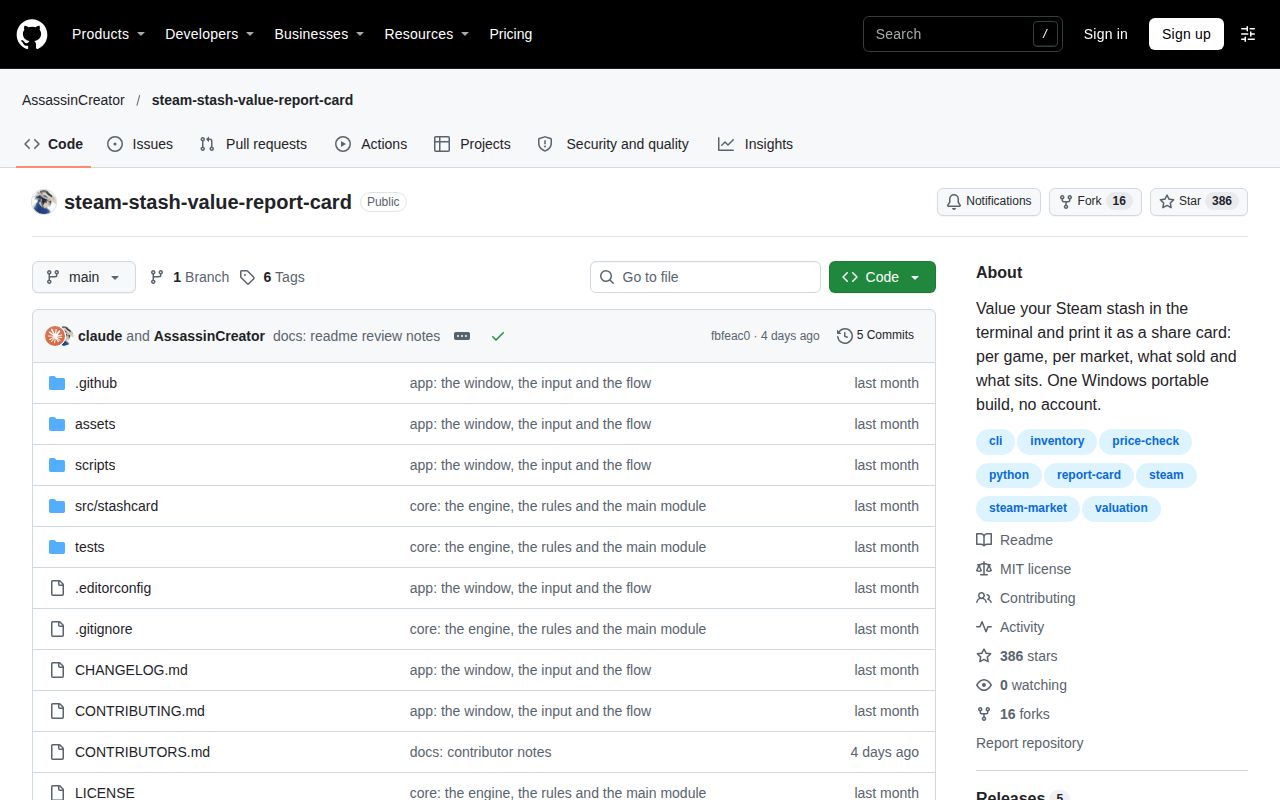
GitHub's repository API recorded 386 stars, 16 forks and zero open issues and PRs on November 22, 2026. It also recorded a November 18 last push and identified Python and the MIT license. These repository facts describe the project's visible state at that check. A star count measures repository attention, while an empty open-ticket count describes the tracker at one moment.
The aggregator snapshots differ: RepoRadar records 387 stars on November 20, while DKFile displays 788 under a November 22 Beijing-time update label. DKFile is a Chinese-language listing, rather than evidence of worldwide English search demand. Keeping each figure attached to its source and date avoids turning incompatible snapshots into a growth story. For the installation decision, the recorded Git command and exact error are more directly useful.
Questions people ask
Stashcard turns Steam inventory estimates into PNG reports, terminal tables and JSON/CSV exports, according to its README. That answers the recurring question about what steam-stash-value-report-card does before installation details enter the discussion. The documented modes include summaries, individual games, grids, receipts, marketplace comparisons and profile differences. The questions below concern those documented capabilities and setup choices.
What does steam-stash-value-report-card do?
Stashcard reports estimated inventory values by game and marketplace, with separate wallet and cash labels. Its README lists CS2, Dota 2, TF2, Rust, Steam community items and custom app/context pairs. A user can request a visual card or terminal-only valuation, and export JSON or CSV. The report formats organize the estimates differently rather than converting them into an offer to buy the items.
How do I install steam-stash-value-report-card?
The README offers a Windows portable executable and a Python 3.11+ source route using pipx. Its installation command points at steam-account-value-checker, and its Windows instructions include installing pipx before running that command. The documented download targets Windows 10/11 x64. The separate run section records the exact outcome of our uv adaptation, including its duration and Git error, so readers can distinguish the written route from the measured checkout installation.
Who is steam-stash-value-report-card for?
Steam collectors wanting reports organized by game, marketplace or profile are the clearest fit for its documented formats. The README's modes table covers an inventory grid, an itemized receipt and a marketplace comparison with fees and coverage. Windows home-PC use follows the author's setup recommendation. Python contributors also have a concrete starting point in the fbfeac0 checkout, where the repository checks recorded 174 passing tests.
How popular is steam-stash-value-report-card on GitHub?
GitHub's API recorded 386 stars and 16 forks on November 22, 2026. The repository metadata is the direct source for that dated answer. RepoRadar and DKFile display different snapshots, as described above. None of these counts measures completed inventory scans, the number of collectors regularly using reports or the quality of support available to a new user.
What license does steam-stash-value-report-card use?
Stashcard uses the MIT license, while its bundled Inter and JetBrains Mono fonts use SIL Open Font License 1.1. The README's license section distinguishes the software from those font assets. GitHub's repository metadata also identifies MIT. That distinction gives someone modifying the report renderer both the software license and the separately named terms for the bundled typography.
What is my Steam inventory worth across different markets?
Stashcard's documented answer is a set of estimates by venue, metric and fee, with Steam wallet totals separate from cash totals. The pricing documentation says missing prices stay unpriced and secondary metrics receive fallback labels. A useful reading starts with coverage and the price window, then considers the relevant venue's deduction. The README's disclaimer calls these figures informational estimates rather than offers or appraisals.
What we have not tested yet
Our completed checks cover repository installation, build and tests at fbfeac0; the separate quick-start attempt stopped during Git installation. A completed independent live inventory valuation, real-profile card rendering, scan completion under Steam throttling and comparison with realized sale proceeds are outside those results. The author's fictional demo establishes a presentation example only. The comparison table describes documented functions, without comparative performance measurements or attributable reports of users switching tools.
Clean-machine Windows operation without Python, portable-binary authentication against a reproducible source build and Linux/macOS startup compatibility still need direct checks. We also lack measurements of cache growth, current venue fees, item-specific premiums, currency conversions and optional-cookie network destinations. Pip-audit's zero findings cover 44 scanned packages with one skipped; they are not a security assessment of the release executable or account handling. Rendered layout, resolved links, images, related links and recommendation modules were not assessed in the text review.
The quick-start summary labels installation as pypi, but its actual installation step records a failed Git command. Its 2-CPU, 4-GB configuration differs from the successful harness's 3 CPUs and 8 GB RAM. These are separate runs. The container image label also does not identify the actual runtime or operating-system version; that requires raw toolchain logs. The Git credential error alone leaves the target's accessibility and the cause of failure unresolved, and the star snapshots leave independent adoption and support quality unmeasured.
The next useful hands-on question is whether the documented Windows route reaches a first real PNG from a public inventory without a session cookie. Recording that route, missing-price rows and fallback labels would connect installation to a report a collector can inspect. A later comparison with completed sales would address a different question: how the fee-adjusted estimate relates to money actually received. Neither result should be inferred from the existing 174 passing repository tests.