Should you use Orca for parallel coding agents?
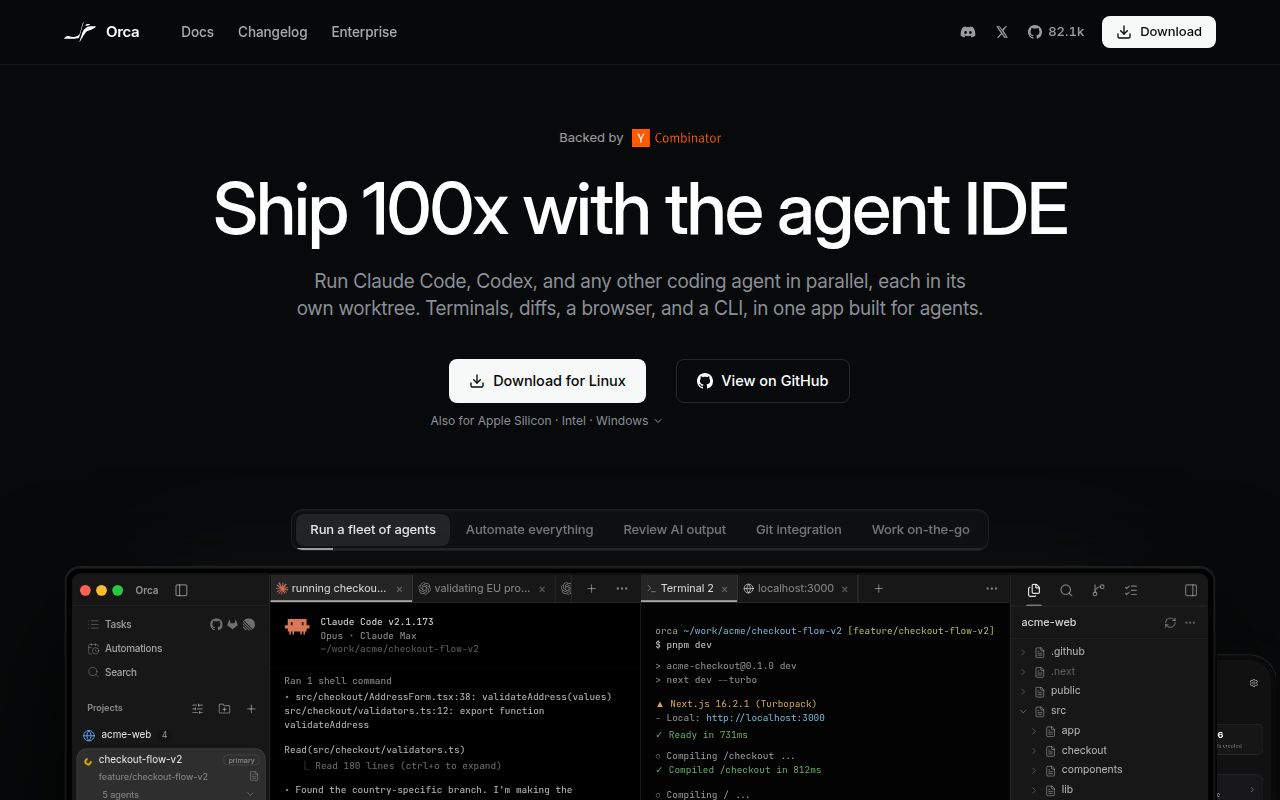
Orca is worth evaluating when you regularly compare several agents' attempts at the same coding task. Its README describes separate Git worktrees, a shared review interface and comments that can be sent back to an agent. Our source run provides setup evidence, but it does not verify that desktop workflow.
The distinction matters when choosing how to try it: installing a release and developing Orca from source are different tasks. The failed source build below does not show that the released application is broken.
What the README describes
The README lists Codex, Claude Code, OpenCode and Pi, and claims support for any agent that runs in a terminal. It describes sending one prompt to five agents in isolated worktrees, comparing their results and merging the chosen result. Treat that compatibility statement as a project claim rather than our tested compatibility matrix.
Other documented features include terminal splits with persistent scrollback, Design Mode that sends an element's HTML, CSS and cropped screenshot to an agent, GitHub and Linear task integration, SSH worktrees and a paired mobile companion. Quick open searches worktrees, files, agents, commands and repository context. None of these interactions was exercised in our recorded run.
Our recorded source run
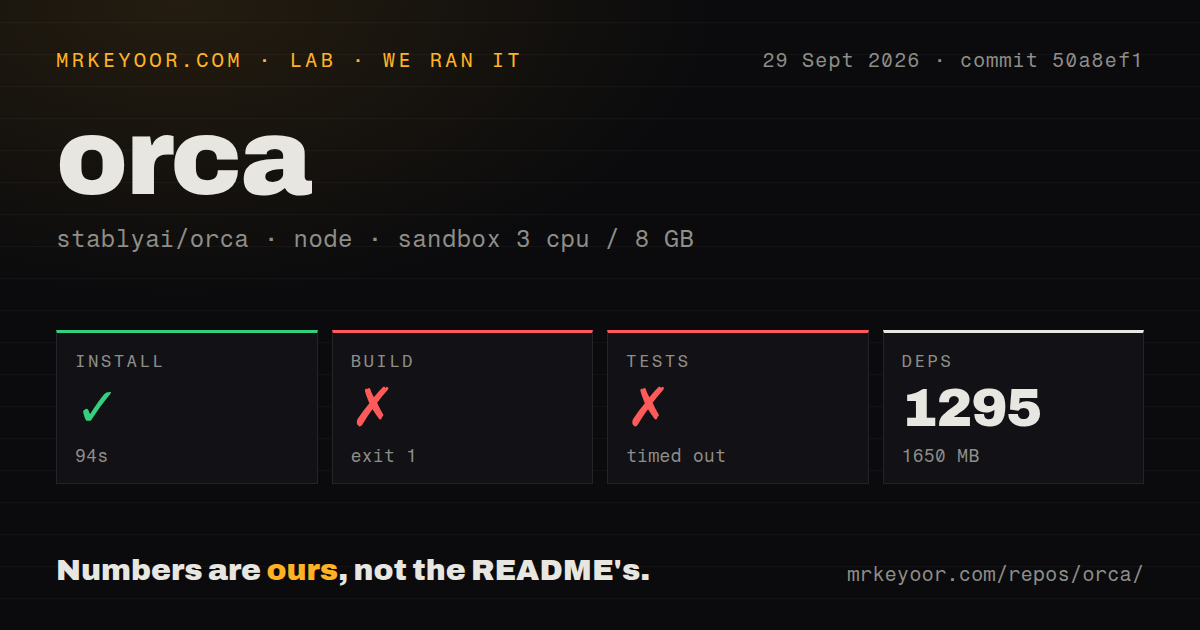
Our run was recorded on September 29, 2026 at 04:22:31 UTC against commit 50a8ef1, full SHA 50a8ef18e48a22076a3343ca65f4b40971ec84bf. The sandbox configuration records 3 CPUs, 8 GB of memory and image lab-node:22. The image name is not proof of the actual Node runtime; the raw detector separately records nodeMajor 24.
The dependency-install step completed in 94 seconds. The measurement reports 1,295 dependencies and 1,650 MB of dependency storage. The install tail's own pnpm message says 1m 11.2s using pnpm v12.0.0; the harness measured 93,877 milliseconds for the whole step. We use the rounded 94-second step duration consistently. Completion of this step does not prove that Orca's application or CLI was installed and usable.
The build exited with code 1 after 205 seconds. Its command sequence began with desktop work before native work. During typechecking, tsc tsconfig.node.json and tsc tsconfig.tc.web.json reported SIGKILL. The recorded output does not identify the cause. It cannot establish a memory requirement, a source defect or a host-policy explanation.
The test command timed out after 900 seconds. Its tail contains React act(...) environment warnings and passing summaries for two files: 27 tests in the native chat live-session file and 30 in the OpenCode hook lifecycle file. Those are partial log observations, not an exhaustive count of unique passing tests. No complete-log reconciliation or new execution was performed, and the overall suite result remains unknown.
The checkout scan recorded 30,593 files, approximately 4,927,522 lines and 260.5 MB. It also recorded workspaces, a tests directory and 73 CI workflow files, with no Dockerfile or Compose file found. These are checkout measurements, not counts of authored production code or evidence of passing CI. No audit result, installed-binary check or agent workload measurement is supplied.
Choose a release trial or source investigation
For an application trial, the README documents downloads for Apple Silicon and Intel Macs, Windows and Linux AppImage, plus Homebrew and AUR routes. We did not time or verify those installations. The supplied README specifically identifies Windows code signing, which does not justify describing every download as signed.
For source work, start with the contributor guide linked by the README and reproduce the build with a recorded toolchain. The README also identifies a separate relay workspace under cloud/; the commit-pinned README links a headless Linux server guide. Our result leaves the build cause unresolved, so allocating more memory alone is not an evidence-backed fix.
Check agent versions before adoption
The v1.4.217 release notes describe a concrete compatibility failure: Codex 0.158 removed a welcome-screen label that Orca used for startup detection. The release says Orca changed its readiness detection to recognize the empty input box.
The same notes say Codex 0.157 and newer had shared a background server across Orca tabs. The release gives each newly opened Codex terminal its own server; existing terminals retain their behavior until reopened. The notes describe both increased memory use with many tabs and reduced session visibility from other Codex entry points. These are release-note claims, not behavior verified by our source run, which predates that release.
Before adopting Orca, check the exact release with your selected agent versions. A useful trial is to create separate worktrees, compare diffs, return a review comment and confirm that closing one session leaves the others usable. These are proposed checks, not tests we performed.
Activity does not establish reliability
The supplied issue-page extract shows 4,272 open issues and entries opened on October 26, 2026. Its list includes feature requests and bug reports. That count is neither a confirmed-defect total nor a measure of response time or resolution quality. The supplied evidence does not support retaining the older star, push-date or combined issue-and-pull-request figures as current measurements.
Alternatives depend on the job
OpenHands Agent Canvas describes a self-hosted control center supporting multiple coding agents and local, remote and cloud backends. Its README also documents scheduled and event-triggered automations. Evaluate it when those operating choices are central to your decision.
OpenCode is a coding agent with build and read-only plan modes; its README also lists a beta desktop application. Evaluate it when choosing the agent itself. Because Orca lists OpenCode as supported, the two can be complementary.
How to read the scores
These are editorial evidence ratings, not benchmark results. The scale is 1 for substantial demonstrated obstacles, 2 for unresolved evaluation gaps, 3 for a documented basis to evaluate, 4 for stronger corroboration in the relevant category and 5 for broad verification. Missing evidence limits confidence; it does not prove poor product quality.
Setup receives 2 because dependency installation completed but our source build and suite did not, while release installation remains untested. Documentation receives 3 because the README supplies installation and contributor routes, but their completeness was not checked. Community receives 3 because the issue extract shows participation without establishing support quality. Maturity receives 2 because the release notes document compatibility fixes and tradeoffs, while sustained reliability remains unverified.
For readers already comparing multiple CLI-agent solutions, the next step is a packaged-app trial using their actual agents. Source contributors have a separate unresolved question: why this commit's build stopped and whether its full suite completes in a documented environment.