Local HID++ control covers more than mouse buttons
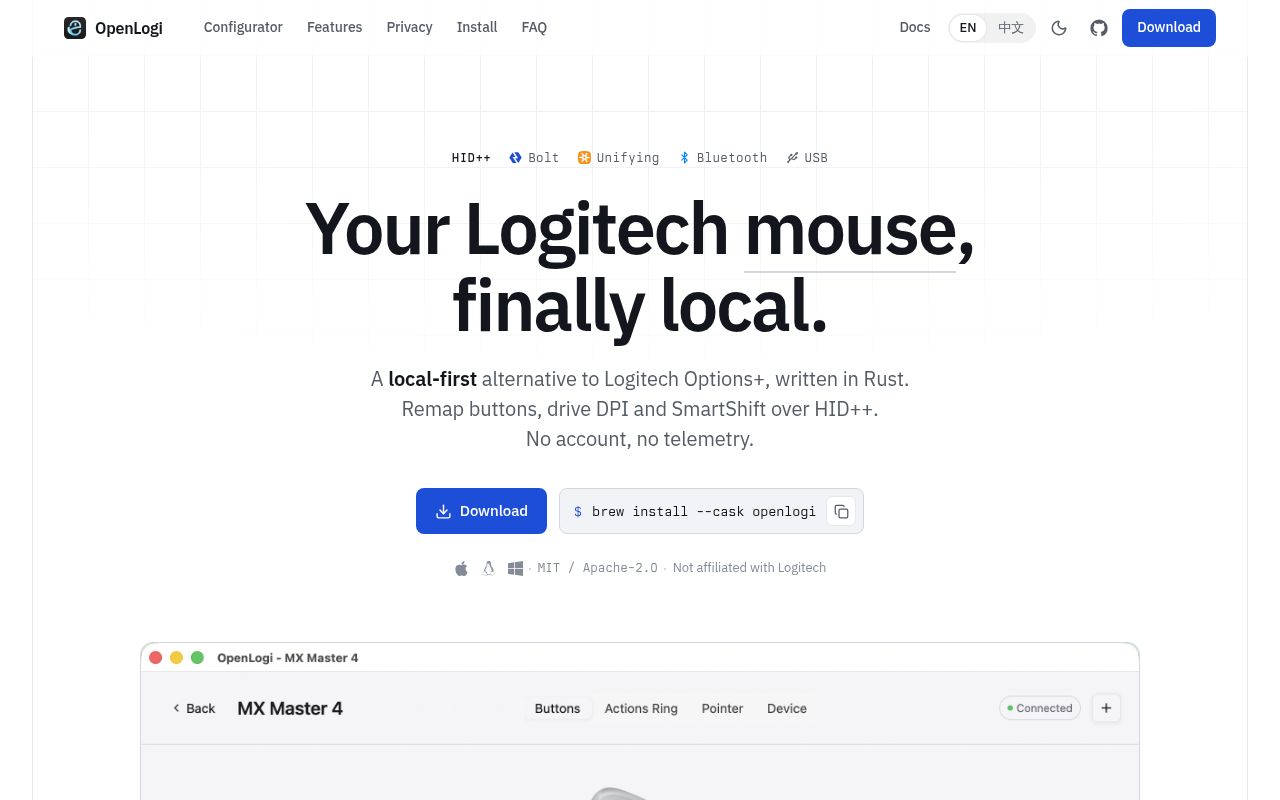
OpenLogi replaces much of Logitech Options+ with a native Rust application, background agent, CLI, and one TOML configuration file. It detects supported devices through Bolt or Unifying receivers, Bluetooth, or a cable, then reads battery and charging state. Mouse controls include button assignments, gestures, DPI presets, SmartShift, scroll inversion, and an 8-slot Actions Ring. Keyboards gain F-key actions and static RGB where the hardware exposes them.
The project also controls Litra lights and Logitech UVC webcams. Camera settings include zoom, focus, exposure, brightness, color adjustments, anti-flicker, and low-light compensation. Because those values are written to the UVC hardware, they carry into video applications rather than applying only inside OpenLogi. Profiles can store and restore groups of camera settings. The live preview releases the camera after the user leaves it, avoiding a permanent hold on the device.
One TOML file is easier to own than a vendor account
OpenLogi does not require an account and says it sends no telemetry. Configuration is plain text, so users can inspect it, version it, or sync it with their existing file-management system. The CLI exposes automation alongside the GUI. Per-application overlays can change actions when focus moves between programs on macOS and Windows, with Linux support for X11 and XWayland applications.
Button actions include built-in commands, keyboard shortcuts, distinct short and long presses, and hold-until-release chords. Gestures can be assigned to any capable button rather than a vendor-selected control. Platform equivalence is incomplete: the README notes that some macOS actions have no general Linux counterpart, and media keys use D-Bus MPRIS there. Native Wayland windows also sit outside the documented profile-switching path.
What happened when we ran it
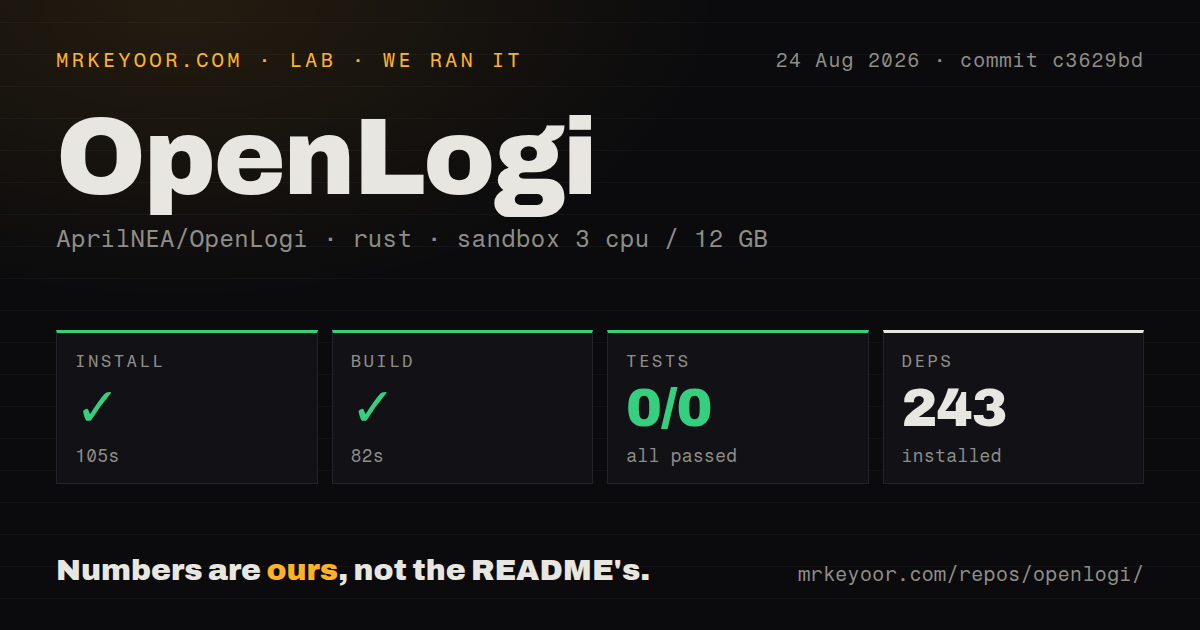
Our sandbox cloned commit c3629bd and installed 243 Rust packages in 105 seconds. The build succeeded in 82 seconds. The repository contained 641 files, about 108,471 source lines, and occupied 7.8 MB. Nine CI workflow files were present. There was no Dockerfile and no tests directory.
The test command exited successfully after 52 seconds, but cargo reported 0 tests: 0 passed and 0 failed. That is technically a successful invocation without behavioral cases in the measured target. It does not exercise device discovery, HID++ writes, key injection, profiles, or camera controls. Our unprivileged sandbox had no Logitech hardware attached, so every adopter should test the release with the exact receiver, connection type, device firmware, and operating system they intend to use.
Packaged installs still need an operating-system agent
On macOS 13 or later, users can install a signed and notarized disk image or use the official Homebrew cask. A separate tap can track the newest GitHub release, and the README warns not to install both casks. Linux releases cover Debian, Fedora, Arch, and NixOS on x86_64 and arm64. Prebuilt Linux packages require GLIBC 2.35 or newer.
Linux packages install udev rules for /dev/hidraw*, /dev/uinput, and the Logitech input event node, granting the current user device access without sudo. Debian, Fedora, and Arch users then enable a systemd user service; the NixOS module does that integration itself. Windows provides signed per-user MSI installers and portable zip archives. The portable GUI and background agent executables must remain together because the agent owns device I/O.
Options+ must release the receiver before OpenLogi starts
The installation warning is blunt: quit Logitech Options+ first. Both programs request HID++ access, and one receiver cannot serve both owners simultaneously. This complicates a cautious migration because users cannot compare settings live. Record current assignments before switching, then test buttons, scroll behavior, application profiles, sleep and wake behavior, and reconnection after reboot before removing the vendor application.
Device support is also capability-specific. A mouse can appear while one button, SmartShift command, RGB feature, or gesture remains unavailable. Issue 1058 reports a detected G602 with missing functions and other behavioral problems on macOS. Issue 1057 describes a mapped right click not satisfying Fusion 360's orbit interaction. These reports do not cover every device, but they show why detection alone is a weak acceptance test.
Gaming and newer-device features remain incomplete
The README positions OpenLogi against Options+, not Logitech G Hub. Issue 886 asks for gaming-device support broad enough to replace G Hub, which confirms that goal is not delivered now. Issue 92 asks for MX Mouse 4 haptic feedback. Issue 1053 requests the M650L behavior that turns a side button plus main wheel into horizontal scrolling. Issue 1054 asks for mouse-button and modifier chording needed by a Fusion 360 workflow.
These gaps matter because peripheral software is judged by a small set of personal muscle-memory actions. A user may care about one haptic cue or one CAD chord more than the rest of the feature list. OpenLogi's GUI and configuration breadth should not be used as a compatibility claim. Check the issue tracker for your exact model and connection, then keep a reversible path back to vendor software.
Release 0.8.1 is active and explicitly unstable
GitHub showed 16,812 stars, 327 combined issues and pull requests, and a push on August 26, 2026. Release v0.8.1 was published the same day with language-switching fixes, GUI label repairs, icon work, and faster macOS packaging. Current pushes and issue traffic indicate active maintenance; the large combined count also reflects the project's wide matrix of operating systems, connection methods, and devices.
The README opens by saying features and configuration may still change. Take that warning seriously. OpenLogi is already useful for people who refuse an account-based peripheral manager, especially on Linux, but the 0-test cargo result leaves hardware validation with users and project CI paths outside our measured command. Trial it with your daily profiles and preserve the old configuration until a full workweek passes without a missed action.