Atomic Chat is most useful as a local inference hub
Atomic Chat looks like a private chat app, but the local server is the stronger reason to install it. Once a model is loaded, clients can call an OpenAI-compatible endpoint at 127.0.0.1:1337/v1. That lets a coding agent, IDE plugin, script, or another app use the same local engine without learning Atomic Chat's internals. The desktop UI handles model downloads, conversations, assistants, project files, and settings around that server.
Three inference families sit behind the API. Atomic Chat ships an upstream llama.cpp route, its own TurboQuant fork, and MLX-VLM for Apple Silicon. You can switch engines without changing client configuration. The app also offers cloud providers with user-supplied keys, image generation, multiple MCP servers, and launchers for tools including Claude Code, Codex CLI, OpenCode, Cline, Goose, and OpenHands. It has grown well beyond a local chat window.
Privacy depends on the model route and network binding
The default local server listens on loopback, which keeps it off the LAN. Local-model conversations and keys stay on the machine according to the README. Atomic Chat can also bind to 0.0.0.0, connect devices over LAN, or use a Cloudflare tunnel. Those options change the exposure, so a private setup should keep the default until the operator has decided how remote access will be protected.
Local use requires no hosted-model credential, but it still needs model weights, enough disk, and enough memory. The documented floor is 8 GB of RAM for 3B models, with 16 GB suggested for 7B and 32 GB for 13B. Cloud models require provider keys. Linux users get GGUF models only, while Apple Silicon can use MLX-VLM. The app route is friendlier than a source build, especially for someone who wants to download a model and start chatting.
What happened when we ran it
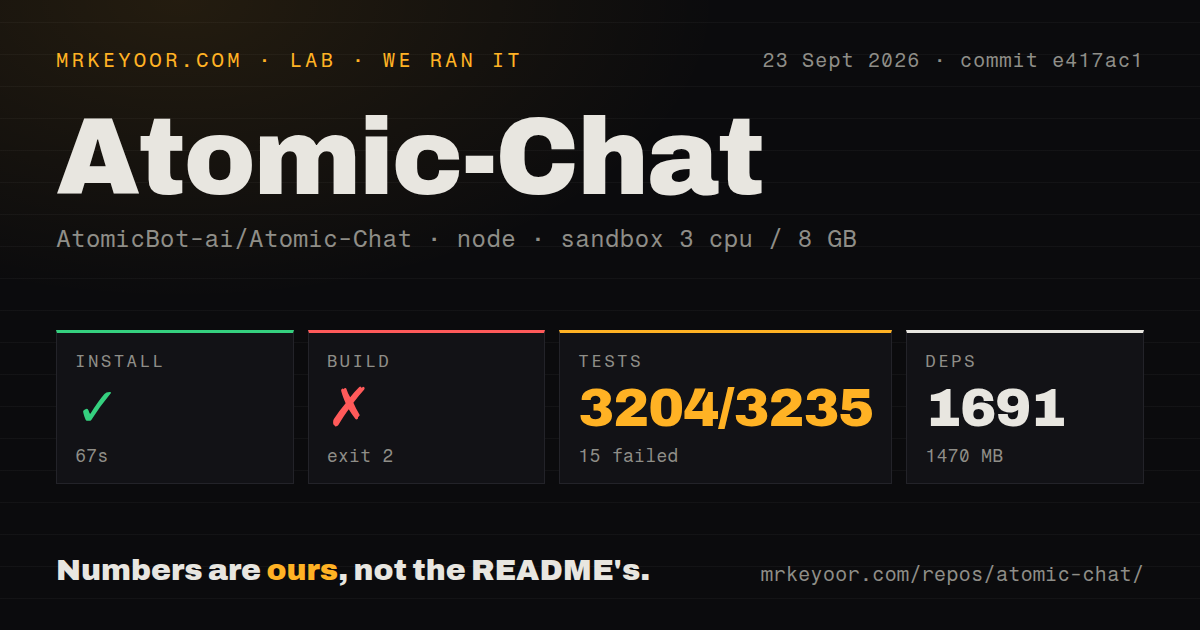
Our sandbox cloned commit e417ac1 and installed 1,691 packages in 67 seconds. The dependency tree occupied 1,470 MB. The source checkout contained 3,428 files, about 400,224 lines, and 283.3 MB before installation. We found a workspace monorepo, 2 CI workflow files, no Dockerfile, and a tests directory.
The production build failed after 170 seconds with exit code 2. A Rust crate invoked pkg-config for gdk-3.0 >= 3.22, and pkg-config returned status 1 because the system library and gdk-3.0.pc file were unavailable. PKG_CONFIG_PATH was unset. The log specifically asks for that library and path; it does not show a TypeScript or application-code failure. On a fresh Debian container, the documented Node, Yarn, Make, and Rust list was not enough.
Vitest also returned exit code 1 after 161 seconds. It reported 3,204 passed, 15 failed, and 16 skipped tests out of 3,235. The file summary showed 104 failed, 281 passed, and 1 skipped out of 386 files, while the visible tail named 2 failures in @janhq/web-app's main.test.tsx. The supplied tail did not include the assertion messages for all 15 failures, so we cannot assign a cause from this run.
Packaged downloads avoid the GTK source-build stop
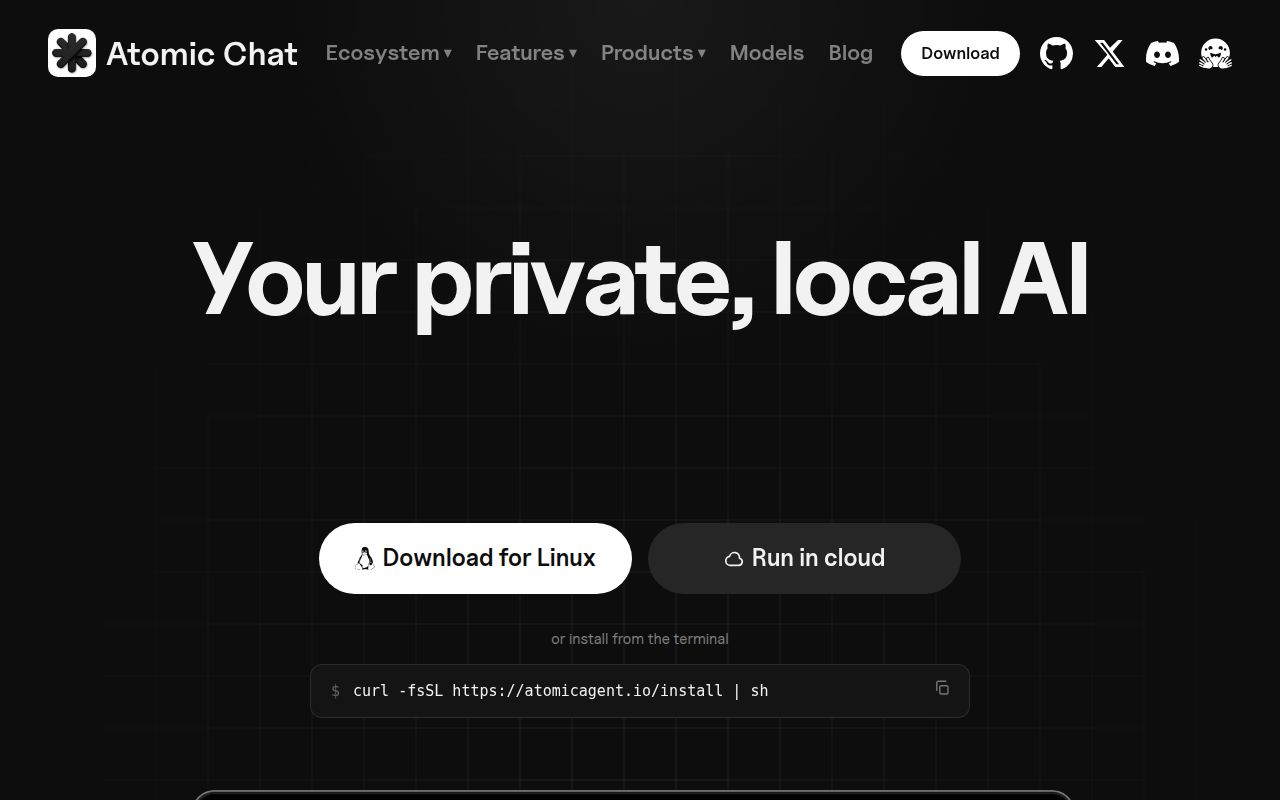
Atomic Chat publishes desktop downloads for macOS, Windows, and Linux, plus iOS and Android apps. The Linux package is an AppImage and may need FUSE; Vulkan acceleration may need a loader or vendor driver. Building from source adds Node 20 or newer, Yarn 4.5.3 or newer, Make, Rust, Tauri, and native desktop libraries. Our missing gdk-3.0 result is the part prospective contributors should add to their checklist.
The application then manages another layer of runtime state: model downloads, compatible engines, context sizes, project indexing, MCP connections, and provider credentials. Release v2.0.44 added memory-fit warnings, disk-space checks, cancellable model loading, project-file progress, and clearer connector status. Those changes target setup friction directly, though an open Windows report from v2.0.35 still describes model downloads that never started.
Mobile and project workflows still have visible gaps
Issue 293 shows a concrete mobile parity problem. A custom provider returned 47 models through its /v1/models endpoint and worked with the same credential on desktop, while the iPad app displayed no models and offered no manual model-ID workaround. Issue 289 describes a Windows project upload stuck in a progress loop. Both reports concern workflows Atomic Chat advertises, rather than unrelated components.
Version 2.0.44 was released on September 21, 2026, and issue 311 arrived the next day to report missing sampling controls that were available in v2.0.37. GitHub showed a last push on September 23, 1,596 stars, and 58 combined open issues and pull requests. Current migration pull requests and recent issue activity show a project changing quickly. That pace is good for fixes, but it also argues for pinning a working desktop release.
The desktop bundle earns its weight when several clients share it
Atomic Chat makes the strongest case when one model runtime serves both a person and several tools. The chat UI can manage models, while agents and scripts use the same OpenAI-style endpoint. MCP connections and one-click agent launchers reduce switching between separate local-AI products. The Apache 2.0 declaration in the README also gives teams a clear starting point for code use, subject to verifying the repository's license files themselves.
A buyer who only needs a background API will carry less UI and mobile code with Ollama. Someone who wants a browser service for several users may prefer Open WebUI over a desktop-first app. Atomic Chat belongs in the middle: a personal local-AI workstation with a reusable endpoint. Start with the packaged release, keep the server on loopback, and test your chosen model, project upload, and external client before making it the only local backend.