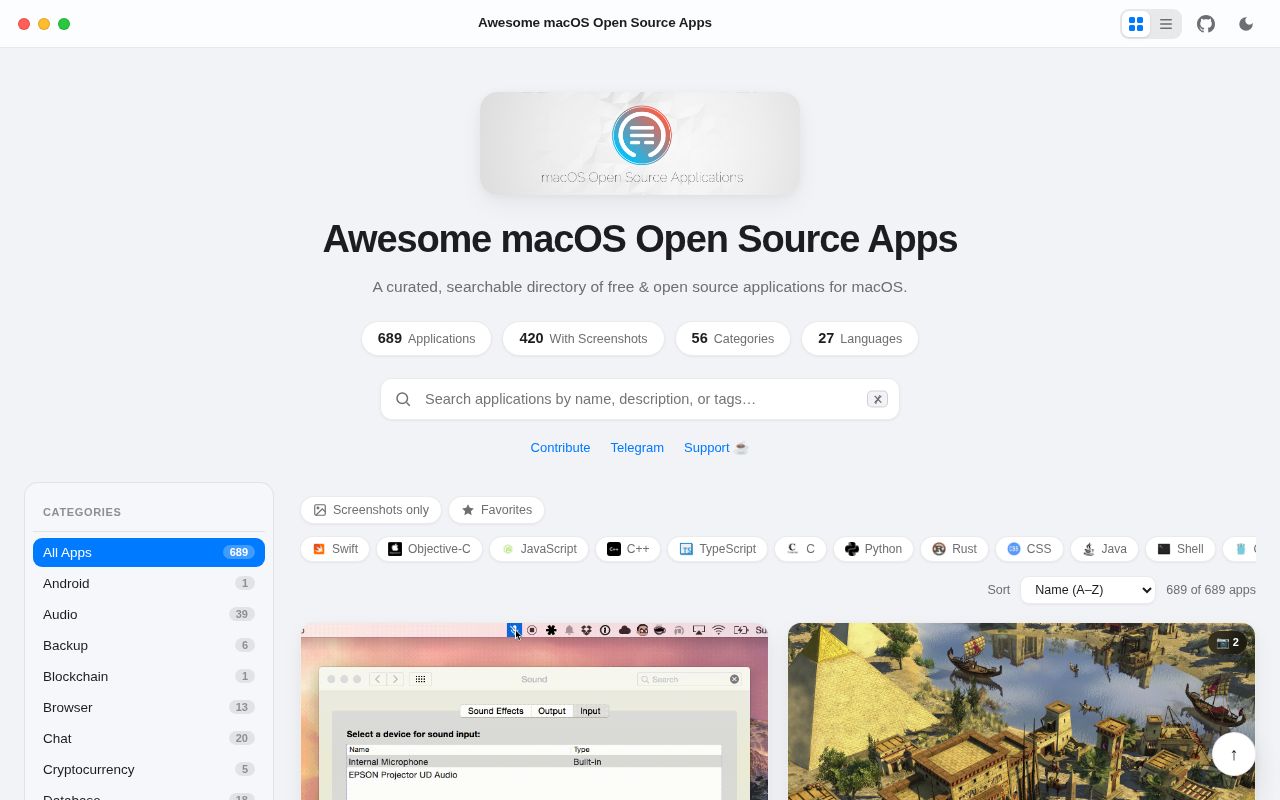
It is a map of Mac software, not another Mac app
Awesome macOS Open Source Applications solves a discovery problem that ordinary app stores handle poorly: finding software whose source can be inspected, learned from, or changed. The repository presents 703 applications across 49 categories, from Audio and Backup through Security, Terminal, Video, and Window Management. That scope makes it useful before a purchase decision or development project, but its role is closer to a reference shelf than a tested buying guide. Each entry points outward to another project, so the quality, maintenance, licensing details, and installation experience ultimately belong to that destination.
The catalog has a clear developer bias without becoming unreadable for regular Mac users. It identifies 313 Swift projects, 137 Objective-C projects, 114 JavaScript projects, 59 C++ projects, and 43 TypeScript projects, while also recognizing languages including Rust, Go, Python, and Metal. That lets contributors look for a familiar codebase and helps technical teams distinguish native software from cross-platform choices. Category counts also set expectations: Audio alone contains 40 entries, and individual listings can include a short description, language badges, a website, and expandable screenshots.
Our run confirmed that there is no application to execute
In our run at commit 04deaf8, we did not perform an install, build, or test step. The sandbox found no supported software ecosystem and no Dockerfile, so there was no evidenced command we could responsibly invent and no test result to report. The environment was a fresh unprivileged Debian container with 3 CPUs, 8 GB of RAM, and no secrets. This is not a failed Mac app launch: it is evidence that the repository, as supplied, behaves like curated content rather than a conventional executable project.
That distinction keeps the setup story simple for readers and uncertain for maintainers. Anyone can browse the README or hosted homepage without local installation, but our box did not establish how the list is validated, how the site is generated, or whether dead-link checks exist. There were 0 runnable ecosystem paths identified by the measurement, not 0 defects, and those are very different claims. A contributor should read the repository's contribution guidance and inspect its automation before assuming that editing one Markdown item is the entire publishing workflow.
The catalog is unusually specific where specificity helps
The strongest part is its consistent, scannable structure. The 49-category table of contents gets readers directly to practical groups such as Finder, Menubar, Notes, VPN and Proxy, and Window Management. Entries do more than repeat names: Audacity includes its project site and a screenshot, while Aural Player includes multiple animated demonstrations and notes that 5 more screenshots are available. Language labels make the list useful for code exploration as well as app discovery, and the stated goal explicitly welcomes contributions rather than treating the page as a finished museum piece.
The repository also has credible signs of ongoing attention. Its README says it was last updated on September 5, 2026, matching a last push on that date, only 3 days before this review. With 50,297 stars, it has reach far beyond a personal bookmark file. The mix of native and cross-platform apps is sensible because Mac users care about the actual experience more than toolkit purity, while developers can still use the language markers to filter. The CC0-1.0 license also makes the catalog data unusually easy to reuse, though each linked application's own license still governs that software.
Inclusion is a lead, not a quality guarantee
The biggest weakness is unavoidable but worth stating plainly: a 703-item list cannot tell you whether a particular app is secure, actively maintained, compatible with the latest macOS release, or pleasant to use. Screenshots and one-line descriptions help discovery, yet they are not substitute evidence for update history, signed binaries, privacy behavior, accessibility, or support. Some linked projects may change owners or distribution methods after inclusion. Teams should therefore treat every entry as a candidate and verify its repository, release artifacts, permissions, dependencies, and license before allowing it onto managed Macs.
Community health looks good at the repository level, but the signals are mixed rather than perfect. A push on September 5, 2026 indicates current activity, and the star count shows sustained adoption, while 259 open issues suggest either a busy contribution queue or meaningful maintenance load. The supplied data lists no latest release, but release cadence is a weak yardstick for a content repository that may publish directly from its default branch. Issue response time and link freshness were not measured, so the open count should prompt inspection, not a claim that the project is neglected.
It belongs at the start of evaluation, not the end
In a real workflow, use this list to build a shortlist, then move to each app's own documentation and releases. A developer might begin with the 313 Swift entries to find sample architectures; an IT team might scan Security or VPN and Proxy, then evaluate signing, update channels, and permissions independently. Homebrew Cask is a better next layer when repeatable installation matters, while an inventory or device-management system should own deployment and policy. The directory itself should not sit in a runtime stack because it provides discovery data, not an API, package, daemon, or control plane.
The final judgment is straightforward: this is one of the more useful starting points for open-source Mac software because it combines 49 navigable categories with implementation clues and visual previews. Its recent push makes it reasonable to trust that someone is tending the shelves, but the 259-issue backlog and absent listed release argue against blind confidence in every link. Bookmark it, reuse the CC0-1.0 catalog where appropriate, and contribute corrections. Just keep the final decision at the individual-app level, where compatibility, security, maintenance, and actual hands-on testing can be judged.