Open Notebook gives research data a home you control
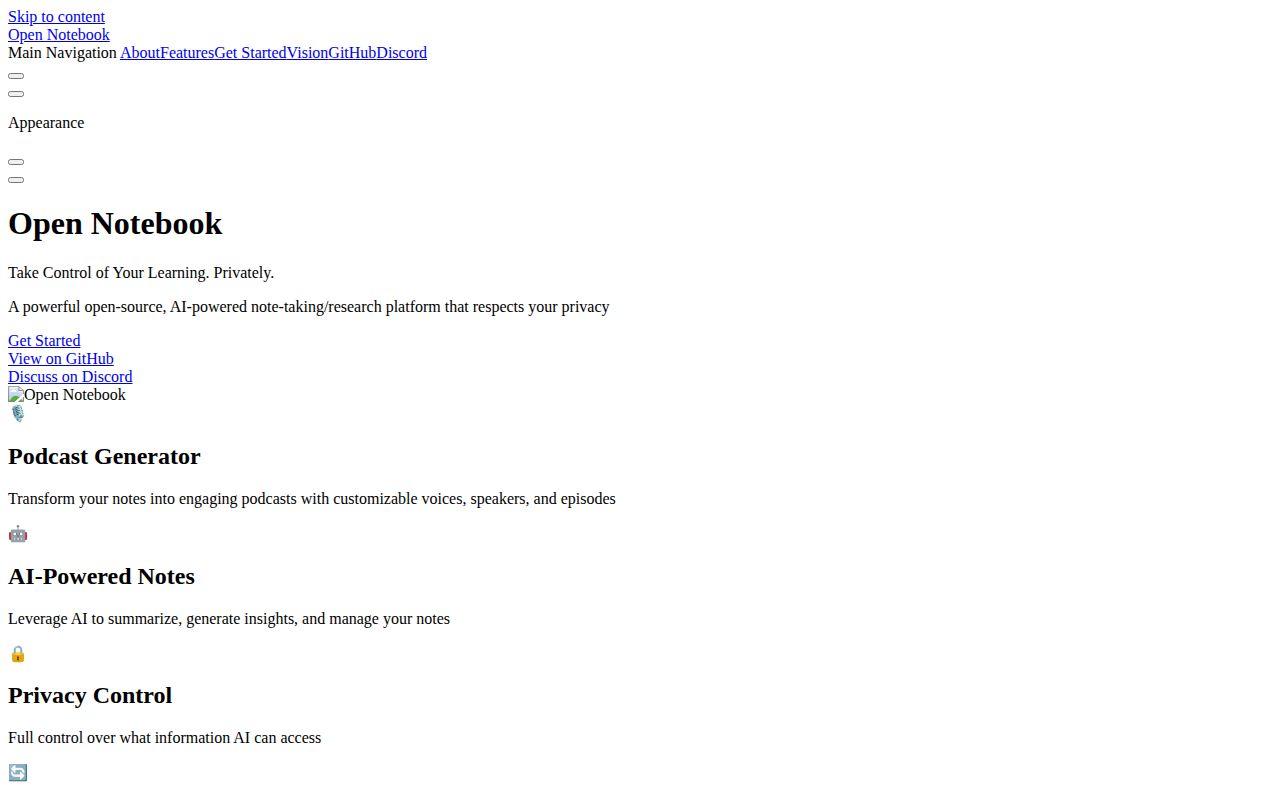
Open Notebook follows the useful part of Google's NotebookLM idea: collect sources in a notebook, search them, ask grounded questions, save notes, and turn material into audio. It then opens the model layer. The provider table covers hosted LLMs, embeddings, speech recognition, and speech generation, while Ollama, LM Studio, and oMLX support local paths. A REST API and MCP integration make the stored research available beyond the web interface.
The source types include PDFs, web pages, video, audio, and office documents. Full-text and vector search work across them. Transformations can summarize or extract information into notes, while conversations choose which source context to send. Podcast profiles support 1 to 4 speakers and let users control the script and voice setup instead of accepting a fixed two-host format.
Data location and model location are separate choices. Running the database on your server keeps notebooks under your control, but a cloud LLM or speech provider still receives the content sent to it. A fully local deployment needs local models for each function you use, enough hardware for them, and careful verification that no fallback provider is configured.
What happened when we ran it
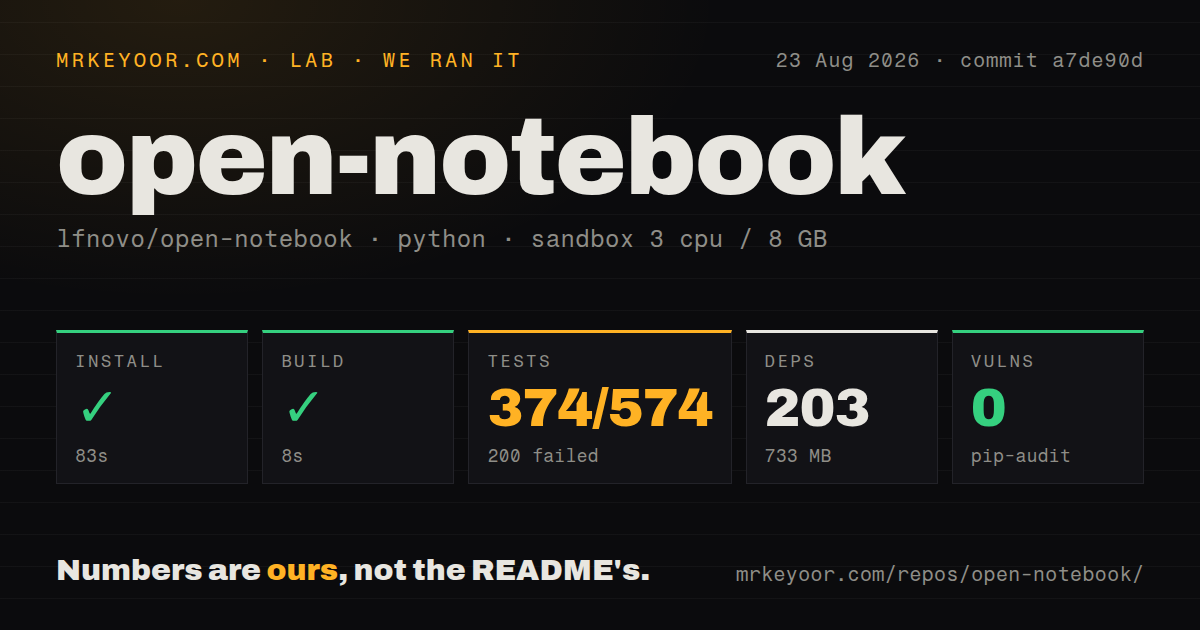
Our install at commit a7de90d completed in 83 seconds, adding 203 packages and 733 MB on disk. The build succeeded in 8 seconds. Pytest ran for 28 seconds: 374 tests passed and 200 failed before the suite stopped at its configured failure cap, out of 574 tests.
The repeated log message was direct. Async test functions were not natively supported, and pytest suggested installing a plugin such as AnyIO, pytest-asyncio, pytest-tornasync, pytest-trio, or pytest-twisted. The tail does not establish whether the intended extra was omitted, misconfigured, or incompatible. We can only say that async support was unavailable in the installed environment.
Pip-audit found 0 known vulnerabilities. The repository has 4 CI workflow files, a Dockerfile, a Compose file, and a tests directory. Passing 374 tests is useful evidence, but 200 failures are still a failed suite. Before deployment, reproduce the project's intended developer install and get the same commit through all 574 tests.
The two-container start has unsafe example secrets
The quick start runs Open Notebook beside SurrealDB. It exposes the web interface on port 8502 and the REST API on 5055, while the example binds the database's port 8000 to host loopback. Two local directories persist notebook and database data. This is understandable Compose, and it is not ready for public exposure unchanged.
The sample database credentials default to root:root, and the application encryption key is literally a change-me string. Comments in the file tell operators to replace both before network exposure. That encryption key protects saved API keys, so losing or reusing it has consequences. Put secrets outside the tracked Compose file, restrict file permissions, back up both volumes, and test a restore.
Optional password protection is available. An internet-facing instance also needs TLS, a reverse proxy, rate controls appropriate to its API, and a decision about who can trigger paid model or podcast jobs. SurrealDB should remain inaccessible from untrusted networks even after its password changes.
Provider freedom comes with a compatibility matrix
The README lists more than 18 providers, but support differs by task. Anthropic supplies language models without embeddings or speech. ElevenLabs supplies speech without an LLM. Ollama covers language models and embeddings, while OpenAI-compatible endpoints can fill several columns depending on what the server implements. A successful chat configuration does not prove podcast or search readiness.
Provider testing has current rough edges. Issue 1282 reports that the Anthropic connection test labels a valid key as lacking permissions. Issue 1274 reports model selection not working. Another current report says source transformations can be cut off by an 850-token default that cannot be changed for certain OpenAI-compatible models. Each report is specific enough to test before migrating a library.
Pin the models assigned to chat, transformation, embeddings, text-to-speech, and speech-to-text. Run one representative job for each, then compare billed usage with the expected provider. Local models avoid API billing, but they move latency, memory, and model updates onto your machine.
Citations are useful but the project admits the gap
Open Notebook advertises source citations, yet its own comparison table describes them as basic and calls NotebookLM's citations more complete. That is an honest limitation for research use. A clickable reference is only useful when it points to the passage that supports the sentence, survives reprocessing, and remains stable after source updates.
Test citation quality with adversarial questions, tables, scanned pages, and conflicting sources. Open the cited passage instead of trusting the answer text. Keep original files, because parser output and vector indexes are derived artifacts. For academic or legal work, use the notebook to find evidence, then cite and verify the original publication yourself.
Development is active, while the last release is older
Version 1.14.0 was released on 2026-07-21, and the repository's last push was 2026-08-16. GitHub showed 140 open issues and PRs, with updates continuing through 2026-08-25. Work on Arabic layout, context-length handling, a Helm chart, provider tests, and note creation shows current activity despite the older release tag.
Open Notebook is worth a local trial for provider choice and controllable research storage. The 8-second build and 374 passing tests show substantial working code, while the 200 failures prevent a clean production recommendation. Fix or explain the async test environment, harden Compose, and test citations against the sources that will decide whether the tool earns trust.