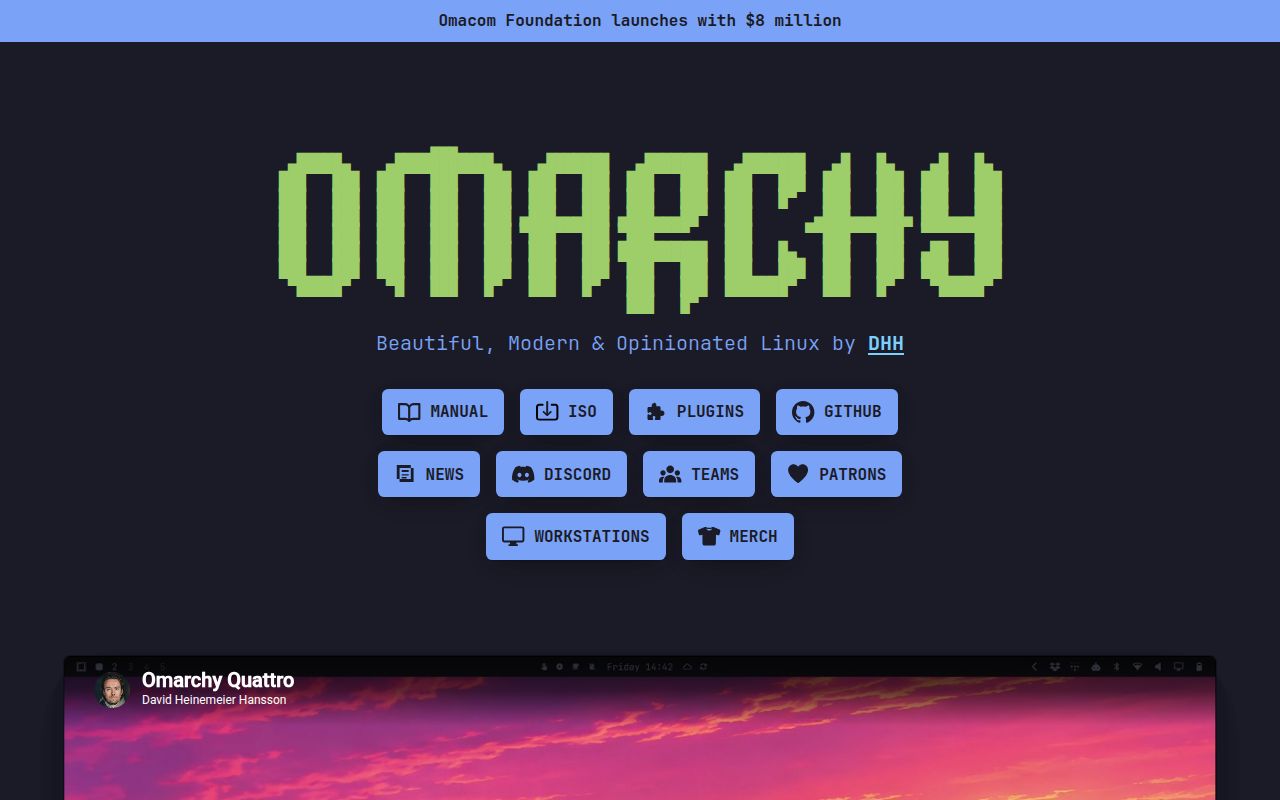
A whole workstation, not a theme pack
Omarchy is a finished opinion about how a developer's Linux computer should work. It starts with Arch Linux and Hyprland, then supplies the shell, applications, shortcuts, themes, update path, recovery tools, and documentation needed to make that combination feel like one product. The target user is not someone shopping for a neutral Linux base. It is a developer who sees the Omarchy workflow and wants most of it immediately.
Version 4.0, called Quattro, makes that argument clearer. The project replaced Waybar, Walker, Mako, SwayOSD, hyprlock, and several other desktop pieces with one long-running Quickshell process. The bar, launcher, menus, notifications, display controls, lock screen, and permission prompts now share styling and an extension model. That consolidation is a meaningful improvement over personal dotfiles where every component has its own configuration and failure mode.
The result is broad: visual themes, clipboard history, screen capture, dictation, window layouts, network and Bluetooth panels, developer tools, and many keyboard bindings. Quattro also adds a configurable coding-agent launcher, a plugin system, and small default applications for writing, trimming video, and calculation. It feels built for daily work rather than one attractive screenshot.
The opinion is both product and cost
Omarchy saves time because it refuses to begin with an empty settings screen. Foot is the default terminal, Neovim is the default editor, Hyprland controls windows, and the Omarchy menu exposes common actions. Developers coming from macOS or Windows get a manual section dedicated to the transition. Daily tasks have named shortcuts, with searchable access when a shortcut is forgotten.
Customization is more disciplined than the prescriptive image suggests. User changes belong under ~/.config, with separate Lua files for Hyprland bindings, monitors, input, appearance, and startup programs. Menu extensions live in JSONC, while executable hooks can react after boot, after updates, before package refreshes, and on theme or battery events. Omarchy-owned files live under /usr/share/omarchy and arrive as packages, separating personal overrides from distribution internals.
That boundary also tells experienced Arch users what they cannot do casually. Editing system-owned files is temporary because updates can replace them. Direct pacman -Syu and yay -Syu upgrades are blocked unless deliberately bypassed, because they skip Omarchy's snapshot, migrations, and configuration changes. The protective layer is central to keeping a heavily integrated rolling desktop together.
Installation is fast, preparation is not
New installations use a bootable ISO and offer either a full-disk install or unallocated space. Encryption is enabled by default. The project says installation should take no more than five minutes and can take less than one minute on fast hardware. That describes automated copying and configuration, not the complete migration to a new operating system.
The surrounding decisions deserve care. A full-disk installation wipes the selected drive. Dual boot requires free space, and Windows users must turn off BitLocker first. The guide also requires disabling Secure Boot or TPM in firmware. Full-disk encryption means a Bluetooth keyboard cannot enter the early boot password, so users need a cable or 2.4 GHz receiver. These are important constraints when the computer contains paid work or belongs to an employer.
Omarchy can defer personal setup when preparing a machine for someone else, and it supports unattended installation from configuration on a second drive. Quattro adds a factory-reset flow based on a snapshot created during new installation. Those features make it more credible for small fleets and computer builders than most desktop configuration projects, though operators must validate their hardware.
Updates have guardrails and real risk
The stable channel coordinates Omarchy releases with an Arch mirror held one month behind current packages. Edge follows current Arch, RC previews major releases, and dev combines edge packages with a source checkout. Before updates, Omarchy uses snapshots; after a bad update, the manual tells users to choose the earlier snapshot in the boot menu. A reinstall command can restore default packages and configuration, while overwriting local config changes.
Those protections matter because Quattro is a large rewrite. Current issue reports include a machine dropping into an emergency shell after upgrading, a lock action that appears successful but leaves the desktop usable, and a partly upgraded legacy installation whose migration command hid pending work and then stopped the queue. Other reports concern mixed-monitor behavior and Quickshell crashes. Each is an individual report rather than proof every installation is affected, but a lock failure and failed boot justify caution.
Maintenance is exceptionally active. The repository was pushed on August 16, 2026, two days after the 4.0.0 release, and issues and pull requests were changing throughout the day. GitHub reports 657 combined open issues and pull requests, a large queue reflecting adoption and major-release churn. This is active software, not a quiet stable platform.
Documentation and the final choice
The manual is one of Omarchy's strongest assets. Its 52 sections cover onboarding, navigation, applications, updates, dotfiles, hardware, recovery, security, dual boot, and unattended installation. It explains approved customization paths and escape hatches for experienced users. Release notes are similarly detailed and include upgrade instructions plus a warning to back up important data.
Choose Omarchy when you want this particular environment and would otherwise spend nights reproducing it. Its coherence, recovery model, customization boundaries, and documentation put it beyond a dotfiles bundle. Do not treat it as a risk-free shortcut to Arch. Install it on spare hardware, exercise suspend, locking, displays, audio, updates, and snapshot recovery, then decide whether its strong opinions have earned control of your daily computer.