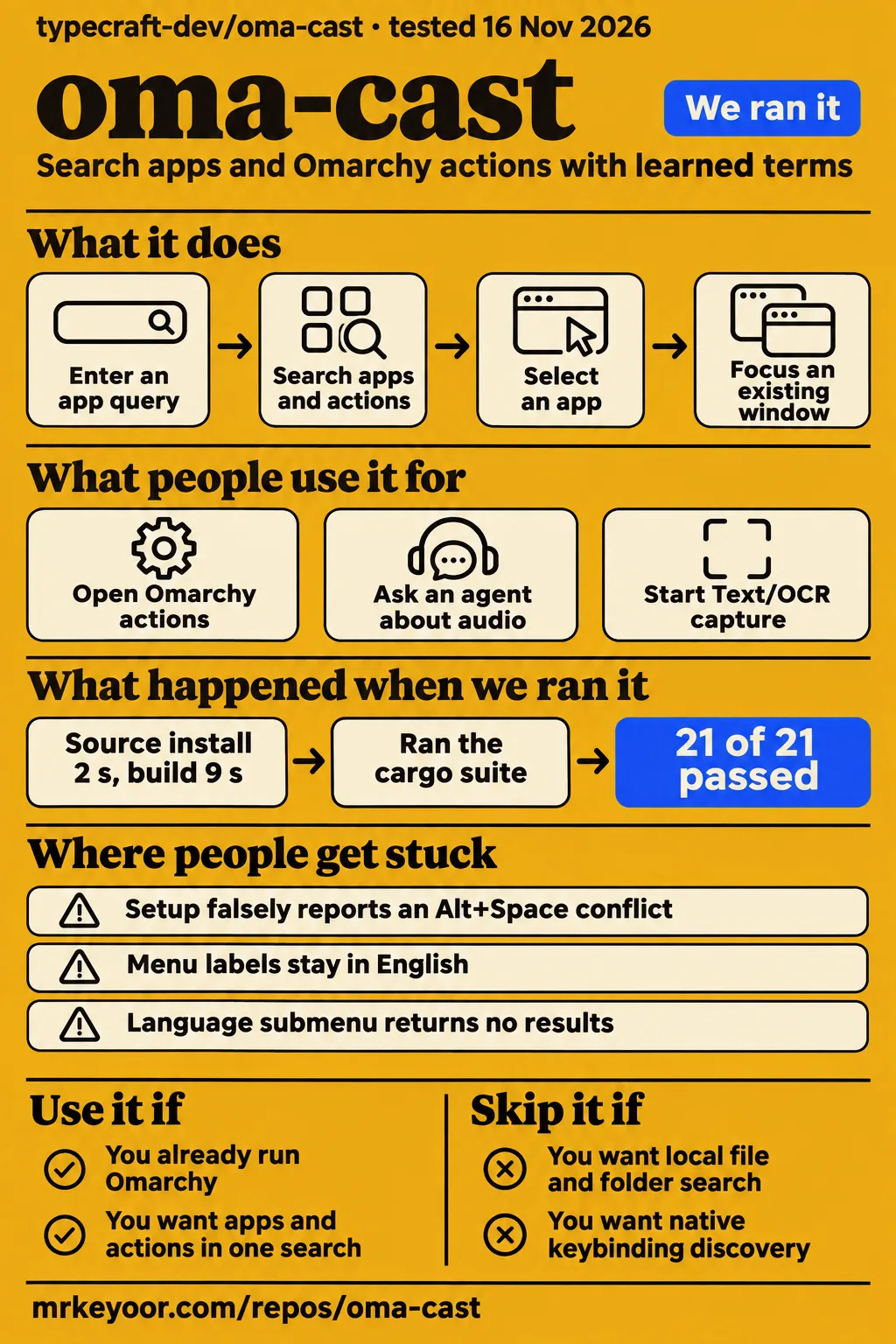
Our Rust sandbox run of oma-cast passed all 21 tests, but the decision to use this launcher rests on your Omarchy desktop. Use it if you want apps and Omarchy actions behind one learned search box. Skip it if finding local documents or discovering desktop keybindings is the main job: both remain open requests in the supplied issue records. File-search request, keybinding-search request.
The project now calls itself omacast, while its repository remains typecraft-dev/oma-cast. It runs inside Omarchy's shell and follows its theme. The current README documents clipboard history, a calculator and script commands, so reviews that describe those as future features give you the wrong shopping list. Our recommendation is to try it alongside the native menu, keeping that familiar route available while you check your own hotkeys. Upstream README.
What people use oma-cast for
The clearest community examples concern opening Omarchy actions, handing a question to an agent, and getting the launcher out of an OCR capture. These accounts name the person and the observed outcome, rather than treating enthusiasm as a completed task.
| Person and task | What the record shows |
|---|---|
| GitHub user edneymatias tried PR #10 on Omarchy 4.0.5-1 with Quickshell 0.3.2 | They reported successful health checks and an Alt+Space launcher accepting input, showing Omarchy menus and using the theme colours. Their retest |
| Contributor tcballard and author typecraft_dev demonstrated asking the configured agent about audio | The archived demonstration shows the query moving to a terminal agent session titled Audio troubleshooting help. Archived demonstration |
| GitHub user Ret2Hell tried Text/OCR capture | The launcher initially covered the capture region; the reporter retested commit 3522b07 and closed the issue after the obstruction disappeared. OCR report and retest |
The agent demonstration is particularly helpful for understanding the workflow. The search box contains an audio question, the fallback offers the default agent, and tcballard describes Ctrl+Alt+Enter opening that agent in the default terminal. This saves the transition from launcher to terminal. The demonstrated outcome is the handoff itself. Agent workflow.
On X, douglasandrade reported using Omacast after moving machines to Omarchy, then shared a proof-of-concept macOS branch for a remaining Mac. That is evidence of someone wanting to carry the workflow across machines. It should be read as a contributor's experiment, with the support boundary discussed below. User's posts and linked PR #91.
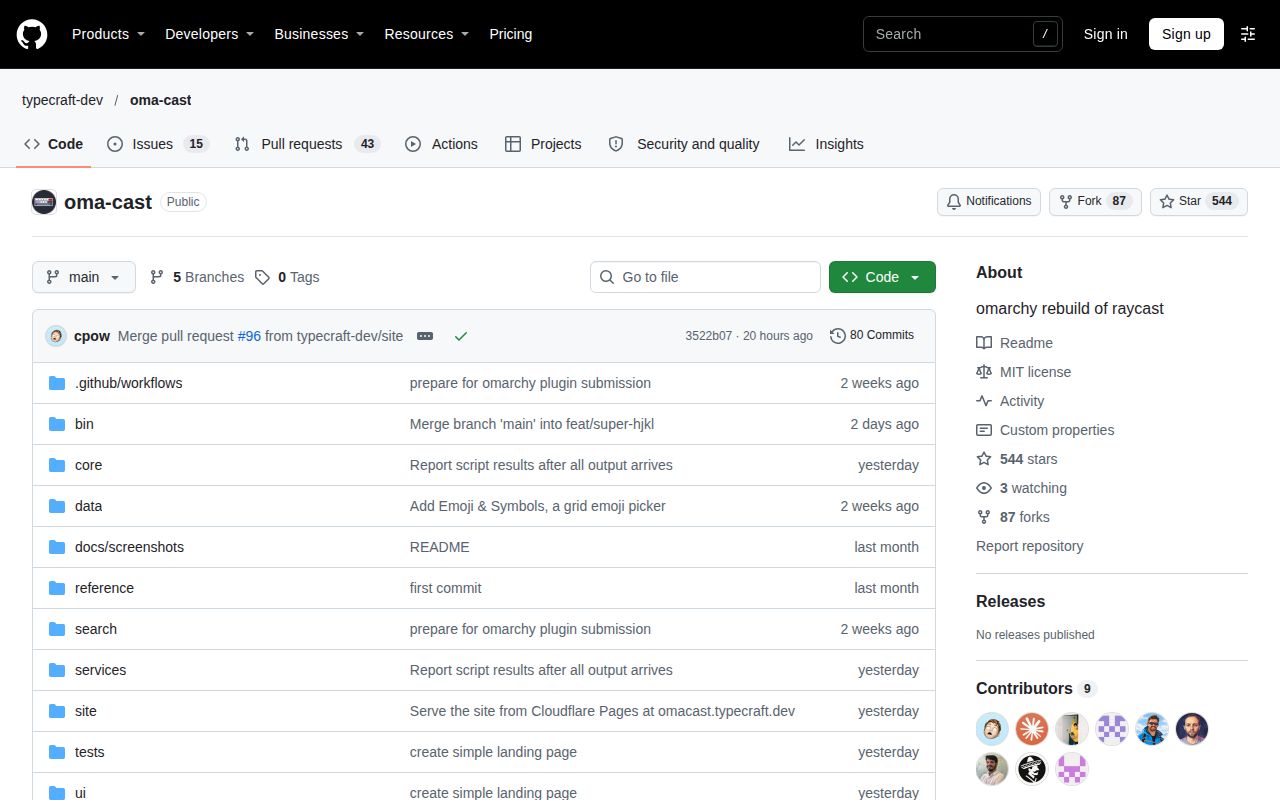
GitHub's public metadata reports a last push on 2026-11-15. Read alongside the compatibility discussion and OCR retest, that shows development activity rather than a reason to dismiss the project over an old loading bug. Those records are more useful for this decision than the launch praise: they show someone checking a specific failure and reporting what changed. They provide no installed-user count. Repository metadata.
What you can do with oma-cast
Omacast searches applications and Omarchy actions, learns selected search terms, and includes clipboard history, calculation and executable script commands. Its strongest reason to exist is the connection to the desktop you already use. Searching an action can be easier than remembering where it lives in Omarchy's menus, and aliases let you supply your own vocabulary. The README's example is teaching ff to mean Firefox by selecting it. Feature documentation.
Opening an app has a useful distinction: Enter focuses its most recently used existing window, and Shift+Enter launches a new window. That makes an app result useful when the window is already on another workspace. The author announced window focusing separately, and the current README spells out the new-window shortcut. Someone who routinely opens several terminal windows should learn that shortcut before deciding the launcher is ignoring them. Author's announcement, keyboard documentation.
The calculator accepts expressions in the main search box and can copy or paste the result. Scripts placed in ~/.config/omacast/script-commands/ become searchable commands when they are executable and have a shebang. The README documents Raycast Script Commands headers, arguments and confirmation options. That is a practical way to put an existing shell task behind the same search habit, without promising compatibility with Raycast's whole extension catalogue. Calculator and script instructions.
What happened when we ran it
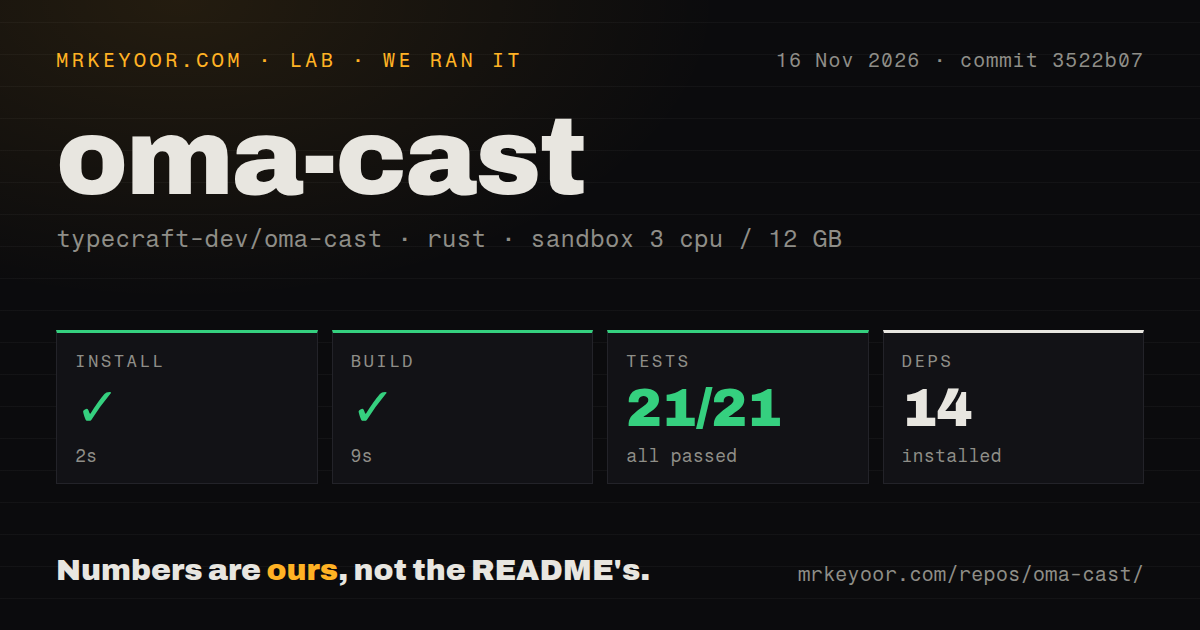
Our sandbox run at commit 3522b07 on 2026-11-16 installed the Rust project in 2 seconds, built it in 9 seconds, and passed all 21 tests in 3 seconds. The measured project lives in ./search/, which the README identifies as the optional search helper. These are useful results for someone modifying that component; they cover a different task from pressing Alt+Space on an Omarchy desktop.
| Our recorded Rust check | Result |
|---|---|
| Install | Succeeded in 2 seconds; 14 dependencies recorded |
| Build | Succeeded in 9 seconds |
| Tests | Succeeded in 3 seconds; cargo test: 21 passed, 0 failed of 21 |
| Checkout | 133 files, approximately 9,704 source lines, 6.9 MB |
| Repository signals | One CI workflow file, a tests directory, no Dockerfile detected |
The recorded sandbox configuration provided 3 CPUs and 12 GB of RAM, with image label lab-rust:1. The resource allocation describes the sandbox, rather than measured memory consumption by the launcher. The image label alone supplies no actual Rust or operating-system version. Those require the raw toolchain logs. The passing search-helper checks are encouraging for source work, but desktop integration has to be judged through separate evidence.
A separate hands-on attempt stopped at its safety step because the repository had no compose.yaml, compose.yml, docker-compose.yaml or docker-compose.yml. The harness required a Compose file. That is a mismatch between a container-oriented harness and this desktop-plugin evaluation, not a launcher crash. The record reports teardown as successful.
The run record also contains a generic statement about deployment with Docker Compose and loopback-bound ports. The explicit failed safety step supplies no evidence that such deployment happened, so we draw no desktop or network-isolation conclusion from that statement. There are no completed task answers or lab screenshot records to present. The successful desktop retests in this review belong to the named community reporters.
Where people get stuck: distinguish loading from hotkey setup
Early QML loading failures have a documented compatibility fix, while the supplied Alt+Space conflict report remains open. Those are different failures with different evidence. An old report saying the launcher never appeared should not be used to dismiss the compatibility work, and a passing compatibility retest should not erase a newer hotkey migration problem.
| Symptom and source | Recorded explanation | Resolution in the supplied evidence |
|---|---|---|
| Plugin does not answer; Alt+Space opens nothing, issues #2 and #6 | Missing ShellIpc and OverlayWindow QML types on released Omarchy builds | PR #10 used IpcHandler and PanelWindow; edneymatias confirmed operation, and the author later announced the merge. Compatibility thread, duplicate report, merge announcement |
| Setup says Alt+Space is already bound, issue #77 | The reporter shows config-text matching that includes unbind statements and a default dictation binding | Open; the proposed live-binding check has no completed fix in this record. Hotkey report |
| Text/OCR capture contains the launcher, issue #79 | The launcher remained visible over the selection screen | Reporter confirmed the problem gone at 3522b07 and closed the issue. Capture retest |
| Terminal apps launch incorrectly through appLibrary fallback, issue #6 | Reporter described launching without a terminal and missing launch notices | Current README documents omarchy-launch-tui routing; the specific report has no direct retest here. Original report, current app routing |
Issue #77 is the setup problem I would read before upgrading an existing installation. The reporter had already unbound Alt+Space, but setup matched the unbind line itself and told them to unbind the key. Migration then stopped, leaving doctor pointing back to the same setup command. The suggested remedy is to inspect Hyprland's active bindings instead of searching configuration text. The current README also documents manual binding and an alternate key, which gives you a route to inspect without repeatedly applying the same unsuccessful advice. Migration failure, manual binding instructions.
Install through the plugin manager and keep the native menu
The current README documents omarchy plugin add and omarchy plugin update, followed by CLI linking, hotkey setup and doctor checks. That supersedes the layout problem described in issue #35, where the manifest lived below the repository root and the plugin manager could not manage the checkout. The issue snapshot remains open, so the useful distinction is between its historical complaint and the installation path now documented upstream. Plugin-manager request, current installation instructions.
The documented sequence is:
omarchy plugin add https://github.com/typecraft-dev/oma-cast --enable
~/.config/omarchy/plugins/typecraft.omacast/bin/omacast install
omacast setup hyprland
omacast doctor
Alt+Space opens Omacast and Super+Space keeps the Omarchy menu. Update with omarchy plugin update typecraft.omacast. The README says Rust is optional: without the compiled search helper, the launcher uses its built-in matcher. Rebuilding the helper after an update is documented separately. That makes our Rust dependency count a poor estimate of what an ordinary marketplace user must add to an existing Omarchy installation. Install and helper documentation.
Clipboard history stays after recording stops
The README says clipboard recording is enabled by default, unpinned entries last a week, and pinned entries are retained. Set "clipboardHistory": false in ~/.config/omacast/config.json to stop recording; the existing history stays. This is a setting to decide before everyday use, particularly on a machine where you copy private work into the clipboard. Clipboard settings.
The documented exclusions include sensitive clipboard content and the default app list of KeePassXC, Bitwarden, 1Password and Seahorse, identified by Wayland app IDs. History lives in ~/.local/share/omacast/db/clipboard.json; images and long text live under ~/.local/share/omacast/clipboard/. Upstream says these are owner-readable files. It also documents a separate exposure to remember: script arguments appear on the script's command line while it runs. A password input pill should not be mistaken for a guarantee that an argument is hidden from process inspection. Privacy and script documentation.
Uninstalling and erasing retained data are separate actions. omacast uninstall asks about removing the hotkey and then removes the plugin. The README says config, data, cache and state stay until you delete their Omacast directories yourself. Its network section also documents calculator exchange-rate downloads and the currencyRates: false switch. These details matter more to a privacy decision than a broad claim that a launcher is local. Removal and network documentation.
English labels and an empty Language submenu are separate bugs
Issue #32 reports English Omarchy menu labels on a Portuguese-language system and an unimplemented languages provider that leaves the Language submenu empty. The report names Omarchy 4.5.0rc1-1, Quickshell 0.3.2 and launcher commit 90efedd. That makes the complaint specific: English documentation is available, but selecting another system language did not translate this user's launcher menu. Localization report.
The proposed changes address both catalog loading and populating the submenu. A reply suggests separating translation into a follow-up and asks for language searches by native or English names. Neither a proposal nor a discussion comment is a completed implementation. If you support colleagues using another display language, keep the native menu available and treat this report as a reason to check their workflow, even if the English labels suit you.
oma-cast vs Vicinae, Raycast and Omarchy's native menu
Omacast's documented advantage is Omarchy menu and theme integration; the alternatives answer different desktop habits. The community comparisons help identify candidates, rather than supply a ranked benchmark. In particular, the X discussion includes a recommendation from Vicinae user RazoBeckett and an integration argument from klieber. Those are useful preferences with named owners. Community comparison.
| Alternative | Why consider it | When I would choose that route |
|---|---|---|
| Vicinae | RazoBeckett recommends it from personal use; klieber describes it as more general purpose than the Omarchy-specific plugin | Evaluate it if your launcher choice should extend beyond Omarchy's integrated menu. X discussion |
| Raycast | HotRepo frames Omacast as familiar learned ranking for Omarchy users, while cautioning against treating it as a full Raycast replacement | Keep an existing Raycast workflow if its broader requirements are the reason you use it. Comparison page |
| Omarchy's native menu | The README leaves it on Super+Space, and Ret2Hell's original OCR report says the native menu hid correctly | Keep it if menu navigation already works for you, or retain it alongside Omacast. README, OCR comparison |
| Command Bar for Omarchy | ohwiredev advertises file search, path browsing and window switching in an archived post | Investigate it when document navigation is the missing job. This is an advertised capability, not our comparative result. Archived announcement |
Super+K is also relevant without adopting another launcher. The author of issue #29 already uses it for keybinding search and wants that discovery moved into Omacast. The requested display of a selected item's desktop shortcut in issue #57 is another separate feature. The shortcuts shown in Omacast's own action panel should not be confused with a catalogue of your effective desktop bindings. Search request, display request.
What the other reviews get wrong
HotRepo's advice to wait for clipboard history and a calculator is stale against the supplied upstream README. Both have their own documented commands and usage instructions now. Its narrower warning about expecting a full Raycast replacement is still useful; the feature inventory needs updating. The Omarchy Central launch article likewise lists Script Commands as forthcoming, while current upstream documents executable script discovery and supported headers. HotRepo, launch article, current README.
The launch article's blanket statement about no AI features also needs dating. The subsequent author announcement and archived demonstration show an explicit handoff to the configured coding agent. That supports describing an agent-launch workflow, rather than assuming a model runs inside the launcher. Git Homed's zero-open-issues listing is contradicted by the supplied open reports, including the hotkey migration and file-search requests. Agent announcement, Git Homed listing, open hotkey report.
There is also a name collision worth stopping immediately: jainprashul/oma-cast is a separate screen-mirroring plugin. The marketplace discussion about FluxCast dependencies belongs to that project. It supplies no security finding about typecraft-dev's launcher. Check the repository owner before carrying any claim across the shared name. Separate mirroring-plugin submission.
Questions people ask
Alt+Space did nothing in issue #6 because the plugin failed to load QML types; issue #2 records a successful retest of the PR #10 compatibility fix. A key that still does nothing needs diagnosis of the installed build and its shell log, rather than the assumption that every silent launch has that same cause. Loading report, successful retest.
Why does Alt+Space do nothing after installing Oma-cast?
Issue #6 shows missing ShellIpc and OverlayWindow types and failed IPC health checks. PR #10 replaced those dependencies, and edneymatias confirmed the launcher opened afterwards. Run the documented doctor check to distinguish a plugin-loading failure from the separate setup conflict. Compatibility evidence.
Which exact Omarchy and omarchy-shell versions does Oma-cast require?
The current README says Omarchy 4, Hyprland 0.56+ and omarchy-shell. The PR #10 contributor described compatibility with released Omarchy 4.0.5+ and Quickshell 0.3.2+, and edneymatias tested 4.0.5-1 with Quickshell 0.3.2. These records give no complete current omarchy-shell version matrix. Requirements, compatibility thread.
Can doctor show the actual plugin loading error instead of just saying the plugin did not answer?
Yes: the PR #10 contributor says doctor and install read the shell log and print the actual QML error. The current README also lists QML error checks among doctor's functions. That is more actionable than the older generic IPC failure. Diagnostics change, current CLI.
Why does setup say Alt+Space is already bound even after I unbind it?
The reporter in issue #77 shows setup matching configuration text, including hl.unbind and a default dictation binding. Their proposed fix checks active Hyprland bindings instead. The supplied report is open and contains no implemented resolution. False-conflict report.
How can I migrate an existing oma-cast hotkey configuration to omacast?
The README says setup renames oma-cast.lua to omacast.lua while keeping the key, and doctor reports leftovers. Issue #77 shows that migration stopping at the false-conflict check. Read that failure alongside the documented manual configuration before changing a working binding. Upgrade instructions, migration failure.
Can I install and update Oma-cast through Omarchy's plugin manager?
Yes, the current README documents plugin add with the repository URL and plugin update with typecraft.omacast. Issue #35 describes the earlier manifest-layout obstacle. Its open snapshot should not override the newer documented path. Current commands, older request.
Why can't I paste copied text or a clipboard-history selection into the launcher?
Issue #27 reported missing paste handling and is closed. The current README documents Super+V, Ctrl+V, Ctrl+Shift+V and Shift+Insert, including clipboard-history selections. That supplies a current expected behavior to compare with an older installed build. Paste report, current keyboard table.
Why does the launcher stay visible when I start Text/OCR capture?
Ret2Hell reported the launcher covering the OCR selection screen, then confirmed that upstream commit 3522b07 resolved the problem and closed issue #79. That is a specific reporter retest, including a commit you can compare with your installation. OCR resolution.
Why does the Omarchy menu stay in English when my system uses another language?
Issue #32 reports that the launcher loads raw menu definitions without applying the system's translation catalog. The proposed translation work has no completed fix in the supplied discussion. The report concerns a Portuguese-language setup, rather than every locale tested separately. Language report.
Why does the Language submenu show no results?
Issue #32 identifies an unimplemented languages provider, so the submenu is not populated in the reported build. A comment asks for current-language marking and search by native or English names; those requests are not evidence of shipped behavior. Provider report.
Can Oma-cast search local files and folders alongside apps and commands?
Issue #70 requests local filename and folder search, including open, reveal and copy-path actions. The supplied record contains a request, with no implementation. A launcher that opens files copied into clipboard history is not thereby a general filesystem search tool. File-search request.
Can I search Omarchy keybindings inside Oma-cast?
Issue #29 requests native keybinding search and says the requester currently uses Super+K. Issue #57 separately requests showing an item's effective desktop binding. Neither supplied discussion records a completed implementation. Keybinding search, shortcut display.
What we have not tested yet
Our measurements cover the Rust search project, not a supported Omarchy desktop session. We did not measure launcher opening latency, idle memory, ranking quality, long-running clipboard behavior, or search performance at volume. The failed Compose safety step supplies no desktop task result. Actual toolchain and OS versions require raw logs, and the configured 12 GB memory allocation is not observed usage.
The agent demonstration proves a handoff, not a solved audio fault. The macOS work shared by douglasandrade is a proof of concept, not released platform support. Thisisgm's X posts claim large search speed improvements, but we have no independent reproduction or commit-level comparison connecting those figures to our run. The supplied YouTube and Bilibili results contain no usable launcher walkthrough, and the Reddit result is a bot challenge. None should be presented as another successful test. Community records, agent demonstration.
We have not audited clipboard exclusion enforcement, file permissions, script argument handling or actual network traffic. We also lack a direct retest of the terminal-app fallback report and the paste fix. Script compatibility has a documented boundary: fullOutput and inline run as compact. The compatibility retest supports the named Omarchy setup, rather than an exhaustive version matrix. Current script and privacy documentation.
For a desktop trial, the useful checks are your own app-focus behavior, an explicit new window, one pasted query and an OCR capture. Then decide whether clipboard recording belongs on that machine. Passing 21 Rust tests makes the helper approachable to work on; those desktop actions decide whether to keep the launcher.