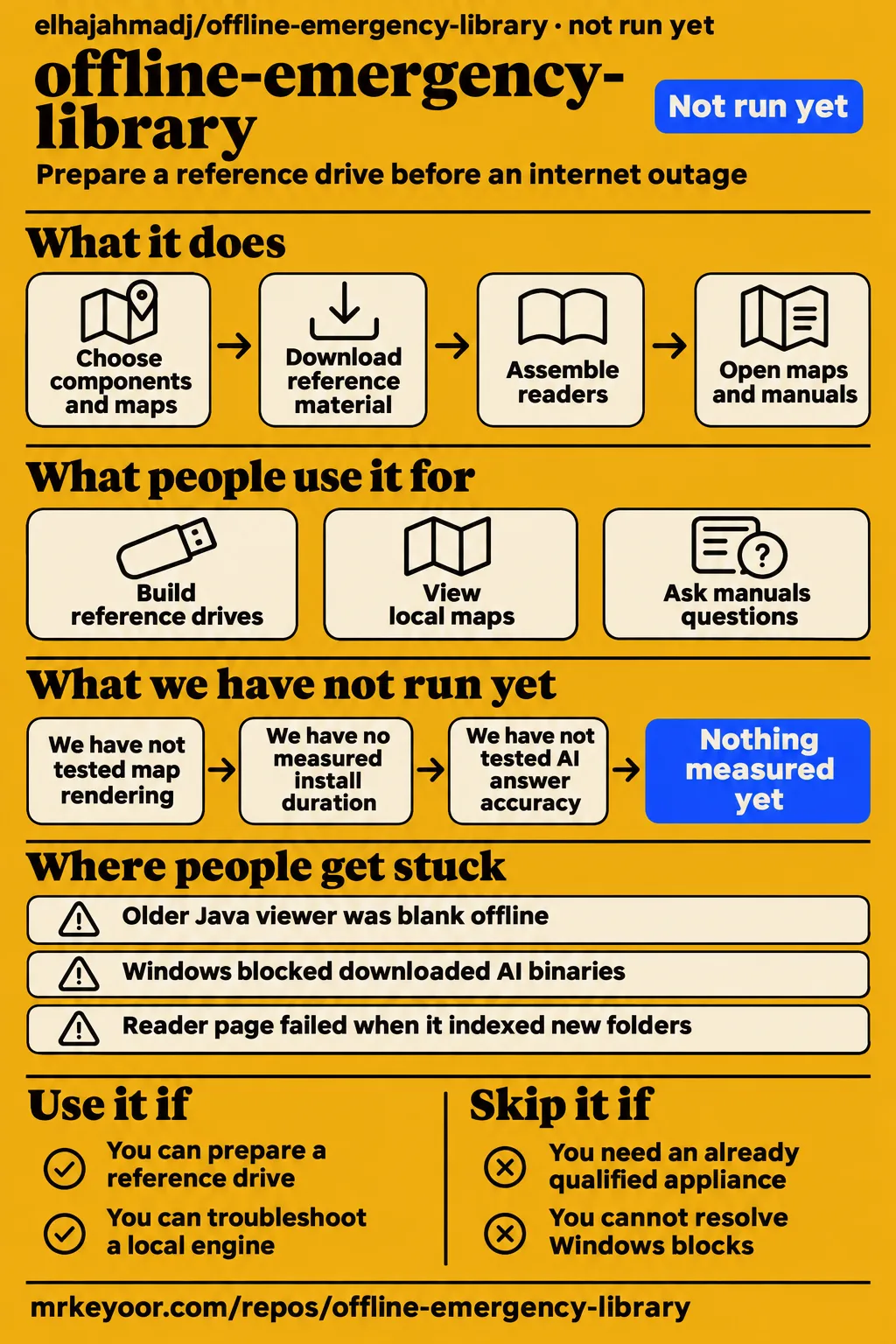
Contributor EnragedAntelope opened offline US browser maps on Windows; boostedchaos got cited manual answers on Linux arm64 in a VM. Those are useful reasons to consider this kit if you're willing to prepare a drive before you need it. Skip it if you need an emergency appliance that someone else has already qualified on your exact computer: Windows security blocks and different map viewers make that a poor assumption. The map report and the manual-reader report describe specific working paths.
What people use offline-emergency-library for
Contributors have used the project to build reference drives, view local maps and ask downloaded manuals questions, with the strongest reports naming the machine and the revision.
- In issue #1, boostedchaos reported full builds onto an exFAT SSD from a fork. The upstream Mac follow-up exercised installer functions and the piped prompt. Keep those two activities separate when deciding how much confidence to put in Mac support: a completed fork build isn't the same as a completed current-upstream build.
- EnragedAntelope rendered the whole US and downtown Denver on Windows 11 through the browser-map launcher. The browser fetched its resources from localhost, the same computer, rather than an outside map service. That is a useful offline demonstration because a map appearing on screen while the internet works proves very little.
- Boostedchaos exercised the manual reader on Linux arm64 in a Debian VM on an M4 Pro Mac mini. The report describes two questions with cited answers and working PDF links after fix #268 reached main. The library was on the VM's disk, not a removable USB drive.
- Boostedchaos also reported a live curl progress bar and successful interruption on Linux, using a Debian LXC container. In later recovery checks on real Windows and Mac hardware, aria2 interruption and resume worked, and follow-up fixes closed the remaining download-validation findings.
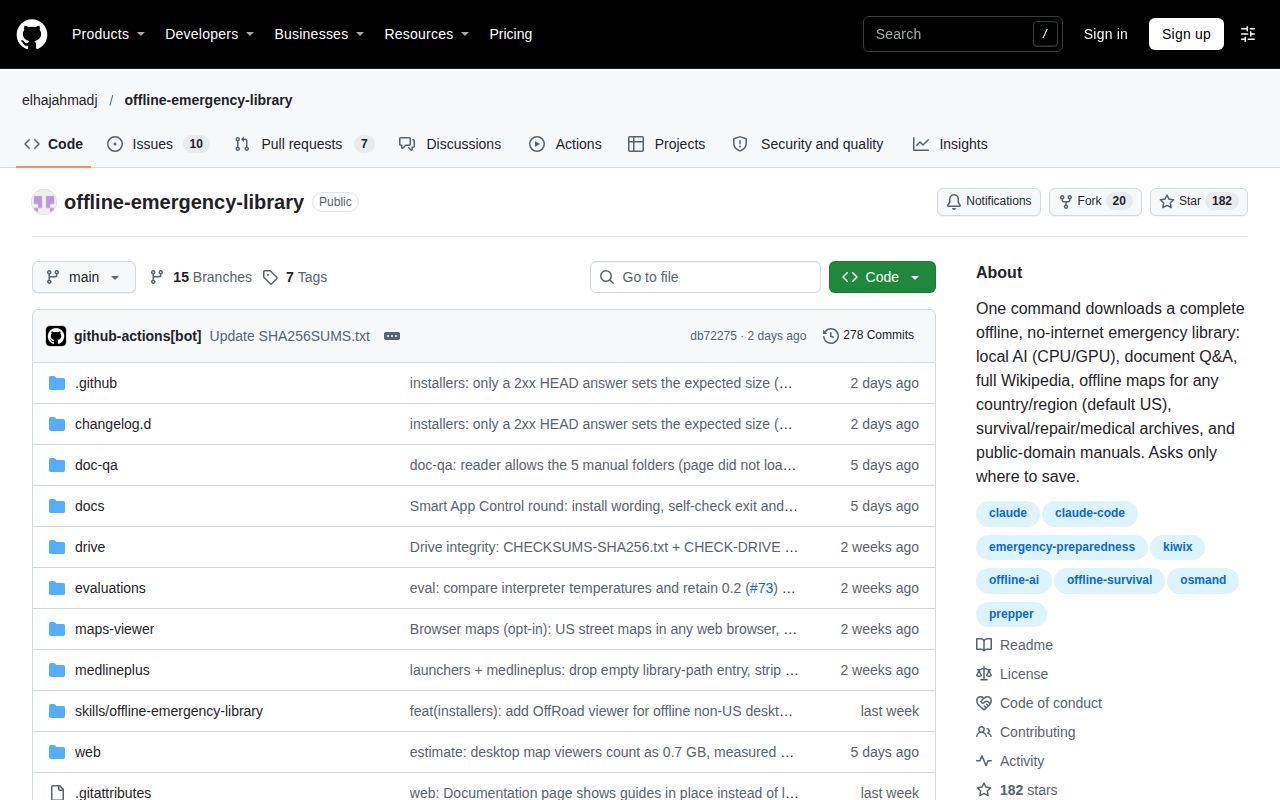
The English README explains the organising idea: scripts assemble reference material and its readers into a folder. Kiwix opens ZIM files, compressed archives of web content. Separate tools handle maps and local AI. You gain one place to begin, START-HERE.html, while still depending on each reader to work on the computer you bring.
What happened when we ran it
Our November 19, 2026 sandbox check at db72275 recorded NOT RUN: HTML was outside the supported ecosystems and the repository had no Dockerfile. The configured sandbox had 3 CPUs and 8 GB RAM, with image n/a. These are configuration details, not observed application resource use.
| Check | What the lab recorded | What that means for you |
|---|---|---|
| Source-run eligibility | NOT RUN: no supported ecosystem, language HTML; no Dockerfile | No install, build or test result |
| Hands-on safety step | FAILED: none of compose.yaml, compose.yml, docker-compose.yaml or docker-compose.yml exists | Our harness required a Compose file and stopped before deployment |
| Automated run-summary text | Says deployed with its own Docker Compose, with ports on 127.0.0.1 | Contradicts the failed prerequisite and cannot demonstrate a working deployment |
| Cleanup | teardown: ok | Cleanup completed; no application task was recorded |
The safety log says a Compose file was required. That explains where the attempt stopped. The generic run-summary line claiming deployment cannot override it, and successful teardown doesn't turn an unstarted application into a test. Calling the repository "unsafe" is the harness's eligibility label here, not a security finding about the scripts.
A script-based download kit can be outside a container harness's scope without being broken. The operational results elsewhere in this review belong to the named contributors, and the setup score stays unassessed.
Where people get stuck: DONE used to hide reader failures
Boostedchaos reported an AI engine that failed to start on minimal Debian with libgomp.so.1: cannot open shared object file, even though the installer printed DONE in issue #29.
That sequence is more useful than a blanket warning about Linux. The installer printed DONE, the engine couldn't load a library, and installing libgomp1 made it work in that report. The roadmap subsequently lists the post-install self-check as completed. Later, issue #159 reports that the engine and server worked on Linux x64, but the reader page failed when it indexed the new folders. Fix #268 addressed that separate page-loading bug. The arm64 follow-up then loaded the manuals and returned cited answers.
| Symptom and reporter | Resolution recorded in the thread | Your next step |
|---|---|---|
| Boostedchaos: ZIM discovery returned nothing on macOS/Linux, #1 | Listing requests gained curl -L to follow redirects; the retest found the expected names | Use a revision containing the redirect fix |
| Boostedchaos: piped Bash read script text as the destination, #1 | Prompt changed to /dev/tty, with a clear error without a terminal | Supply a destination explicitly for unattended operation |
| Boostedchaos: Wikipedia couldn't open in Kiwix, #1 | Changed to the Kiwix wikipedia_en_all_nopic archive; retest confirmed the original fixes | Check the archive with its intended reader |
| Boostedchaos: missing libgomp.so.1, #29 and #159 | libgomp1 was the reported workaround; self-check and guide coverage followed | Read engine self-check output before starting AI |
| EnragedAntelope: RADIO-FREQUENCIES.md failed once, #101 | Next run passed; retries added in #206; original cause unknown | Retain the actual error rather than diagnosing a network fault by guesswork |
| Boostedchaos: browser-map validation and Windows ZIP integrity gaps, #101 | #260 added a browser-map self-check; #263 used tar.exe for CRC checks | Update before relying on the older validation path |
The fixes in this table come from #1, #29, #159 and #101. In the last thread, a damaged Java archive could survive the size check and fail during unpacking. Deleting that archive and rerunning recovered the missing runtime. A file being present, or having the expected length, is weaker evidence than opening it.
Offline maps depend on the viewer as well as the region
The older OsmAndMapCreator Java viewer was blank offline on Windows and macOS in boostedchaos's real-hardware checks; the README now documents a separate OffRoad viewer.
The distinction changes the recommendation. In #15, the Java viewer drew online tiles from tile.osmand.net, so a reassuring connected demonstration disappeared when the internet was removed. The thread closed after documentation and launcher corrections, with the Java renderer unchanged. However, the README at db72275 now says OffRoad renders the downloaded regional maps offline, including non-US regions, and labels Windows 11 as tested. Its macOS and Linux bundles carry a different qualification.
| Viewer and region | Windows | macOS | Linux | Basis |
|---|---|---|---|---|
| Older Java viewer, downloaded OsmAnd maps | Blank offline | Blank offline | Linux x64 testing separately tracked in the older thread | Contributor reports in #15 |
| Browser maps, US | Working Windows contributor demonstrations | Cross-platform desktop workaround described in #15 | Cross-platform desktop workaround described in #15 | Strongest detailed rendering account is Windows |
| OffRoad, including non-US regions | README says offline rendering tested on Windows 11 | README says bundled, without runtime testing | README says bundled, without runtime testing | Upstream documentation at db72275 |
| Android OsmAnd, non-US regions | Use the phone rather than the older desktop viewer | Use the phone rather than the older desktop viewer | Use the phone rather than the older desktop viewer | Documented workaround in #15 |
This matrix combines the contributor viewer reports with the pinned README's newer OffRoad instructions. If your destination is outside the US, selecting its map data alone doesn't choose the reader you will use. Start with the intended viewer and disconnect the computer during your own rehearsal.
Storage grows when you keep both map formats
EnragedAntelope reported 34.36 GB for a full-US combination: 16.54 GB of browser maps and 17.83 GB of compressed OsmAnd maps in issue #15.
Those are contributor-observed files on disk, not our installation measurement. They explain a practical surprise: choosing browser maps added another representation of the same territory rather than replacing the OsmAnd set. That report also says the Java launcher unpacks the compressed maps on first launch, adding more storage, without measuring that extra amount. The newer README likewise describes first-use map unpacking for the desktop workflow.
For a drive you intend to carry, choosing your actual region is more sensible than collecting every available map. The README's selection workflow lets you choose components and regions, and adding optional archives later avoids making a large initial collection your only path into the project. Keep enough free space for the reader's first launch, as well as the files you download.
Windows security can block the AI after download
Boostedchaos reported Windows Smart App Control blocking kit binaries, especially llama-cli.exe, in issue #66.
EnragedAntelope explains the catch in the same discussion: signing the project's own launcher would address only part of the problem because the AI executable comes from another project. Getting past the first installation warning doesn't demonstrate that the later AI launcher can execute. The discussion about certificates and cold-install testing is therefore relevant even if you already know how to launch a PowerShell script. This is a concrete reason to open every component you intend to use while you still have an internet connection and time to troubleshoot.
The README's trust section asks you to compare script hashes against SHA256SUMS.txt. It separately documents CHECKSUMS-SHA256.txt for the completed library and CHECK-DRIVE for rereading its files. Run CHECK-DRIVE before repeating an installation: the README warns that a new manifest describes files as they are then, so pre-existing corruption can become the new baseline. Matching hashes address file integrity; they don't make Windows approve an executable.
Content rights determine what belongs on the drive
The maintainer's November 12 update in issue #130 separates shipped public-domain additions from books awaiting permission and distribution-restricted manuals excluded from the kit.
The thread follows removal of unlicensed zimgit archives. Wider Hesperian additions await written digital-use permission, while FAO titles need individual rights checks. FM 5-34 stays excluded because of its distribution restriction. Those are specific editorial decisions about what can be redistributed, not missing downloads for you to repair. The maintainer agreed to keep small public-domain PDFs in the core and put larger or non-commercial collections behind optional selection, with the proposed extra-manuals flag still described as unwired in the status text.
The README distinguishes MIT code and documentation from downloaded content's original licences. It also labels historical medicine and household texts as dated references. If you plan to hand out or sell prepared drives, read the per-source terms rather than treating the code licence as permission for the entire folder.
offline-emergency-library vs rea, Kiwix and OsmAnd
SkillsLLM's rea comparison pairs an emergency-reference downloader with a reverse-engineering tool, so its popularity table answers the wrong product question.
| Choice | Actual job described by its source | Pick it when |
|---|---|---|
| offline-emergency-library | Assemble readers, reference archives, manuals, maps and optional local AI | You want a prepared folder that connects several kinds of reference material |
| rea | SkillsLLM describes reverse engineering apps and native binaries | You're investigating software, rather than preparing an outage library |
| Kiwix Desktop | Read and manage ZIM archives on GNU/Linux and Windows | Offline web archives are your main requirement |
| OsmAnd | Map viewing and navigation on mobile devices, including offline operation | Your main need is navigation on a phone |
The first two rows reflect SkillsLLM's descriptions, not evidence of people switching between those projects. The narrower alternatives come from the Kiwix Desktop README and OsmAnd README. Both are also components or companions of the broader kit, so choosing one directly can be sensible if it covers your actual task. There is no comparative speed result here.
What the other reviews get wrong
SkillsLLM describes a complete offline library that asks only where to save, omitting the guided choices now documented by the project.
Its offline-emergency-library vs rea page reproduces the simple destination-only description. The actual launchers offer a guided installation or a browser picker, with size presets, maps and extras. That difference helps a newcomer: you can select a smaller collection without starting at a flags table. The short description undersells that control while overstating the simplicity of the whole setup.
"Complete offline" also needs a viewer attached to it. Issue #15 documents the older Java viewer's online-only display on Windows and macOS. The newer OffRoad instructions deserve mention alongside that correction, rather than recycling an old claim that every non-US desktop path is unavailable. Neither a star count nor a comparison-page security label answers whether your chosen map reader opens the downloaded data.
Questions people ask
US browser maps worked offline on Windows in EnragedAntelope's report; the older Java viewer was blank offline on Windows and macOS, while the README now distinguishes OffRoad.
Do the downloaded maps really work offline on Windows and macOS?
The answer depends on the viewer: #15 reports working US browser maps and a blank older Java viewer offline. The pinned README describes OffRoad as another offline option, with Windows rendering marked tested and macOS described as bundled. Use the named viewer's instructions rather than assuming every launcher has the same behaviour.
Can the Windows installer supply a compatible map renderer or explain its limitations?
Documentation and launcher notices were corrected after #15; the Java build itself wasn't repaired in that thread. The current README directs you to VIEW-MAPS-OFFLINE for OffRoad, alongside the optional US browser-map route. That is a different executable path from the Java launcher investigated in the original report.
Does the macOS installer work end to end on a real Mac?
Boostedchaos reported full SSD builds from a fork and targeted upstream retests on Apple Silicon in #1. The retest confirmed the original fixes, including redirects and destination prompting. Later #101 describes recovery checks on a real Mac. Those reports cover different revisions and tasks; don't merge them into a single completed current-upstream full build.
Does the manual Q&A reader start, answer questions and open PDFs on Linux x64 and arm64?
Boostedchaos reported a working engine and server on x64, a reader-page bug fixed through #268, then cited answers and working PDF links on arm64 in #159. Both Linux environments were virtual machines. The open tracker label also includes remaining coverage; it doesn't erase the successful arm64 report.
Do download progress, resume and failure reporting work across Windows, macOS and Linux?
Boostedchaos posted platform-specific progress checks in #34, including a Linux curl bar and interruption. Later #101 reports working aria2 interruption and resume on main, with validation fixes following the hardware checks. Progress intentionally stays quiet without an interactive terminal, so a redirected log without a bar isn't itself a failure.
Can nontechnical users choose components without learning installer flags?
Yes: the README documents Small, Standard and Everything presets plus a checkbox picker. The launchers ask how you want to install before collecting your choices. That removes the need to compose a command for an ordinary selection, though Windows security prompts remain a separate obstacle described in #66.
Can a static browser picker hand a component selection to the existing installers?
Yes: the picker downloads selection.json, which the launcher passes to the existing installer according to the README. The browser page can't run a local script directly. Issue #139 records the fresh-install selection design, distinguishing it from the Only option for adding components to an already finished drive.
Will the picker find my selection if my browser saves outside the default Downloads folder?
The merged fixes in #207 added real Downloads-folder detection and a path fallback when no selection is found. The reported Windows test redirected Downloads with the Windows API, rather than OneDrive itself. An arbitrary browser save location is handled by giving the launcher the selection file's path, not by expecting it to search the whole disk.
How can I tell whether the picker is using an old selection file?
The launchers show the selection file's saved time, a change merged through #227 in #207. The README also describes a warning when it predates the current run. The same issue records fixes for free-text edits dropping tree selections and overlapping regions inflating the displayed summary.
Does installation verify that the AI engine, ZIM archives and PDFs actually work before reporting success?
Post-install self-checks were added after the missing-library report in #29, with a browser-map check and ZIP integrity improvements recorded in #101. Those are startup and file checks. They are not a scored evaluation of what the AI answers, and #159 still notes a raw exit 127 from start-docs.sh.
Does lite mode preserve source citations for AI answers?
The README says lite includes Ask the manuals, which shows source passages and links to the original PDF. Lite omits GPT4All, so importing your own folders through GPT4All LocalDocs requires a non-lite installation. The earlier citation concern in #29 shouldn't be repeated as if every lite answer path still lacks sources.
Should larger reference collections be included by default or downloaded through an optional flag?
The maintainer agreed in #130 that small public-domain PDFs belong in the core, while larger or non-commercial additions go behind a flag. The thread separately lists permission gates and an unwired extra-manuals option. Agreement about where future books belong isn't evidence that those books already ship.
What we have not tested yet
Our lab recorded no working installation, map rendering or manual-reader session, and no AI answer-accuracy evaluation. We have no measured install duration, application memory use or throughput for this repository. The sandbox image label was n/a, and actual runtime versions require raw toolchain logs.
The contributor reports provide narrower checks: a Linux VM isn't physical arm64 hardware, and a library on its virtual disk isn't a USB-drive test. We have not reproduced the README's OffRoad Windows result or tested its macOS and Linux bundles. No household deployment during an actual emergency was documented in the contributor accounts examined here. Those gaps keep the recommendation at advance preparation and rehearsal.
The video titled Survival LLM: A Free Offline AI for Blackouts and Emergencies discusses Survival LLM, a different application. The X post by petrusenko_max also names Survival LLM. Neither supplies an accuracy result for offline-emergency-library. The successful cited-answer operation in #159 is useful, but clinical correctness, real-emergency performance and long-term drive reliability remain outside the tests described here. Read the underlying manual before acting on an AI answer.