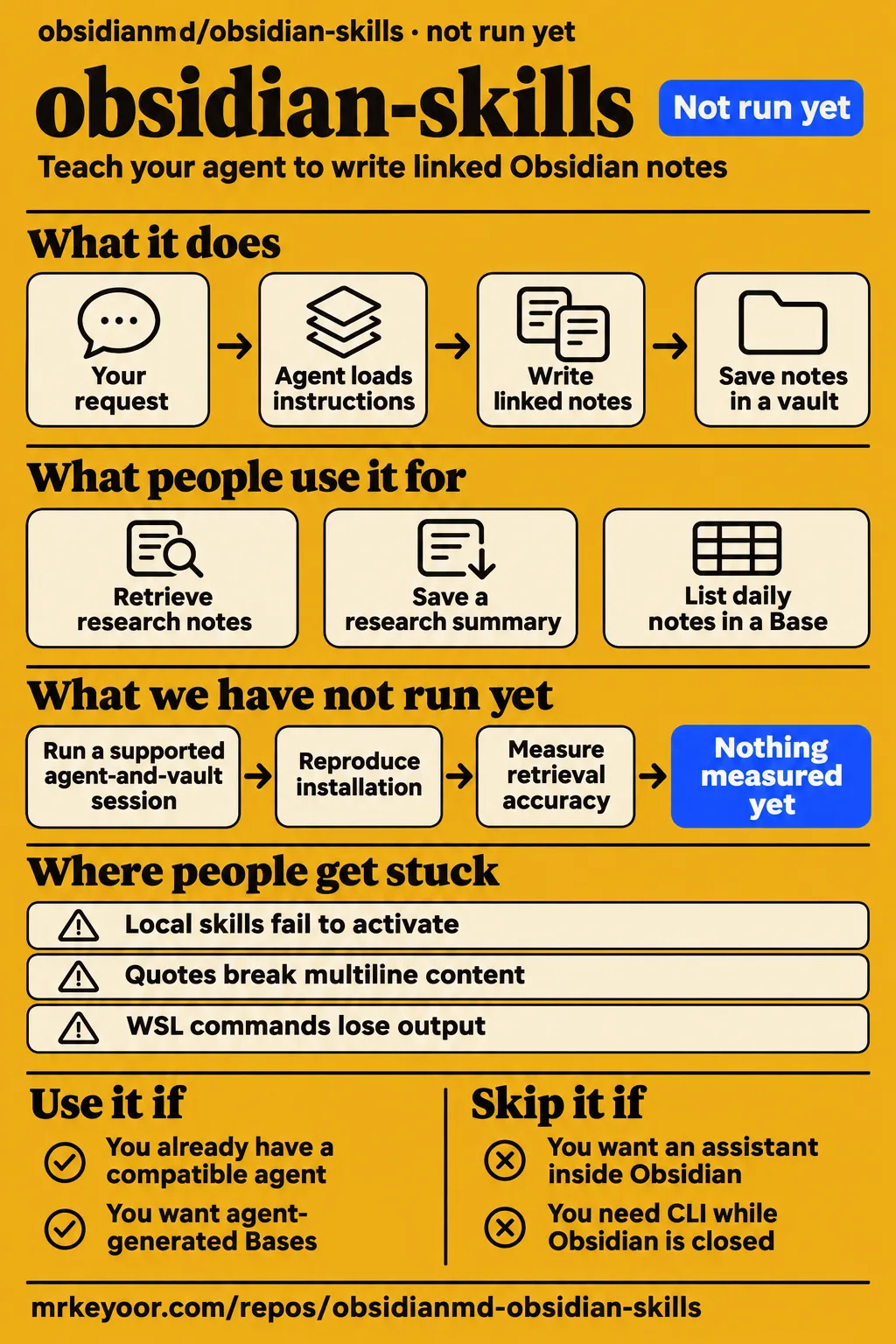
Short answer: use it to teach your agent Obsidian's rules
Obsidian Skills documents seven skills for compatible external agents, including Claude Code, Codex and OpenCode. Use it if you already keep notes in Obsidian and want an agent to retrieve context, write linked notes or create vault views. Skip it if you want an assistant that works entirely inside the editor without a separate agent: the official README describes instructions for skills-compatible agents.
The practical reason to choose this project is its combination of file-format guidance and tool instructions. Obsidian Markdown, Bases and Canvas each have their own rules; desktop operations and Headless publication have separate instructions. That gives readers specific files to inspect before letting an agent change a vault. Issue #146 adds an immediate setup concern for existing users: installed content once stayed stale because the plugin manifests still reported version 1.0.1.
Seven skills cover formats, desktop control and Headless publishing
The README lists Markdown, Bases, JSON Canvas, the desktop CLI, Headless, Defuddle and Knap. A skill is an instruction file an agent can load for a relevant task; a vault is the folder containing your Obsidian notes. The README's skills table separates file formats from tools, so writing a note and publishing it have different starting points.
| Skill | What the instructions cover | Start here when you want to… |
|---|---|---|
| obsidian-markdown | Wikilinks, embeds, callouts and properties in .md notes | Write notes using Obsidian syntax |
| obsidian-bases | Views, filters, formulas and summaries in .base files | Build a view over existing notes |
| json-canvas | Nodes, edges, groups and connections in .canvas files | Turn an outline into a visual board |
| obsidian-cli | Operations through the desktop Obsidian CLI | Work with a running app and its vault |
| obsidian-headless | Sync and Publish through the separate ob command | Sync or publish without the desktop app |
| defuddle | Extracting clean Markdown from web pages | Remove page clutter before summarizing an article |
| knap | Markdown templates using JSON or CSV data | Generate notes from structured inputs |
Steph Ango's announcement names the same seven skills. For a first workflow, choose the output you need: linked Markdown, a filtered Base or a Canvas. Tool instructions become relevant when the request needs their operations. Creating a local note and publishing it are separate actions, and the Headless publication instructions explicitly include a preview followed by user approval.
What people use obsidian-skills for
Steven Gonsalvez reports retrieving research and saving summaries, while plus demonstrates Markdown notes, Bases and Canvas files. These accounts connect requests to reported outputs: bringing existing research into a conversation, then putting the conversation's result back into a vault. Gonsalvez's example uses browser-automation research; plus's walkthrough checks which skill handles each request and describes the resulting files.
| Person | What they asked for | Reported outcome |
|---|---|---|
| Steven Gonsalvez | Find browser-automation notes during an agent conversation | Relevant pages became context in his research workflow |
| Steven Gonsalvez | Save a research summary under technology/browser-tools | He reports avoiding manual note-taking afterward in his summary-writing account |
| plus, writing on note.com | Create a note with related links and a warning callout | The Markdown skill produced the demo note in plus's walkthrough |
| plus | List daily notes in a Base | Existing notes appeared in the Base demonstration |
| plus | Turn demo content into a mind map | A Canvas file appeared in the Canvas demonstration |
| plus | Open today's daily note and summarize a web article | The note opened despite an installer warning; Defuddle produced a summary with properties in the CLI and extraction examples |
The author reports that all five skills in the walkthrough activated correctly. Plus began with Claude Code and Obsidian CLI already configured, then checked whether requests selected the intended skills. Gonsalvez describes a recurring workflow instead: asking for browser-automation context replaced copying passages between applications, and asking for a summary placed the result into a named vault folder.
What happened when we ran it
Our November 23, 2026 assessment at commit b110b2f recorded NOT RUN: no supported ecosystem for Shell and no Dockerfile. Our run recorded a sandbox configuration of 3 CPUs and 8 GB RAM, with image n/a. The separate hands-on route failed its Compose prerequisite. Its records also contain a deployment label that conflicts with that failed step, followed by a successful teardown status.
| Question | Answer | Verdict | Why |
|---|---|---|---|
| Did the build/test harness run the project? | NOT RUN: unsupported ecosystem, Shell; no Dockerfile | Blocked | The harness recorded no installation, build or test result |
| Did the hands-on safety step pass? | FAILED: no required Compose file existed | Failed prerequisite | The route required a Compose file before proceeding |
| Does the run-summary label demonstrate deployment? | It says deployed with its own docker compose, with every port bound to 127.0.0.1 | Contradicted | The safety step records that no qualifying Compose file existed |
| Did teardown complete? | The teardown recorded ok | Cleanup completed | Teardown has its own recorded status |
The failed step returned unsafe repo: none of compose.yaml, compose.yml, docker-compose.yaml, docker-compose.yml exists (rule: a compose file is required). The phrase unsafe repo is the harness's label for that prerequisite failure. The README installs instruction files into an agent rather than deploying this repository through Compose. That difference explains where the assessment stopped; the recorded error concerns the assessment route's required file.
Where people get stuck: updates, activation and the wrong executable
Issue #146 records stale installed content while plugin manifests still reported version 1.0.1. Refreshing the marketplace clone left the installed cache unchanged. The release history identifies the manifest-version problem and introduces scripts/bump.sh to update every manifest. The current README's installed-plugin update command is claude plugin update obsidian@obsidian-skills.
| Symptom | What the issue or release says | Documented response |
|---|---|---|
| Local skills fail to activate | Issue #1 discusses discovery and explicit activation | The reporter later confirmed local activation; explicitly requesting the Markdown skill helped |
| npx obsidian-cli demands an API secret | Issue #47 identifies an unrelated npm package | Use the obsidian command shipped with Obsidian |
| Several vaults make the target ambiguous | Issue #49 addresses vault selection | The skill asks which vault to use when the target is unclear |
| Quotes break multiline content | Issue #60 addresses shell interpretation | Quote shell content and write long content directly to files |
| YAML wikilink lists are confusing | Issue #24 explains both list forms | Quote wikilinks in both inline and multiline lists |
| WSL commands lose output | Release 1.2.0 names the console wrapper | Call Obsidian.com instead of Obsidian.exe |
Release 1.1.0 documents CLI exit status 0 on errors and an update-links dialog that rename and move wait on. Command output and the resulting file therefore matter when assessing an agent's success report. The same release notes describe backslash conversion in content=: content containing backslashes, including LaTeX, goes directly into the file. Shell interpretation and CLI backslash conversion are separate mechanisms.
Gemini's installation problem concerns release packaging. The README specifies obsidian-gemini.tar.gz, containing real copies of the skills, as the sole attached archive. With multiple attached files, Gemini can fall back to a source archive lacking its manifest. Release 1.2.1 records a Grok Bot discovery fix through a skills-folder declaration. Issue #150 records a declined Pele skill request: the maintainer considered another skill unnecessary, while the requester wanted renderer selection rather than Mermaid syntax guidance.
Headless keeps passwords with you and previews publication
Headless instructions require users to enter passwords themselves and run publication with --dry-run first. The release notes describe both steps, and the Headless skill explains subscriptions, login and destination selection. Sync and Publish each need an active subscription. Interactive login belongs in the user's terminal; commands that change remote state begin by identifying the vault, site and path.
Headless handles syncing and publishing; reading or changing notes without the app means editing files directly. Its instructions warn against desktop Sync and Headless Sync operating on the same vault on the same device because they cause conflicts. Publication normally includes notes with publish: true; --all includes every file. The skill tells the agent to show the dry-run changes and use --yes after approval or for an unattended job the user configured.
Before broad edits, a recoverable vault copy gives you a way back from unwanted changes. In the r/ObsidianMD discussion, derailedthoughts recommends Git snapshots for that purpose. The Headless instructions separately ask users to back up the vault before their first sync. These are concrete recovery preparations attached to file changes and synchronization, rather than a claim that an agent will always preserve the intended content.
obsidian-skills vs manual copying and other skill packs
Gonsalvez describes replacing manual context transfers with vault retrieval and summary writing. That reported workflow gives a specific reason to choose agent access for repeated research. Manual copying lets you select each passage entering a conversation. The similarly named repositories below add another choice: their READMEs describe different languages and task recipes from the official project's format-and-tool inventory.
| Option | What it offers | Choose it when… |
|---|---|---|
| Manual copying | You select passages and paste them into a conversation | You want direct control over each context transfer |
| obsidianmd/obsidian-skills | Format and tool instructions in the official README | You already have a compatible agent and want vault operations |
| chidokun/obsidian-skills | Vietnamese document-to-note and learning workflows in its README | You want those workflows and their assumed vault structure |
| tpitsunov/obsidian-skills | Study and maintenance recipes in its README | You want named tasks such as link healing or atomization |
Chidokun's README assumes a numbered-folder Zettelkasten vault. Its English translations are reference material, while the skills and their outputs are Vietnamese. Tpitsunov's README advertises a Broken Link Healer that uses semantic context to guess an intended existing file and correct unresolved links. The distinction is one of documented scope: the official repository organizes instructions around formats and tools, while these alternatives prescribe learning or maintenance workflows.
General project instructions can sit alongside format skills. The Vibe Coding review compares Obsidian Skills with AGENTS.md, distinguishing project instructions from tool-specific formats. An MCP server is another integration choice. A participant in issue #1 requests efficient vault search that could replace an obsidian-mcp server; the wording presents a desired integration outcome rather than a completed replacement.
Outdated claims, corrected: ownership, installation and skill counts
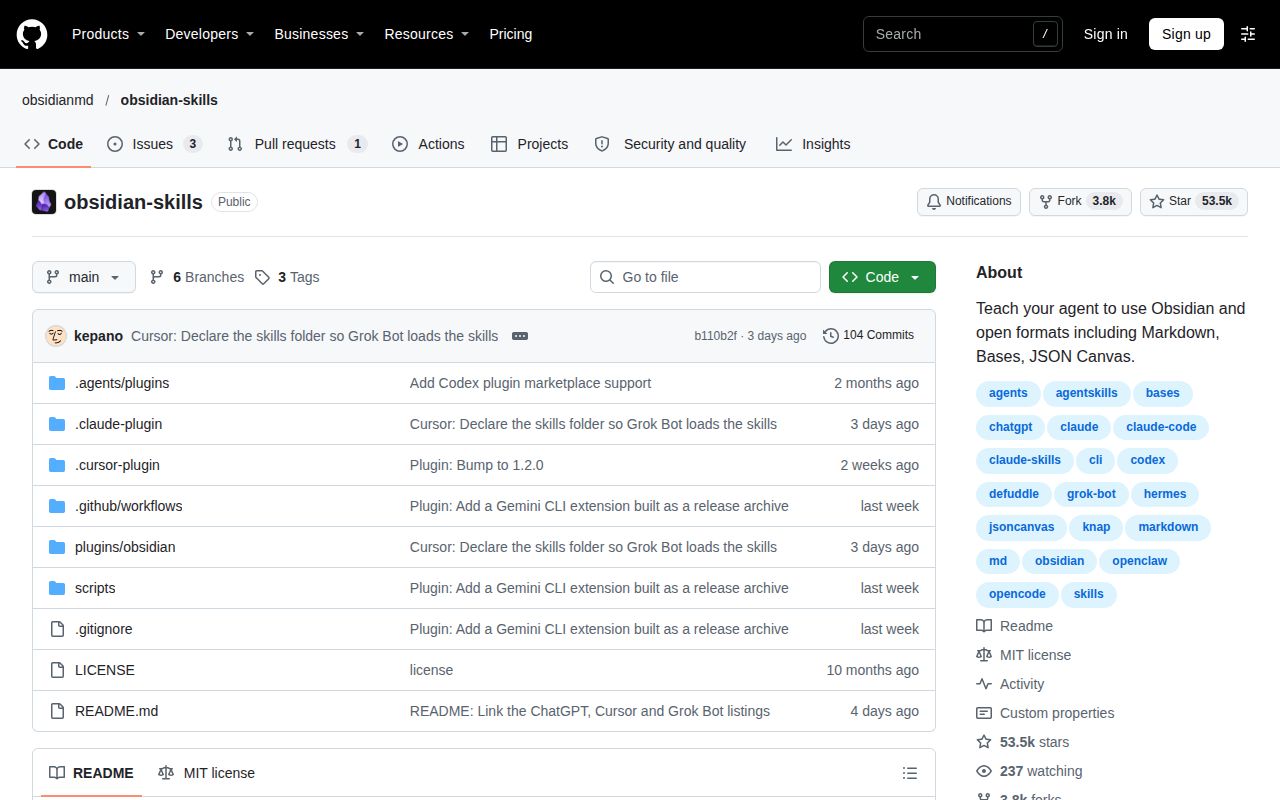
Release 1.1.0 moved the repository to obsidianmd and moved skills to plugins/obsidian/skills/. Marktis's November 7 review and Vibe Coding's September 30 review describe earlier inventories and installation advice. Their dated descriptions should be read against the subsequent release history. Later changes supersede those snapshots; they do not make every earlier description false when published.
| Earlier description | Where it appears | Current correction or qualification |
|---|---|---|
| Six skills | Marktis and Vibe Coding | The current README lists seven, including Headless |
| Personal-account repository identity | Marktis | Release 1.1.0 announces obsidianmd ownership, Obsidian publication and redirecting old links |
| No commits since September 15 | Marktis | Later November releases supersede that activity snapshot |
| Versioned release status | Official release history | Releases include 1.1.0, 1.2.0 and 1.2.1; this is current status, not an allegation about Vibe Coding |
| Manual copies from top-level skills/ | Marktis's Codex installation advice | The current README uses plugins/obsidian/skills/ after the 1.1.0 directory move |
| Marketplace installation keeps skills updatable | Vibe Coding | Issue #146 documents stale delivery before the manifest-version fix |
The running-app requirement applies to the desktop CLI; Headless explicitly supports sync and publishing without that app. Privacy descriptions also need separate attribution: MindStudio says notes can stay on the user's machine, while Nick Milo describes server-side retention in his Cowork setup. Local file storage and external-agent processing describe different parts of a workflow, so one statement cannot stand in for the other.
FAQ: questions people ask
Obsidian Skills adds seven sets of format and tool instructions to a compatible AI agent. The README identifies the Agent Skills format and installation routes. GitHub discussions distinguish skill discovery, stale installed content and choosing the wrong executable. Those are different setup problems: a skill can need an explicit request, while an old plugin cache can be missing the skill altogether.
What is obsidian-skills, and what does it add to an AI agent?
The seven skills cover Obsidian Markdown, Bases, Canvas and related command-line tools. The official README lists their scopes, including web extraction through Defuddle and template rendering through Knap. You bring a skills-compatible agent, such as Claude Code, Codex or OpenCode. The repository supplies the instructions that agent loads for a task; it is not itself the model performing the work.
Where is the official obsidian-skills GitHub repository now?
The official repository is obsidianmd/obsidian-skills on GitHub. Release 1.1.0 announces the move, says old links redirect and identifies Obsidian as the plugin publisher. This identity distinguishes it from chidokun/obsidian-skills and tpitsunov/obsidian-skills. Those repositories describe different workflows, so matching only the repository name can lead to a different set of installation instructions and skills.
How do I install and use obsidian-skills with Claude Code?
The README gives claude plugin marketplace add obsidianmd/obsidian-skills, followed by claude plugin install obsidian@obsidian-skills. Its installation instructions also give the update command, claude plugin update obsidian@obsidian-skills. After installation, a request to create a linked note gives the agent a task to match with a skill. Plus's walkthrough inspected recognized skills with /skills before making the demonstration requests.
How do I configure an AI agent for Obsidian and choose the skills to install?
Manual Claude installation copies plugins/obsidian/skills/ into .claude/skills/ in the vault or working folder. The README gives separate Codex and OpenCode instructions, including cloning the full repository for OpenCode. Choose format instructions for the files you want to produce and tool instructions for the operations you need. The Headless skill checks ob --help before offering installation of that executable.
What custom skills and practical vault workflows are people building?
Gonsalvez reports retrieving research context and saving summaries into a named folder. Plus demonstrates linked notes, a Base of daily notes, Canvas creation, opening a daily note and Defuddle summaries in the five-skill walkthrough. Nick Milo's Cowork video describes a separate system built around maps, manuals and external AI tools, rather than the same demonstration.
Why are my installed skills missing or failing to activate in Claude Code?
Issue #1 includes a reporter who eventually confirmed local activation and said explicitly requesting the Obsidian Markdown skill helped. The discussion distinguishes installation location from activation. Plus's walkthrough recommends restarting Claude Code and inspecting /skills and /doctor. Missing newer content has another documented cause: issue #146's unchanged manifest version affected plugin delivery, rather than whether an available skill matched a task.
Why does Claude Code say the plugin is current when newer skills are missing?
Issue #146 records manifests still reporting version 1.0.1 while newer content was missing. The release history explains that the unchanged version prevented delivery and introduces scripts/bump.sh to update every manifest. Version 1.1.0 addressed that release problem. The current README tells existing users to run the installed-plugin update command, which is distinct from refreshing the marketplace checkout.
Does obsidian-skills work with Hermes Agent?
Two users report Hermes compatibility in issue #71. Nickradford says Hermes used skill_manage to write the skills into its configuration, and JBScoutDE confirms that they work in Hermes Agent. The maintainer points to the shared Agent Skills specification. These are attributed compatibility reports from that discussion; they describe installation and use rather than a separate integration maintained by this review.
Why does npx obsidian-cli ask for an API secret?
The npm package named obsidian-cli is unrelated to Obsidian's own CLI. The maintainer's reply in issue #47 says to use the obsidian command shipped with Obsidian. That distinction answers the API-secret question behind the report: installing the similarly named npm package takes a different executable path from the desktop CLI skill's instructions.
How can I make sure CLI commands operate on the correct vault?
The skill asks which vault to use when several exist and the target is unclear, according to the resolution in issue #49. Headless gives a separate explicit-path instruction: pass --path, then confirm the vault, site and path from status or list output before changing remote state. Both instructions identify the destination before a write operation.
How should multiline Markdown and shell-sensitive characters be written safely?
Issue #60's resolution tells agents to quote shell content and write long content directly to the file. The maintainer's reply addresses shell interpretation. Release 1.1.0 documents another mechanism: CLI content= converts backslash sequences, so the skill writes content containing backslashes, such as LaTeX, directly to files. These instructions address two different ways command-line content can change.
How should lists of wikilinks be formatted in YAML properties?
The maintainer says to quote wikilinks and confirms that both inline and multiline list forms are valid. The resolution in issue #24 says the skill now shows both forms. The rule is quoting the wikilinks, whether the surrounding list occupies one line or several; the response does not make one layout the only valid YAML form.
What we have not tested yet
We did not run a supported agent-and-vault session, reproduce installation or measure retrieval accuracy at b110b2f. The harness supplies no installation duration, passing-test count, memory footprint or security-audit result. Its CPU and RAM settings are configuration figures, and image n/a identifies no operating system. Actual runtime versions require raw toolchain logs. The 127.0.0.1 statement belongs to the contradicted hands-on summary, rather than an observed running service.
Plus's walkthrough covers its five named skills, without Knap or Headless task results. Gonsalvez reports retrieval and summary writing without a before-and-after benchmark. The Hermes thread supplies no specific vault-task output. Cross-model reliability, large-vault retrieval quality and quantitative time savings therefore sit outside the demonstrated results. The alternative repositories have documented scopes here, without a side-by-side execution comparison. The commands on this page are documented instructions, not newly executed examples.
Nick Milo's adjacent Cowork video warns about agents sampling a large vault while implying broad review; his setup is not an obsidianmd/obsidian-skills benchmark. Exhaustive search, missed-note rates, batch-edit recovery, sync conflicts, accidental publication prevention and provider retention settings were outside this assessment. Rendered site layout and recommendation modules were also outside it. A useful first task is known-note retrieval followed by a linked summary in a chosen folder, performed on a recoverable vault copy and inspected in Obsidian.