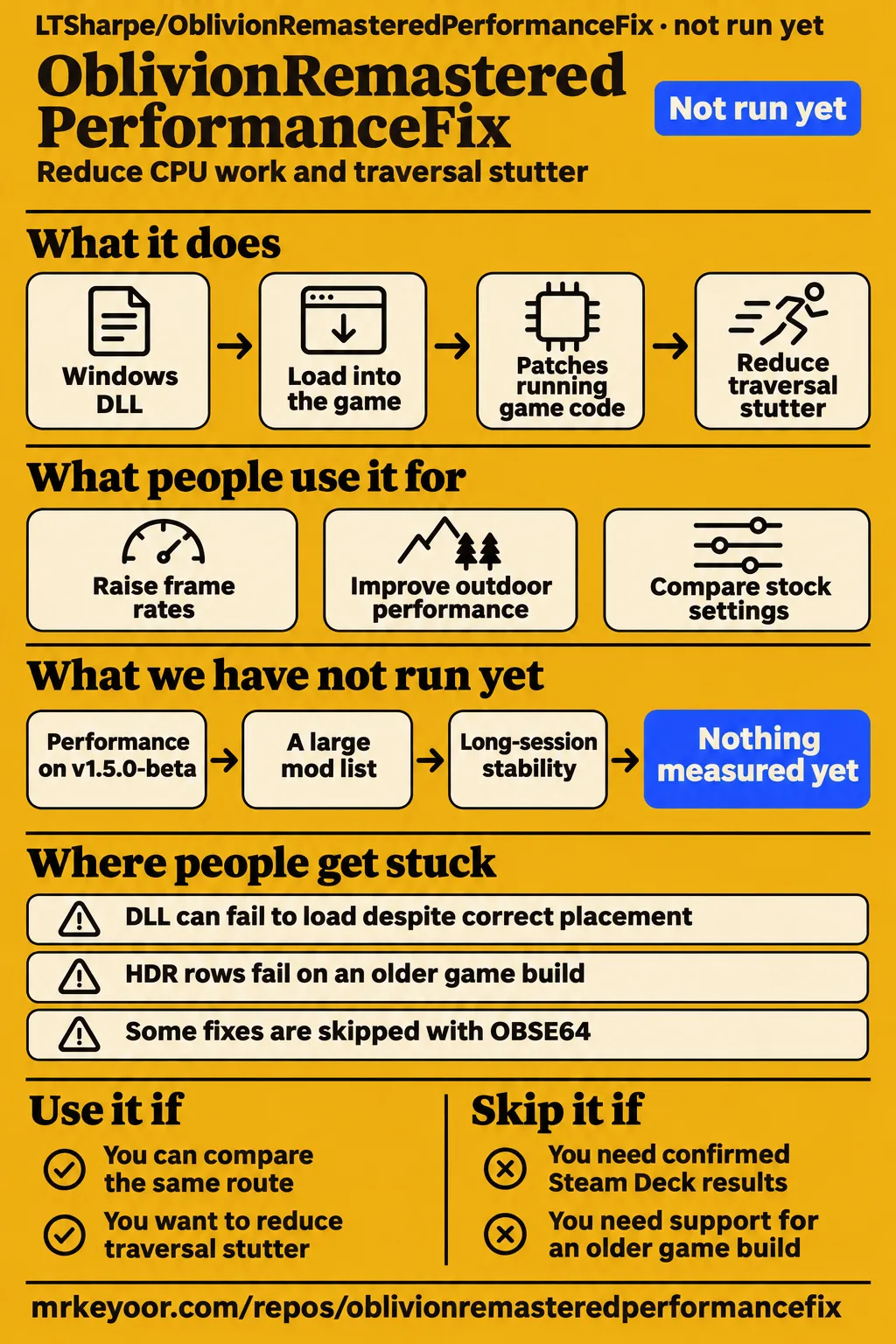
Independent user reports support smoother traversal with OblivionRemasteredPerformanceFix, but the gains depend on the scene and hardware. Use it if town stutter bothers you and you're willing to compare the same route with and without the fix. Skip it if keeping an older game build or an untouched mod list matters more than chasing frame-time improvements. Our sandbox stopped before execution, so this recommendation rests on the documented mechanism and attributed player reports.
What people use OblivionRemasteredPerformanceFix for
Players have used the fix both to raise frame rates and to remove sudden drops while travelling, with mixed results across PCs.
| Who used it | What they tried | What they reported |
|---|---|---|
| LTSharpe, the author, with a Ryzen 7 5800X, RX 9070 XT and 32 GB RAM | Reduce stutter without lowering graphics settings | An example scene rose from 72 to 102 FPS with frame generation. These are the author's results. Author's Reddit thread |
| Reddit user Figthing_Hussar, with an RTX 5090 and Ryzen 7 9800X3D | Play at 1440p Ultra, hardware Lumen and DLAA | Similar average FPS, but a reported stable 65-75 FPS instead of repeated dips to 15-20 FPS. Player's account |
| Reddit user elfgurls, testing their wife's PC | Improve outdoor performance at medium settings | No noticeable improvement despite checking installation through the log. Negative result |
| GitHub user brad1138, with a Ryzen 7 7800X3D and RX 9070 XT | Compare stock settings against version 1.2.1-beta | The Imperial City flight report showed higher FPS and fewer hitches. Benchmark report |
The negative report belongs beside the success stories. It tells you why installing the DLL is only the beginning of the decision. A log can show that code loaded without proving that the scene you care about became faster. Figthing_Hussar's account also describes a useful outcome that an average-FPS counter can hide: fewer interruptions at roughly the same normal frame rate.
What happened when we ran it
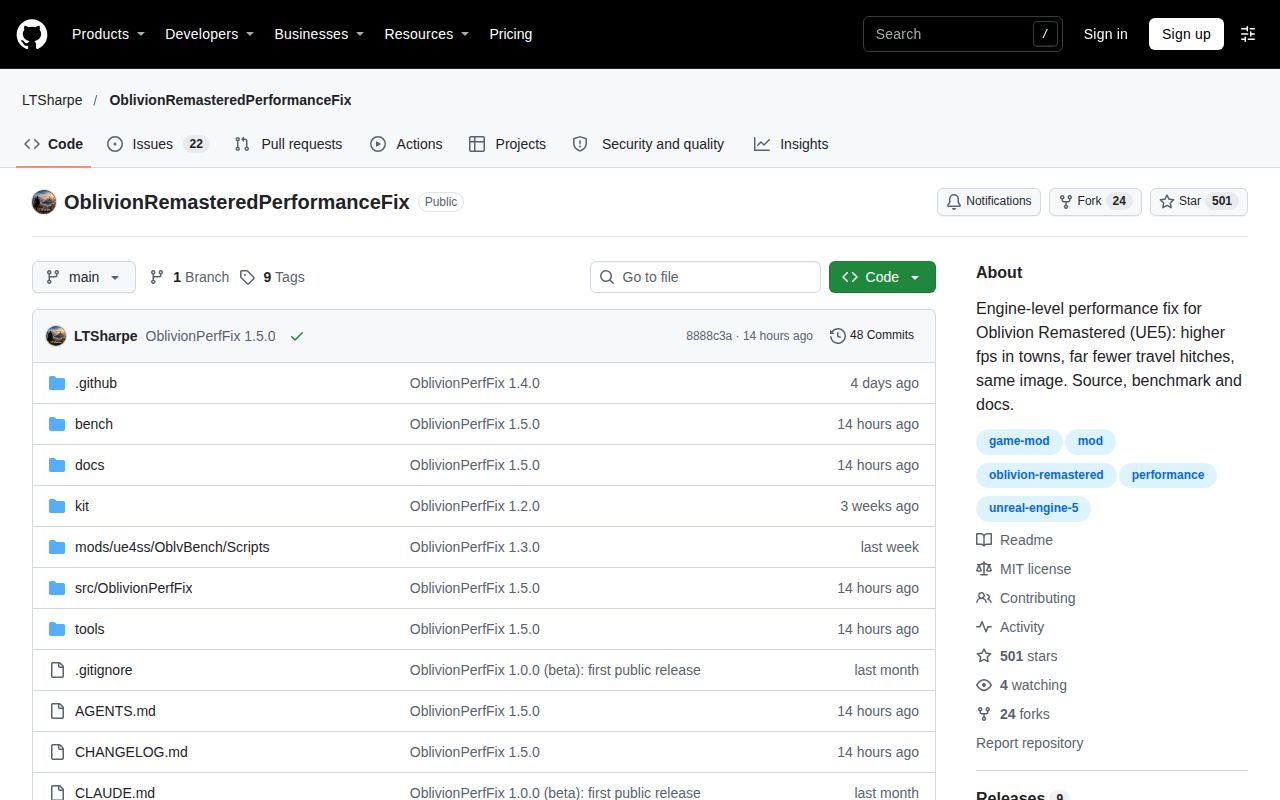
We did not run OblivionRemasteredPerformanceFix: our 2026-11-16 sandbox had no supported C++ ecosystem, and the repository had no Dockerfile.
| Recorded lab item | Result |
|---|---|
| Checkout | commit 8888c3a |
| Sandbox configuration | 3 CPUs, 8 GB RAM |
| Container image | n/a |
| Execution | NOT RUN: no supported ecosystem, language C++; no Dockerfile |
| Install, build and tests | No execution results |
Those are configuration details and an execution boundary, not a gaming benchmark. The record supplies no actual runtime version. Failing to fit this harness says nothing about whether a Windows player can use the mod successfully. It also supplies no grounds for assigning an installation time or a passing-test count.
A separate hands-on safety record stopped because no Compose file existed. Its label says “unsafe repo,” followed by the rule requiring a Compose file; that is a harness eligibility failure, not a finding of malicious code. The pack's generic run record says “deployed with its own docker compose,” which conflicts with that failed prerequisite and the lab summary. We use the explicit NOT RUN outcome. The recorded teardown was “ok,” which is cleanup status rather than evidence of a running game.
Independent benchmarks make a stronger case than the headline percentage
The AMD and NVIDIA benchmark threads both report gains on version 1.2.1, with larger improvements in their low-frame-rate results than their averages.
| Report and hardware | Average FPS, stock to fix | 1% low FPS, stock to fix | Reported hitches, stock to fix |
|---|---|---|---|
| brad1138, Ryzen 7 7800X3D and RX 9070 XT, 1.2.1 | 106.1 to 117.4 | 62.1 to 86.5 | 10 to 2 |
| Michał, Ryzen 7 5800X3D and RTX 4090, 1.2.1 | 48.3 to 55.7 | 18.8 to 27.3 | 175 to 35 |
The first row comes from issue #23, using the player's own settings with FSR frame generation. The second comes from issue #18, using a DLSS Performance profile and a stock Engine.ini. Read each row as its own comparison. Different settings and procedures make pooling the hitch counts into a single success rate misleading.
Brad1138's report is particularly helpful because it includes a small correction. The benchmark printed contradictory descriptions of the frame cap. The maintainer acknowledged the label problem, and brad1138 confirmed that no cap was set. The subsequent kit corrected that wording. That exchange makes the report easier to interpret without turning a reporting mistake into a claim that the performance result was invalid.
Michał also tested additional experimental changes on top of 1.2.1. Those produced fewer hitches while average FPS stayed almost unchanged. They belong to that contributor's experimental configuration, not the stock 1.2.1 result in our table. The thread records later integration of some work into subsequent releases, so it is evidence of both measurement and collaboration, rather than a promise that every proposed change shipped.
Where people get stuck: loading, hooks and logs are separate checks
Issue #50 shows that a correctly placed DLL can fail to load, while a different logging defect can hide a mod that did load.
| Symptom | What the record supports | Useful next step |
|---|---|---|
| No fresh log despite correct file placement | In #50, module inspection and Process Monitor showed that the local proxy never loaded | Inspect the loaded module's full path, rather than relying on a System32 version.dll event |
| DLL loaded but the usual log cannot be replaced | The maintainer described a separate logging weakness; 1.3.0 added numbered fallback logs | Look for OblivionPerfFix.<number>.log in the game folder or the temporary folder |
| HDR rows absent on the original game build | In #43, the required frame hook could not find its code | Check the game build and the missing-hook message before changing loaders |
| Some fixes skipped with OBSE64 | The project listing says some hooks require earlier startup | Read the per-fix log instead of treating every package as functionally identical |
In issue #50, Necroseed had already checked placement and the checksum. Seeing Windows load its own version.dll was insufficient, because the proxy normally loads that library too. Later module and file-access checks narrowed the finding: the local proxy was absent. Unchecking “Disable fullscreen optimizations” restored loading without changing the mod version. That is a useful workaround for this particular case, not a reason to assume every missing log has the same cause.
Issue #43 concerns Steam build 18144098. The maintainer said it was unsupported and lacked the hook needed by the HDR menu rows. Version 1.3.0 added a clearer “game build not recognised” message; it did not add support for that old build. The reporter deliberately retained it for other mods. Updating the game therefore carries a real choice for that player, rather than being a harmless universal troubleshooting instruction.
Memory pressure can survive a useful improvement
The player in issue #16 reported less hitching and audio popping after several changes, yet still experienced frequent interruptions and major freezes.
Josephhammett99 used a Ryzen 7 3700X, RTX 2060, 16 GB RAM and 6 GB VRAM at 1080p with DLSS and low settings. After updating drivers, closing background applications and updating the mod, they estimated roughly 30-40% less hitching and audio popping. Those changes happened together, so the report cannot isolate the mod's contribution. The player still described freezes during early NPC conversations and trouble when combat began. Issue #16.
The maintainer read severe memory pressure in the log, including free RAM briefly touching about 0.2 GB. They suggested that paging fit the symptoms while explicitly saying the log could not prove that explanation. The issue remained open after the follow-up. My recommendation for a similar PC is to judge the remaining interruptions, not just the percentage improvement: a game can become faster and still be unpleasant to play. This report offers no basis for promising that a DLL removes a hardware memory constraint.
The DLL patches running code, so source and rollback matter
The README says the fix changes code in memory and leaves game files and saves untouched.
That design makes removal more contained than a mod that rewrites game data, but it still means loading executable code into the game. The README documents GitHub Actions release builds, SHA-256 checksums and build attestations. Use the linked upstream release and compare the package you downloaded with its published provenance. Those checks answer where a binary came from; they do not substitute for an independent security audit. Project README.
The package choice also matters. The supplied project listing puts Steam's proxy beside the shipping executable and offers an OBSE package when another mod already owns version.dll. It explicitly says not to overwrite that existing proxy. Some fixes stay off through OBSE because they need to install earlier. For Mod Organizer 2, the listing says files belong in the game folder rather than Data. These are documented instructions, not an installation reproduced in our lab. Package instructions.
OblivionRemasteredPerformanceFix vs Ultimate Engine Tweaks, Lumen Begone and DLSS Swapper
Ultimate Engine Tweaks changes configuration, Lumen Begone removes a lighting feature, and DLSS Swapper changes upscaling libraries; none is an interchangeable name for this engine patch.
| Option | Why choose it | What you give up or still need to check |
|---|---|---|
| OblivionRemasteredPerformanceFix | You want to address CPU work and traversal hitches through executable patches | The package, game build and active hooks matter |
| Ultimate Engine Tweaks | You prefer an Engine.ini configuration approach | Combining tweaks with code patches makes gains and regressions harder to attribute |
| Lumen Begone | You accept a different lighting result to reduce rendering work | Disabling Lumen carries a visual trade-off |
| DLSS Swapper | You want to change the version of a supported upscaling library | Changing libraries is a different intervention from these traversal fixes |
XDA's settings article describes the configuration mods and the visual cost of disabling Lumen. It predates this project, so its settings tests cannot rank these options against OblivionPerfFix. In an older Reddit discussion, Ok_Bath_1252 reported fewer stutters with Ultimate Engine Tweaks. That is a reason to consider the approach, not a head-to-head win. Earlier player discussion.
DLSS Swapper's own README documents downloading, managing and swapping DLSS, FSR and XeSS libraries. Choose it when the library version is the thing you want to change. For this fix, I would start with one intervention, repeat a troublesome route, then decide whether another change is worth adding. Otherwise a better average and a new crash can arrive together with no clear attribution.
What the other reviews get wrong
The current release is v1.5.0-beta, while several supplied summaries describe much earlier versions.
The public GitHub release was published on 15 November 2026, and the supplied Nexus snapshot also lists 1.5.0-beta. PCGaming.io's overview describes 1.1.0-beta. FMTweak labels its account as a historical snapshot, which is useful context if retained. An X answer from Grok calls 1.2.4-beta the latest version on 1 November. That dated answer belongs to its date, not a current download recommendation. GitHub release, PCGaming.io, FMTweak, X record.
Tom's Hardware's headline makes an absolute claim about unchanged visuals. The design goal is clear, but issue #1 records a confirmed cloud-lighting regression in 1.0.0-beta, fixed in 1.1.0-beta. The current README goes further: it describes distant characters moving in steps with specific newer fixes, and changed fade-in timing. Preserving fidelity needs those qualifications. Tom's Hardware headline, current README.
PCMag attributes the initial work to Claude Opus 5.5. In the author's Reddit thread, LTSharpe instead looks forward to 5.5 being released after the initial work. That conflict is enough to reject the model attribution, without guessing a replacement model version. PCMag account, author's thread.
Bug ownership needs the same care. The pause-menu flash was initially blamed on the mod, then reproduced with the mod removed and addressed in 1.2.3-beta. A separate confirmed memory-return bug was fixed in 1.2.1-beta. The project's stock-game bug register distinguishes reproduced game defects from reported symptoms. A closed thread is useful evidence only when you read what was actually resolved.
Questions people ask
Yes: independent AMD and NVIDIA reports show higher FPS and better 1% lows on version 1.2.1, though individual players also report unchanged performance. AMD results, NVIDIA results, mixed Reddit outcomes.
Does OblivionRemasteredPerformanceFix actually work, and are there independent before-and-after results?
Brad1138 and Michał posted stock-versus-fix results with hardware and settings, giving this project evidence beyond its author's demonstration. Both showed gains, especially in the lower frame-rate results. They are user benchmarks for their configurations, so retain the version and settings when quoting them. Issue #23, issue #18.
Can the mod really improve performance by as much as 40% without reducing graphics quality?
The author's Reddit example reports 72 to 102 FPS with frame generation, but the other results vary. Frank The Tank's video describes testing with a Ryzen 7 9800X3D and RTX 5090, using Vortex and comparing indoor and outdoor play. He reported no significant improvement in his configuration. His account does not overturn the other reports; it does rule out treating the headline gain as universal. Author's example, Frank The Tank's review. The lighting regression and newer timing changes described above also qualify an absolute promise about visuals.
Why does my FPS stay the same even when the log confirms the mod loaded?
A loaded DLL does not guarantee higher average FPS in every scene. In the Reddit thread, LTSharpe suggested a GPU bottleneck to the player reporting no improvement. That is a possible explanation, not a diagnosis demonstrated for that machine. Compare both the average and interruptions along a CPU-heavy town route. Reddit exchange.
Does the fix work on NVIDIA GPUs with DLSS?
Michał's RTX 4090 report includes a successful DLSS Performance comparison. Separately, Weegeeetime reported continued DLSS crashes after updates and chose FSR frame generation. Their follow-up still mentioned occasional saving crashes. NVIDIA support and a crash-free session are different claims. NVIDIA benchmark, crash follow-up.
Has anyone tested the fix on Steam Deck?
The current README marks Steam Deck as untested and asks for reports. The project listing supplies a Linux launch override, but installation instructions are not device-specific performance measurements. Treat the desktop Proton thread as a desktop result. README compatibility table, Linux instructions.
Does it work properly under Proton, and can I use it with lsfg?
The maintainer read successful code matching under Proton in issue #22, but the reporter's frame-timing concern with lsfg ended without enough detail to resolve it. The log also showed the game's FSR library alongside lsfg, prompting a question about whether both frame-generation systems were enabled. The closed issue records missing follow-up, not a confirmed frame-pacing fix. Kubuntu report.
Can I use this alongside Oblivion Remastered Ultimate FPS Fix?
A Reddit user asks that exact compatibility question, and the supplied thread gives no confirmed answer for the combination. Keep that specific mod name separate from Ultimate Engine Tweaks. The README describes Engine.ini pack compatibility as unclear, so naming a combination is not evidence that it works. User's question, README compatibility table.
Can the performance mod interfere with custom armour, Barter or Spell Hotkeys?
Weegeeetime reported naked custom-armour NPCs, Barter crashes and lost Spell Hotkeys bindings in issue #17. The maintainer disputed direct attribution and requested logs. The player later said those symptoms were absent with FSR. That thread supports a reported interaction and a setup-specific workaround, not a proven cause or a blanket compatibility verdict. Issue #17.
Why does the game still hitch and pop audio with 16 GB RAM and 6 GB VRAM?
Issue #16 records partial improvement alongside severe memory pressure and continuing freezes. Because drivers, background applications and the mod changed together, it cannot assign the improvement to one change. The maintainer explicitly qualified the paging explanation. Lower settings do not make this report evidence that memory pressure has disappeared. Memory-limited report.
Why do the HDR menu options fail to appear on an older game build?
Steam build 18144098 lacked the matching frame hook in issue #43. The maintainer explained that the HDR rows depend on it, and that the build remains unsupported. The clearer diagnostic added in 1.3.0 tells you what happened; it does not supply the missing hook. Unsupported-build explanation.
Why is the local version.dll not loading, and how can I diagnose DLL load order?
Module paths and Process Monitor narrowed issue #50 to a genuine local-proxy loading failure. Unchecking “Disable fullscreen optimizations” solved that reporter's case. Check actual DLL loading separately from log creation, because numbered fallback logs address only the latter failure. Loading investigation.
Why does opening the pause menu cause a bright flash?
LTSharpe reproduced the flash with the mod completely removed, then added MenuOpenFlashFix in 1.2.3-beta. The original reporter confirmed improvement. That thread supports a stock-game defect fixed by the mod, rather than the initial assertion that the mod alone caused it. Issue #5.
What we have not tested yet
Our lab did not execute the game or mod, so we have no independent performance, visual-comparison, crash-rate or security result for commit 8888c3a or v1.5.0-beta.
The measured community comparisons above concern earlier versions and specific configurations. We have not reproduced them, tested a large mod list, isolated the low-memory report's cause, or compared the alternatives on matching routes. The supplied video transcript identifies one creator's contrary result, but gives no complete repeatable benchmark dataset. The source counts and discussions measure attention or reported experience, not the proportion of all users who benefit.
Game Pass deserves a version-specific boundary: the supplied Nexus snapshot calls its package experimental and untested by the author, while the current README lists player success reports and still calls it less tested than Steam. Neither is our Game Pass test. Steam Deck results, resolved lsfg frame pacing, compatibility with Ultimate FPS Fix and long-session stability on the newest release also remain outside this review's demonstrated results.
For your next step, use the project's stock-versus-fix benchmark on the settings you actually play. Keep its report and the session log together. Compare the troublesome route and the interruptions that made you seek a fix in the first place; a higher counter is a poor trade if saving still crashes.