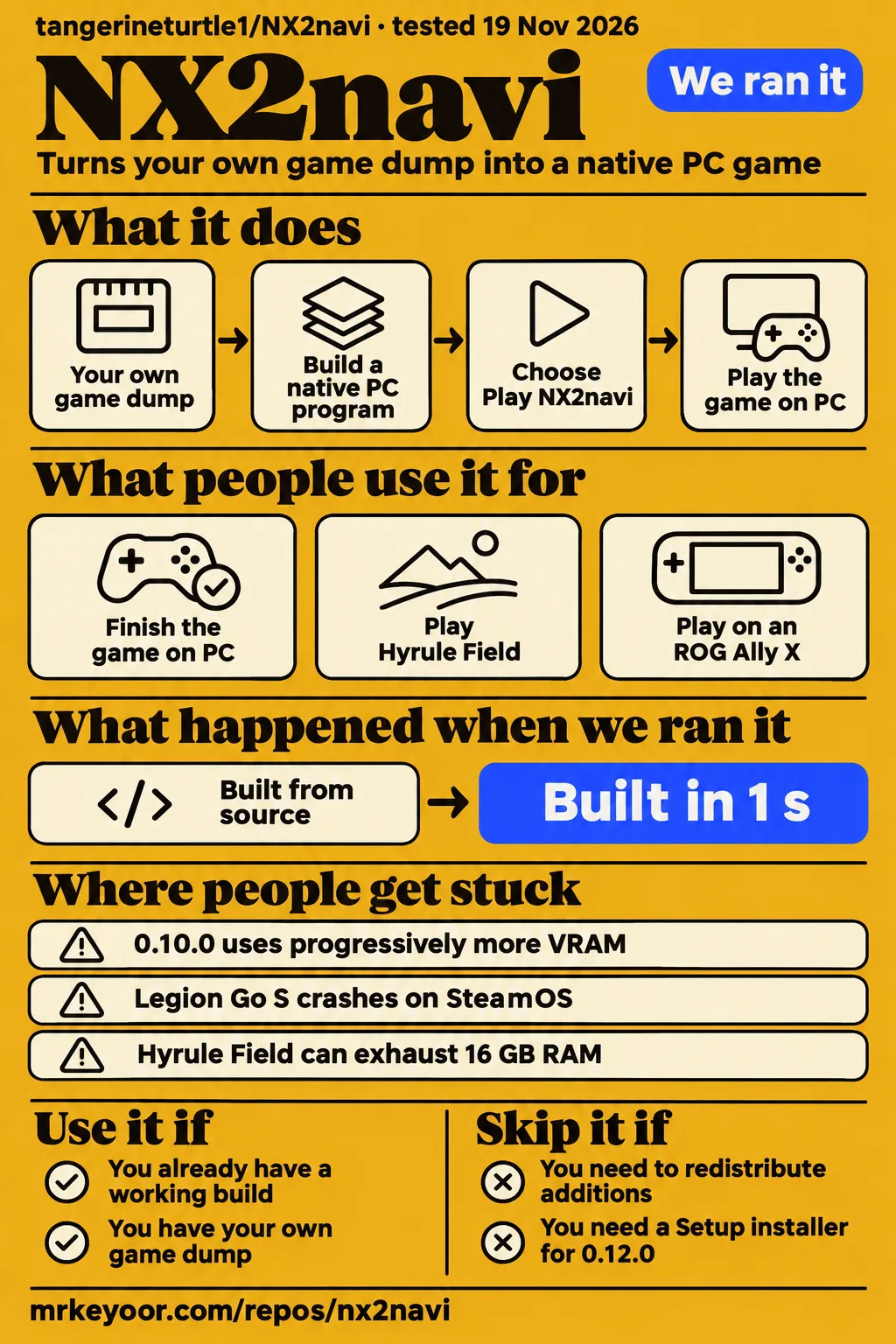
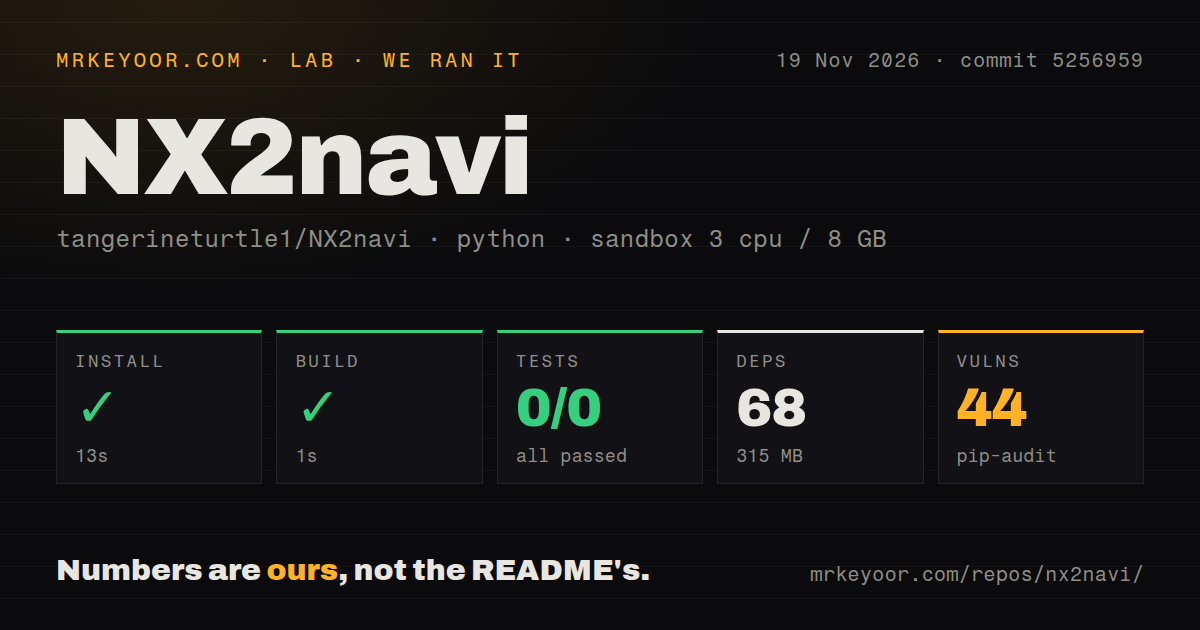
Our NX2navi sandbox installed the Python tooling in 13 seconds, then pytest exited 5 without running a test. Use NX2navi if you already have a working installation and want to keep playing while weighing the Triforce transition. Skip it if you need permission to redistribute your changes: the README reserves rights to NX2navi's additions. For a newcomer, the project itself now points to Triforce.
What people use NX2navi for
Players have used NX2navi to finish the Switch 2 remake of Ocarina of Time on PC, although their reported results differ sharply by machine and version. Static recompilation means translating the game's code into a native PC program. You supply your own legally obtained game dump; NX2navi includes no game files. It serves this particular remake, rather than acting as a general console emulator.
| Who used it | What they did | What came back |
|---|---|---|
| GitHub user PalebloodSky | Finished the game with NX2navi 0.10.1 | Reported completion without a single crash, and separately described mostly 60 to 90 fps with major dips in some areas in issue #993. |
| Reddit user Puciapiciu | Played Hyrule Field with a reported 0.11.0 build, RTX 3050 6 GB, i7-7700 and 16 GB RAM | Reported 30 fps with 20 fps 1% lows, meaning the slowest portion of frames was substantially below the average. Preferred its DLSS Ultra Performance image to the alternatives they tried. |
| Reddit user thotfuldad | Played through Kakariko Village's cucco quest on an RX 7600, Ryzen 5 5600 and 16 GB RAM | Reported single-digit frame rates in Hyrule Field, with performance rarely above 30 fps. Did not identify the NX2navi version. |
| X user Whisper803 | Tried recompilations on an ROG Ally X | Said NX2navi was the only one that worked on that device, and chose to keep it instead of updating to Triforce. |
| X user DecaMika90 | Used a Ryzen 5 4650 Pro, RX 6600 and 16 GB RAM | Reported small graphical problems but continued play, where the other projects they tried crashed. |
The RTX 3050 report is a useful reason to try the same rendering settings on similar hardware. The RX 7600 report is a reason to resist a blanket recommendation for AMD owners. Neither report tells you how the other person's scene would run with the same build and settings. Keep the hardware and version attached when sharing these results.
What happened when we ran it
Our November 20 gameplay attempt stopped at the safety step because the checkout had no Compose file. The harness required one of compose.yaml, compose.yml, docker-compose.yaml or docker-compose.yml. Its label, “unsafe repo,” describes failure to meet that runner rule; it is not a malware finding. The teardown step reported “ok”.
A separate run summary claims a Docker Compose deployment with localhost-bound ports. That conflicts with the missing-file failure. We give the concrete failed step priority and count this as a blocked gameplay attempt, not a deployed game.
The earlier source-tooling run did get further. On November 19, at commit 5256959, our sandbox completed installation, then the build step. Next came pytest. It returned exit 5 after 2 seconds, and its last line was no tests ran in 0.08s. There were no collected tests to pass or fail.
| Our recorded step | Result | Meaning for your decision |
|---|---|---|
Python tooling installation under ./tools/ |
Succeeded in 13 seconds; 68 dependencies; 315 MB on disk | This measures the tooling environment, not a finished game installation. |
| Build step | Succeeded in 1 second | The harness reports success for this step. |
| Pytest | Failed with exit 5 in 2 seconds; 0 passed, 0 failed of 0 | The log says no tests ran in 0.08s; the test command failed without collecting tests. |
| Dependency audit | pip-audit reported 44 known vulnerabilities | The dependency environment needs attention before you rely on the tooling. |
| Repository scan | 2 CI workflow files, no Dockerfile, a tests directory | The presence of a tests directory did not make pytest collect tests in this run. |
The configured sandbox had 3 CPUs and 8 GB RAM, with image label ghcr.io/astral-sh/uv:python3.12-bookworm. It checked out 820 files, about 291,252 source lines and 19.8 MB. Those are repository and tooling measurements. The actual runtime versions require the toolchain logs, and the image label alone supplies neither a runtime nor an operating-system version.
Where people get stuck: match the symptom to the release
An RX 5700 XT user in issue #631 traded missing vegetation in 0.7.1 for severe white flickering in 0.8.0. Turning off mesh_fallback stopped the flicker by making the objects disappear again. Later reports from bernienoeldu88 and diogoab21 say 0.9.2 with low_end_gpu = 1 fixed the flickering on their RX 5700 XT and RX 580 2048SP respectively. That is a much more useful fix than hiding the objects you need to see.
| Symptom and report | What changed or helped | Status in that discussion |
|---|---|---|
| “Gather Build Tools” fails with an expired-certificate error in 0.4.0 or 0.5.0 | Users in #1 and #145 discussed certificate-store changes and manual package downloads. Some attempts succeeded and others failed. | Reported workarounds, with no single release demonstrated to fix every affected installation. |
| Green blocks in fog on Radeon hardware | In #48, lev92 reported improvement on an RX 6900 XT with 0.6.0; NicoCancedda reported that green artifacts were gone with 0.6.1. | Improvements for those configurations; later comments still describe crashes or poor frame pacing. |
| Red flashes at native rendering resolution in 0.6.1 | NicoCancedda in #48 reported that FSR Quality stopped the flashing. | A setting workaround for the reported RX 6750 XT setup. |
| Radeon cutscene crash with code 72 | In #635, driver rollback results conflicted. steakboy later said updating NX2navi to 0.10 resolved their problems. | The thread is open; that user's result is not a universal driver fix. |
| 0.10.0 uses progressively more VRAM | The MacNativeGames troubleshooting guide identifies 0.10.1 as the fix for rapid VRAM growth introduced in 0.10.0. | The guide recommends comparing the same route with the F10 overlay after updating. |
Keep the log from the failing launch before reopening the game. The troubleshooting guide distinguishes launcher.log for setup failures from logs/nx2navi.log for gameplay failures. A certificate download error and a Vulkan device-loss error belong to different investigations. Rebuilding everything because both end with a failed window wastes the details that could identify your problem.
Hyrule Field can exhaust the stated memory budget
The README lists 16 GB RAM as a requirement and also warns that 16 GB machines can run out of system memory in Hyrule Field. Meeting that line in the requirements therefore doesn't promise uninterrupted play. Video memory, the GPU's own working memory, is a separate number from system RAM; record both when you report a crash.
There is a second trap for Linux users: feature names don't guarantee identical implementations across platforms. The build-kit documentation says Linux offers neither FSR 3.1 upscaling nor FSR 3.1 frame generation, because that implementation loads a Windows DLL. Frame generation inserts additional pictures between rendered frames. It can raise the displayed frame rate without making the game compute new input at the same rate.
If you see stutter only through Steam, compare direct and Steam launches of the same save first. MacNativeGames describes a 0.10.0 Windows report where a commenter found improvement by disabling Steam Shader Pre-Caching. That switch affects Steam globally. Record its original value and restore it if your comparison gains nothing, rather than changing other games' behavior on the strength of one comment.
The handover keeps Play, but removes launcher controls
Version 0.12.0 retains Play NX2navi while removing the launcher's own settings, mods, rebuild, saves and Add to Steam pages. The game's settings menu stays available. Existing shortcuts made with Add to Steam open the handover window, where you choose Play NX2navi. A mod added after the update is not built into the retained game.
That distinction explains why “my old game still runs” and “my launcher lost useful controls” can both be true. The release promises to preserve the existing game, saves and settings; it does not preserve the old launcher workflow. In issue #976, vmpgninGIT complains about losing mod ordering and on/off controls. For an installation you already like, keeping the game folder and a separate save backup is the sensible starting point before comparing successors.
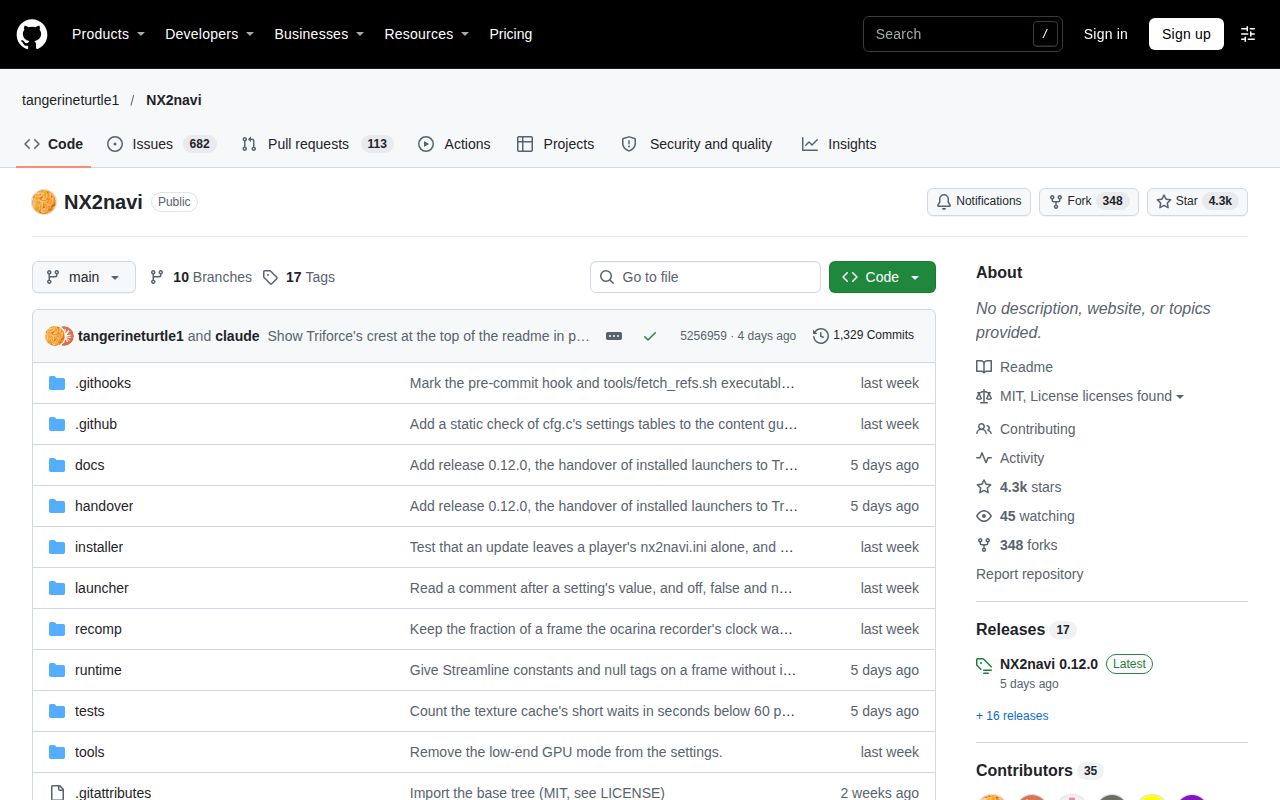
The latest-release entry is dated November 15, 2026, and the README explicitly directs new work to Triforce. This is a declared handover, rather than an inference from an old release date. Treat NX2navi as a retained version you can choose to keep, rather than expecting its original launcher to continue receiving features.
Security questions and source rights need separate answers
NX2navi's README says its source is public to read, with all-rights-reserved additions over an MIT base. Calling the whole project MIT licensed would give you the wrong answer about copying or distributing those additions. The same README says the Windows setup is unsigned, so SmartScreen warns at first start. An unsigned installer warning tells you about signing status, not whether someone compromised an account.
The discussions contain allegations, not a forensic finding. In issue #993, users debate whether the account was hacked; other commenters ask for credible evidence. On Reddit, tomgks questions trust in the successor and Lonkweiler asks where the source for its binaries is. Moving source to a self-hosted site, a signing warning and a claim of account theft are different observations. None should silently stand in for proof of malicious code.
The 44 known vulnerabilities in our pip-audit result are a concrete dependency finding. They are not proof of a malicious NX2navi game binary. If your requirement is an independently checked software supply chain, this review cannot give that assurance.
NX2navi vs Triforce, Hookshot, ReLink and Longshot
Player reports favor different projects on different hardware; Puciapiciu preferred NX2navi while thotfuldad preferred ReLink's speed. thotfuldad's RX 7600 comparison also describes serious ReLink graphical glitches. Choose the comparison that resembles your machine and the fault you can tolerate, rather than treating either post as a league table.
| Alternative | What the comparison actually says | When to consider it |
|---|---|---|
| Triforce | The NX2navi README directs newcomers there. Ryrin45 in #976 reports worse frame pacing after rebuilding, while a Reddit commenter recommends Triforce 5.0. | You want the successor development path and can compare it against a preserved working installation. |
| Hookshot | Questinghero in #445 says it works on their Legion Go S where NX2navi crashes, although they prefer NX2navi's menus. | Your handheld hits that specific crash and you can locate the relevant project/version. |
| Project ReLink | Puciapiciu preferred NX2navi on an RTX 3050. thotfuldad preferred ReLink's speed on an RX 7600 but reported missing walls and broken ground textures. | Speed is the immediate obstacle and you are prepared to compare image correctness too. |
| Longshot | thotfuldad reported about 18 to 20 fps in Hyrule Field and no glitches during their session, versus single-digit NX2navi performance on that machine. | You have similar Radeon hardware and ReLink's graphical defects interfere with play. |
| Ship of Harkinian | The nx2navi.net comparison identifies it as a port of the N64 original, using different game files. | You want the original game rather than this Switch 2 remake. |
The RK Pirate setup video's Triforce walkthrough reports poor results on a GTX 1070 Ti and a playable result on an RTX 3060 Ti. The creator also complains about shader loading. That's successor experience on two computers, not an NX2navi benchmark. It gives a newcomer more context than assuming a change of project name leaves hardware behavior unchanged.
What the other reviews get wrong
The November 10 nx2navi.net comparison describes Linux as an in-progress source route, but issue #445 already documents someone using a 0.7.1 Linux package. The November 15 nx2navi.wiki lists the 0.10.1 AppImage. Read the date on a platform comparison before accepting its download advice.
| Page or claim | Correction you can use |
|---|---|
| nx2navi.net's Hookshot comparison: NX2navi Linux packaging is still in progress | The later wiki lists a Linux AppImage; the Windows handover release is a separate package. |
| nx2navi.online troubleshooting: NVIDIA DLSS frame generation is not offered | The handover README lists it for RTX 40 and 50 GPUs. The Linux build kit describes an NGX route with additional libraries. |
| nx2navi.net troubleshooting: there is no mesh-shader fallback | #631 documents the 0.8.0 fallback and later 0.9.2 low-end setting, including its initial rendering regression. |
| TattwaTech's storage advice: about 30 GB free | The build kit asks for about 34 GB besides the dump, and the README adds 1.5 GB for launcher tools. Source compilation needs a separate working-space budget. |
| TattwaTech's FSR description: any GPU, without a platform qualification | The Linux build kit explicitly excludes its Windows-DLL-based FSR 3.1 path. |
Two claims in the project's own documentation also need care. The launcher guide promises shader preparation prevents gameplay compilation stops, but the handover README allows a first encounter with a shader or pipeline to hold a frame. The earlier build-duration estimates in TattwaTech and the build kit also differ from the later README. None of those estimates is our measured game-installation time: the lab's short Python tooling run did a different job.
Finally, tomgks's Reddit post describes the earlier project as fully open source. The README's licence section reserves rights to additions. Readable source and permission to redistribute it answer different questions.
Questions people ask
Yes: NX2navi's README says it merged with Triforce, and 0.12.0 changes the launcher while retaining access to your built NX2navi game.
Did NX2navi become Triforce, and what does that mean for existing installations?
Version 0.12.0 is a handover update with no new NX2navi Setup installer. The release notes say your game, saves and settings stay in place. Play NX2navi starts the retained game. The Linux AppImage has no updater and is unchanged by that release.
Should I keep my working NX2navi installation or update to Triforce?
Keep a working installation and save backup while comparing the successor. That's our recommendation for existing users, supported by Whisper803's decision to retain a working ROG Ally X setup and the handover's preservation of the built game. New users are directed to Triforce by the project.
Is NX2navi or Triforce safe, and is there credible evidence of a compromised account?
The account-compromise discussion in #993 contains accusations and requests for proof, not an independent forensic verdict. The README's unsigned Setup warning is about code signing. It cannot answer whether either project's distributed binaries are trustworthy.
Why does updating the launcher appear to reinstall everything instead of reusing my files?
Reddit user dead_inside538 reports that exact behavior. The handover notes describe starting Triforce Setup and rebuilding from your own files while preserving NX2navi. The complaint has no diagnostic log establishing which files could have been reused, so there is no supported cache-repair recipe to offer.
Where is the source code corresponding to the distributed binaries?
The README points to git.triforceproject.com/triforce/source for Triforce source. That is a source location, not a demonstrated correspondence between a particular download and a particular commit. Lonkweiler asks that binary-source question directly on Reddit.
Can NX2navi run natively on Linux or SteamOS, and is there an AppImage?
Yes: the build kit documents native Linux compilation, and the wiki lists a 0.10.1 AppImage. Packaging doesn't guarantee every SteamOS handheld works: Questinghero's Legion Go S report continues through 0.9.1.
Which Proton version works when shader preparation fails?
Issue #55 asks that question without documenting a successful Proton version. Its 0.5.0 error says gameplay can still compile shaders as encountered and suggests retrying the build. The later native Linux instructions provide a different route; they are not proof that this Proton failure was fixed.
Why does NX2navi crash within seconds on a Legion Go S running SteamOS?
In #445, mooki000 reproduced an early crash tied to the four-core Steam Deck profile. Six virtual cores removed that early crash, but Questinghero still hit a later one, including after a full rebuild on 0.9.1. Treat those as two failures, rather than calling the profile change a complete repair.
How do I fix the expired-certificate error at Gather Build Tools?
Users in #145 discuss certificate-store workarounds, while #1 includes successful manual-package reports and unsuccessful attempts. Match the package URL and certificate error first. Don't disable TLS checking globally or delete unrelated certificates to imitate a comment from a different machine.
Where are the toolchain package cache and toolchain.lock.json stored?
In #1, Evinous points to AppData/Local/Programs/NX2navi: packages are under toolchain/pkgs, and the lock file is inside the release folder under app. Use your actual installed release folder. The thread describes an empty package cache during a failed download.
How can I fix texture shimmering in 0.8.0 without restoring the missing objects from 0.7.1?
The later #631 reports favor 0.9.2 with low_end_gpu = 1 on the two named Radeon configurations. Setting mesh_fallback = 0 hides the objects again, so it is a different compromise from the reported low-end-mode fix.
How can I get past code 72 crashes on a Radeon GPU?
In issue #635, steakboy reports resolution after updating NX2navi to 0.10. Older-driver results in the same thread conflict, and one apparent rollback success was followed by another crash. Keep the final error and preceding log lines together instead of treating every code 72 report as the same driver defect.
What we have not tested yet
Our source-tooling run and blocked Compose attempt provide no gameplay benchmark, complete-game reliability result or supported Windows installation result. We have not tested the Linux AppImage, Steam Deck sessions, save conversion, controller compatibility or a Triforce migration. The conflicting deployment summary needs reconciliation before it can support any claim of a running lab instance. The audit total also needs package and advisory detail before we can connect it to reachable behavior in a shipped game.
The community comparisons lack a shared scene, matched versions and a common frame-time method. PalebloodSky's completion report is valuable, but it has no reproducible hardware-and-settings record. We also lack measured input latency separating rendered and generated frames, and independent checks matching successor binaries to source. The account-compromise allegations remain unresolved by a forensic investigation here.
The build kit specifies game update 1.1.1, while building.md discusses other game versions. We have not reconciled those instructions. Keep the exact guide and release paired with your dump rather than combining version requirements from different pages.