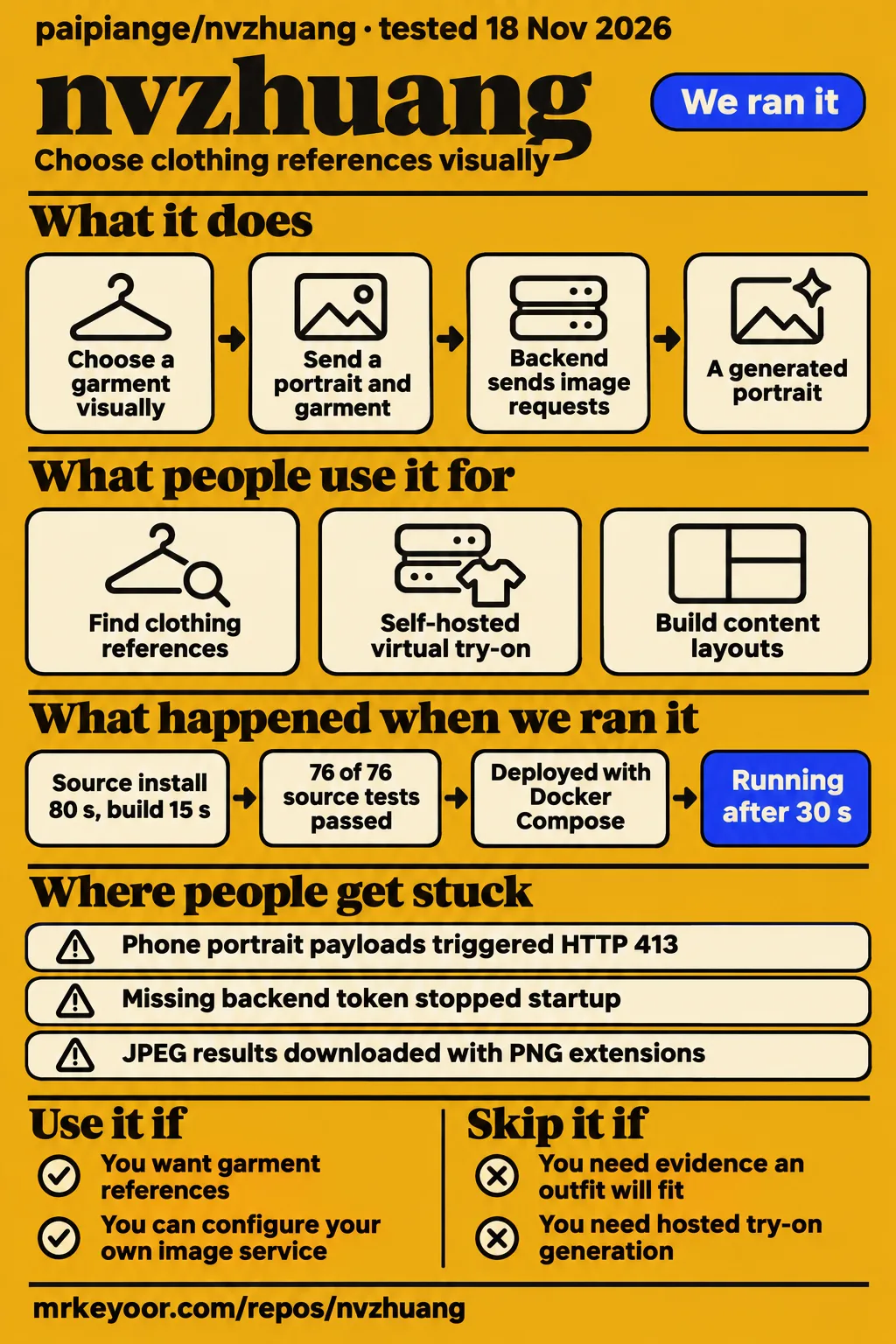
Nvzhuang passed all 76 recorded Vitest tests in our sandbox, but our separate Docker deployment stopped before healthy startup because it lacked a valid backend access token. Use it if you want garment references and can configure your own image service. Skip it if you need a ready-to-use public fitting service or evidence that an outfit will fit a customer. The useful distinction is between browsing the gallery and operating the generation backend.
A garment gallery with an optional generation backend
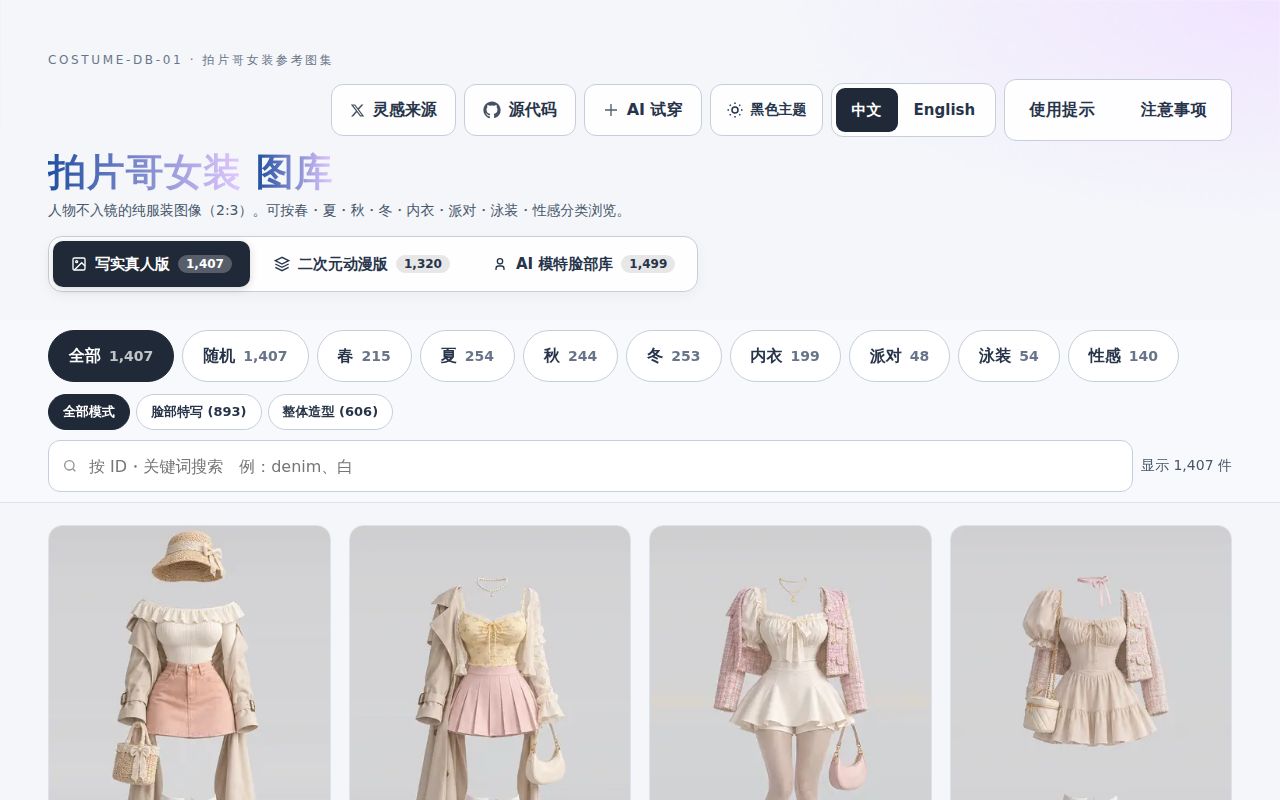
Nvzhuang combines AI-generated garment references with an optional virtual try-on backend. The project README describes free gallery browsing without a model key and a separate GoFrame service for generation. You can look for a style before deciding whether to run any server. Once you want a generated portrait, you need a configured image provider or local generation setup.
The current README lists 2,727 garments split between realistic and anime collections, plus a separate AI-model portrait library. Older coverage describes the earlier 1,407-image garment collection. Those figures describe reference assets, not garments that someone photographed, customers served, or successful try-ons. Keep that distinction when deciding whether this can replace part of your creative workflow.
The practical attraction is choosing a garment visually instead of describing every sleeve and neckline in a prompt. The README documents bilingual search, category filtering, enlarged views and uploading your own clothing references. For a designer making an internal mood board, browsing may be enough. For a developer building a fitting interface, the backend, provider configuration and handling of personal photographs become the larger job.
What people use nvzhuang for
The clearest completed try-on report is GitHub issue #1, whose author restored generation after changing image encoding. The other community records describe browsing and content-workflow promotion, with different levels of evidence:
- The reporter of issue #1 used a phone portrait, a gallery garment and a third-party OpenAI-compatible endpoint. Generation returned HTTP 413. The reporter says a local patch limiting the longest image edge to 1280 pixels and encoding JPEG at quality 0.86 made generation work.
- X user bkdgiffug reported browsing the eight clothing categories and checking bilingual search and filtering. That is evidence of someone inspecting the reference library. Their post describes connecting models for try-on without reporting a completed generation.
- WaveWeaver's issue #5 submission says its authors published a bilingual guide covering virtual-model outfits, content layouts and digital-presenter workflows. Issue #6 repeats the submission. This is a publisher promoting its own guide, rather than a separate customer reporting an outcome.
These records answer different buying questions. The first shows a user getting beyond a specific generation failure. The second supports the gallery's role as a place to find clothing references. The third identifies a proposed content-production workflow. Counting all three as independent demonstrations of try-on quality would blur what each person actually reported.
What happened when we ran it
Our Docker deployment step completed in 30 seconds, but the healthy-startup check failed after 603 seconds because required backend authentication had no valid token. The run record identifies November 18, 2026, commit a82486c298e6 and the project's own Docker Compose setup, with every port bound to 127.0.0.1.
| Hands-on step | Recorded result | What it tells an operator |
|---|---|---|
| Deploy | Completed in 30 seconds | Compose deployment completed; readiness was a separate check |
| Ollama connection | Reported OK | The connection step completed |
| Model pull | Log reached 100%, showing a 4.7 GB layer | The supplied extract records a completed layer download |
| Healthy startup | Failed after 603 seconds | Required backend access token was missing or invalid |
| Teardown | OK | The recorded cleanup completed |
The deploy, connection, pull, startup failure and teardown are separate lab records. The pull excerpt repeats progress messages and supplies no model identity, so the table reports the layer shown rather than assigning it to a particular image model.
The decisive log line says security.authRequired was true, while TRYON_API_KEYS contained no valid backend access token. It specifies a token length of 32 to 512 characters. An operator following this path needs to configure a backend access token as well as any model-provider credential. A provider API key pays for image generation; the backend token controls access to the try-on service. Supplying one does not satisfy the other.
That failure happened before a healthy service was established. It supports a narrow setup finding: the deployment configuration stopped startup. It says nothing about whether the model would preserve a face or render a particular garment correctly.
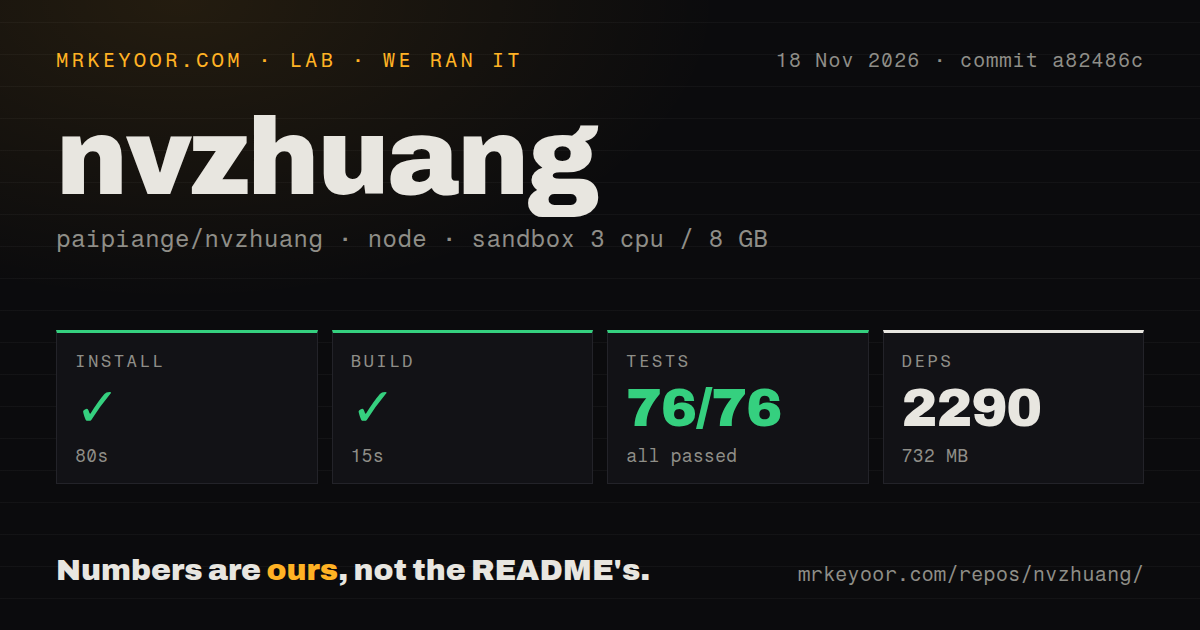
Our separate source-check sandbox used 3 CPUs, 8 GB of RAM and image label lab-node:22, at commit a82486c on November 18, 2026. The project checked by the Node/pnpm harness lives in ./app/.
| Source-check step | Our recorded result |
|---|---|
| Install | Succeeded in 80 seconds |
| Dependencies | 2,290 recorded, occupying 732 MB |
| Build | Succeeded in 15 seconds |
| Tests | Succeeded in 11 seconds: 76 passed, 0 failed out of 76 |
The sandbox measurement also recorded 7,844 repository files, approximately 30,442 source lines and a 238.2 MB checkout. It found one CI workflow file, a Dockerfile and a tests directory. The passing checks make the app a reasonable starting point for code evaluation, but the separate startup failure is the more relevant finding for someone expecting a working try-on server immediately.
Where people get stuck: image bodies, ports and misleading errors
The author of issue #1 got HTTP 413 when the frontend re-encoded a phone portrait and garment image as original-resolution PNG payloads. Their input portrait was already JPEG, so choosing a JPEG file in the upload dialog did not avoid the frontend conversion. The reporter's local resizing and JPEG-encoding patch restored generation. That is a useful diagnosis to carry into an older deployment with the same symptom.
The issue #2 reporter hit a different failure: the container started, but the service listened on a random high port. In their comparison, renaming the same configuration from config.example.yaml to config.yaml restored the intended port 8000 and a successful /hello response. This was a configuration-file discovery problem, rather than proof that Docker networking was broken.
| Symptom | Reported explanation | Resolution evidence |
|---|---|---|
| HTTP 413 on a phone upload | Frontend sent large PNG bodies | Issue #1 author reports a successful local compression workaround |
| Container runs, port 8000 refuses connections | Example configuration was not loaded in the reported image | Issue #2 author changed the configuration filename and reached /hello |
| Page says backend is not deployed | Non-JSON error response reached a generic catch handler | Issue #4 maintainer reports revised status handling |
| Download has PNG extension, JPEG contents | Result type was hard-coded | Issue #4 maintainer reports format detection and matching extensions |
The current README now describes configuration-template fallback and a stable port 8000, while the Compose snapshot explicitly sets the server address. Use issue #2 as a diagnostic for affected revisions, rather than describing every current deployment as broken. Our run stopped on authentication, a different condition with its own explicit log message.
In issue #4, the maintainer reports a fix on main at commit b3ecccd. The reply says non-JSON responses receive safer handling, gateway failures expose HTTP status, and backend format detection covers PNG, JPEG and WebP. It also says display, downloads, IndexedDB history and restoration of older history use the real format. That last detail matters if the bad filename only appears when reopening a saved result.
Security: a saved key still has to reach the right server
Issue #3 reports that a crafted ?tryon= link could send a user's personal model key and photographs to an attacker-selected backend. The reporter's example depends on personal-model configuration: the frontend includes the key in the generation request and sends it to the selected backend. The familiar site address in the browser does not by itself identify the destination of that request.
The issue is closed without a remediation reply in the supplied thread. Separately, the current README says URL-selected backends are restricted to the same origin or local loopback, and that external backends must be explicitly saved in settings. Those are documented restrictions. The issue closure alone is not the evidence for them, and the README statement is not a reproduced security test.
For an operator, the distinction between two credentials is essential. Our startup failure concerned the backend access token. Issue #3 concerns the model-provider key forwarded with a user's generation request. Backend authentication limits who can call your service. Destination restrictions determine where a visitor sends their provider key and photographs. Neither control substitutes for the other.
The README also documents Bearer authentication, an exact CORS allowlist, request-rate and quota controls, concurrency limits and image validation. Treat these as settings to inspect in the revision you deploy. Start with a backend address you control, configure its access token, and use test photographs you have permission to send to the selected provider.
Chinese-first documentation, with English gallery controls
The main README is primarily Chinese, while the project documents an English interface switch and includes an English data-field explanation. That gives an English reader a route into gallery browsing, but the troubleshooting evidence in issues #1 through #4 is Chinese. An operator following those threads will need to read Chinese or translate the technical discussion carefully.
The README says the gallery defaults to Chinese and offers English switching from the upper-right control. It also explains that original Japanese data-field names are retained for compatibility and localized for display. Seeing Japanese keys in the data therefore has a documented explanation. It is separate from the language of the browsing interface or a provider's error response.
For the search phrase "shishang nvzhuang", the project reviewed here is specifically paipiange/nvzhuang, also labelled COSTUME-DB-01 in its README. The supplied Tmall status page concerns a women's-fashion section on Tmall. Its uptime tells you nothing about this repository's backend. Likewise, the separate prompt cookbook in the comparison below has its own owner and purpose.
At volume, payload limits and provider quotas become operating work
Issue #1 shows a single phone photograph hitting an upstream payload limit, before concurrency enters the picture. This is the first capacity concern to investigate: can one representative request pass through the browser, reverse proxy, try-on backend and chosen provider? Raising a proxy limit alone does not address the frontend encoding behavior described by that reporter.
The README describes local upload compression and backend limits on image bodies, dimensions and total pixels. It also documents concurrency controls and daily call quotas. These are relevant controls for a public site because generated-image requests consume resources beyond serving gallery files. They should be part of the deployment decision, along with the provider account that pays for requests.
A sensible acceptance task is one authorized portrait and one garment sent through the exact route you intend to offer. Inspect whether an oversized upload, an invalid backend token and an exhausted quota produce understandable errors. This is a proposed operator check, not another result from our lab. Passing source tests alone cannot answer those operational questions.
Nvzhuang vs ComfyUI and the garment-prompt cookbook
Nvzhuang supplies a clothing-selection interface, ComfyUI supplies a workflow editor, and the similarly named cookbook supplies prompts. Choose between them by the missing part of your process. The synthesis contains no direct competitor trial, so this is a comparison of documented jobs rather than image-quality winners.
| Project | Documented job | Choose it when |
|---|---|---|
| Nvzhuang | Browse garment references and connect an optional try-on backend | You want to select clothes visually before generation |
| ComfyUI | Build reusable media workflows in a visual node graph | You want to inspect and change processing steps |
| AI nvzhuang prompt cookbook | Find garment-generation prompts organized by scenario | You want text to adapt inside an existing generator |
ComfyUI's README documents a visual node graph and reusable workflows. Choose it instead when workflow construction is the main task. Nvzhuang's own README also lists ComfyUI as a local generation option, so the projects can be complementary: one provides the clothing interface, the other executes a configured workflow.
The AI nvzhuang prompt cookbook covers subjects such as women's-fashion model images, shop mirror selfies and outfit posts. Its prompt and documentation license is CC BY 4.0 with attribution to GPTImg2.art. It is a separate repository from paipiange/nvzhuang. Pick it when you already have a generator and need wording to adapt, rather than a garment gallery and backend to operate.
What the other reviews get wrong
AlternativeHub calls nvzhuang freemium with paid tiers, while the current project README describes free gallery access and separately configured generation services. The AlternativeHub record supplies that pricing classification without documenting a project subscription. Model API consumption is a separate expense. Calling both things "paid tiers" obscures what the reader would actually be paying for.
Arsentev's page presents the assets as clothing photos for product cards without a photoshoot. The project's README identifies the garment images as AI-generated. That makes them useful for discussing a style or composing a reference, but a generated garment image cannot establish the cut, sizing or fabric behavior of a real item you sell. Like.do's assessment makes that distinction explicitly.
AIFounder's review openly describes itself as editorial opinion from public facts rather than hands-on testing. That disclosure is useful. Its older gallery count should also be read against the current README's expanded collections. A list of supported provider families is not a substitute for a completed generation through the backend you plan to run.
Questions people ask
Nvzhuang is an AI-generated garment reference gallery with optional virtual try-on, and its README separates free browsing from configured image generation.
What is nvzhuang?
It is paipiange's garment-reference and virtual-try-on website, labelled COSTUME-DB-01. The README documents a browser gallery and an optional GoFrame backend for sending generation requests to configured image services.
Are the outfit photos real?
No. The README identifies them as AI-generated clothing images. They are references for style and generation, rather than photographs proving how a stocked garment looks on a real wearer.
Why does the Docker container start but refuse connections on port 8000?
In issue #2, the service loaded no active configuration and listened on a random port. The reporter restored port 8000 by renaming the example configuration. The current README describes fallback handling, so inspect the deployed revision and actual listener before applying that historical workaround.
Can a shared try-on link send my API key and photos to another server?
That is the behavior reported in issue #3 when personal-model configuration was enabled and a URL parameter selected an external backend. The current README documents same-origin or loopback restrictions for that parameter. Use an explicitly chosen backend you trust with the photographs and credentials.
Why does the page say the backend is not deployed when the backend is working?
Issue #4 reports that parsing a non-JSON error response triggered the generic connection message. The maintainer says the fix distinguishes actual connection failures from HTTP and gateway responses. Read the status and backend log instead of assuming the deployment is absent.
Why does a downloaded try-on image have a PNG extension but JPEG contents?
The result display and download code formerly hard-coded PNG labels. The issue #4 maintainer reply reports real-format detection and corresponding MIME types and extensions, including stored history. Use that reply to identify the fix when maintaining an older checkout.
Can nvzhuang provide optional backend authentication for a public deployment?
The current README documents Bearer-token authentication. Our startup log shows authentication required and startup refused without a valid TRYON_API_KEYS token. Issue #1's earlier request for an optional token is historical context, not the current feature boundary.
How can I improve image or video generation when I lack clothing and pose references?
X user kenzoma1995 recommends combining the garment gallery with the author's separate pose-reference project. The README also describes that combination. It gives you concrete reference inputs to try in your image workflow, rather than a measured guarantee of better image or video output.
Which image models does nvzhuang support?
The README lists OpenAI Images, Gemini, Doubao and configurable compatible endpoints, plus a local ComfyUI route. Match the provider protocol, base URL and model identifier to the service you actually use. A family name alone does not establish that every model behind that endpoint accepts the required image inputs.
Is nvzhuang free?
Gallery browsing is free and needs no model key, according to the README. Try-on uses the generation service or local hardware you configure. Budget for that separately from access to the reference library.
What we have not tested yet
Our Docker run stopped at the authentication check, so we did not produce a try-on image or evaluate face preservation, garment detail, sizing, fabric realism, generation latency or per-image cost. The model-pull extract does not identify its model. The pack contains no completed known-answer task, screenshots, measured runtime memory or comparison of image providers. Its supplied video records contain empty extracts or unrelated captions, so they provide no attributable setup demonstration. The Bilibili search results likewise offer no project-specific operational evidence.
The source harness covers the Node/pnpm project in ./app/. Its image label does not establish the actual runtime or operating-system version. Raw toolchain logs are needed for those details. The successful build and Vitest results do not establish a working Go backend, a working Android application or behavior under concurrent public traffic.
We have not reproduced the reported key-forwarding attack against the tested commit, audited the README's security restrictions, or checked that every upload and history path implements the documented fixes. Issue #3 has no remediation confirmation in its supplied thread. Issue #1's local workaround is not a merge record, and the duplicate WaveWeaver submissions contain no resulting images or independent validation. GitHub attention and these sampled reports cannot establish production adoption or support capacity.
Before entrusting the backend with personal portraits, complete one generation using a valid backend access token and a provider credential intended for testing. Save the input, result, destination and provider charge together. That is the evidence needed to move from a useful clothing reference library to a try-on service you can judge.