nvm is built for interactive shells
nvm manages Node.js versions inside one user's account and one shell session. Install Node 24 for one project, switch to Node 22 for another, and return to the system Node without changing machine-wide packages. A checked-in .nvmrc can hold the expected version so collaborators run nvm use instead of copying a number from setup notes.
The implementation choice explains both the appeal and the limits. nvm is a sourced shell function, not a binary. It can change PATH in the current shell, which is exactly what version switching needs. It also means which nvm will not verify the installation, profile files matter, and noninteractive processes do not see nvm unless they source it. The README tells users to run command -v nvm instead.
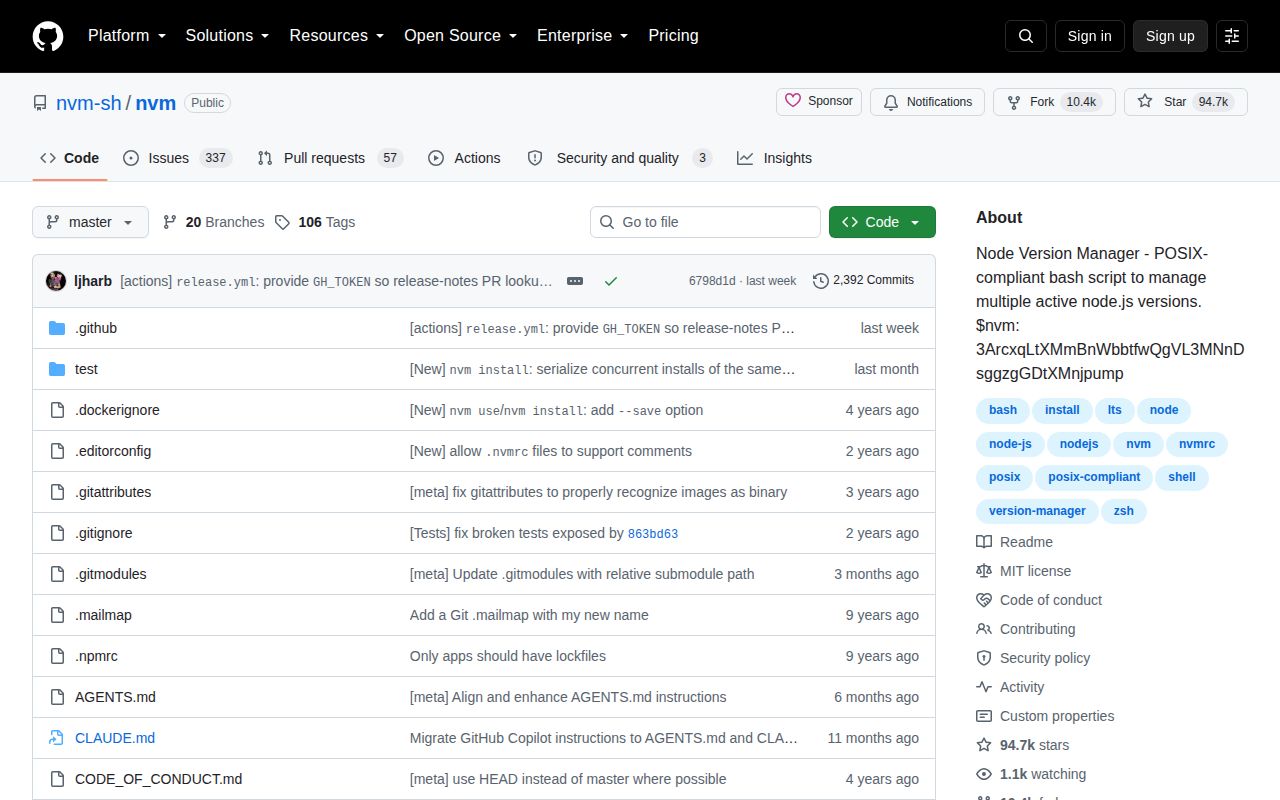
At 1.4 MB checked out, with 466 files and roughly 6,342 lines of source, the repository is small compared with the Node versions it manages. The project carries 17 CI workflow files, a Dockerfile, and a dedicated tests directory. Its MIT license and 94,737 GitHub stars help explain why .nvmrc has become familiar across Node projects, but familiarity does not remove the shell mechanics.
Installation edits your profile by design
The recommended command downloads and runs install.sh for v0.40.7. That script clones the repository into ~/.nvm and tries to append loading lines to .bashrc, .bash_profile, .zshrc, or .profile. You can set PROFILE=/dev/null to stop that edit, choose another location with NVM_DIR, or install manually from Git.
Piping a remote script into a shell is convenient, but some organizations will prefer downloading, inspecting, and pinning it first. The README supports that route. It also documents how to verify the result and how to recover when a new terminal still says nvm: command not found. On macOS, a missing .zshrc is a known cause; older or source-built Node versions can require Xcode command-line tools.
The support boundary is direct. POSIX shells on Unix, macOS, and WSL are the normal target. Fish is unsupported, although wrappers exist. Native Windows users are sent to projects such as nvm-windows. Homebrew installation is also unsupported, and the maintainers ask users to reproduce problems with the official install before reporting them.
What happened when we ran it
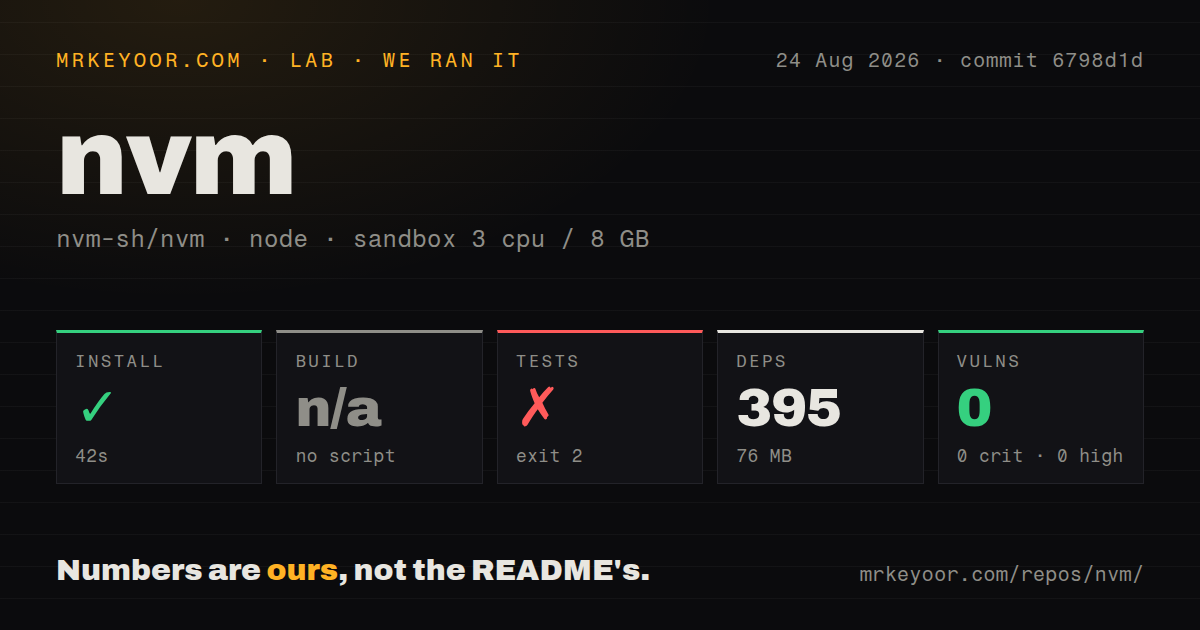
Our sandbox installed 395 npm packages in 42 seconds and used 76 MB on disk. That dependency installation is for developing and testing nvm, not for someone sourcing the release script. npm audit returned zero known vulnerabilities across all listed severities.
The repository has no build script or target, which fits a shell project that ships as source. Its tests ran for 221 seconds. The final summary reported 203 tests passed and 17 failed, followed by make: *** [Makefile:43: test-bash] Error 17; the command exited with status 2.
The log tail does not identify one shared cause for those 17 failures, so we cannot fairly reduce the result to a missing package or a product defect. It establishes a narrower fact: commit 6798d1d did not pass the full test target in our fresh Debian, Node 22, unprivileged container. Developers changing nvm itself should reproduce those failures in the project's supported matrix before trusting a patch.
Containers need explicit shell loading
Docker exposes the difference between a function and an executable. Noninteractive Bash does not read the usual profiles, so an ordinary RUN nvm install may fail even after the installer succeeds. The README's primary container pattern sets BASH_ENV, sources the same file from .bashrc, and installs nvm with that file as its profile target. A separate CI example uses a Bash entrypoint that loads nvm.sh before executing the requested command.
Those patterns work, but a version manager may be unnecessary in an immutable image. A FROM node:22 line often communicates the runtime more directly and produces fewer shell surprises. nvm is more useful when one development image deliberately needs several Node versions or a CI job tests a version matrix.
Source builds have another cost. When a platform lacks a prebuilt Node binary, nvm compiles Node and therefore needs a C++ compiler. Debian and Ubuntu users need build-essential and libssl-dev; macOS users need Xcode or its command-line tools. That can turn a quick version switch into a much larger job on unusual architectures or old releases.
The project is active, with a large support queue
Version v0.40.7 was released on August 18, 2026, the same date as the last recorded push. Open work was still moving on August 25, including a fix for behavior when stderr is closed, profile documentation, mirror URL handling, and zsh compatibility. The GitHub total of 398 combines issues and pull requests, so it is a queue size rather than a count of confirmed bugs.
The README is long because shell environments fail in many small ways. It covers offline installation, aliases, migrating global packages, mirrors with authorization headers, custom colors, automatic .nvmrc use, Docker, WSL, macOS, Alpine, and removal. That density is useful when a profile or platform behaves differently from the happy path.
For a developer living in Bash or zsh, nvm is still the conventional choice and usually the easiest one to explain to a team. Its cost is paid in shell startup and environment rules. If that cost is visible, fnm offers a compiled alternative, while mise makes more sense when Node is only one of several runtimes the repository must pin.