The symlink design makes Node switching system-wide
NVM for Windows stores several Node.js installations and keeps one symlink on the system PATH. nvm use changes that symlink's target, so new and already-open terminals see the selected runtime. This differs from tools that rewrite shell state for each session. It also explains the project's central constraint: Windows normally requires an elevated shell to create or change the link.
The command set covers the expected jobs. Users can install a specific version, the latest release, or the current LTS; list local and downloadable versions; switch architecture; select download mirrors; change the storage root; and inspect common problems with nvm debug. Node 4 and newer are supported, while the README explicitly excludes the old io.js line.
A clean Windows install matters more than the installer wizard
The project recommends uninstalling an existing Node.js installation before adding NVM for Windows. That advice is operational, not cosmetic. A physical C:\Program Files\nodejs directory prevents the manager from creating its symlink there. Duplicate Node entries in PATH can leave the old executable first, making nvm use appear successful while node -v keeps reporting the previous version.
Migration also has state to preserve. The README tells users to back up a global npmrc and remove the old global npm directory to avoid conflicts. Global utilities such as Yarn are installed separately for each Node version, so a switch can make a familiar command disappear until it is installed again. On a managed corporate PC, group policy and lack of administrator rights may stop the recommended cleanup entirely.
These are fair costs for a system-level version manager, but they make rollout across a company more involved than clicking an installer. Pilot the chosen NVM root and symlink locations on the same Windows policy used by developers. Document which global tools are recreated per Node release, and run nvm debug when PATH behavior differs between machines.
What happened when we ran it
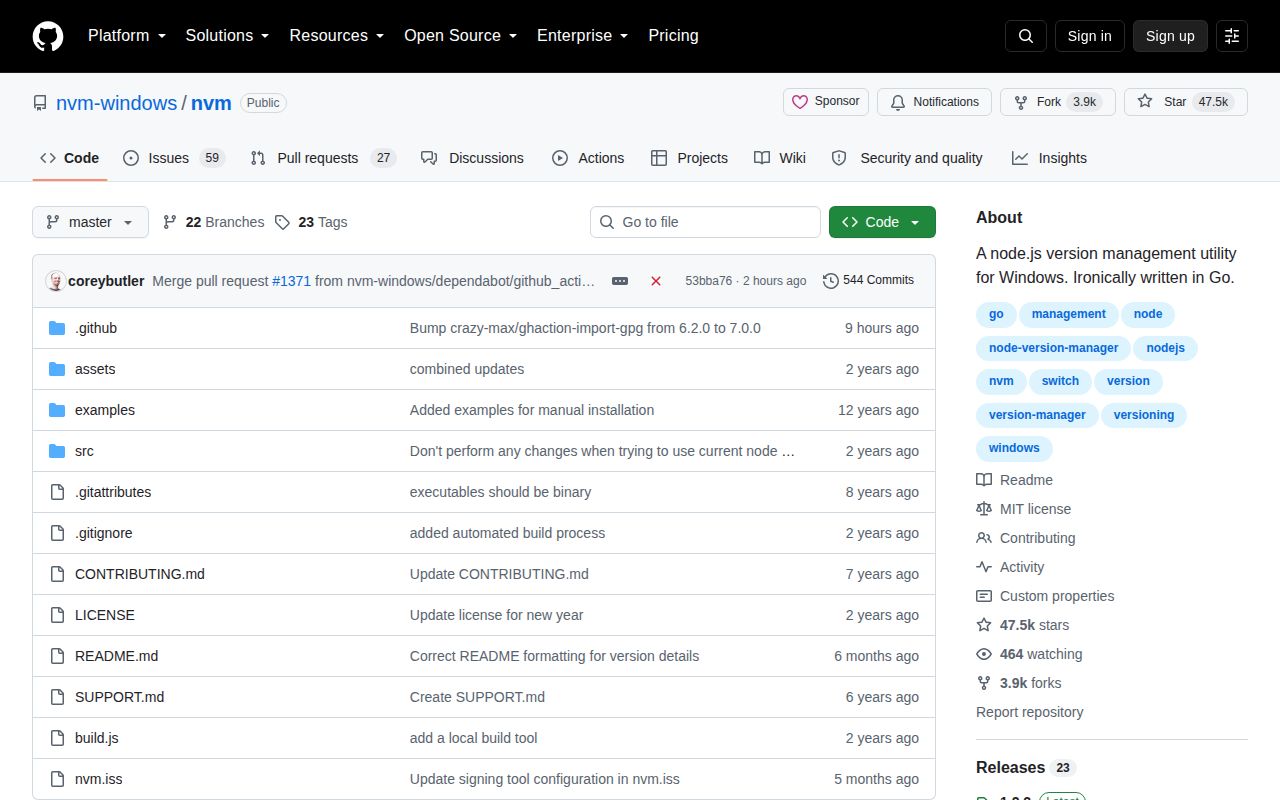
Our sandbox installed 32 Go packages in 35 seconds, then built the project successfully in 48 seconds. The checkout at commit 53bba76 contained 59 files, about 5,334 source lines, and occupied 7.6 MB. Those results show the Go source is compact and compilable in the supplied Linux environment.
Tests failed after 19 seconds with exit 1. The Go summary reported 0 passed and 13 failed out of 13. It listed setup failures for nvm, nvm/author, and nvm/upgrade, plus build failures for nvm/node, nvm/utility, and nvm/web. The log tail contained no deeper error, so assigning the failures to Windows-only calls or a missing package would be speculation.
We ran the checkout in an unprivileged Debian container using Go 1.24, 3 CPUs, 8 GB of RAM, and no secrets. The repository includes 5 CI workflow files but has no Dockerfile and no tests directory. Since the product exists to alter Windows installations and symlinks, a Linux build cannot validate the installer, UAC prompts, PATH changes, antivirus behavior, or actual Node switching.
Old Node support is the sharpest release choice
The README separates the latest 1.2.x line from version 1.1.12, which it calls stable. It says 1.2.x is a transition release and warns of a known problem when installing some end-of-life Node.js versions. The latest GitHub release, 1.2.2 from January 1, 2025, fixes installation on drives other than C: and includes build provenance plus antivirus reports.
That choice deserves attention in build environments tied to old applications. An open issue updated in August 2026 reports npm installation failing on older Node versions, while another reports an install claiming success even though file extraction failed. A separate open report says paths with spaces are unsupported in a failing case. These reports do not mean every install breaks, but they map directly to common Windows layouts.
The repository itself is active. GitHub records a push on August 25, 2026, with dependency pull requests updated that day and 86 open issues and pull requests combined. A 2025 release tag alone therefore does not show abandonment. Still, users waiting for fixes need to distinguish work on NVM for Windows from work on Runtime, the successor promoted at the top of the README.
Runtime makes this a maintenance choice for new teams
The project says the maintainers are working full time on Author and Runtime, the intended successor. It asks users for feedback and describes NVM for Windows 1.2.x as transitional. That is more candid than pretending the current architecture will remain the sole focus, but it changes the buying decision. Existing installations have a clear reason to stay; a new fleet should compare the successor direction and other managers first.
NVM for Windows still does its core job with an understandable mechanism and a mature troubleshooting guide. Choose it when Windows-only administration, system-wide switching, and familiar commands suit the team. If developers work across operating systems, cannot elevate shells, or want automatic project pins, fnm, Volta, or mise avoids several of the 1.2.x path and privilege constraints.