A 12-point pill keeps five notes on the screen edge
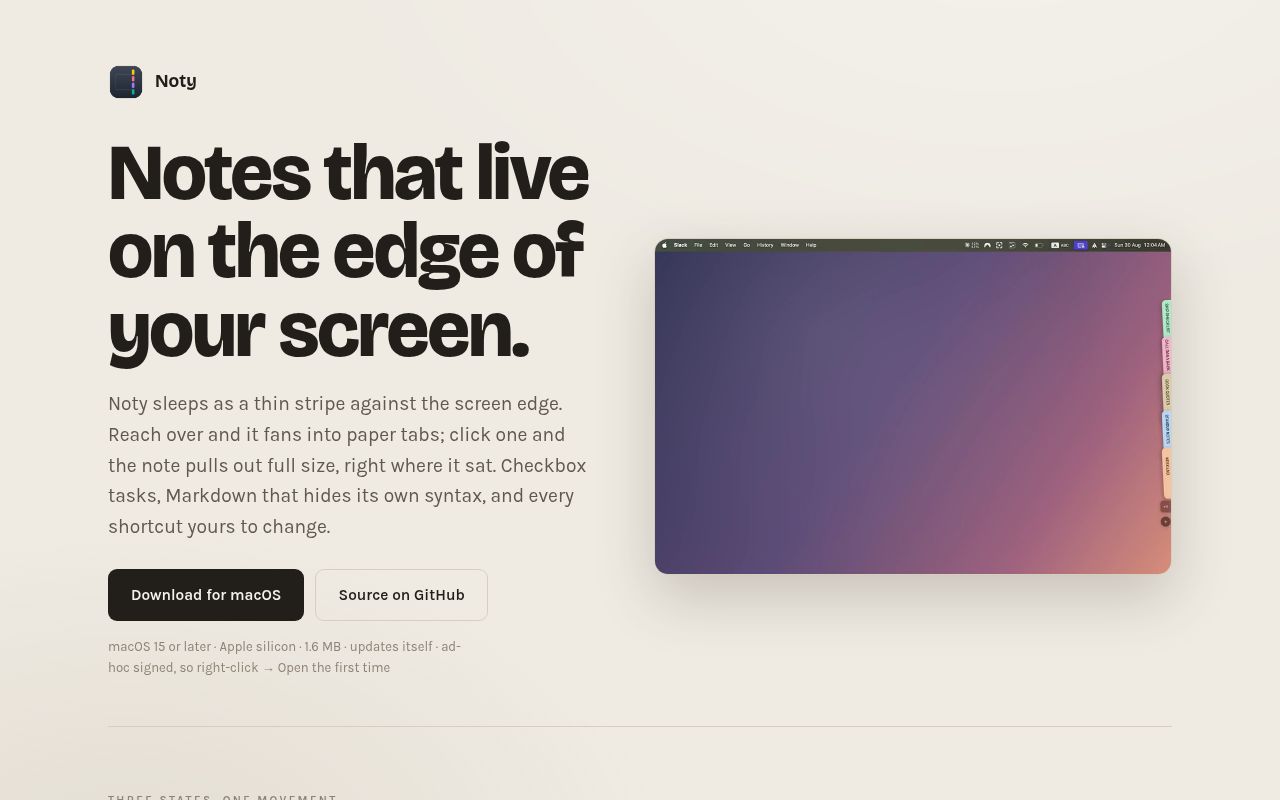
Noty's resting control is a 12-point pill, and its tabs fan out 45 milliseconds apart when the pointer reaches the display edge. The deck shows five notes before collecting the rest behind a +N tab. That is the product's best idea: a note can stay nearby without occupying a Dock slot, menu-bar item, or ordinary window until you ask for it.
The open deck is 56 points wide, and each note moves through rest, fan, and expanded states. You can keep the tabs visible, switch from labelled tabs to colour chips, move the deck across displays, or pull one note away as a floating sticky. A fan closes after 4 seconds without input, while an open unpinned note tucks away after 1 minute. This behavior suits scraps you revisit often, not a large research notebook you browse by folders.
AES-GCM covers local bodies, while iCloud copies stay readable
Noty encrypts local note bodies with 256-bit AES-GCM in a database under ~/Library/Application Support/Noty/. Titles, colours, and timestamps remain in plaintext so the app can draw lists without decrypting every body. Images sit as files in an adjacent application-support folder. The README says there is no account, analytics service, or note server, and automatic update checks through Sparkle can be disabled.
Turning on iCloud sync changes the privacy boundary. Noty mirrors each note into iCloud Drive as plain Markdown because phone editors need to read the file. The encrypted SQLite copy stays on the Mac, but the synced copy is not encrypted by Noty. Conflicting edits are placed in Noty/Conflicts/ for manual review, and a phone-created file is processed only when the Mac app is running or starts again. That trade is documented clearly enough to make an informed choice.
What happened when we ran it
Our measurement setup was a fresh unprivileged Debian container with 3 CPUs and 8 GB of RAM. It did not run Noty at commit f51dd30 on September 16, 2026 because the lab had no supported ecosystem for this Swift macOS application and the repository did not provide a Dockerfile. There is no install time, build result, test count, or dependency total to report. We inspected the checked-out source and documentation, but we cannot tell you how the app behaved on a Mac from this run.
The source confirms why a Debian result would be beside the point. build.sh calls Apple's xcrun, targets macOS 15.0, compiles arm64 and x86_64 slices with swiftc, combines local release slices with lipo, and signs the application bundle. The focused test script also targets macOS 15.0. GitHub's macOS 15 CI workflow fetches Sparkle, runs those tests, builds the app, and verifies its signature. Those are upstream checks, not results from our lab.
macOS 15 and Gatekeeper define setup
Version 1.8.0 ships separate DMGs for Apple Silicon and Intel. The README says downloaded builds are ad hoc signed and not notarized, so macOS may require the right-click Open route on first launch. Source builders need the Swift toolchain from Command Line Tools, not a full Xcode installation. Running without the Sparkle framework is supported, though the update menu becomes a stub. No account, API key, Accessibility permission, or Screen Recording permission is part of ordinary use.
The release machinery is more involved than the local build. It needs a SPARKLE_PRIVATE_KEY, writes separate appcasts for both architectures, and re-signs the framework to match the app. Most users can ignore that path. Developers packaging Noty for managed fleets cannot ignore the non-sandboxed design, ad hoc signature, or absent notarization because those choices affect security policy and first-run support.
Twelve shortcuts and four URL routes suit fast capture
Noty lists 12 rebindable shortcuts and waits 250 milliseconds after typing stops before autosaving. Global hotkeys use Carbon, avoiding an Accessibility permission prompt. The noty:// scheme has routes for a new note, quick capture, all notes, and settings. That makes a Raycast, Alfred, Shortcuts, or shell action easy to wire, while quick capture can append text to an existing note without opening the editor.
Platform reach is the hard stop. The Windows request and iOS companion request were both open on September 16, 2026. Phone access currently means editing Markdown in place through another iOS app, with the Mac acting as the sync engine. If you want the same first-party interface everywhere, Joplin is the cleaner choice. If you want native Mac and iPhone files, FSNotes asks for fewer compromises.
Version 1.8.0 is active, though the project is 18 days old
The repository was created on August 29, 2026, and the last push was September 15. GitHub showed 440 stars, 61 forks, and 5 open issues, with no open pull request in the fetched issue list. The v1.8.0 release landed the same day with custom fonts and improved CJK and mixed-script titles. That pace shows active attention, while the 18-day age leaves little history for judging upgrade stability.
Documentation covers interaction details, storage, source builds, releases, and privacy with unusual specificity. It also contains unresolved Git merge markers in the source-layout section, where cloud-sync and image files appear as competing branches. The code tree contains both sets of files, so the damage is to reader confidence rather than proof of a missing component. Noty earns a trial for its 56-point deck. It has not yet earned an assumption that a young, Mac-only utility will fit every managed setup.