Read the 10-file inventory before starting setup
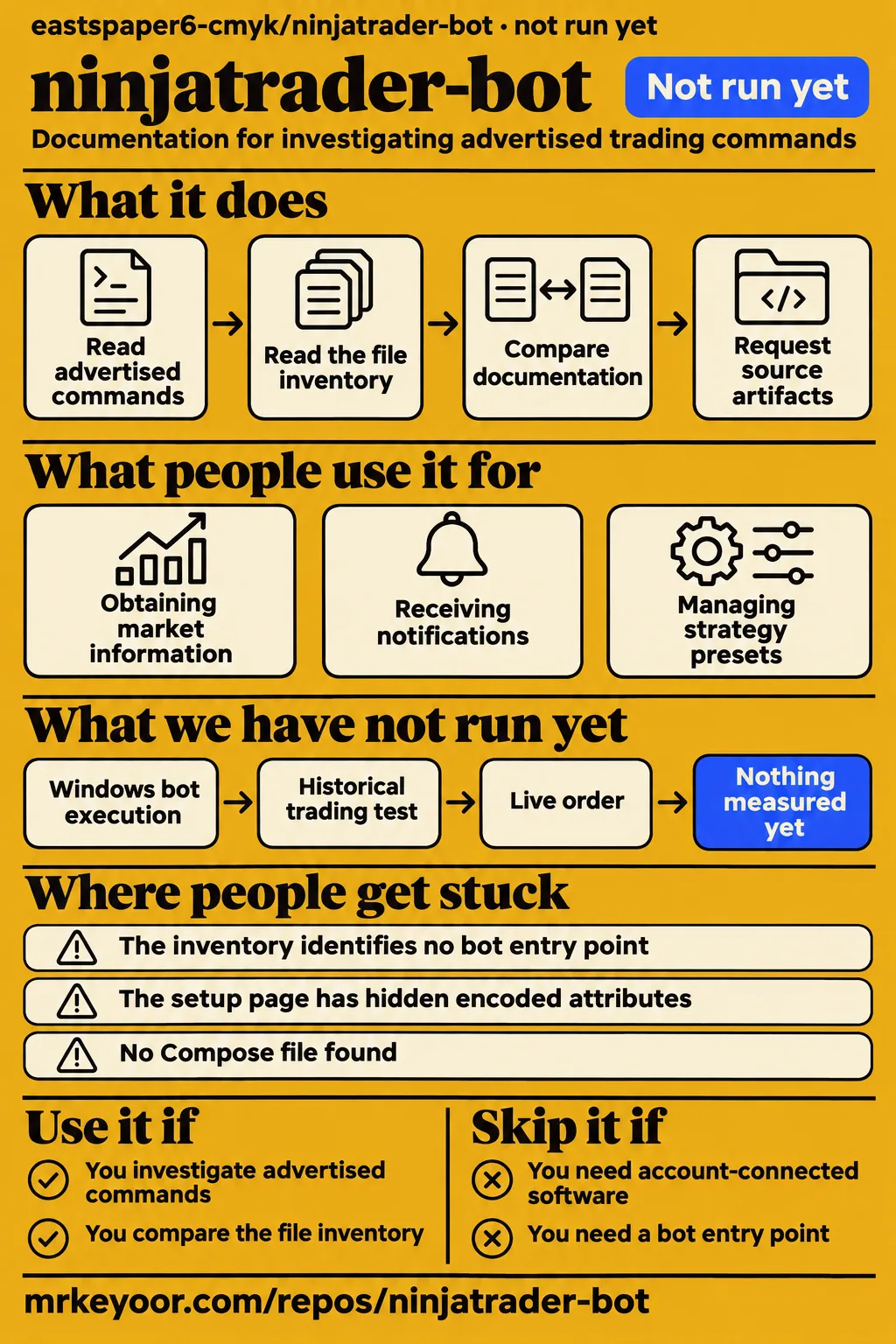
At commit 1dd0d41, eastspaper6-cmyk/ninjatrader-bot has a 10-file inventory without an identifiable Python bot or NinjaScript implementation. This ninjatrader-bot review examines what that checkout exposes and why our assessment stopped before execution. Developers investigating the repository's advertised commands can use its documentation as an inspection checklist. Traders seeking inspectable software for account-connected use should look for a distribution that exposes its strategy and order-handling implementation.
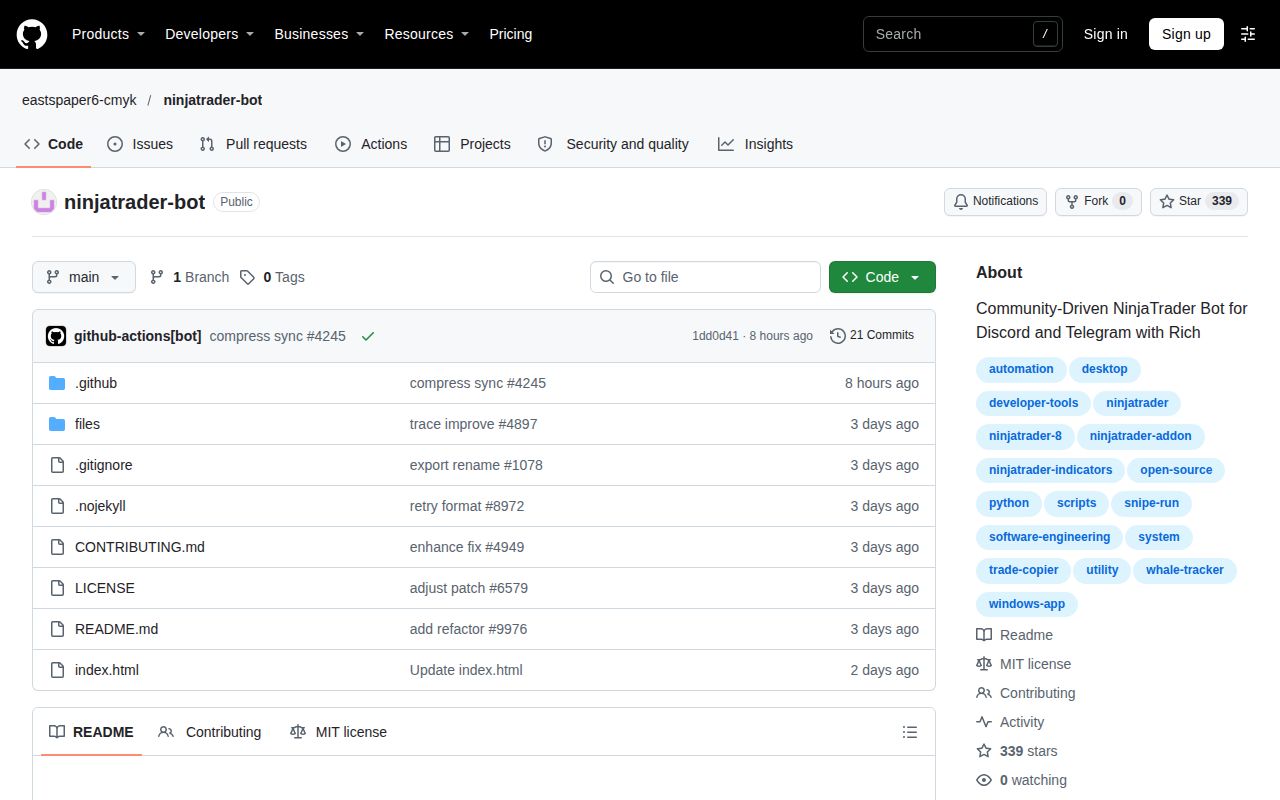
The complete repository tree at 1dd0d41 lists two files under .github, .gitignore, .nojekyll, CONTRIBUTING.md, LICENSE, README.md, two PNG images and index.html. GitHub marks the tree as complete with truncated:false. This is a filename inventory, so its useful conclusion is specific: it identifies no Python entry point, NinjaScript strategy or separately named configuration file. The two opaque .github filenames are part of that inventory, alongside the documentation and page assets.
What you can do with ninjatrader-bot
The README advertises market quotes, price alerts, strategy presets and historical testing through chat commands. Discord and Telegram appear in its title, while /quote, /alerts, /strategy and /backtest identify the proposed interface. These are the author's feature descriptions. A developer can use them to organize a source review by connecting each advertised operation to the implementation artifact needed to explain its behavior.
| Advertised task | What the README says | Implementation artifact to request |
|---|---|---|
| Price alerts | /alerts sets notifications for price levels | Market-data connection and notification delivery code |
| Strategy control | /strategy browses, enables or changes presets | Strategy rules, account selection and order submission code |
| Historical testing | /backtest explores historical behavior | Strategy implementation, dataset and resulting report |
| Configuration | A wizard, named profiles and environment overrides are described | Configuration schema and startup entry point |
The README command list describes /strategy as browsing, enabling or fine-tuning presets. It also describes /status as showing uptime, latency and activity, and /export as saving configuration and history locally. Those names help distinguish the advertised chat interface from a strategy installed directly inside NinjaTrader. The artifact checklist above collects the implementation questions in one place, rather than treating a command description as a working example.
What people use ninjatrader-bot for
The README proposes three trading workflows: obtaining market information, receiving notifications and managing strategy presets through chat. Its market-insights commands include /quote, /chart and /watchlist, covering price snapshots, recent price action and instrument lists. These descriptions explain the intended use without turning a feature list into an account of customer adoption. The relevant identity throughout this review is eastspaper6-cmyk/ninjatrader-bot, including its owner prefix.
For notifications, the README describes /alerts as setting price-level notifications, while its feature section also mentions volume spikes and strategy events. For automation, the same document lists /strategy, /backtest and /schedule. Together, those entries describe a proposed workflow in which a chat user requests information, selects automation settings and schedules recurring tasks. Each entry remains attributable to the README rather than to an observed deployment.
The distinction between a repository name and a product category also matters when reading rankings. The TradingBotExperts NinjaTrader listing names TradersPost, a different product from eastspaper6-cmyk/ninjatrader-bot. A page headed with the broader NinjaTrader bot category can therefore concern software other than this checkout. Keeping the full repository identity visible prevents another product's listing, reviews or described workflow from becoming evidence about this repository.
What happened when we ran it
Our November 24, 2026 assessment at commit 1dd0d41 recorded NOT RUN: no supported ecosystem (language: HTML); no Dockerfile. The recorded sandbox configuration was 3 CPUs and 8 GB of RAM, with image n/a. Those are our assessment records, including the stopped execution outcome. They describe the environment allocated to the assessment and the reason its supported execution path stopped.
| Question | Answer | Verdict | Why |
|---|---|---|---|
| Could the repository run through the sandbox's supported path? | NOT RUN: HTML; no supported ecosystem; no Dockerfile | Execution stopped | The assessment recorded no supported ecosystem and no Dockerfile |
| Did the separate hands-on safety step pass? | No Compose file found | Failed prerequisite | None of the four accepted Compose filenames existed |
| Did teardown complete? | teardown: ok | Cleanup completed | The teardown record reports cleanup success |
The hands-on safety step failed with a missing Compose-file prerequisite: hands-on step safety: FAILED; unsafe repo: none of compose.yaml, compose.yml, docker-compose.yaml, docker-compose.yml exists (rule: a compose file is required). The phrase "unsafe repo" is the harness label for that prerequisite. The specific error names the four accepted filenames and the rule they failed. Separately, the teardown record reports "teardown: ok", recording cleanup after the stopped path.
The generic hands-on run description says "deployed with its own docker compose", but the specific safety record says the accepted Compose files were absent. The explicit failure and the separate NOT RUN measurement determine the reported execution outcome. The general description is therefore retained as a conflicting record, rather than presented as a successful deployment. The concrete result is a failed deployment prerequisite followed by recorded cleanup.
Where people get stuck: the setup page has hidden encoded attributes
The README's setup button links to GitHub Pages, and the pinned index.html excerpt contains hidden encoded data attributes. The HTML excerpt at 1dd0d41 shows div elements with data-k values containing escaped character sequences. One element is positioned far off-screen, and another carries the hidden attribute. These visible details describe the page's source representation and provide a narrower, checkable finding than a claim about what the encoded content ultimately does.
The same excerpt includes a page title of Screen and a comment reading "asset resolver fallback for old browsers". That comment is text in the source, rather than an explanation independently demonstrated by the assessment. The distinction is useful when reading unfamiliar setup pages: an author-written comment and hidden attribute values are different kinds of evidence from a documented application entry point. Here, the setup link points to a page, while the repository inventory identifies index.html as its HTML file.
The README lists Windows 10 or Windows 11 and PowerShell 5.1 or newer. It also lists an active network connection and says no administrator rights are needed. These are stated setup requirements, separate from the sandbox's HTML classification and missing Dockerfile. A Windows requirement explains the author's intended setup environment; the assessment result explains why the sandbox path stopped. Neither statement changes the checked commit, 1dd0d41.
Configuration claims need corresponding files
The checked 10-file inventory identifies no separately named configuration file or bot entry point. Against that inventory, the README describes a single configuration file, an interactive wizard, hot reload, named profiles and environment-variable overrides. This is the configuration question a prospective developer needs answered: which artifact implements those documented settings? The README gives categories and behavior descriptions, while the tree gives filenames.
The configuration section groups options into connection details, risk guardrails, notification preferences and strategy tuning. It says named profiles can cover different accounts, symbols or strategies, and describes an export/import helper. Those details are more specific than a general promise of easy configuration, but the document does not name the configuration file or give an environment-variable example in the readable excerpt. This review therefore describes the documented options without fabricating a schema, startup command or credential field.
Repository activity and licensing answer different questions
GitHub's November 24, 2026 response reports 339 stars, zero forks, zero open issues and HTML as the primary language. The repository metadata records the last push at 2026-11-24T15:37:28Z. Those figures describe the repository at the recorded observation date. The star count is an interest signal attached to this repository; it is separate from an installation count, a support history or a trading result.
The MIT license at 1dd0d41 permits use, copying, modification and distribution subject to its notice requirements. It names Copyright (c) 2026 Small Dev and includes the standard "AS IS" warranty disclaimer. These terms explain permissions accompanying the material in the checkout. They do not describe a trading strategy or its operation, so licensing and implementation remain separate parts of the adoption decision.
commit 1dd0d41 is the exact reference used for the tree, README, HTML and license links in this review. That common reference lets a reader compare the documentation with the same checkout's filenames instead of mixing a current README with an older assessment. The dated GitHub metadata supplies a separate observation of repository activity. Keeping those references explicit gives each statement an identifiable source and avoids assigning an invented release version to the assessment.
ninjatrader-bot vs Grid Master and Traadence's NQ bot
Grid Master is described as an order-management add-on, while Traadence describes an NQ-focused strategy installed inside NinjaTrader. Those vendor descriptions differ from this repository's advertised Discord and Telegram command interface. The comparison is about the documented workflow and the artifact a reader would investigate. It helps separate three product descriptions before any discussion of strategy results or account behavior.
| Option | Documented workflow | When to investigate it |
|---|---|---|
| eastspaper6-cmyk/ninjatrader-bot | Advertised Discord and Telegram commands; documentation, images, .github files and an HTML page in the checked inventory | When investigating this exact repository's claims and file inventory |
| Grid Master by Moore Tech | Grid-style order management with trading hours, entry spacing, daily limits, trailing logic and shutdown controls | When those controls match the trade-management workflow you need |
| Traadence's NinjaTrader NQ Trading Bot | NQ-focused intraday strategy with separate ES testing settings, installed inside NinjaTrader | When you want a defined in-platform strategy to evaluate |
Moore Tech describes Grid Master as a ready-made trade-management bot. Its description names trading hours, entry spacing, daily limits, trailing logic and shutdown controls. Those controls give a reader concrete configuration topics to compare with an intended workflow. They are also a different emphasis from this repository's chat commands, which include market information, alerts and strategy presets in one advertised interface.
Traadence describes running its package from the Strategies tab or a chart, including simulation, playback, backtesting and live execution among the stated modes. Its description focuses on NQ, separate ES testing settings, trend confirmation and a no-entry window around the top of each hour. These are attributable product details, allowing a reader to distinguish a defined in-platform strategy from the broader command suite advertised by eastspaper6-cmyk/ninjatrader-bot.
FAQ
The README advertises /backtest, but our assessment stopped before strategy execution. That is the answer for this exact checkout when a reader asks whether the advertised historical-testing command produced a result. The three questions below appear in TradingBotExperts' NinjaTrader question list. Their wording concerns NinjaTrader bots generally; the answers here stay focused on the repository and the recorded assessment.
Can I backtest NinjaTrader bot strategies?
The README advertises /backtest as exploring historical behavior. In this checkout, it is a documented command description, and the inventory identifies no strategy source file to accompany it. A historical-testing example needs identifiable rules, input data, an invocation and an output report to explain what was evaluated. The README entry supplies the proposed command name rather than those example artifacts.
How can I compare NinjaTrader bot performance?
Our assessment recorded NOT RUN, which is an execution outcome rather than a trading-performance figure. For this repository, the available comparison starts with the documented interface and file inventory. A strategy comparison would need the exact strategy, data and result associated with each product. The README's /backtest entry names a historical-testing capability, so it belongs in the feature description rather than in a table of measured returns.
How transparent are the data and verified reviews behind NinjaTrader bot rankings?
TradingBotExperts says its rankings use verified user reviews, real performance data and expert AI scores, and the visible listing names TradersPost. That is the ranking page's description of its method and listed product. It is not a rating for eastspaper6-cmyk/ninjatrader-bot. The full product name is therefore necessary when interpreting the listing: a category heading alone does not identify which implementation a score concerns.
What we have not tested yet
No Windows bot execution, simulation, historical trading test or live order was completed for eastspaper6-cmyk/ninjatrader-bot. The assessment also leaves the contents of the two opaque .github files and the complete encoded HTML unresolved. We did not decode a complete setup artifact, establish a final destination, visit an external destination or execute an installer. The visible attributes support no specific payload, malware or credential-theft diagnosis, and the excerpt does not expose the executable decoding operations previously described.
The advertised wizard, configuration profiles, chat permissions, notifications, supported instruments, language switching and reconnection behavior remain outside the completed assessment. Duplicate-entry prevention, stop management and account synchronization also need execution evidence. There is no successful known-answer task, latency measurement, dependency audit or target-specific maintainer resolution to score. The image label n/a supplies no operating-system or runtime version, and the 8 GB sandbox allocation is no product memory requirement.
Grid Master and Traadence appear here through vendor descriptions only. Repository-specific adoption, social-user experience, release status and support outcomes are also unresolved; a null latest-release field is insufficient to establish whether a release exists. Rendered layout, related links, recommendation modules and template behavior were outside this text assessment. The next useful evidence is an inspectable bot distribution and a reproducible simulation showing an entry, its exit and the state after restart.