Navop puts database and remote operations in one native window
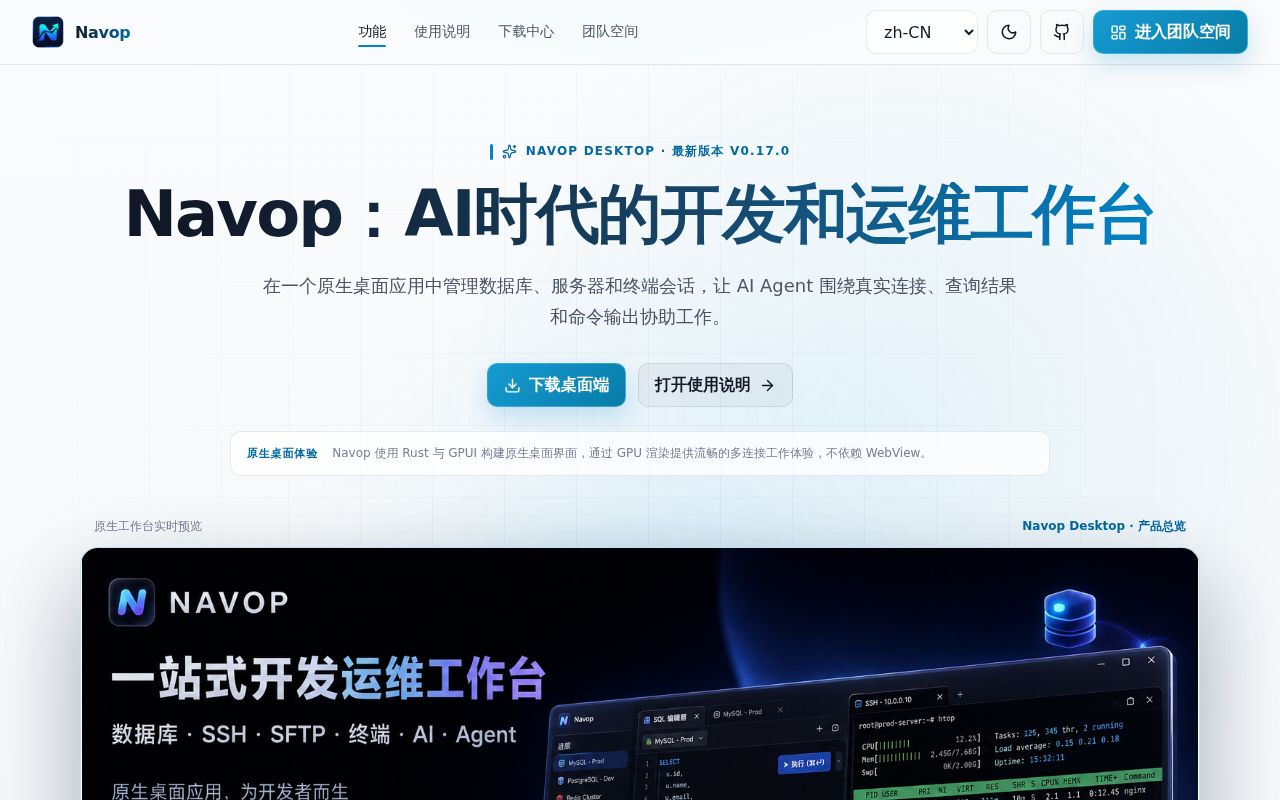
Navop combines SQL editing, database browsing, SSH, SFTP, terminals, port forwarding, RDP, VNC, monitoring, and Markdown notes. PostgreSQL and MySQL sit beside DuckDB, ClickHouse, Oracle, TDengine, and extension drivers, while Redis, MongoDB, and MQTT get dedicated interfaces. This is a workstation for people who administer systems and data together, rather than a SQL editor with a terminal added as an afterthought.
The wide scope has a visible engineering cost. Our checkout contained 2,288 files, about 736,428 lines of source, and 42.1 MB before dependencies. Navop uses GPUI and Rust instead of a WebView, so its interface is native and GPU-rendered. It also handles saved credentials, remote file editing, database writes, agent actions, and encrypted synchronization. One application replaces several windows, but it also becomes trusted with several sensitive workflows.
MCP clients get three permission profiles and a local token
The public MCP server listens on a dynamic loopback-only port. Navop owns tool definitions, permissions, approvals, and audit records, while clients authenticate through a discovery token readable only by the user. Safe, Confirm, and Auto profiles determine how much intervention tools require. These controls matter because an MCP call can reach databases and remote hosts that already have stored credentials.
Codex and Claude Code users install the separate @navop/cli package and bundled skill; native MCP clients use the @navop/mcp stdio bridge. Agent Hub places terminal agents beside files, Git changes, and diffs. AI features cover SQL and terminal assistance, charts, and tool calls, but they need a configured provider. The 3 permission profiles help limit exposure, while teams must still decide which live actions deserve confirmation.
What happened when we ran it
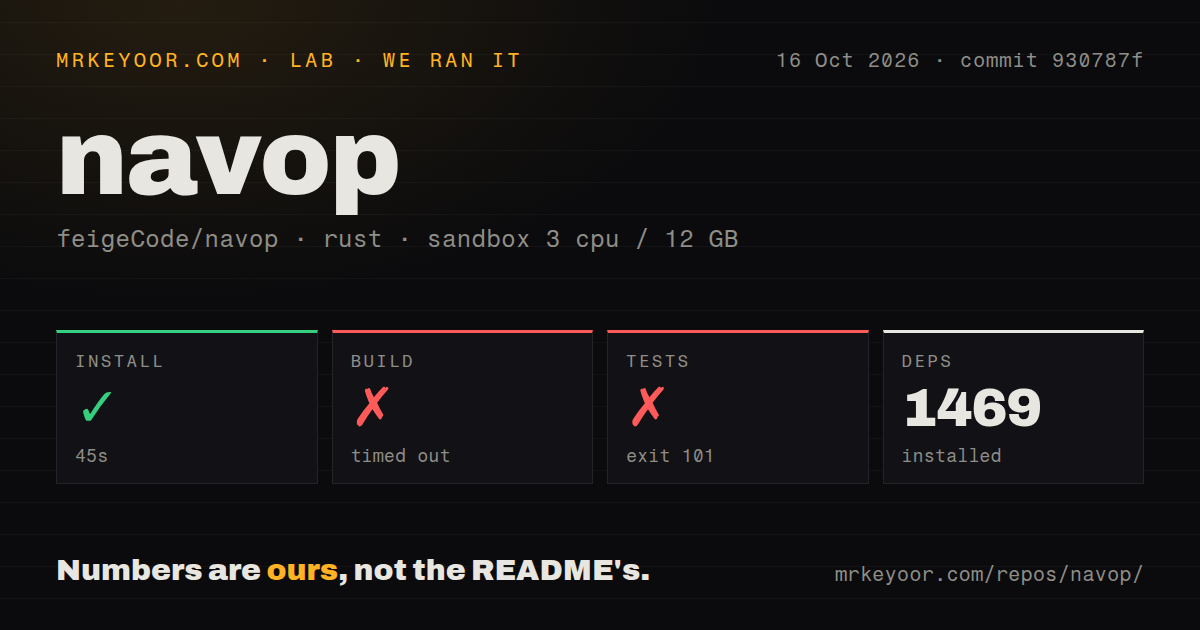
Our sandbox installed 1,524 packages in 96 seconds. The build did not finish within the 900-second cap. We used a fresh Debian container with 3 CPUs and 12 GB of RAM, commit e3bc569, no privileges, and no secrets. The repository had 6 CI workflow files, no Dockerfile, and no tests directory. For a contributor assessing a clean checkout, the timed-out build is the important result.
Tests ran for 435 seconds and ended with exit code 101. The final message said rust-lld: error: unable to find library -lxkbcommon-x11, then reported that the main binary could not compile. The log does not say whether Navop's bootstrap script would have supplied that library, so we will not assign a cause beyond the missing linker dependency. The commit did not pass in our stated environment.
Linux source builds need more than the Rust toolchain
The README calls for the Rust 2024 edition and platform-specific system dependencies. Linux contributors are told to run ./script/bootstrap before cargo run -p main; Windows has a PowerShell dependency installer. Our test failure shows why that instruction matters. A working Rust compiler alone did not get the desktop binary through its link step in the Debian image we used.
Release v0.17.0, published September 8, 2026, offers DMG, MSI, EXE, AppImage, deb, rpm, tar, and portable archives, with checksum files. Windows users also have Scoop. macOS users may need to remove the quarantine attribute when Gatekeeper blocks the application. Downloaded packages are a much shorter path than a source checkout that pulled 1,524 packages and still failed to link.
The supplementary license blocks paid redistribution and competitors
Navop labels the source as Apache 2.0 plus supplementary terms. The added license permits personal and internal enterprise use, commercial use as a tool, and free redistribution through free channels. It prohibits selling or bundling copies for a fee, distribution through paid platforms, and competing products or services based on the code. GitHub reports the license as NOASSERTION, which is more accurate than calling this plain Apache 2.0.
Internal operations teams may find those terms compatible with their use. Desktop-software vendors, managed services, paid app stores, and companies planning a fork have a different decision. Read all 9 sections before basing a product or distribution plan on Navop. The license says it may be updated and assigns disputes to a Beijing court, details that warrant review inside any organization adopting the source.
A 580 MB SFTP report exposes the cost of a wide feature set
Open issue 152 describes intermittent SFTP timeouts while uploading files around 580 MB from Apple Silicon to Linux. The reporter says files near 45 MB completed, while at least one larger file in a batch often failed during the temporary-file flush, with no automatic retry. The report concerns a development build and does not establish behavior everywhere. It does justify testing your largest routine transfer before replacing a trusted SFTP client.
GitHub showed 55 combined issues and pull requests, a last push on September 10, 2026, and several issues updated that day. Version 0.17.0 fixed crashes, editor behavior, terminal selection, connection forms, and a macOS x86_64 release build. Current reports cover RDP reconnects, SSH login, Redis search, and memory use. Maintenance is active, but the project is moving too quickly to treat every administration path as settled.
Pick a narrower client when only one job matters
DBeaver Community is the safer comparison when SQL and database administration dominate the day. Beekeeper Studio is another focused SQL desktop, while Tabby concentrates on terminal and SSH sessions. A specialist asks for fewer credentials and has fewer interaction paths to test. Choose Navop only when its combined workspace will replace enough of those tools to justify the extra surface.
Navop suits an operator who repeatedly crosses the same database, shell, file, and desktop boundaries. Start with a release package, verify its checksum, keep MCP on loopback with the least-permission profile, and trial the remote operations that could strand work. The 900-second build timeout and 435-second failed test run make source adoption hard to recommend until your Linux environment can reproduce the project checks.