GitHub Desktop 3.6.5 favors common GitHub workflows
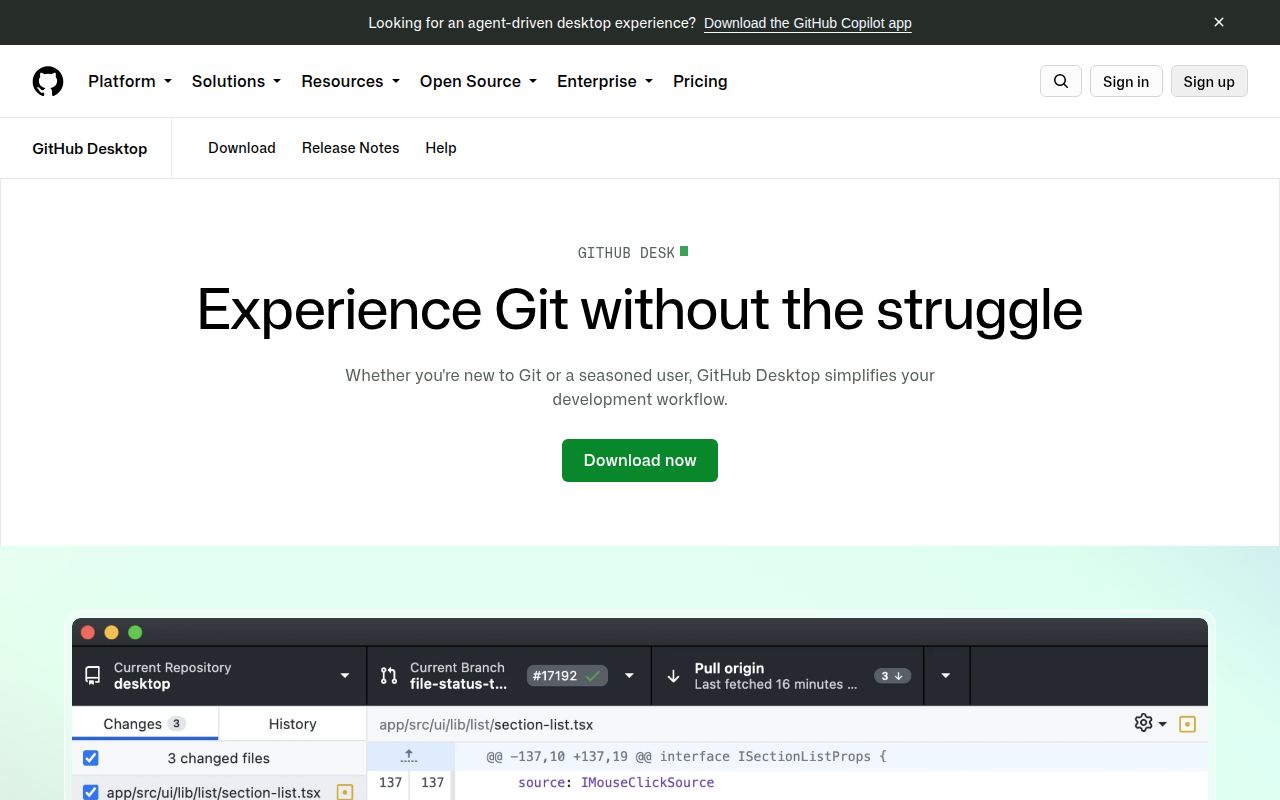
GitHub Desktop 3.6.5 gives macOS and Windows users a graphical path through routine Git work. It can clone or add repositories, create branches, show changed lines, select what belongs in a commit, push and pull, and open pull requests. The editor remains separate: a typical flow moves from Desktop to a code editor, then back for review and publishing. That division is easy to understand and especially helpful when a terminal makes Git feel opaque.
The maintainers describe a deliberate audience. GitHub Desktop prioritizes beginners and collaborative software teams when their needs conflict with advanced Git workflows. It can work at a basic level with other Git hosts, but GitHub.com and GitHub Enterprise receive the deeper integration. That makes the name an accurate buying guide. If your repositories live mainly elsewhere, this is a general client running behind a GitHub-first product roadmap.
What happened when we ran it
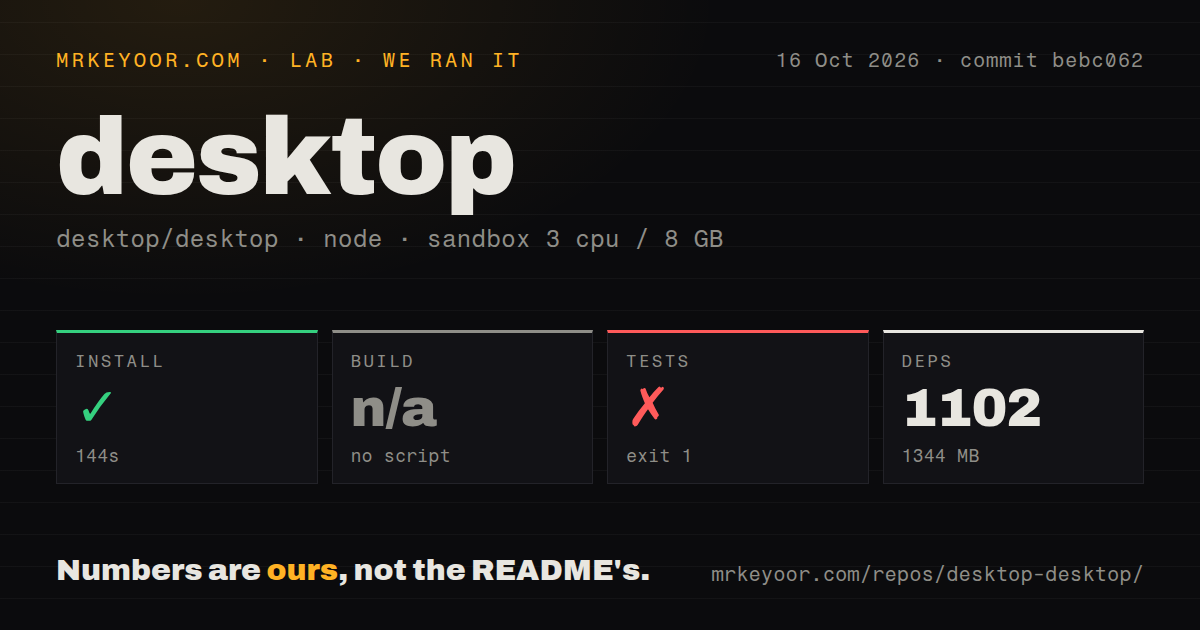
Our sandbox installed commit eb9306e in 157 seconds. Yarn added 1,123 packages and left 1,232 MB on disk. The checkout itself contained 4,764 files, about 211,774 lines of source, and occupied 32.9 MB. We used Node 22 in a fresh unprivileged container with 3 CPUs, 8 GB of RAM, and no secrets. The dependency footprint is much larger than the source archive.
The harness found no conventional build script or target, so it skipped the build step rather than choosing one of the repository's named development or production tasks. Tests ran for 124 seconds and ended with exit code 1. The last 12 supplied lines all said test failed. That tail identifies the outcome but no failing case, exception, or missing dependency, so we cannot responsibly name a cause.
Our scan also found 8 CI workflow files, no Dockerfile, and no top-level tests directory. The repository places test material inside the application tree and exposes several test commands through Yarn, so the directory signal does not mean the project lacks tests. It only describes the root layout. The lab result remains simple: installation succeeded, build was skipped, and the invoked test step failed without a useful explanation in the provided tail.
Official support stops at Windows and macOS
The README provides 4 stable installer choices: Intel and Apple silicon builds for macOS, plus per-user and machine-wide installers for Windows. A beta channel adds an ARM64 Windows option. Linux is explicitly unsupported by the main project, which points users to the shiftkey/desktop fork for community packages. That fork may suit a Linux workstation, but support questions and packaging decisions do not belong to GitHub's official Desktop release line.
Source contributors face a different setup. The repository currently pins Node 24.19.0 and Python 3.9, while its contributor guide shows Node 20.17.0, Yarn 1.21.1, and Python 3.9.x as example output. Our Node 22 install did finish, but that does not settle which version maintainers expect for every build task. Follow the checked-in version files first and use the platform-specific setup page before debugging native Electron packaging.
Version 3.6.5 fixes five concrete regressions
Release 3.6.5 shipped on September 4, 2026, with 5 fixes. The notes cover RStudio discovery on Windows, false color in image differences, repository menus after a cancelled rebase, branch-protection state during API failures, and Windows hooks that read standard input. It also blocks updates on macOS 12 and older before an Electron upgrade drops that support. A 3.6.6 beta followed on September 8, and the repository was pushed again on September 10.
Active maintenance has not made the queue small. GitHub showed 1,048 combined open issues and pull requests, split into 1,003 issues and 45 pull requests. Those are not 1,003 confirmed bugs, but the volume means niche reports may wait. The README itself warns that maintainers cannot guarantee a deep investigation into every individual configuration. Buyers should check known issues for their operating system before assuming a local failure is new.
Sparse checkout and history search still need the terminal
Two open requests mark the GUI's boundary. Issue 22835 asks for sparse checkout for large monorepositories. Issue 20420 asks for commit-history search by author, branch, date, hash, or message. Git already supports ways to handle both jobs, but GitHub Desktop does not expose every Git capability merely because the underlying tool can perform it. Teams with huge repositories or long histories will still need command-line procedures or another client.
Copilot commit generation also deserves a human stop. Issue 22815 reports that versions 3.6.4 and 3.6.5 sometimes add a Co-authored-by trailer for Copilot to generated commit descriptions. The report is one user's observation, not our lab result, yet the consequence is concrete: an unnoticed trailer changes published commit attribution. GitHub Desktop shows the message before committing, so read that field rather than treating generation as an automatic publishing step.
GitHub integration is the reason to choose it
GitHub Desktop had 21,835 stars and a September 10 push when fetched. Its main advantage over GitKraken Client, Sourcetree, or lazygit is not the longest Git command list. It is the approachable connection between a local working tree and GitHub accounts, pull requests, branch protection, and co-authored commits. That focus serves its stated audience well, while advanced users can hand an unusual operation back to Git.
Choose GitKraken Client for a multi-host commercial GUI, Sourcetree for an Atlassian-centered desktop, or lazygit for a terminal interface with more direct Git control. GitHub Desktop is the safer recommendation for a new contributor on macOS or Windows. Its source checkout is expensive and our test run failed, but a packaged user does not need to build the 4,764-file Electron repository to benefit from its clearest workflows.