Short answer
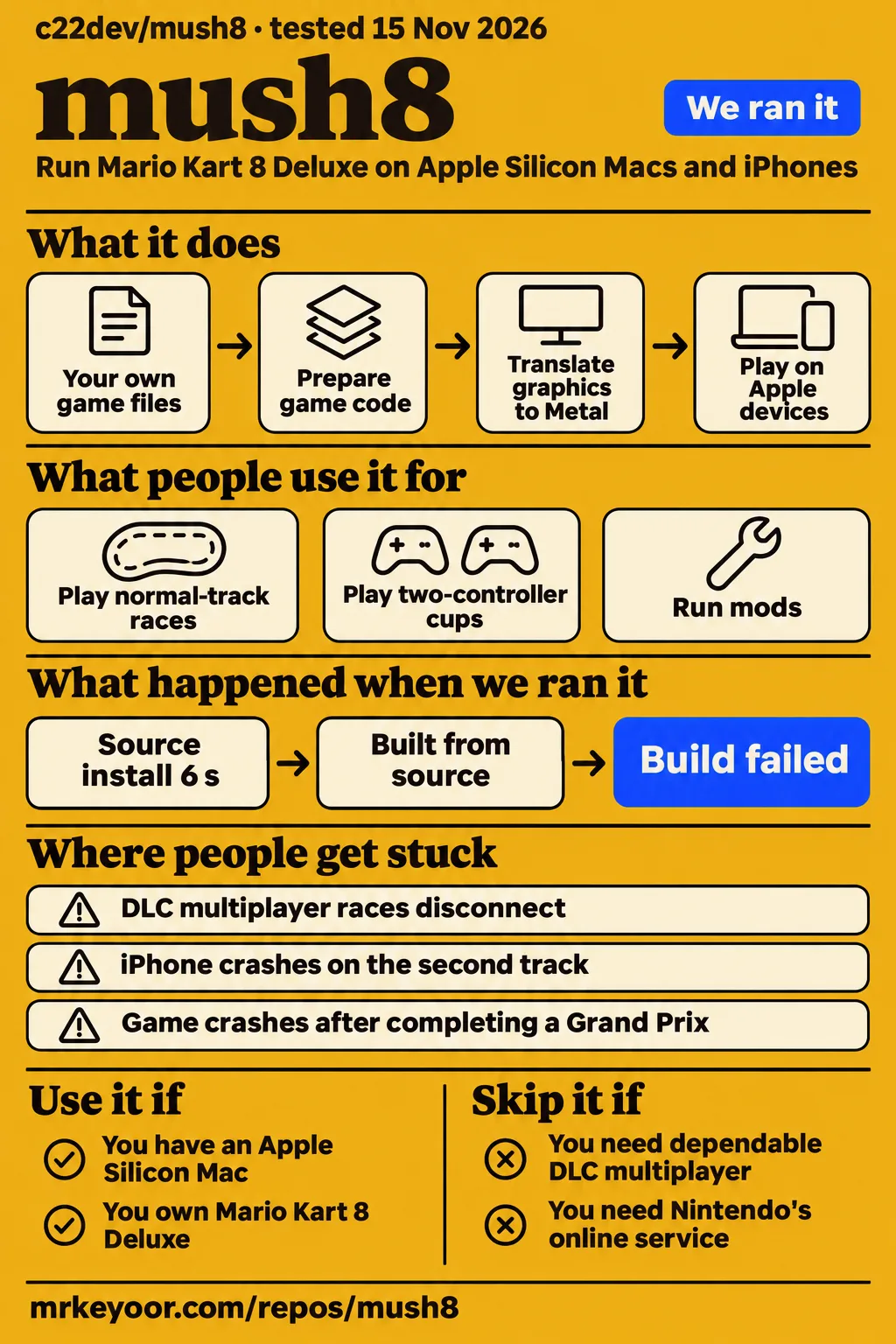
Our sandbox installed mush8's dependencies in 6 seconds, but both the build and test commands stopped at an Apple-platform check in objc2. Use mush8 if you own Mario Kart 8 Deluxe, have an Apple Silicon Mac and want to work through a native Apple port yourself. Skip it if your priority is uninterrupted DLC multiplayer or completing cups without the crashes described in the supplied issues. The player reports distinguish reaching a race from completing the session someone intended to play.
Mush8 runs the Switch game's arm64 code through a replacement system layer, with graphics translated to Metal. The project README explains that the iPhone version incorporates game code when you create the app. Your own game dump and access to a Mac therefore come before controller choice or graphics settings. The documented workflow starts with files you supply, preparation on Apple hardware and an app you build, rather than a ready-made game download.
Repository facts: 731 stars and a November 11 push
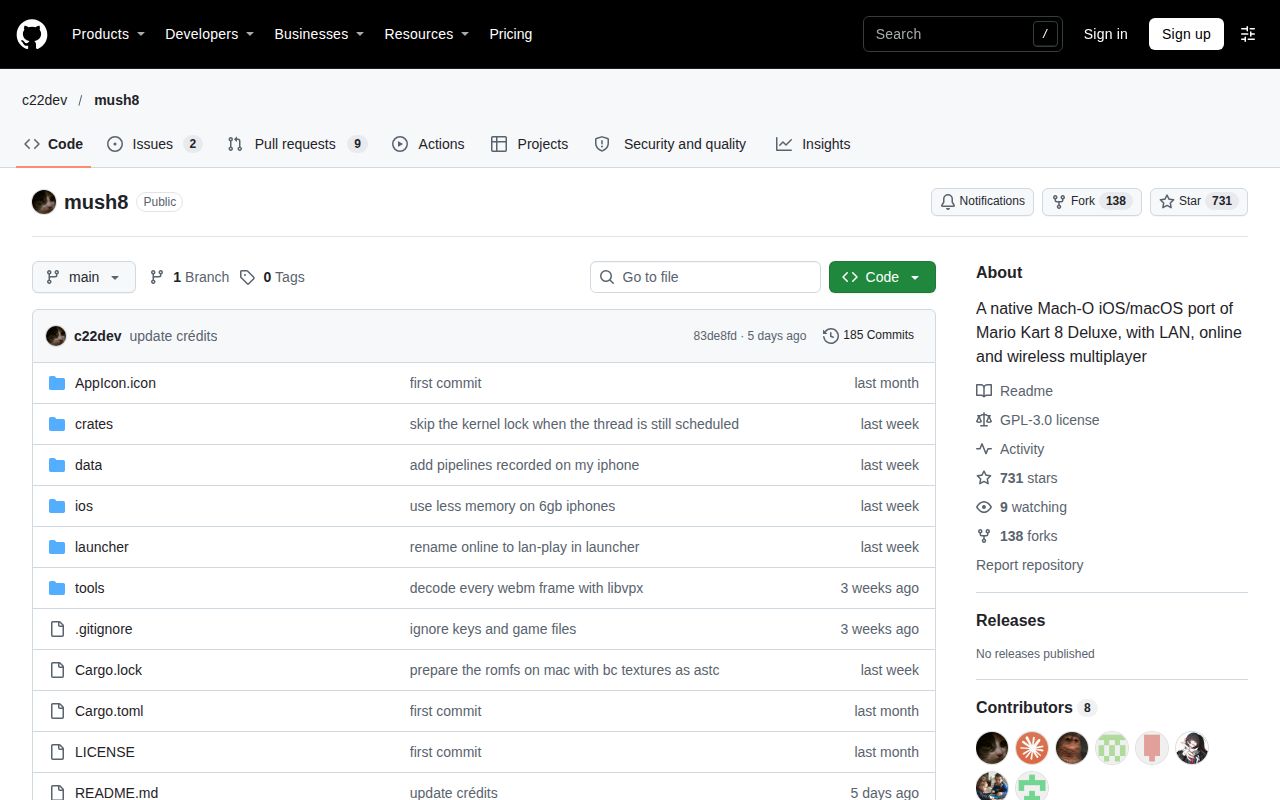
The GitHub repository record observed on November 16, 2026 lists 731 stars, Rust, GPL-3.0 and 11 open issues and pull requests combined. Its last-push timestamp is November 11, 2026. These public repository facts describe the project and its recorded activity. The more useful material for choosing a play session is in the issue conversations: users describe the device, input method, track selection and point where play stopped.
The sampled threads show c22dev requesting logs, investigating DLC session endings and stating that recent commits fixed a Mac compilation problem. Users also describe getting past preparation after correcting update files or keys. Read those outcomes at their stated scope. A preparation fix gets someone to the next stage; a normal-track race answers a different question from a DLC selection or the ending of a Grand Prix. The troubleshooting sections below keep those stages separate.
What people use mush8 for
Users report normal-track races, two-controller cup sessions, mod experiments and completed Grand Prix tracks followed by an end-screen crash. The following accounts attach a device or mode to each outcome, so a broad description such as "runs Mario Kart" does not obscure where the reported session stopped. These are attributed community experiences, separate from our source-build measurements.
| Who tried it | What they did | What happened |
|---|---|---|
| GitHub user adakldaklsdkaksdas and another player | Played DLC alone and tried multiplayer between two Macs | Single-player DLC worked. Normal-track multiplayer races worked; choosing DLC tracks on both clients ended the session before the selection animation. Issue #20 |
| GitHub user Kellen-Li | Played cups on an iPhone 16 with two Bluetooth PS4 controllers | Reported crashes during the second race in each of the first two cups. Issue #14 |
| X user yyyyyy_public | Modified mush8 to run mods | Reported getting mods working and attached a video. Mod report |
| Reddit user Previous-Dependent19 | Connected a Joy-Con to a MacBook | Said the app did not recognize it, then later said they used Ryujinx instead. Reddit discussion |
| GitHub user JayyBG | Completed all tracks in a Grand Prix on an iPhone 17 Pro Max | Reported a consistent crash at the end of the GP. c22dev agreed the credits or end screen was a likely suspect and requested logs. Issue #33 |
The two-Mac conversation contains a useful comparison within one troubleshooting thread. Both players reached the lobby and had DLC dumps. Normal-track selections led to working races, while DLC selections produced a communication error. Playing the DLC track beforehand in single-player did not help. After reading the logs, c22dev said the host game itself ended the session and neither side showed a network error. That sequence gives a more precise support report than calling the whole problem a failed connection.
The README's mod instructions give customization users a concrete starting point: a mods directory inside the selected game-files folder on macOS or the app's Documents folder on iOS. Mods load in name order, and later names win file conflicts. The launcher also documents browsing GameBanana and installing downloaded archives. The X user's account remains their report of a modification, while the README supplies the folder and conflict-resolution rules.
What happened when we ran it
Our November 16 hands-on attempt failed its safety step because the repository had no Compose file. The run label describes deployment with Docker Compose and every port bound to 127.0.0.1, but the safety result records the missing required file. The failed step is the outcome used here. The teardown record records teardown: ok.
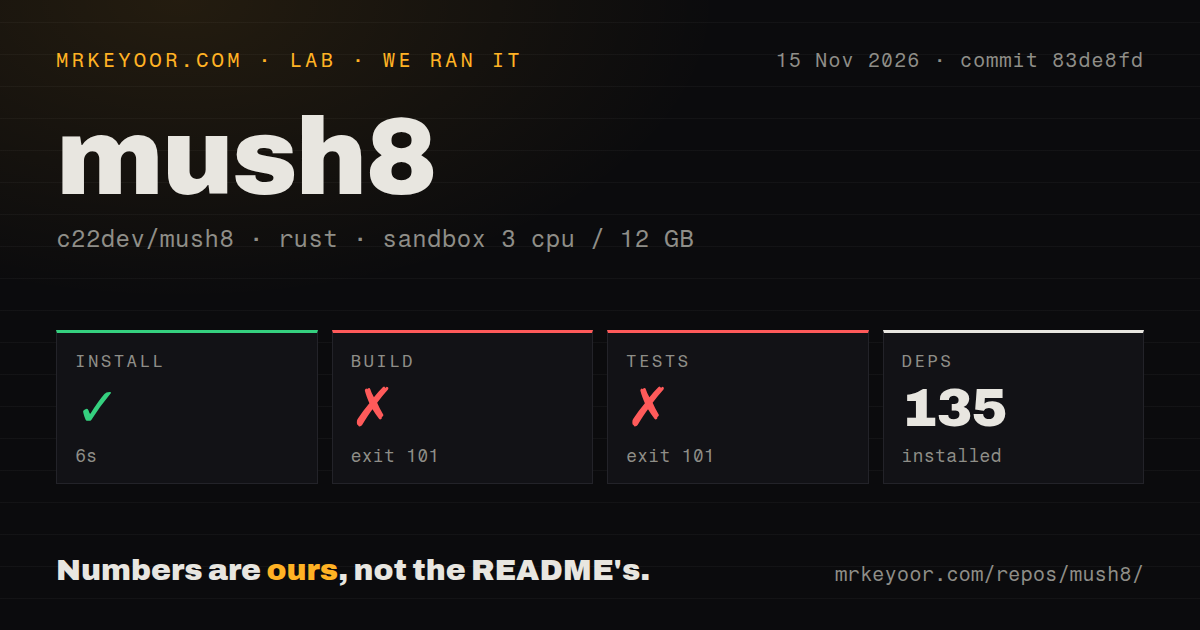
Our separate November 15 source run used commit 83de8fd, a sandbox configured with 3 CPUs and 12 GB RAM, and image label lab-rust:1. The checkout contained 299 files, approximately 76,177 source lines and 4.4 MB. We measured dependency installation, build and test-command outcomes in that environment. The recorded total was 16 seconds; the individual steps below retain their own recorded durations and exit results.
| Step | Result | What it means |
|---|---|---|
| Install | Succeeded in 6 seconds; 135 dependencies recorded | Dependency setup completed. |
| Build | Failed with exit 101 in 6 seconds | The log stopped at objc2's Apple-platform compile error. |
| Tests | Failed with exit 101 in 2 seconds | Compilation hit the same platform check before the command reached passing-test results. |
| Repository signals | 0 CI workflow files; no Dockerfile; no tests directory | These are directory and configuration scan results. |
The decisive build message was "objc2 only works on Apple platforms." Both failing logs name objc2 v0.6.5 and suggest an Apple target such as aarch64-apple-darwin. The error separately mentions a Cargo feature for people actually using GNUStep. The README's supported workflow calls for an Apple Silicon Mac and Xcode. The Compose failure came from our runner's deployment requirement, while the Rust commands stopped at a compilation check. Neither recorded failure occurred during a Mario Kart race.
Where people get stuck: different errors need different remedies
Issue #13 reports a preparation fix after selecting update 4.0.1, while issue #18 ultimately identifies a key problem and issue #17 reports a firmware workaround. Those are different failure paths. Start with the exact error and the stage where it occurs: preparing game code, detecting files, compiling the app, pressing Play or selecting a track. The table preserves the actions and outcomes described by each reporter.
| Symptom and source | What the record says | Action supported by that record |
|---|---|---|
nxpatch reports system register 0x5901, issue #13 |
fallacyplanner reported success after selecting the correct update 4.0.1 file; another commenter confirmed firmware 22.5.0 with update 4.0.1. | Check the selected update file. Another reporter had tried firmware 22.5.0 and 17.0.1 and still received the error. |
Another nxpatch failure, issue #18 |
Deleting work files briefly helped, followed by a crash 2 seconds later. The reporter ultimately identified their key as the problem. | Check your key input rather than treating regenerated work files as the final remedy. |
| Immediate crash after Play, issue #17 | goelvatsal said lowering firmware to 22.5.0 and recompiling fixed their instance. | Treat the firmware change as that user's reported workaround for that symptom. |
| Missing game code, shaders and firmware indicators, issue #28 | codedpalette explained that Prepare creates code and shaders and suggested naming the folder Firmware. The reporter later said it worked. |
Use Prepare and inspect the folder name. |
unicorn-engine-sys v2.1.5 compilation errors on Mac, issue #10 |
The report describes compilation failure; c22dev replied that the latest commits fixed it. | Read that maintainer statement alongside the commit you use. This is a different compilation error from our objc2 result. |
| Files cannot be selected on iPhone, issue #4 | A commenter described copying the required structure into LiveContainer's Data folder. c22dev pointed to the app folder under On My iPhone. | Copy the required files into the app's file location using the documented structure. |
The key thread illustrates why the order of replies matters. The reporter first said deleting work files had worked, then reported a crash 2 seconds later, then identified their key as the problem. A guide stopping at the first success message would send readers toward regenerating files after the reporter had moved on to a different diagnosis. Preserve the final account alongside the failed intermediate step when using a support thread as a remedy.
In issue #6, "No UI Visible", users describe audio and working controls with a black picture on an iPhone 14 Pro running iOS 26.0, an iPhone 13 Pro running iOS 26.7.1 and an iPhone 14 running iOS 27.0.1. One iPhone 13 Pro reporter says the app showed 3.98 GB available RAM. c22dev requested nxhost.log. These details identify the reported configurations and symptom; they are user observations rather than our memory measurements.
Send the game log and the crash report separately
c22dev gives ~/Library/Logs/Mush8.log as the Mac log location in issue #20. In that conversation, the author directs iPhone users to Files, then On My iPhone, then Mush8. The exchange starts with users asking where to obtain logs, making these paths useful preparation for someone reporting a failure. Include the device, game update, firmware and exact stopping point with the requested file.
For iPhone crashes, issue #14 points to Settings, Privacy & Security, Analytics & Improvements, Analytics Data. After receiving Jetsam reports, c22dev asks for nxhost.log instead. In issue #33, the author asks for the ordinary log and possibly an Analytics crash report. Pressing Play, beginning the second race and reaching the Grand Prix ending are distinct reproductions; name the one that matches your session rather than sending a file without context.
The README describes Nextendo token restrictions and peer IP exposure
The README says Nextendo sign-in happens on nextendo.network, sign-in information stays in the Keychain and the game token goes only to Nextendo. It also describes restrictions on name lookups and accepted TLS addresses in Nextendo mode. These are upstream descriptions of the authentication route. The multiplayer instructions require update 4.0.1 and describe joining Nextendo races with Switch players using Prelude-Nextendo.
The same README says online races are peer to peer, other players see your IP address and game code runs unsandboxed on your device. Its advice is to play with people you trust if that exposure worries you. Keep both parts of the upstream description together when choosing a multiplayer mode: the stated sign-in restrictions concern authentication, while the peer-to-peer statement concerns racing with other players. The security-audit boundary is collected in the final section.
mush8 vs Ryujinx and playing on Switch
Choose mush8 for the Apple-device experiment; stay on Switch to avoid that preparation, and investigate Ryujinx if controller recognition blocks your Mac session. The supplied comparisons come from a Reddit user's switch after Joy-Con trouble and an X post asking whether readers would play on a phone or stay with Switch. Those accounts supply reasons to consider a route, while the table separates each reason from the particular evidence behind it.
| Route | Why consider it | What the supplied comparison supports |
|---|---|---|
| mush8 | You want this game on Apple hardware and can supply the files and Mac setup its README requests. | The README documents the Apple port; user reports describe working races and specific failures. |
| Ryujinx | Controller recognition blocks your Mac session. | Previous-Dependent19 reported Joy-Con recognition trouble, then said they used Ryujinx. Reddit account |
| Playing on Nintendo Switch | You want to continue console play rather than make phone preparation your immediate project. | xiaoanlab posed phone versus Switch as an audience choice. X discussion |
The Reddit user wrote that the Joy-Con was not recognized when launching mush8 and later said they ended up using Ryujinx. That makes another route relevant to a reader facing the same blocker. Staying on Switch is also a practical choice for someone whose immediate goal is to keep playing rather than build the phone app. The performance and controller-comparison evidence boundaries appear in the final section, alongside the other work still needed.
What the other reviews get wrong
Shadowgraph's "macOS/iOS 14+" wording combines requirements that the README separates: macOS 14 for the Mac requirement and iOS 26 in the iOS section. Its directory description therefore gives the wrong iPhone threshold. The supplied PortedGames description also specifies iOS 26 and at least 6 GB RAM for iPhone and iPad. Read the platform-specific requirements before deciding whether an older device meets the documented starting point.
PortedGames describes a two-commit repository snapshot and explicitly dates its page update to October 21, 2026. Shadowgraph lists 38 commits and a November 11 update. Those are differently dated snapshots. The older number should retain its date when used to describe the project's history. The separate question of AI authorship belongs with the evidence boundaries below rather than being inferred from a short commit history.
PortedGames describes internet play through lan-play.com. Its October 21 update predates c22dev's October 30 Nextendo announcement, so the omission of Nextendo is a coverage gap in that dated account. The current README documents both routes and requires update 4.0.1 for Nextendo. A reader seeking that mode should follow the current multiplayer instructions rather than treating an older directory's list as the complete set of connection options.
Questions people ask
Mush8 is a native Mario Kart 8 Deluxe port whose iPhone app incorporates game code during a Mac build. The README describes nxpatch rewriting Switch-specific instructions and nxhost supplying replacement services and graphics translation to Metal. The questions below come from the supplied synthesis and audience discussions. Their answers distinguish the documented setup, reported remedies and specific outcomes people encountered, with unresolved evidence collected in the final section.
What is mush8, and how does it run Mario Kart 8 Deluxe on Apple devices?
Mush8 uses nxpatch to rewrite Switch-specific instructions and nxhost to supply system services and translate graphics to Metal. The shared arm64 architecture lets much of the game code run as it is. On macOS, patched code loads at launch; on iOS, the game code is linked into the app during the build. The README's project explanation describes those two loading paths and the shader translation.
Can I play Mario Kart 8 Deluxe natively on an iPhone with mush8?
The documented iPhone route requires iOS 26 or later, at least 6 GB RAM and an Apple Silicon Mac for building. It also calls for Xcode 26 or later, Rust toolchain 1.98.1, XcodeGen and signing or an IPA installation route. The README requirements define the starting configuration. The iPhone 17 Pro Max report describes completing GP tracks followed by a crash at the ending.
Can I compile mush8 on Windows or Linux instead of a Mac?
The documented route requires an Apple Silicon Mac and Xcode. The README requirements specify macOS 14 or later and Xcode 26 or later, while our source commands stopped at objc2's Apple-platform check. The same Windows-or-Linux question appears in the Reddit discussion. The target suggestion in a compiler error is one compilation instruction; the README describes the app-building and signing workflow.
How do I fix the nxpatch unhandled system register 0x5901 error?
Issue #13 reports success after selecting the correct update 4.0.1 file. fallacyplanner said a different update had been selected previously, and another commenter reported a working combination of firmware 22.5.0 and update 4.0.1. A separate reporter had received the error with both firmware 22.5.0 and 17.0.1. The update-file conversation therefore supports checking the chosen update rather than assuming a firmware change alone addresses this error.
Which firmware and game update versions work with mush8?
The README accepts game update 4.0.1 or 3.0.5 and requires 4.0.1 for Nextendo. It asks LAN players connecting to a Switch to match that Switch's game update. Separately, issue #13 contains a user's working report for firmware 22.5.0 with update 4.0.1. Keep the documented game-file requirements distinct from that reported firmware combination, because they come from different kinds of evidence.
Why does mush8 not recognize my Joy-Con on a MacBook?
The README advises switching the Mac launcher's Gamepad driver to SDL when a controller or part of it fails. Previous-Dependent19 reported Joy-Con recognition trouble and later said they used Ryujinx. Those are the upstream troubleshooting action and the user's eventual choice, respectively. The controls guidance supplies the setting to try, while the Reddit account supplies the symptom that prompted this question.
Can someone share a mush8 IPA so I can test it?
The README documents creating your own IPA with ./make-ios.sh --ipa on a Mac, using your own game files. It says the output is build/Mush8.ipa and describes AltStore or SideStore as installation routes. The building instructions also document direct installation with ./make-ios.sh --install. Because the project links game code into the iOS app during building, creating your own app is the workflow recommended here.
Why do DLC tracks disconnect in multiplayer when they work in single-player?
Issue #20 records the host game ending the session, with no network error in either side's logs according to c22dev. The reporter places the visible failure before the track-selection animation when both players select DLC tracks. Playing the same track alone first did not help, while normal-track races worked. The DLC investigation remains open in the supplied record and preserves that distinction between the displayed communication error and the maintainer's reading of the logs.
Do both multiplayer clients need their own DLC dumps?
Both clients in issue #20 had DLC dumps, and their reported failure persisted. c22dev asked about the dumps during troubleshooting, and the reporter confirmed that all clients had them. The same conversation describes successful single-player DLC and failed multiplayer selections. The DLC conversation therefore shows that supplying both dumps did not resolve this case; it should not be presented as the missing step that fixed the reported session.
Where can I find mush8 logs on macOS and iPhone?
The author gives ~/Library/Logs/Mush8.log on Mac and Files, On My iPhone, Mush8 on iPhone. Those log locations are separate from the Analytics settings path used for iPhone crash reports. In issue #14, the author asks for nxhost.log after receiving Jetsam reports. Send the requested file type and describe the action immediately before the failure so the report matches the reproduction.
What we have not tested yet
Our evidence stops at a failed source build at 83de8fd and a blocked Compose attempt; we have not played mush8 on supported Apple hardware. The image label lab-rust:1 does not establish actual Rust or operating-system versions. The recorded directory scan does not establish that the source contains no tests. There are no FPS, frame-time, battery, thermal, gameplay-memory or side-by-side Ryujinx measurements here, and the controller anecdote supplies no comparative controller test. The supplied video transcripts add no attributable mush8 demonstration; the mod post supplies no device, mod name or sustained-stability result.
Device-by-device compatibility, GP completion, two-controller reliability and DLC multiplayer need direct Apple-device testing. The closed black-screen and two-controller crash threads contain no documented resolution; issue #14 also includes a separate comment using a fork, which is a different setup. The Mac compilation thread contains a maintainer fix statement without a subsequent user retest in its extract. Issue #18 gives no exact key correction, and issue #28 does not identify which change resolved detection. The Reddit M4-as-Intel report has no supplied diagnosis or fix, and the audience's ban-risk question has no evidenced answer.
We have not audited Nextendo's network restrictions, Keychain behavior, token handling or mod extraction. Neither the dated commit counts nor another project's history establishes AI authorship. The README also states product boundaries: Nintendo's online service is unavailable, amiibo is unsupported and five-to-eight-player split screen is Switch 2 only. Free Apple IDs and IPA installs lack extended virtual addressing and use a smaller 5 GB memory layout. iOS supports RomFS-only mods; code patches require rebuilding on a Mac. These are upstream statements rather than lab measurements. For a first supported-device session, keep the game log and complete the cup you intend to play before inviting someone else to rely on it.