One goal becomes a checked sequence of Android actions
Mobile Jev connects two hosted pieces: TypeSafe's Jev chooses what to do, while Mobilerun observes and controls the Android device. The repository adds the loop around them. It discovers installed apps, indexes visible controls, asks Jev for an operation and possible target, validates the chosen branch against fresh state, executes it, then observes again. The available actions cover opening apps, taps, text, scrolling, back navigation, waiting, completion, and blocking.
The design is more careful than a prompt followed by blind coordinates. Bounds from the current observation become tap points, stale targets are rejected, and uncertain transport failures do not trigger another device mutation. An action is recorded before the next read, so a failed observation cannot erase evidence that the phone already changed. When an explicit app name appears in the goal, matching narrows an inventory that can otherwise expose up to 200 installed apps.
The studio listens on port 3040 for one local operator
The React studio combines the live device stream, goal entry, action timeline, model latency, and a task clock. It supports stopping, reconnecting, fullscreen display, and recent runs. One task owns the configured phone at a time. Recent history lives in memory and disappears when the server restarts, which is reasonable for an experiment console but weak as an audit store. Use the JSONL trace option when a run needs to survive.
Security matches that local scope. Account API keys remain on the server, and the browser receives device-scoped streaming credentials. The application binds to localhost, validates origins, and includes no public-user authentication. Moving it behind a shared URL means adding login, device authorization, durable run storage, and rules for concurrent access. The README states that public or multi-user hosting is work the operator must supply.
What happened when we ran it
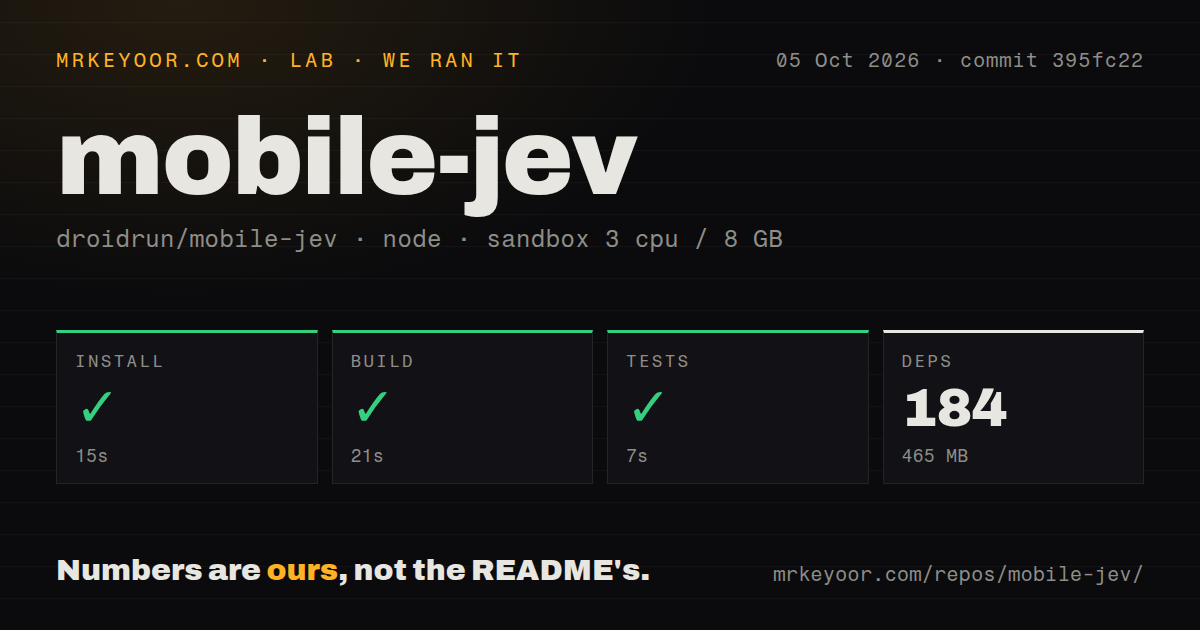
Our sandbox cloned commit 395fc22 and installed 184 pnpm packages in 15 seconds. The environment used 465 MB on disk after installation. Its production build completed in 21 seconds, and the available tests passed in 7 seconds. The run used an unprivileged Debian container with 3 CPUs, 8 GB of RAM, Node 22, and no secrets.
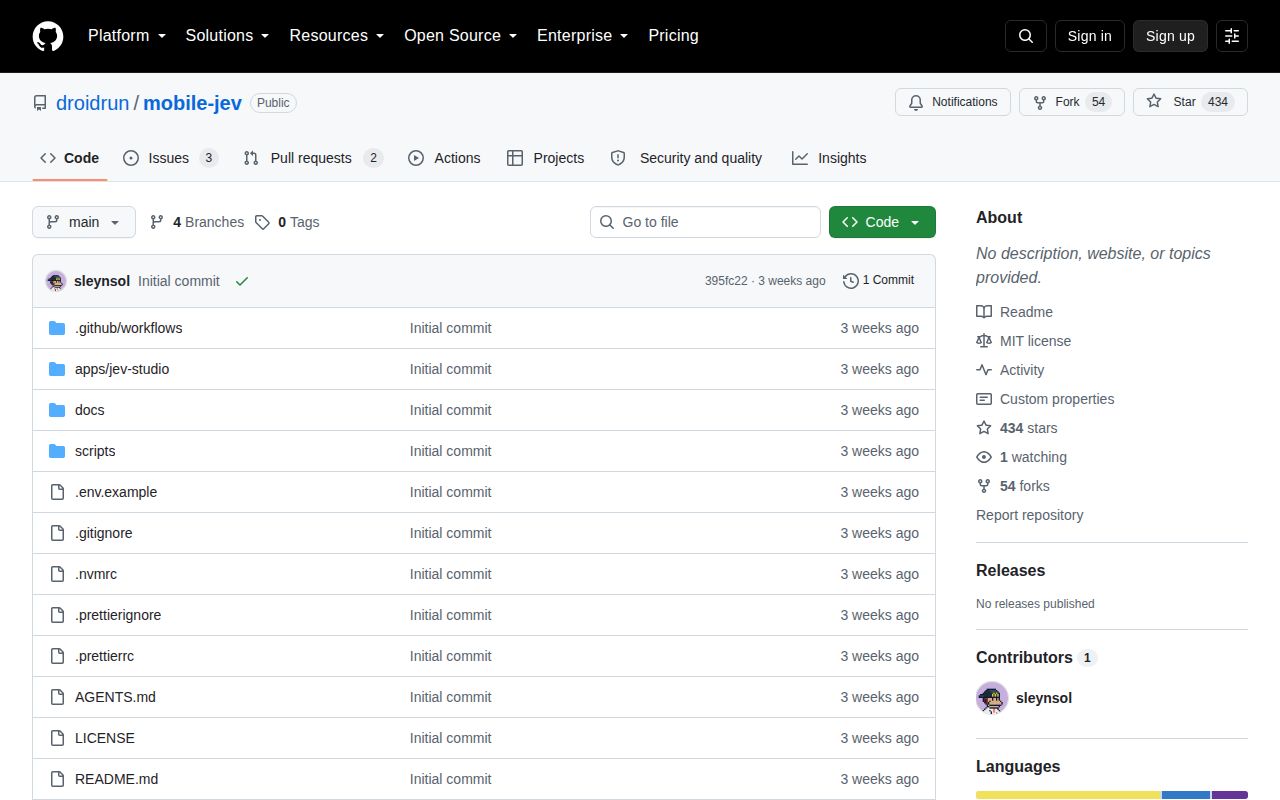
The repository itself held 55 files, about 4,501 lines of source, and occupied 15.2 MB before dependencies. We found one CI workflow, a pnpm workspace, no Dockerfile, and no tests directory, though test files are colocated with scripts and the studio server. These results cover offline repository checks only. We did not provide either API key or control a phone, so they say nothing about task success or device latency.
Live use needs two API keys and one ready Android device
The documented path recommends Node 24, supports Node 22.16 or newer, and pins pnpm 10.30.1. After installing, you copy the environment template, add MOBILERUN_API_KEY and TYPESAFE_API_KEY, list devices, set a device ID, and run the doctor command. A Mobilerun device must already be connected or provisioned, and the README warns that device and service charges sit outside this repository.
There is no ADB fallback in this client. Issue 6 asks whether a Mobilerun key is still required for a local phone, which captures the practical surprise: the official flow goes through Mobilerun's API even when the hardware is yours. The upside is that the same CLI can observe, screenshot, profile, tap, type, and navigate through one remote interface. The cost is dependence on both vendors for every live agent loop.
A DONE response does not prove the task worked
The included dark-theme demo handles one bounded case well. It can reset the setting, run the requested change, and perform a fresh observation of the actual switch rather than trust Jev's completion message. Attempts are retained, including failures. The demo guide also documents exploratory failures where a timer used seconds instead of minutes and a clock flow stalled, which is a better warning than a polished success clip alone.
General goals do not receive that task-specific verifier. The README tells operators to inspect final state, especially for dates, numeric values, and goals with several parts. Text handling is deliberately narrow too: Jev selects exact spans from the user's goal, and code copies them into fields. It will not invent an address or compose a message that was never supplied. Verified read-back can stop a run rather than repeat uncertain text entry.
The September 17 codebase is still an experiment
GitHub showed 434 stars and five open issues and pull requests. The last repository push was September 17, 2026, while two proposed fixes arrived later, including one for verifying anonymous fields after keyboard-driven layout changes. No latest release was returned by GitHub, and the package remains private at version 0.1.0. Those facts fit a project meant for supervised exploration rather than unattended device operations.
Mobile Jev is a sensible choice when you specifically want Jev making decisions on a Mobilerun phone and you can watch the run. Its clean build and 7-second test result lower the cost of inspecting the code. They do not remove the service dependency or the verification burden. For a regression suite that must replay the same steps every time, model discretion is the wrong feature; use a scripted mobile test framework.