Six languages and 7 export formats cover real documentation work
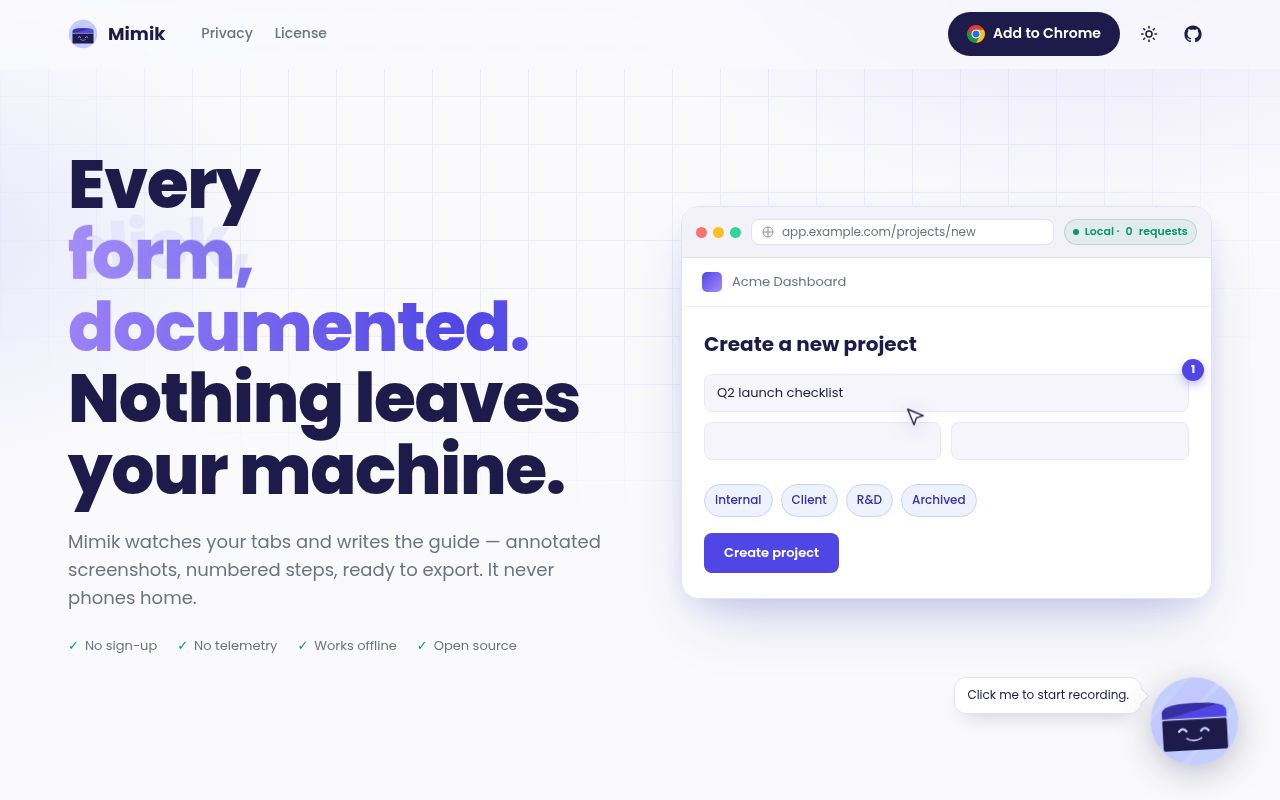
Mimik records a browser task and turns each meaningful action into a guide step. Clicks, form input, keyboard shortcuts, clipboard actions, drag events, and navigation can become annotated screenshots with generated descriptions. The interface is available in 6 languages. Finished guides can leave the browser as video, GIF, PDF, DOCX, HTML, Markdown, or a .mimik bundle. That range makes the extension useful for internal procedures, support articles, onboarding, and bug reports without requiring a separate authoring tool for every output.
The editor is more capable than a simple screenshot list. You can crop, annotate, redact, reorder, add headings, remove steps, and roll back through version history. Guide Me replays the guide on the real page, highlighting each target and advancing as the user acts. A .mimik file is a zip containing a manifest, screenshots, and a README, so the recipient can import and continue editing it. The tradeoff is clear: there is no shared server where several people edit the same library.
Smart Blur documents 9 places it cannot reach
The README lists 9 structural gaps in Smart Blur, including iframes, shadow roots, canvas or image text, CSS-generated content, select options, attributes, other frames or tabs, and content that appears after the scan ends. Blur mode pauses capture and scans visible text nodes plus input values in the top frame. Manual selection can mask a chosen DOM element across screenshots, but screenshots taken before blur mode are unchanged. For sensitive work, that is a review workflow, not automatic proof that personal data is gone.
Mimik is unusually specific about what a shared bundle removes. Redactions are burned into exported pixels, typed field values are removed from step text and links, and query strings are trimmed from links by default. Screenshots still show whatever was visible when captured. The privacy policy documents 2 kinds of external traffic: Google receives the site domain when Mimik fetches a favicon, and optional AI or voice providers receive the text or audio needed for their feature.
What happened when we ran it
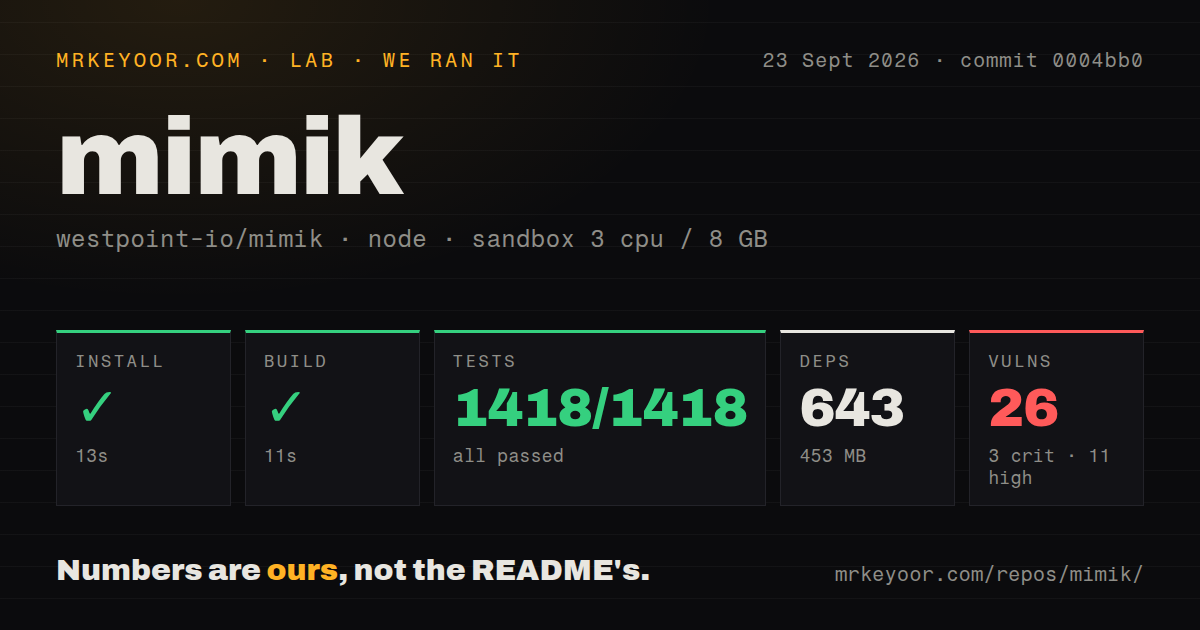
Our sandbox installed commit 0004bb0 in 13 seconds, adding 643 packages and using 453 MB on disk. The build completed in 11 seconds. The checkout itself contained 330 files, about 39,647 lines of source, and occupied 2.8 MB before dependencies. This is a sizeable development tree for a browser extension, though the short install and build times made it easy to inspect in a fresh Node 22 container.
Vitest finished in 51 seconds with 1,418 passing tests and 0 failures. That is the cleanest test result in this batch, and it covers far more than a smoke check. Our scan found no top-level tests directory because tests are organized within the workspace rather than collected in that conventional location. The repository had 2 CI workflow files, including pull-request checks for lint, tests, and both Chrome and Firefox builds. There was no Dockerfile, which fits a browser extension distributed through stores.
The dependency audit is the uncomfortable part. Npm audit found 26 known vulnerabilities: 3 critical, 11 high, 6 moderate, and 6 low. The lab output does not identify which packages or runtime paths are involved, so it would be wrong to call any one browser feature exposed. It is still too large a result to ignore. Before company-wide deployment, inspect the advisory tree, determine whether affected code ships in the extension, and repeat the browser tests after any dependency changes.
Local storage avoids an account, while sharing stays manual
Guides, steps, screenshots, settings, and provider keys live in the browser's local storage. Mimik has no backend, account, or product telemetry. Optional AI descriptions send roughly 50 to 100 tokens of DOM context rather than a screenshot, according to the README. Voice narration sends audio to OpenAI or Groq using the user's own key. Local operation limits what the Mimik service itself sees, but it does not make those optional calls offline.
Seven export choices reduce the friction of leaving that local library. PDF and DOCX suit policies, Markdown and HTML fit documentation systems, while video and GIF work in support threads. The .mimik format is the only one that imports back as an editable guide. A team that wants search, access controls, simultaneous editing, or retention policy across every guide must provide those around the exported files or choose a hosted product such as Tango. Local ownership shifts administration to the user.
Version 1.2.0 is active, with one capture error still open
GitHub recorded version 1.2.0 on September 17, 2026, followed by another push on September 23. The repository had 1,176 stars, 8 open issues, and 5 open pull requests when checked. The release added GIF export, Simplified Chinese, provider choices, password handling changes, and Smart Blur corrections. That recent security and privacy work is welcome, though it also shows that capture and redaction behavior is still changing quickly.
Open issue 69 reproduces a checkbox capture error in Firefox 154 with Mimik 1.1.1: the screenshot shows the state before the click and places the click marker incorrectly. Version 1.2.0 is newer, but the issue remained open on September 23, so do not assume the release fixed it. Mimik earns a trial because its 1,418 tests passed and its documentation names the privacy limits. The final check still belongs to a human looking at the exported guide.