Decide whether you need an SDK
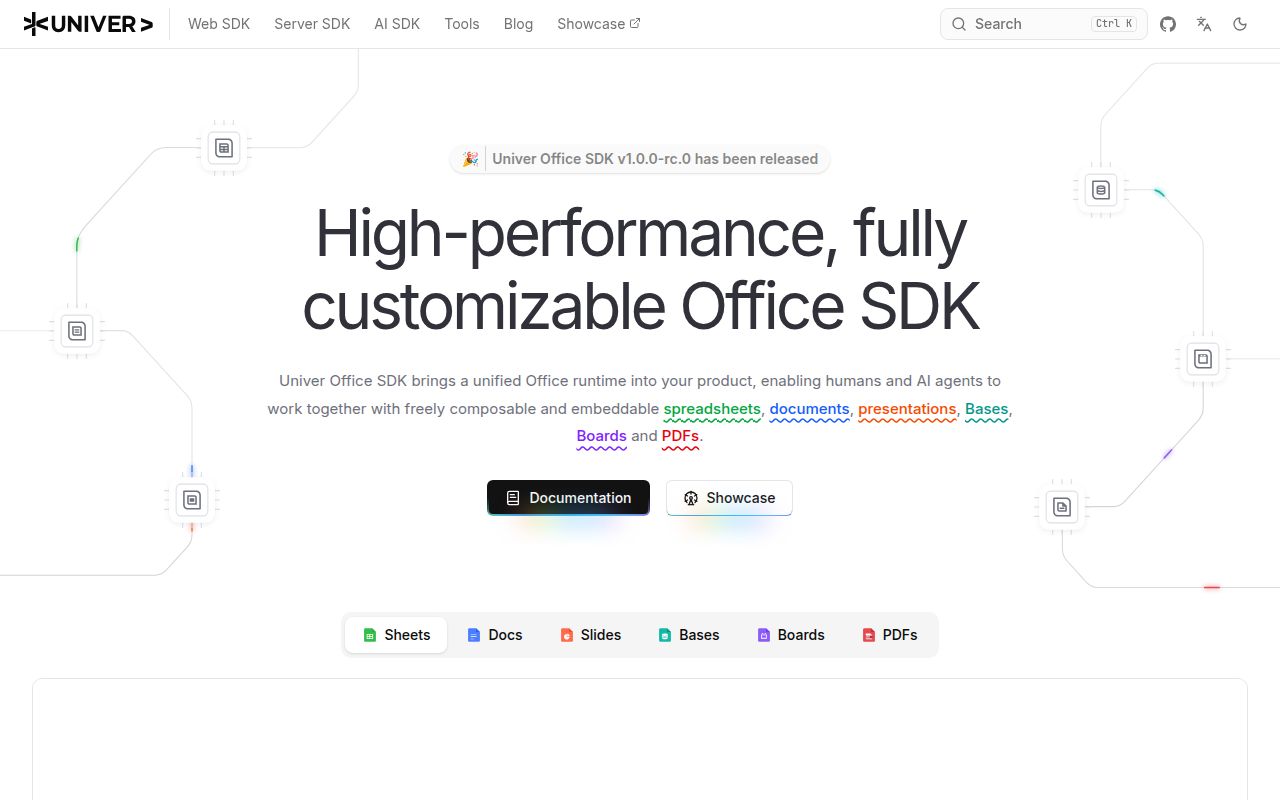
Univer fits a product team that wants to embed editing and control the surrounding application. The repository describes plugins, Canvas rendering, a formula engine, and a Facade API for browser and Node.js use. Your team still needs to decide how the editor fits its storage, identity, permissions, and interface.
The first decision is therefore scope: do you need programmable office editing, a data grid, or an office server? Our sandbox result adds a separate question about reproducing the source checkout. It does not answer whether a selected set of released packages meets your application's requirements.
What our sandbox established
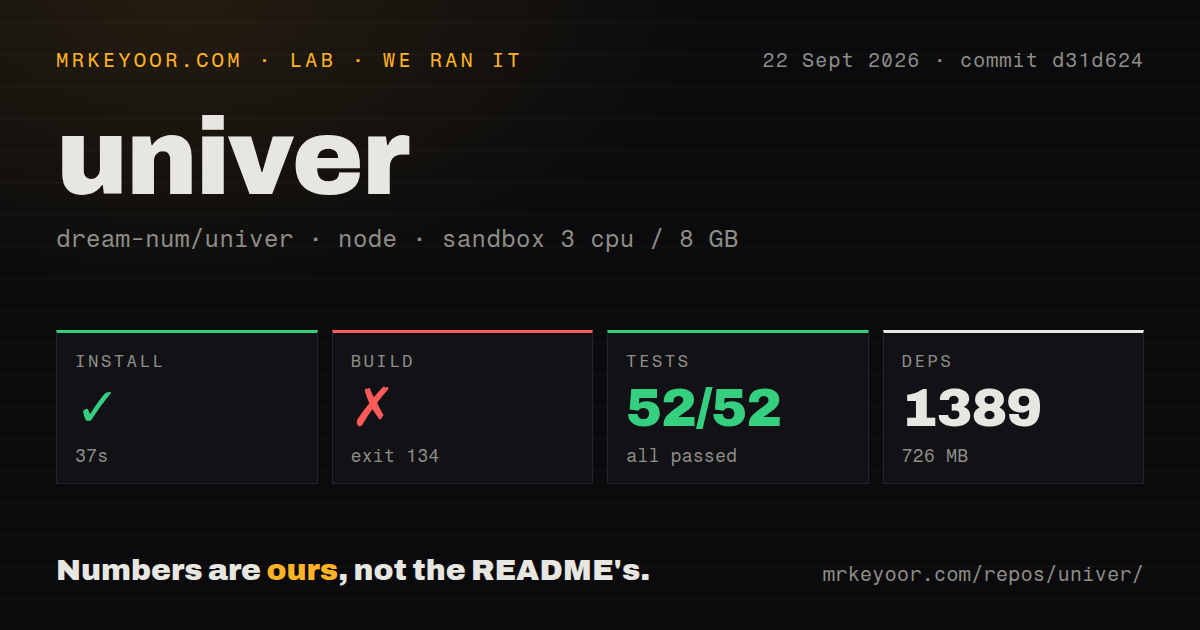
Our run on September 22, 2026, at commit d31d624 installed successfully, but the source build and workspace test command failed in our sandbox. This review uses the existing stored run; we did not execute the project again.
The harness records each command's outcome, exit code, elapsed time, timeout status, and log tail. It stores parsed test counts separately. Installation returned zero after 37 seconds. That establishes that the installation command completed, not that an editor, CLI workflow, or deployed service worked.
The build returned exit 134 after 11 seconds. Turbo named @univerjs/sheets-hyper-link-ui#build as the failed task and reported no successful build tasks. The supplied tail does not establish the underlying cause. We cannot attribute it to memory pressure, a missing dependency, or an SDK defect.
The workspace test command returned exit 1 after 459 seconds. The attached stored parser summaries contain 52 passed, 0 failed, 52 total, and 0 skipped tests. They do not establish exhaustive unique coverage, and we have not reconciled the complete log.
Separately, the raw log names @univerjs/docs and src/layout-worker/__tests__/worker.spec.ts as a test failure. The Docs suite footer reports a failure that the stored aggregate parser summary does not capture. We preserve that distinction rather than replace the stored totals, sum suite footers, or treat lifecycle errors as additional counted test failures.
The MrKeyoor testing methodology explains command outcomes and the limits of sandbox testing. Its supplied October 31, 2026, text provides provenance context; it does not establish which methodology revision governed this September run.
We did not test a browser integration, production deployment, collaboration service, file conversion workload, or runtime performance. The attached audit result is null, and scan coverage is unknown. This run provides no security assurance.
Check the open-source and Pro boundary first
The supplied README separates core spreadsheet editing and document models from commercial extensions. It lists collaboration, import/export, printing, charts, and server-side calculation under Univer Pro. Node.js headless processing in the open-source runtime should not be read as a promise that every server feature is included there.
Before integrating, list the features your product must ship and map each one to the README's open-source or Pro column. Confirm the licensing and deployment path for any commercial requirement before building around it. Pro extends the SDK; it is not a replacement for the open-source foundation.
Historical maturity claims also need a date boundary. The README at our tested commit calls Sheets the most mature surface and describes Slides packages as under active development. The supplied current README uses different wording. Neither statement is a browser validation performed by us.
Start with the package set you intend to ship
The README offers preset mode for supported Sheets, Docs, and Node profiles, and plugin mode for explicit composition. Presets are a reasonable first evaluation path when their profile matches the application. Plugin mode gives developers control over packages, styles, locales, and registration.
Keep coordinated SDK packages on the same Univer release version. The README explicitly exempts independently released packages such as the icon packages, which follow compatible versions declared in their manifests. Match any Pro packages to the corresponding coordinated release line.
For a practical trial, build a small application with the intended package versions and exercise the editing or processing workflow your product needs. Record that result separately from reproducing this monorepo failure. Our 726 MB dependency footprint describes the source checkout, not the amount of JavaScript delivered to a browser.
Compare alternatives by the job they perform
Handsontable DataGrid is a JavaScript data grid with spreadsheet-style editing. Its README explicitly distinguishes a data grid from a spreadsheet. Evaluate it when entering, validating, and editing tabular application data is the requirement. Its commercial-use licensing requires a paid license. We did not compare its installation cost or runtime performance with Univer.
ONLYOFFICE Docs provides collaborative office editors and supports deployment on your own servers. Its repository describes Office Open XML compatibility, real-time collaboration, and Community, Enterprise, and Developer editions. Evaluate it when deploying and integrating an office service is closer to the requirement than composing an editor from SDK plugins. Edition and licensing choices still need review; our run did not test its file fidelity or deployment.
These are replacement choices for different application requirements. They are not established drop-in substitutes for Univer's APIs.
How to read the retained ratings
The ratings use a five-point editorial scale: 1 means substantial evidenced obstacles, 2 means a material obstacle in the assessed path, 3 means mixed evidence, 4 means strong documented support with a material qualification, and 5 means the stated documentation or support checklist is covered. A score is limited to the dimension and evidence described below.
Setup ease is 2 because installation completed but both subsequent source commands failed. Documentation is 5 for the supplied README's coverage of setup modes, compatibility, package coordination, and commercial boundaries; it does not rate every linked guide or validate the examples. Community is 5 only for documented support-route availability: GitHub Discussions, Discord, and contribution instructions. It does not measure adoption, response times, contributor diversity, or maintenance health. Maturity is 4 for the documented SDK architecture and feature breadth, qualified by the tested commit's differing surface maturity and our unsuccessful source commands.
The supplied v0.25.2 release note records a prototype-pollution fix. That is a maintenance fact, not evidence that our checkout or an application passed a security review. Likewise, issue 7699 is shown as closed on September 28, 2026; it should not be presented as a currently open bug from our earlier run.