Each jQuery call gets a native translation
Replacing $('.class') with document.querySelectorAll('.class') is the easy part. You Don't Need jQuery earns its place by staying at that practical level across selectors, styles, DOM changes, Ajax, events, utilities, promises, and animation. Each entry puts the jQuery form beside a browser API, often with a note about the result type or a behavior that changes. You can arrive with one old call in hand and leave with a plausible native equivalent.
This is a compact reference, not a dependency that runs in your application. Our checkout held 30 files, about 604 lines of source, and 0.5 MB of repository data. The package is marked private and has scripts for Vitest and watch mode only. That modest shape is an advantage when the question is narrow. It also means the project will not scan a codebase, rewrite chained calls, preserve plugins, or decide whether removing jQuery is worth the regression risk.
Short examples expose the important differences
The guide is most useful where it refuses false equivalence. querySelector can return null, while a jQuery selector gives you an empty wrapper. fetch resolves on HTTP 404 or 500 unless your code checks response.ok. Native cloneNode(true) copies descendants but not event listeners. A string passed to append becomes text, while insertAdjacentHTML parses markup. Those are exactly the seams that break a hurried migration even when both snippets look familiar.
A 68 MB dependency install may seem excessive for a 0.5 MB reference, but those packages buy an executable comparison environment with jQuery, jsdom, and Vitest. They do not prove every example has identical behavior in real browsers. jsdom cannot reproduce every layout, animation, network, or rendering detail. Treat the checks as a useful floor. Your own browser matrix and application tests still decide whether a replacement works in context.
What happened when we ran it
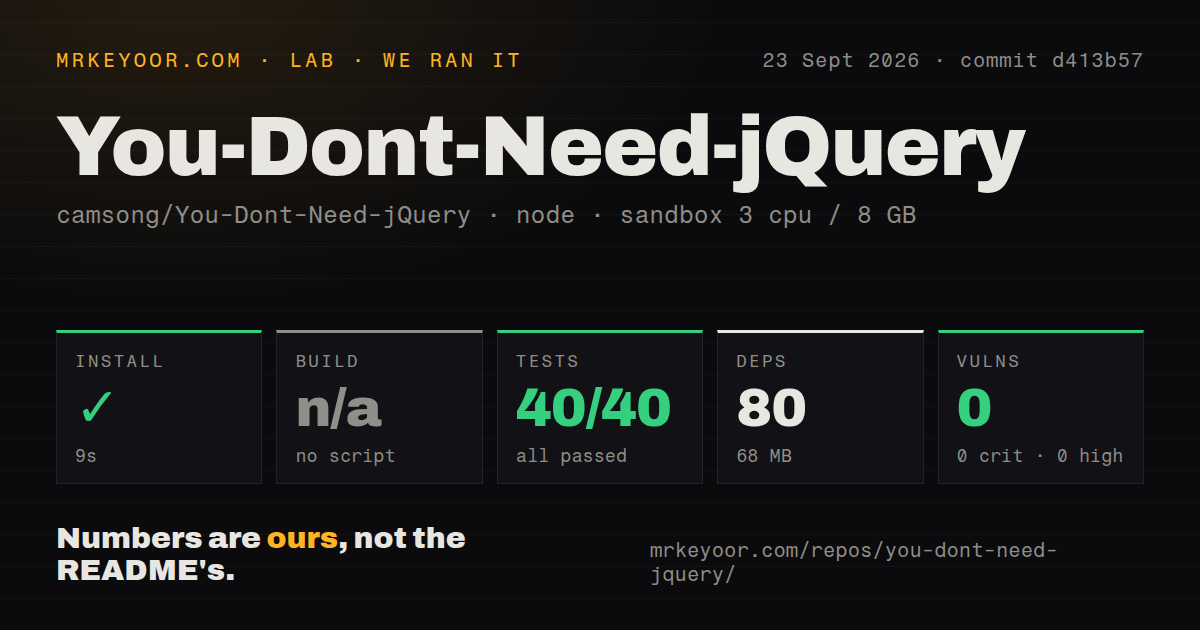
Our sandbox installed 80 npm packages in 9 seconds and occupied 68 MB on disk. The repository defines no build script or target, so we skipped the build rather than inventing one. Vitest completed in 11 seconds with 40 passed and 0 failed. Npm audit reported 0 known vulnerabilities, including 0 critical, high, moderate, and low findings.
We ran commit d413b57 in an unprivileged container with 3 CPUs, 8 GB of RAM, Node 22, and no secrets. The checkout had 1 CI workflow, no Dockerfile, and a test directory. No credential or network service was needed for the checks. These results show that the documented examples covered by the suite agreed with their expectations in jsdom. They do not measure browser performance or prove compatibility with an application's plugins, markup, and CSS.
Evergreen browsers are the support floor
The current guide targets recent Chrome, Edge, Firefox, Safari, and Opera. Internet Explorer fallbacks are gone, with the README linking to the last compatible revision for teams that still need them. Several examples name their newer support dates: replaceChildren from 2020, AbortSignal.timeout from 2022, and Promise.withResolvers from 2024. The project directs readers to Baseline for the exact browser-support decision.
That boundary matches a modern migration, but it rules out copied snippets as a universal compatibility layer. The 40 passing tests ran under Node and jsdom, not five shipping browser engines. Animation code, layout measurements, iframe access, event propagation, and Fetch behavior deserve real-browser coverage. If your product has an older WebView or embedded browser, check each proposed API instead of assuming the repository's latest-browser table covers it.
Tested snippets still require application judgment
The test folder compares native snippets with jQuery for querying, DOM work, Ajax, events, promises, utilities, and animation. This makes the repository more dependable than a list of unexecuted code fragments. It also keeps the examples readable. A developer can understand why event delegation calls closest, then checks containment, or why removeEventListener needs the same function reference used during registration.
Our 11-second run passed all 40 checks, yet the README plainly says the alternatives are not equivalent in every scenario. Open issue 255, asking about an outerWidth replacement, is a good example of the remaining edge. offsetWidth sounds close, but box sizing, borders, transforms, and jQuery's method semantics can affect the answer. The issue has no confirmed replacement. Leaving that gap visible is better than publishing a neat one-liner with uncertain behavior.
Security needs the same restraint. Examples that assign innerHTML, call insertAdjacentHTML, or create a script for global evaluation demonstrate mechanics. They do not sanitize untrusted input. A migration should preserve or improve the old code's trust boundary, not mechanically move a risky string from a jQuery method into a native sink. The reference gives you syntax; code review must supply the data-flow decision.
A 2016 release tag does not mean the guide is stale
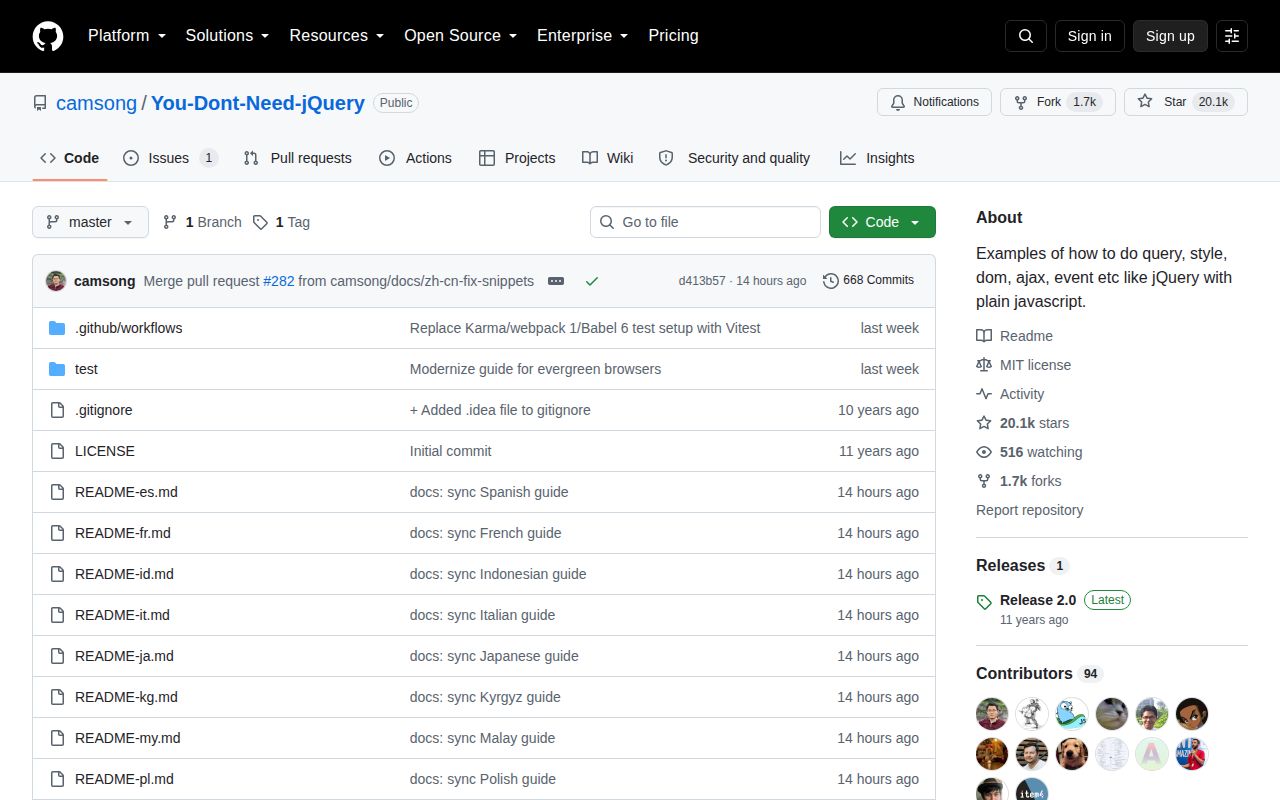
The latest formal release is v2.0 from January 2016, but repository activity tells a different story. The default branch was pushed on September 23, 2026, with several translations synchronized that day. GitHub showed 20,127 stars and 1 open issue when fetched. The English README now covers evergreen browsers, current Fetch behavior, Web Animations, abort signals, and newer Promise APIs that did not exist in the release-tag snapshot.
Release tags matter less here because there is no build artifact for users to install. The missing build target in our run confirms that the maintained product is the guide itself. Use the current default-branch README, then verify the specific API through MDN or Baseline and run the change in your application. That workflow respects what this project does well without asking a 604-line reference to carry an entire migration.