This is a 14-servo robot recipe, not a software-only tutorial
Microduck packages the pieces needed to reproduce a small walking robot: deployment code for a Raspberry Pi Zero 2 W, a MuJoCo training project, an ONNX policy, printable models, wiring diagrams, and a prebuilt Pi image. The README begins in Chinese and later provides a substantial English version. You can follow the hardware path without machine translation, though some issue discussions remain Chinese.
The bill of materials makes the commitment plain. The walking build uses 14 Dynamixel XL330-M288-T servos, with an optional fifteenth servo for the mouth, plus an OpenRB-150 controller, a BNO08x IMU, a 6V battery, stable 5V power for the Pi, a microSD card, printed parts, and assorted cabling. A U2D2 and its power hub are also listed for configuring servo IDs and bus settings.
This is useful documentation because it names the awkward physical details. Servo IDs 1 through 10 belong to the legs, 11 through 14 control the head and neck, and the bus runs at 1 Mbps. The power diagram separates the Pi supply from the servo side while requiring a common ground. Those specifics can prevent expensive mistakes, provided the builder checks polarity and wiring rather than treating a diagram as electrical certification.
The release image shortens bootstrapping, not assembly
Release image.v1 provides a compressed Raspberry Pi image with Raspberry Pi OS Lite, a Python environment, the deployment directory, the walking model, and a headless gamepad service. The README publishes a SHA256 value for checking the download. After flashing, the Pi expands the filesystem, regenerates SSH host keys, reads network configuration, and should appear as microduck.local.
There are still several manual boundaries. The Pi Zero 2 W needs a 2.4 GHz network. The image documents user and password as the initial login, so the password should change on first access. Each servo needs the correct ID and settings before the controller runs. The first model launch enables torque, moves toward a neutral pose, reads an input device, and loads walk.onnx; the guide correctly tells you to support the robot by hand.
Headless control trades one connection for another. Holding the gamepad start button launches the controller, while a trigger combination requests safe shutdown. When the Bluetooth gamepad connects, the service turns off Wi-Fi to reduce 2.4 GHz interference. SSH then disappears until the controller disconnects. That behavior is documented, but it complicates remote debugging during the exact period when the robot is moving.
What happened when we ran it
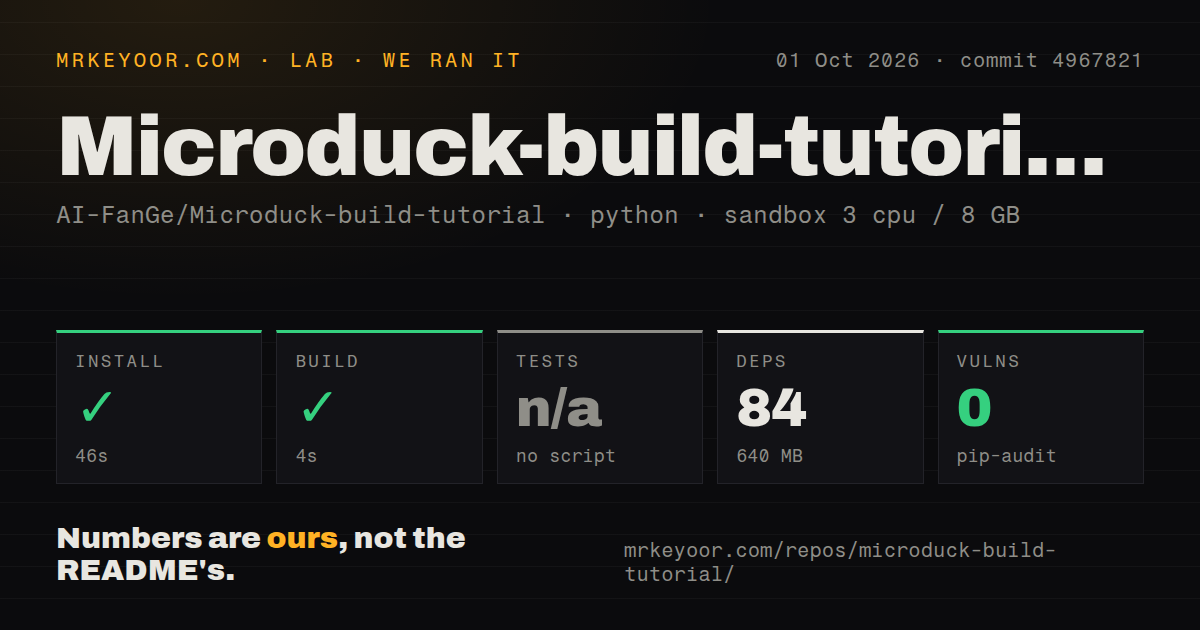
Our sandbox entered ./microduck/ at commit 4967821 and installed 84 packages in 46 seconds. The environment occupied 640 MB, compared with a 27.7 MB checkout containing 122 files and about 6,174 lines of source. The 4-second build succeeded in a fresh unprivileged Debian container with 3 CPUs, 8 GB of RAM, Python 3.12, and no secrets.
There was no tests script or target, so the lab skipped tests. Pip-audit reported 0 known vulnerabilities. The repository also had 0 CI workflow files, no Dockerfile, and no tests directory. A clean install and audit are welcome, but they do not answer whether IMU orientation, joint offsets, bus timing, balance, or the walking policy match a particular physical build.
Our run stayed inside the deployment project. We did not flash image.v1, attach an OpenRB-150, power 14 servos, train a policy, or time inference on a Pi Zero 2 W. Open issue 2 asks about real-time reinforcement-learning inference on that board, and the maintainer replies that the Pi can do the job. That exchange is useful experience, not a benchmark from our sandbox.
The training code is present, but the README is a build guide first
The repository separates runtime code under microduck/ from mjlab_microduck/, which contains the MuJoCo and MjLab environment plus an export script for walk.onnx. The published model can be copied into microduck/src/agents/ and synced to the Pi. This creates a visible simulation-to-hardware route instead of leaving the walking file as an unexplained binary.
The main README concentrates on assembly, deployment, and model replacement rather than a full training recipe. Builders who want to change the body geometry or learn a new gait will need to inspect the second Python project and validate the exported policy on their own machine. No test target or CI job checks that the training and deployment halves still agree at commit 4967821.
Camera work and purchasing remain outside the guide
The documented runtime reads an IMU and accepts keyboard or gamepad commands. It does not list a camera in the bill of materials or describe a visual policy. Open issue 7 asks whether vision is included, which is a fair signal that the current scope can be mistaken for a broader embodied-AI platform. Choose another base if camera perception is a first requirement.
Parts sourcing is also left to the builder. The README says prices depend on region, supplier, and quantity, then lists components without a total. Open issue 1 asks what the complete robot costs, and issue 8 asks for purchase links. That omission matters with 14 named servos and specialized setup hardware, since availability can decide whether the build starts at all.
September activity shows an early project with a usable artifact
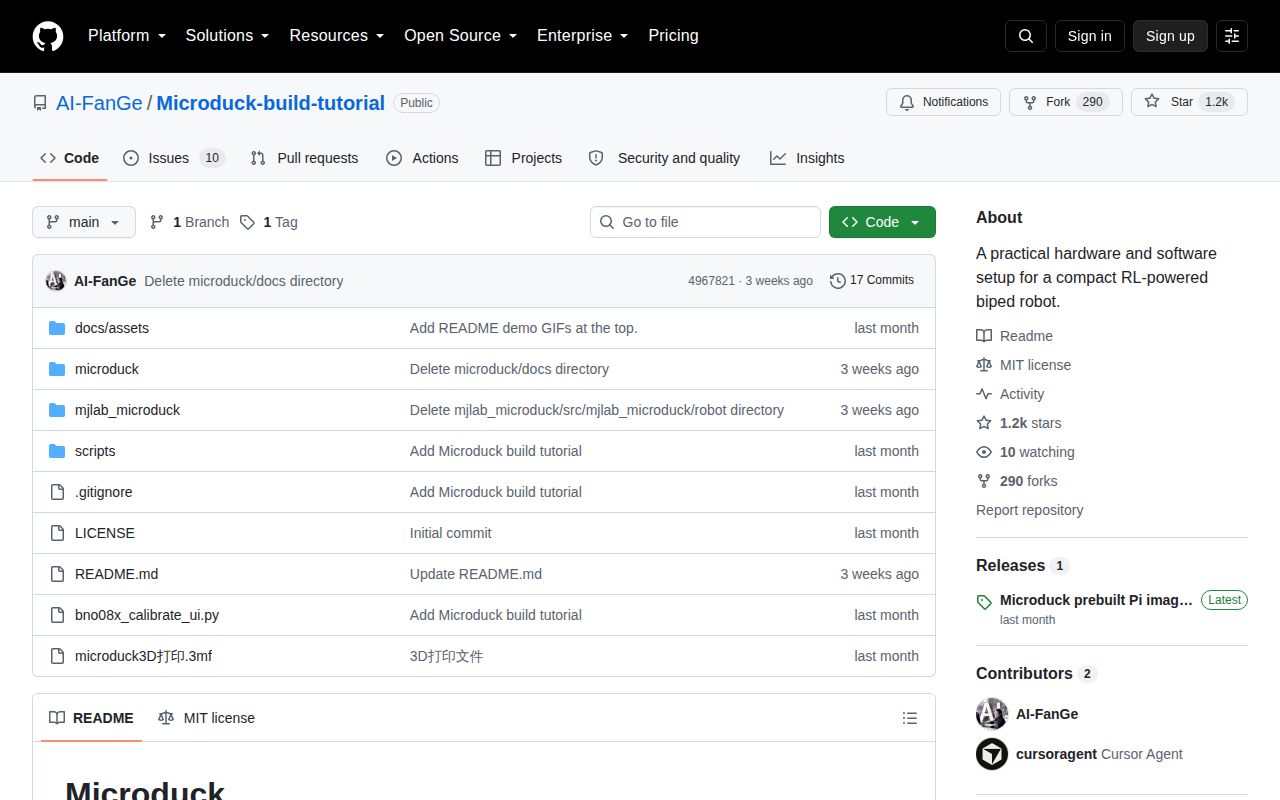
GitHub showed 1,155 stars, 10 combined issues and pull requests, and a last push on September 11, 2026. The prebuilt image shipped on September 5, one day after the repository was created. Issue discussion continued through September 27 on hardware, vision, printable parts, sourcing, and community support. This is active early interest, not long-running maintenance evidence.
Use the guide when the physical build is the point and you can check every mechanical, electrical, and control assumption yourself. The repository removes much of the scavenger hunt around parts, wiring, flashing, and startup. It does not remove the bench work, and its missing test target means the robot itself remains the final acceptance test.