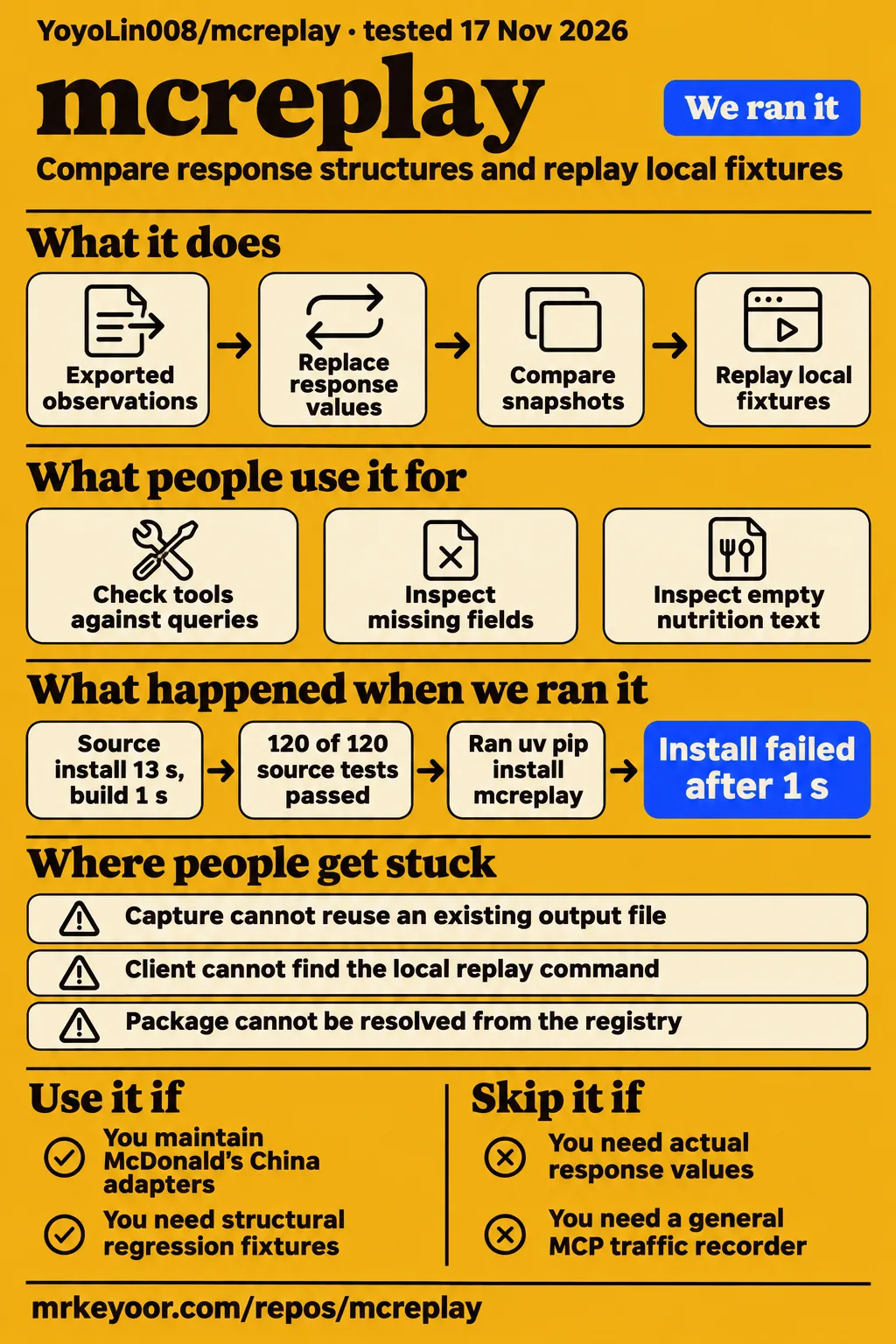
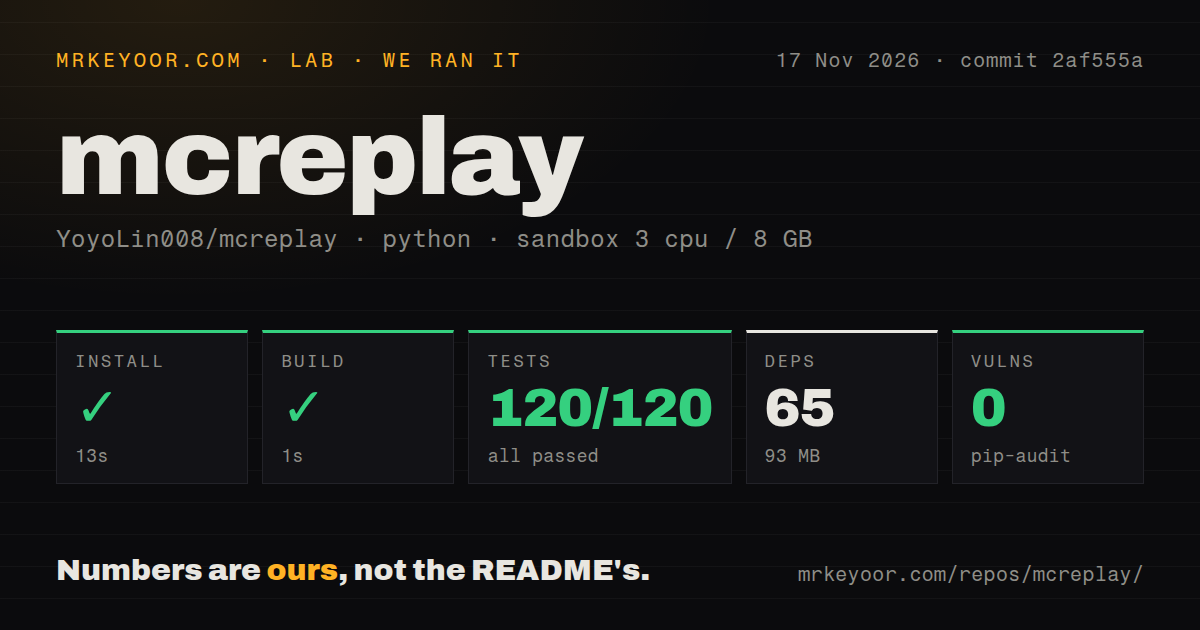
Our sandbox passed all 120 mcreplay tests at commit 2af555a. YoyoLin008/mcreplay is a focused choice for developers maintaining McDonald's China MCP adapters whose parsing depends on response structure. Its fixtures preserve shapes while replacing scalar values. Use it to investigate missing fields and changed types; choose a different testing approach when the assertion depends on an actual campaign date, current time, or nutrition value.
What you can do with mcreplay
McReplay replaces response values with placeholders, compares structural snapshots, and replays fixtures through a local MCP server. A fixture is a saved response that a test can read repeatedly. This gives an adapter maintainer a stable input for exercising field access and parsing. The McReplay README illustrates the purpose with an integer becoming a string: the changed type gives a parser something concrete to detect.
Import, compare, and replay perform separate jobs. Import reads exported tool definitions and observations and produces a mcreplay/v1 snapshot. Compare checks removed tools, newly required parameters, missing fields, changed types, and response wrappers. Replay serves a stored placeholder response over stdio. You can therefore start by comparing two snapshots before connecting a client, then use the changed fixture to investigate the adapter behavior that matters to your integration.
The documented synthetic demo contains three deliberate changes: the time field becomes a string, the campaign end date disappears, and nutrition text becomes empty text. These examples give a maintainer three different parsing assumptions to inspect. The README also supplies an adapter example that passes with before.json and detects the timestamp change in after.json with exit code 2. Those are documented example outcomes, separate from the measured pytest result below.
What people use mcreplay for
The project author reported checking three McDonald's China MCP tools against official queries and local replay on 2026-10-24, according to HotRepo. The tools are now-time-info, campaign-calendar, and list-nutrition-foods. That reported workflow matches the project's intended audience: maintainers who already consume those responses and want a saved structure to compare when an integration changes. HotRepo's author-attributed account supplies the reported use case.
| Who did it | Task | Reported outcome |
|---|---|---|
| Project author, as reported by HotRepo | Check now-time-info, campaign-calendar, and list-nutrition-foods against official queries and local replay | Successful checks reported for 2026-10-24; the account comes from the author via HotRepo |
The README's supported-tool list specifies empty arguments for all three read-only tools. For a campaign parser, the useful artifact is a saved response structure that can expose a missing field. For a nutrition parser, it can expose a response changing between populated and empty text. These are documented testing applications of the fixture workflow, rather than additional customer adoption stories or evidence of deployment scale.
What happened when we ran it
Our source-checkout sandbox installed mcreplay in 13 seconds, built it in 1 second, and passed 120 of 120 pytest tests in 6 seconds. Our run used commit 2af555a on 2026-11-17. The recorded sandbox configuration was 3 CPUs, 8 GB RAM, and image label ghcr.io/astral-sh/uv:python3.12-bookworm. The table separates successful repository checks from the package-registry failure in the other recipe.
| Source-checkout check | Recorded result | What it means for this review |
|---|---|---|
| Install | Succeeded in 13 seconds; 65 dependencies recorded; 93 MB on disk | The recorded repository setup completed |
| Build | Succeeded in 1 second | The recorded build step completed |
| Tests | Succeeded in 6 seconds; 120 passed, 0 failed of 120 | The recorded pytest suite passed |
| pip-audit | 0 known vulnerabilities | The dependency audit returned no known vulnerability findings |
| Repository scan | 41 files; approximately 2,488 source lines; 1.8 MB checked out | This is the measured checkout size |
| Development signals | One CI workflow file, a tests directory, no Dockerfile detected | The scan found repository checks and no Dockerfile |
The separate hands-on run record identifies commit 2af555a32841 and an unprivileged container with 2 CPUs, 4 GB RAM, no published ports, and no secrets. Its summary says installation succeeded, but its detailed step log records failure. The clone step took 2 seconds; the installation step then failed in 1 second. The step log supplies the installation outcome used here.
That failed installation step ran uv pip install mcreplay in a fresh virtual environment. Its log identifies Python 3.12.12 at /work/venv, exit code 1, and a resolver error saying mcreplay was not found in the package registry. The install-failed finding records that the recipe stopped there. These records describe a failed registry route alongside a successful source-checkout harness run.
Where people get stuck: output paths and client configuration
Capture writes one new file per server instance, so another observation needs a new output path and a restarted connection. The README's capture instructions tell readers to create the private directory first and configure absolute paths. Treat the destination as part of each observation: select its filename before starting capture, and retain earlier snapshots as inputs for the next comparison.
| Symptom or setup trap | Documented response | Evidence |
|---|---|---|
| Requested package cannot be resolved from the registry | Use the README's local-checkout installation route | source quick start |
| Capture destination already exists | Choose a fresh filename inside an existing directory | HotRepo's workflow account |
| Another observation is needed | Set a new output path and restart the capture connection | README capture instructions |
| Client cannot find the local replay command | Configure the absolute virtualenv executable path and absolute fixture path | README replay configuration |
| Official-service credentials need variable expansion | Follow the selected client's environment-variable instructions | HotRepo's configuration account |
Compare uses four exit codes with different meanings: 0 for unchanged or informational results, 1 for invalid input or execution errors, 2 for potentially breaking changes, and 3 for findings needing review without detected breaking changes. Preserve those distinctions in a CI job. An adapter maintainer needs a different response to malformed input than to a valid comparison that found a removed field. The README exit-code table gives those meanings explicitly.
Value replacement changes what a passing check means
Import replaces strings, numbers, and booleans while preserving field structure and MCP markers such as isError. This makes a fixture useful for questions about fields, types, and wrappers. The README's import description also lists plain JSON, fenced JSON, JSON after an Original Response heading, plain text, and empty text as handled inputs. Choose assertions around the structure the snapshot retains.
The timestamp example shows how to turn a structural observation into an adapter check. An adapter expecting an integer can consume the before fixture, then receive the deliberately changed string in the after fixture. Compare describes the difference; the adapter test determines how the consumer responds. Keep that consumer expectation explicit when reviewing a changed baseline, rather than treating any successfully loaded fixture as a satisfactory regression test.
The comparison rules send ordinary text and some array changes to human review. For text, the implementation records type and empty or nonempty state. For arrays, it compares observed element shapes and routes empty-array and mixed-type changes to review. That outcome asks a maintainer to inspect the sample and expected parsing behavior before deciding whether the new snapshot belongs in the accepted baseline.
Private snapshots still need a sharing check
Raw export files remain on disk after import, and snapshots retain field names and tool definitions. The README's data-handling instructions therefore ask readers to inspect those details before sharing a snapshot. Keep working exports and reports in the Git-ignored private directory, then examine the particular artifact you intend to attach to an issue or commit. Placeholder values leave this handling step with the maintainer.
The local security guide documents in-memory scalar replacement, private POSIX output permissions, exclusive creation, and rejection of existing files and symbolic-link targets. It directs users to keep credentials in the client's secure configuration and name official and replay connections separately. Those instructions connect file handling to client operation: the chosen connection determines whether the client contacts the official service or receives a local placeholder response.
English README, Chinese prompts and linked guides
The README is English, while CLI prompts, HTML report labels, and linked project guides are Chinese. The README language notes state that split directly. An English-speaking maintainer can read the main installation and replay instructions, then encounter Chinese while interpreting reports or consulting deeper integration material. Assign ownership of report interpretation before making its output part of a routine adapter review.
Exit codes give automation a compact result, while the report explains the affected structure. A team considering this workflow can start by reading the synthetic report and deciding who will handle results marked for review. That is a practical adoption step because the documented comparison categories include cases requiring inspection. The developer responsible for the adapter needs to understand the finding well enough to connect it to a parsing assumption.
mcreplay vs mcd-mcp-kit, achromat-mcp-server and other replay tools
Examine the separate MCPReplay product for general MCP contract testing and Keploy for application integration traffic recording. YoyoLin008/mcreplay fits the narrower job of saving and replaying the documented McDonald's response structures. The alternatives answer different testing needs, so start with the traffic or fixture you need to exercise. The comparison table keeps those workflow choices separate from the score-only project pairings found in the research pack.
| Comparison people encounter | What the supplied comparison says | Decision it supports |
|---|---|---|
| mcd-mcp-kit vs mcreplay | Mid or Real assigns both MID verdicts and declares no winner | Inspect the required workflow before choosing mcd-mcp-kit comparison |
| achromat-mcp-server vs mcreplay | Mid or Real places both projects in an MCP score table and declares no winner | Inspect the required workflow before choosing achromat-mcp-server comparison |
| Separate MCPReplay product | Its identity document describes npm distribution and live MCP recording | Examine it for general MCP contract-testing requirements MCPReplay product document |
| Keploy | Its README describes API, database, and streaming-event recording | Examine it for application integration traffic Keploy README |
Keploy's README says it records API calls, database queries, and streaming events, then replays them as tests. MCPReplay's supplied product document associates that separate product with github.com/mcpreplay and describes a live-session recording command. These descriptions give readers a reason to inspect each candidate's own workflow. The Mid or Real pairings serve a different purpose: their pages present opinion verdicts and explicitly declare no winner between the paired projects.
What the other reviews get wrong
Minecraft MC-Replay and the npm-based MCPReplay product are separate projects from YoyoLin008/mcreplay. The MC-Replay repository extract describes Minecraft network packet capture and replay inspired by Hypixel Atlas. The MCPReplay identity document names a different GitHub identity and npm distribution route. Keep their capabilities attached to those identities when evaluating a search result or assembling a feature comparison.
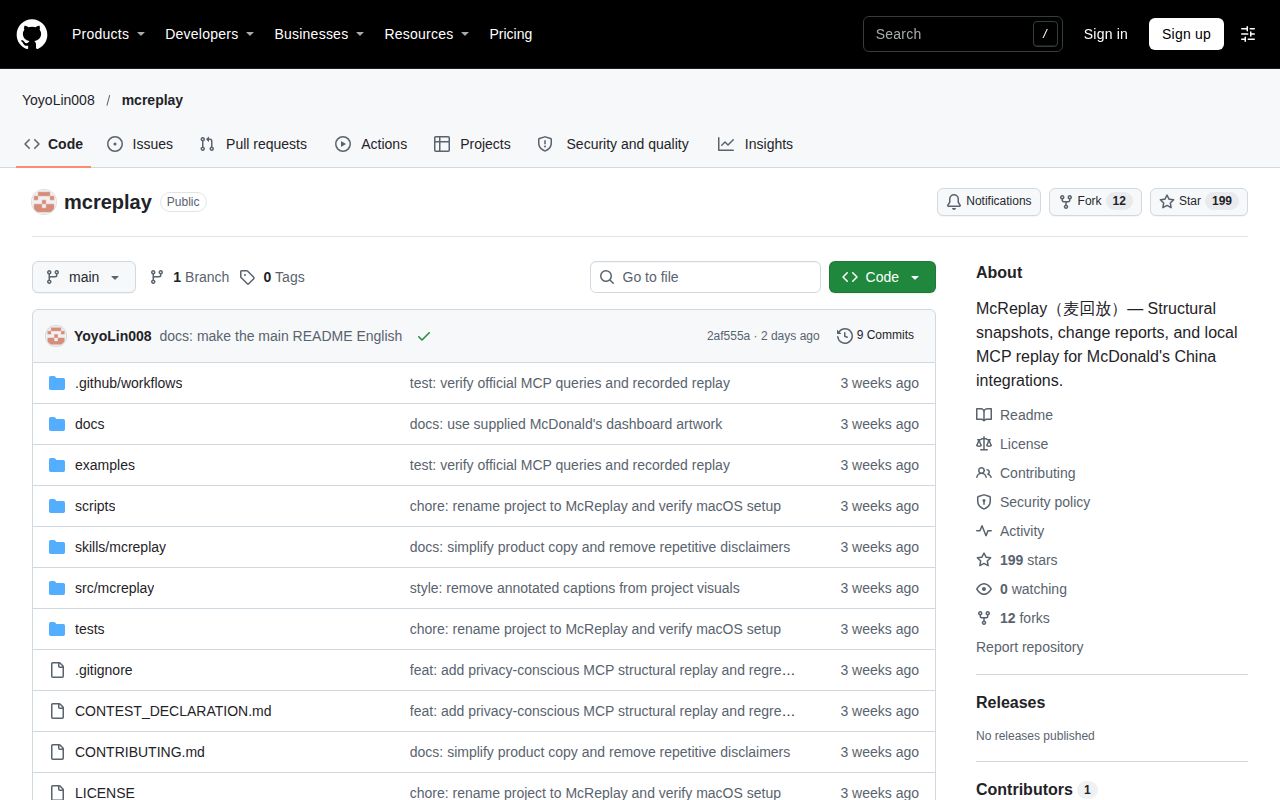
The supplied GitHub metadata observed on 2026-11-17 records 199 stars, 0 open issues and pull requests, and a last push on 2026-11-16. These are dated repository facts, separate from the test results and the author-attributed live-service account. For this adoption decision, the concrete starting points are the source-install outcome, the documented three-tool scope, and the fixture behavior. Those facts explain what a maintainer can try next without turning attention into a product rating.
FAQ
Install mcreplay from a cloned source checkout using Python 3.11 or later on Linux or macOS, following the README. The three questions below cover installation, credentials, and licensing for a first-time reader. Each answer comes from the supplied McReplay README, which provides the quick start, separates the offline demo from official capture, and states the project's code and documentation license.
How do I install mcreplay?
Clone YoyoLin008/mcreplay, create and activate a virtual environment, and install the checkout with python -m pip install -e . The README then runs mcreplay demo --out-dir demo-output and tells readers to use a fresh output directory each time. After installation, open demo-output/report.html to inspect the three deliberate changes. These are the upstream quick-start instructions; the separate registry command in the failed recipe follows another route.
Do I need McDonald's credentials for the demo?
No: the documented demo runs offline after installation and uses synthetic data. Official capture instead requires a client connection to https://mcp.mcd.cn using Streamable HTTP and a bearer token, plus the local capture configuration. Start with the demo when deciding whether its structural reports are useful for your adapter. The README demo and capture instructions describe both workflows and tell readers to keep the token in the client's secure configuration.
What is mcreplay's license?
The README states that the original project code and documentation are available under the MIT License. Use the YoyoLin008/mcreplay license statement when identifying this repository's terms. Keep the owner and repository name attached to that answer: the separate npm-based MCPReplay product has its own identity document and licensing statement. The shared similarity in names is a reason to check the project being discussed.
What we have not tested yet
Our measured evidence covers the source-checkout harness at 2af555a and a separate registry-install failure, rather than a completed independent live capture-and-replay session. The author's 2026-10-24 three-tool result remains an attributed report. Fresh official responses, a real adapter using captured fixtures, cross-client behavior, replay latency, capture throughput, and memory under load are outside the completed runs. The alternatives also received no comparative execution test.
Arbitrary MCP servers, parameterized tools, Windows, sustained maintenance, and production reliability need separate evidence. The 0-open-issues-and-pull-requests observation supplies no support-resolution history. The image label supplies no actual runtime or operating-system version for the source-checkout harness, and its 8 GB allocation supplies no minimum RAM requirement. pip-audit's 0-known-vulnerability result supplies no independent privacy assessment of exports or reports. A null latest-release lookup also supplies no conclusion about release availability.
The useful next step is the documented source demo followed by your adapter's response to its deliberate timestamp change. Record the assertion and its outcome before extending the workflow to a fresh official capture. This connects the project's structural comparison to the consumer behavior you need to protect. It also keeps the adoption decision centered on a reproducible parsing check rather than a dependency audit, repository popularity, or another project's feature list.