A short quick start still needs an acceptance test
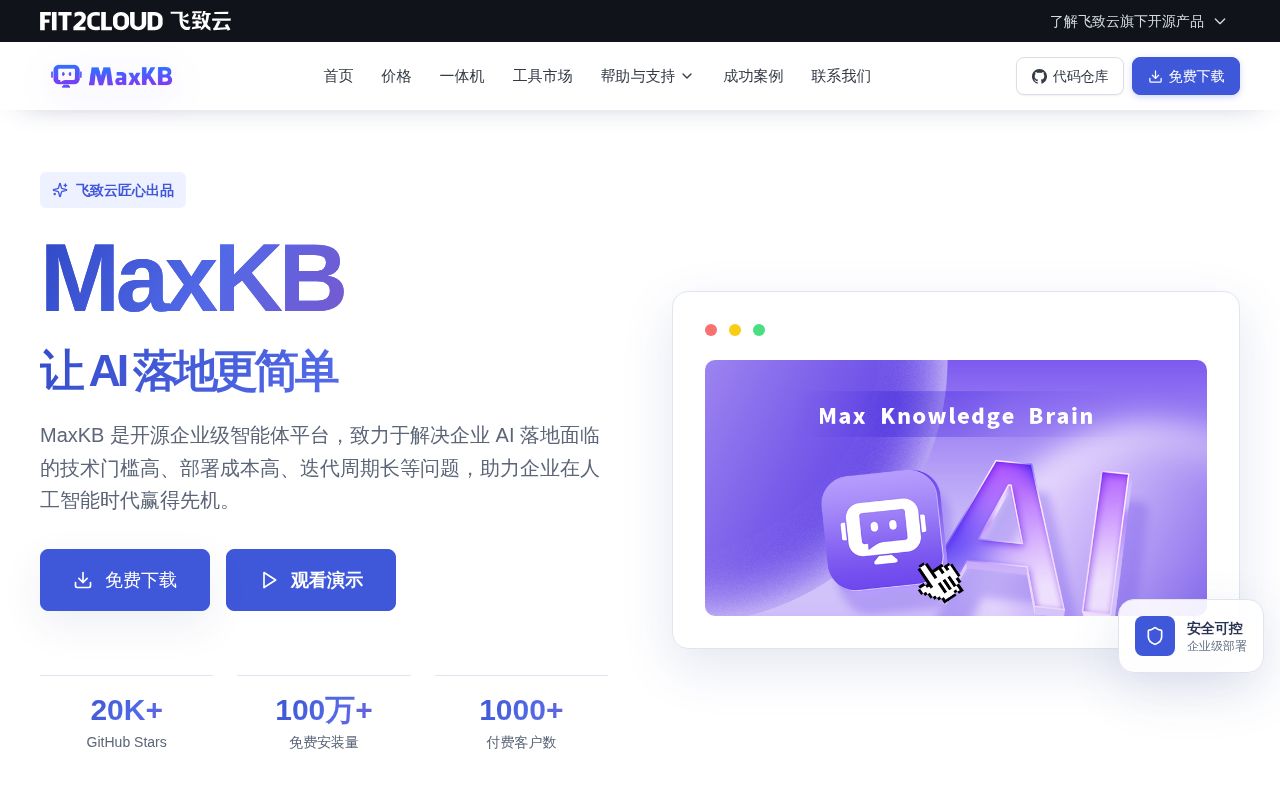
MaxKB's README brings document ingestion, RAG, workflows, and MCP tools into one application. That makes it a candidate for teams evaluating an internal knowledge assistant without building their own interface. Our recorded run answers a narrower question: what happened during repository setup, before an assistant handled any documents or model calls.
The README describes document uploads and online-document crawling, automatic splitting and vectorization, public and private model connections, and text, image, audio, and video input and output. These are project claims. We did not measure retrieval quality, hallucination reduction, multimodal behavior, or provider compatibility.
The documented stack is Vue.js, Python/Django, LangChain, and PostgreSQL with pgvector. The README provides English and Simplified Chinese entry points and identifies the license as GPLv3.
What our September 28 run established
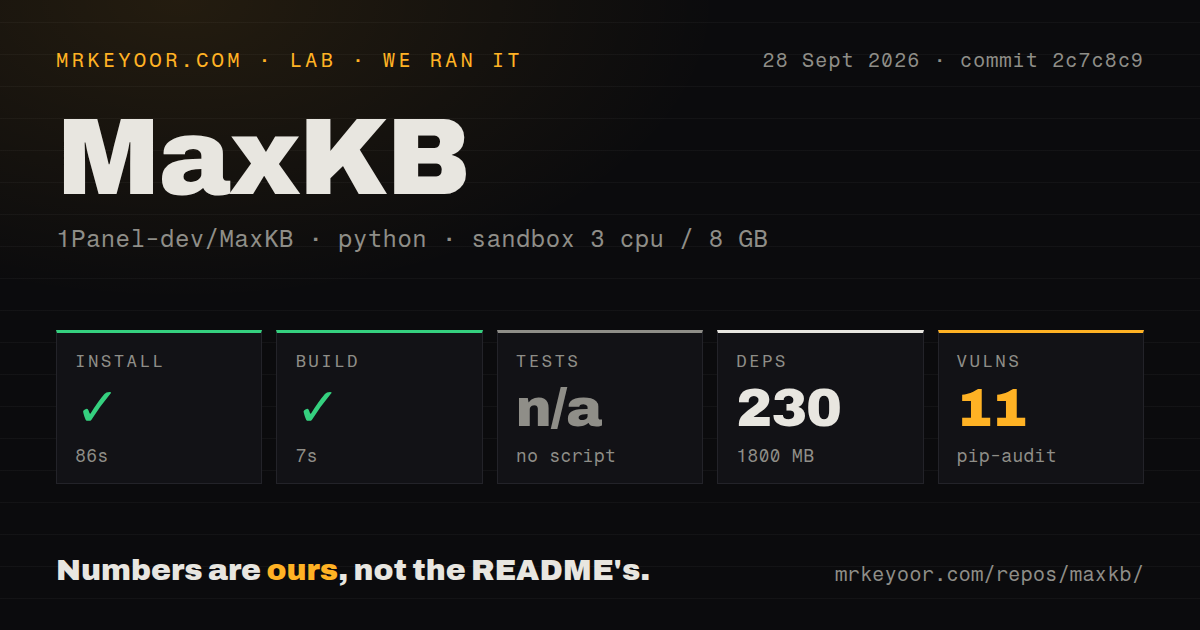
Our stored run began at 2026-09-28T03:58:17.831Z against commit 2c7c8c9f2097f48c2bf3fee6bbb2a6f422bbbe43. No new execution was performed for this correction.
| Recorded step or metric | Result | Limit |
|---|---|---|
| Dependency-install step | Succeeded, 86 seconds | Does not establish a running MaxKB deployment |
| Build step | Succeeded, 7 seconds | The supplied build output tail is empty; it does not identify the command or artifact |
| Test step | Skipped, reason "no script" | No passing or failing test result |
| Dependency summary | 230 dependencies, 1,800 MB | Does not establish Docker image size, runtime memory needs, or scanned-package count |
| Pip-audit summary | 11 advisories across 3 packages | Scan coverage, severity, and deployment applicability are unknown |
| Repository summary | 2,200 files, about 242,159 source lines, 57.2 MB | Recorded parser totals, not an exhaustive coverage assessment |
The configuration recorded 3 CPUs, 8 GB of memory, and image ghcr.io/astral-sh/uv:python3.12-bookworm. The install tail says "Using Python 3.11.2 environment at: /work/home/venv". We therefore identify Python 3.11.2 as the environment reported by that step rather than infer Python 3.12 from the image label.
The detector recorded 8 CI workflows and no tests directory. Its inability to find a runnable test script does not prove that MaxKB has no tests. Likewise, successful setup steps do not prove that the web service started, a CLI was installed, or an assistant worked. The record contains no measured corpus ingestion, model calls, retrieval workload, tenant-isolation check, or restore exercise.
What the Docker instructions require you to check
The README's quick start uses docker run, exposes port 8080, and mounts ~/.maxkb at /opt/maxkb. It publishes username admin and password MaxKB@123... Change the initial credentials before exposing an installation beyond a controlled trial.
We did not run that Docker path. The 1,800 MB dependency measurement is not a minimum server specification and does not justify ruling out every small server. Size your deployment using its actual documents, models, concurrency, and storage requirements.
For a useful trial, configure the intended model connection, ingest representative files, and check whether answers retrieve the right passages. Exercise the tool calls and user permissions you will depend on. Verify persistent storage and a backup restore before making the installation the only home for important documents.
Security evidence has two separate scopes
The v2.10.6-lts release notes list ten security fixes. They include cross-tenant content injection and paragraph disclosure, password-reset guessing that could allow account takeover, function-sandbox bypasses, and a hardcoded Django SECRET_KEY that could allow forged tokens and unauthorized file access. These are the maintainers' descriptions of fixes, not findings from our run or proof that every installation is secure after upgrading.
Separately, our September 28 run recorded 11 pip-audit advisories across 3 packages. The record does not identify the affected packages, severities, or number of packages scanned. It also does not establish whether the published container has the same dependency environment. Review the relevant advisories for your deployment rather than treating this count as a current security assessment.
The release notes also contain an operational upgrade warning: previously configured Tencent Hunyuan and legacy Tencent Cloud provider integrations require reconfiguration under the new Tencent Cloud provider after the v2.10.6-lts upgrade. Operators using those integrations should include that step in their upgrade plan.
Read issue reports with their versions and status
Issue 6480 reports failures when Anthropic streamed tool calls are used on v2.10.2-lts and v2.10.4-lts. The reporter describes provider errors reaching callers inside HTTP 200 responses and says an OpenAI-shaped provider worked with the same tool. The supplied extract shows the issue open and labelled "Type: To Be Verified". We did not reproduce the report or establish whether it affects later versions. If you need Anthropic plus tools, test that combination on your chosen release.
Issue 7062 reports a Word document larger than 2.5 MB encountering Django's DATA_UPLOAD_MAX_MEMORY_SIZE during segmented import on version 2.10.6. A maintainer initially reported a successful 9.8 MB import, later confirmed the problem, and stated that it was fixed. The issue was closed as completed on October 15, 2026, with milestone v2.10.7. The extract does not identify the exact release containing the fix, so it should not be presented as an unresolved current defect or a universal 2.5 MB limit.
Issue 7081 remains an open request in the supplied extract. Its author describes a per-knowledge-base file-size setting with a default of 100 MB and a slider maximum of 1,000 MB, then asks to make that maximum configurable. The report also notes proxy and Django request limits. These are reported settings, not file sizes we successfully imported.
How to read the scores
These are editorial evidence ratings, not benchmark results. The scale is 1 for a documented major obstacle, 2 for limited supporting evidence, 3 for a documented path with material validation still needed, 4 for direct validation of the relevant behavior, and 5 for broad, repeated validation. A low evidence rating does not establish poor product quality.
Setup earns 3 because a Docker path is documented and repository setup steps succeeded, while application startup remains unverified. Documentation earns 3 for the bilingual quick start, stack description, and release guidance; we did not validate the full documentation. Community earns 2 because the supplied issue exchanges show participation but do not establish adoption or typical response times. Maturity earns 2 because release and fix records are available, while this run supplies no executed tests or operational workload evidence.
Choose the next trial by the requirement
Dify's README documents visual workflows, RAG, observability, corresponding APIs, and both cloud and self-hosted options. Consider it when those application-development requirements drive your evaluation. AnythingLLM's README provides desktop downloads for Mac, Windows, and Linux alongside self-hosting options. Consider it when desktop document chat is a requirement; the README identifies multi-user permissioning as Docker-only. We did not run either alternative or establish that one is faster, easier, or more reliable than MaxKB.
For MaxKB, the next useful result is a small acceptance test using your own documents and chosen provider. Record the deployed version, expected answers, tool behavior, permission boundaries, and restore outcome. Those results will answer the adoption question more directly than our successful repository setup steps.