MarkText review: visual Markdown editing, with a qualified source run
MarkText's documented editing features make it a candidate for writers who want formatted Markdown on the desktop. Our source run answers a narrower question: compilation completed, but installation output and unit tests need attention before we can call the checkout ready to use.
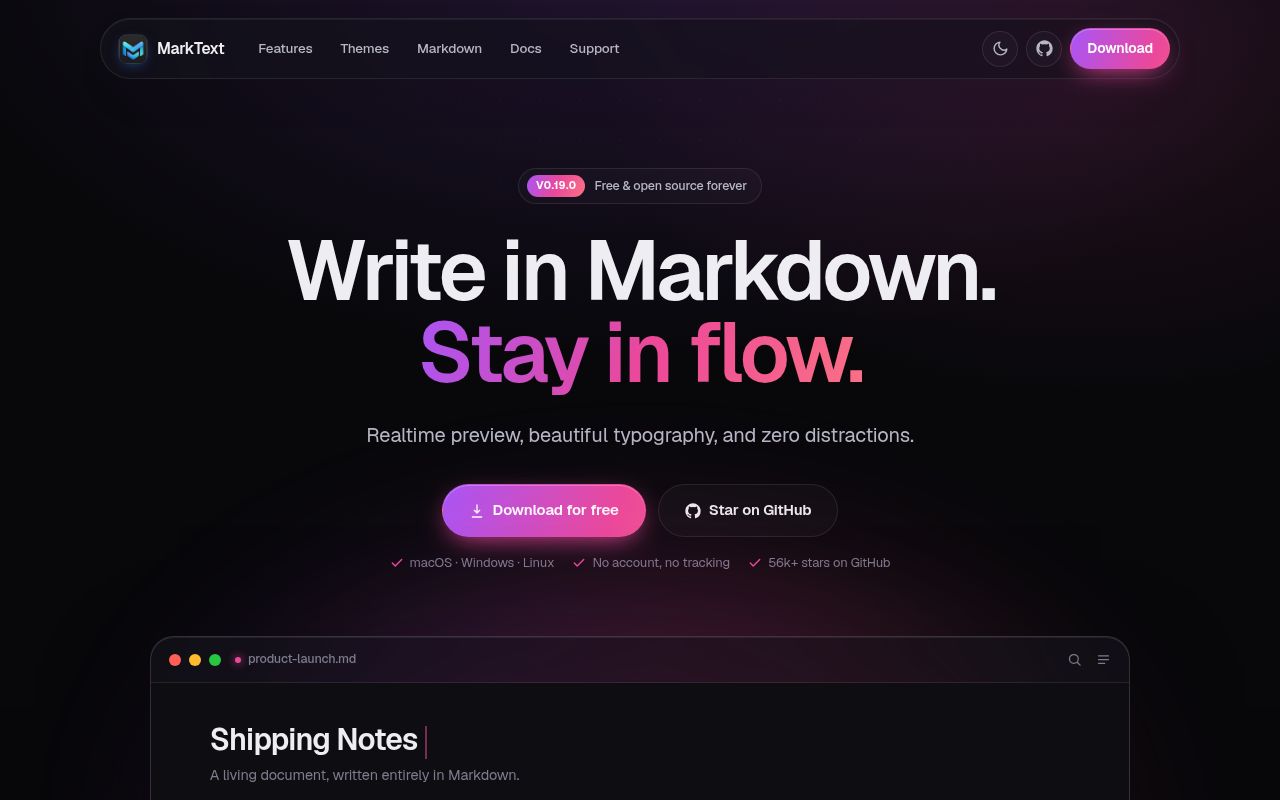
The README lists live preview, source code, typewriter and focus modes. It also lists CommonMark, GitHub Flavored Markdown, selective Pandoc Markdown support, KaTeX math, front matter, pasted images, themes and HTML or PDF output. These are project descriptions. We did not measure editing responsiveness, document fidelity or export quality.
The FAQ describes MarkText as a pure Markdown editor without knowledge management or tags. Its filesystem explorer and task lists may be enough when folders provide the organization you need.
What our September 14, 2026 run establishes
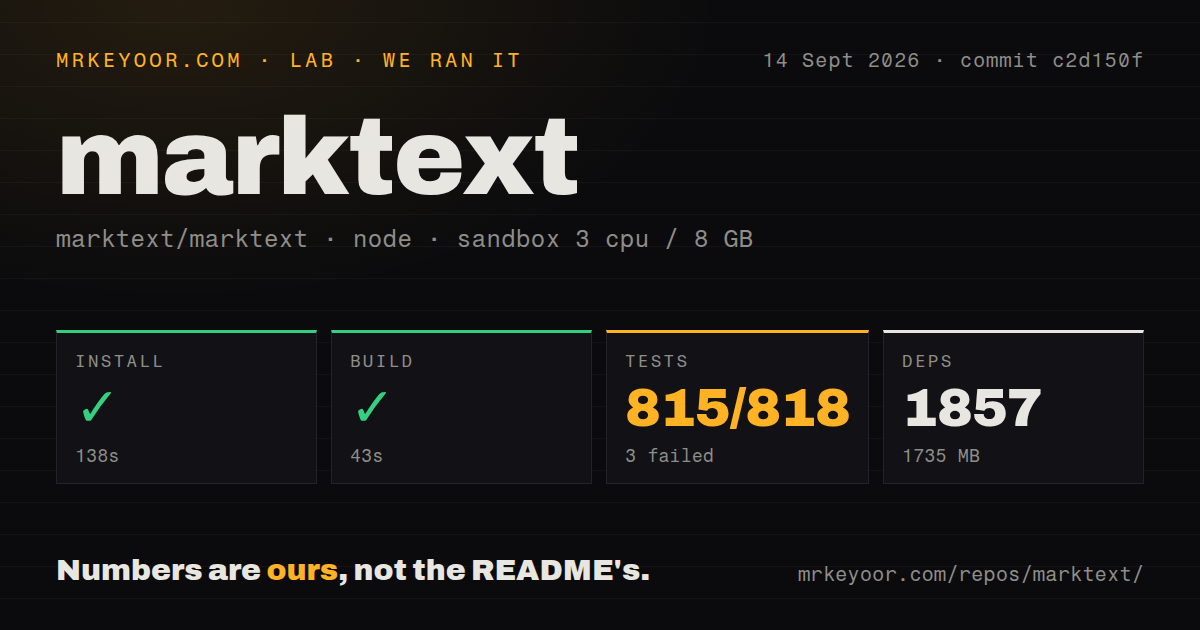
Our recorded run began at 2026-09-14T08:30:12.766Z and used commit c2d150fdf191c56576be1fed090b5a8c26e6623d. The desktop test output identifies the package as 0.20.0-dev. These results must not be presented as tests of the v0.19.1 release binary.
The recorded sandbox configuration was 3 CPUs, 8 GB of memory and image lab-node:22. Actual install output identifies Node.js v20.20.2 and pnpm v10.33.4.
| Recorded step | Observation | Limit |
|---|---|---|
| Install | 138 seconds; overall exit 0 | Output includes failed postinstall and native rebuild operations before a later successful pnpm completion. |
| Build | 43 seconds; exit 0 | Compilation does not establish installer creation or a successful application launch. |
| Tests | 31 seconds; exit 1; summary reports 815 passed and 3 failed, 818 total | Recorded unit-test counts are not independently reconciled exhaustive unique coverage. |
The install output reports missing xkbfile and a failed rebuild of native-keymap@3.3.9. It also reports a conflict between neverBuiltDependencies and onlyBuiltDependencies. The retained output does not explain every intervening action, so the final successful status cannot establish a clean installation.
The dependency summary records 1,857 packages and 1,735 MB. The repository summary records 1,911 files, approximately 175,838 source lines, 34.4 MB and 14 CI workflow files. It detects a workspace layout, no Dockerfile or Compose file, and no top-level tests directory. That directory check does not mean the repository lacks tests: the retained test output contains package-level test paths.
All three reported failures were in test/unit/specs/pdf.spec.ts. Two timed out after 5,000 ms. The third raised TypeError: Cannot read properties of undefined (reading 'paths') in the PDF theme code. The record does not establish the underlying cause or whether the released desktop app reproduces these failures. No installed-binary check, desktop session, PDF export workload or security audit is recorded. No new execution was performed for this correction.
Source setup requires native dependencies
The build instructions require Node.js 20.19.0 or newer, pnpm 10 or newer, Python 3 and a C++ toolchain. They specify the pnpm version pinned in the root package.json. Release CI selects Python 3.12, rather than establishing it as the minimum supported Python version.
On Debian-based Linux, the guide lists X11, xkbfile, libsecret and fontconfig development packages, plus rpm. The missing xkbfile message in our run makes those prerequisites directly relevant. The guide distinguishes compilation from packaging: pnpm install handles dependencies and postinstall work, while packaging scripts create installers. A successful compile alone does not verify native runtime dependencies.
Keep release and current-platform claims separate
The v0.19.1 release says its macOS builds are unsigned and gives quarantine-clearing instructions. Users should check their organization's installation policy before following release-specific instructions.
The supplied README says macOS 11 or later, but the current FAQ and installation documentation require macOS 12 or later for the current application. Those statements refer to different source contexts and should not become one compatibility promise. The current FAQ also dates Linux arm64 release packages to 0.23.0; it does not support assigning those packages to v0.19.1.
For Linux sandbox startup problems, the current FAQ directs readers to distribution-specific Linux notes. It does not supply the earlier page's blanket remedy list. Treat --no-sandbox as a configuration requiring separate investigation, rather than a setup recommendation from this review.
Pull request 5347 records a September 14, 2026 merge addressing footnote editing and adding regression tests. Its author's reported checks are upstream evidence, separate from our desktop unit-test run. One merged fix does not establish general response times or current maintenance quality.
Choose by the work you need to do
Zettlr documents reference-manager integration, Pandoc exports and Zettelkasten support. It is a relevant option when those publication and research features drive the choice.
Joplin documents searchable notebooks, tags, desktop and mobile applications, and synchronization with end-to-end encryption. Consider it when you want an organized note library across devices.
For MarkText, start with representative Markdown documents and check the formatting and output you depend on. If contributing from source, install the documented native prerequisites, inspect postinstall output and reproduce the three reported failures before treating the checkout as a clean baseline.
How to read the scores
These are editorial evidence ratings, not benchmark results. The scale is 1 for insufficient support to recommend without substantial investigation, 2 for partial evidence with major unresolved checks, 3 for a documented path with material qualifications, 4 for broad supporting evidence with limited gaps, and 5 for strong corroboration across the assessed area. Unknown adoption, compatibility or runtime behavior earns no extra credit. Setup assesses the documented path and recorded run; docs assesses clarity and consistency; community assesses demonstrated maintenance evidence; maturity assesses release and runtime evidence.