Styled MapLibre components you own
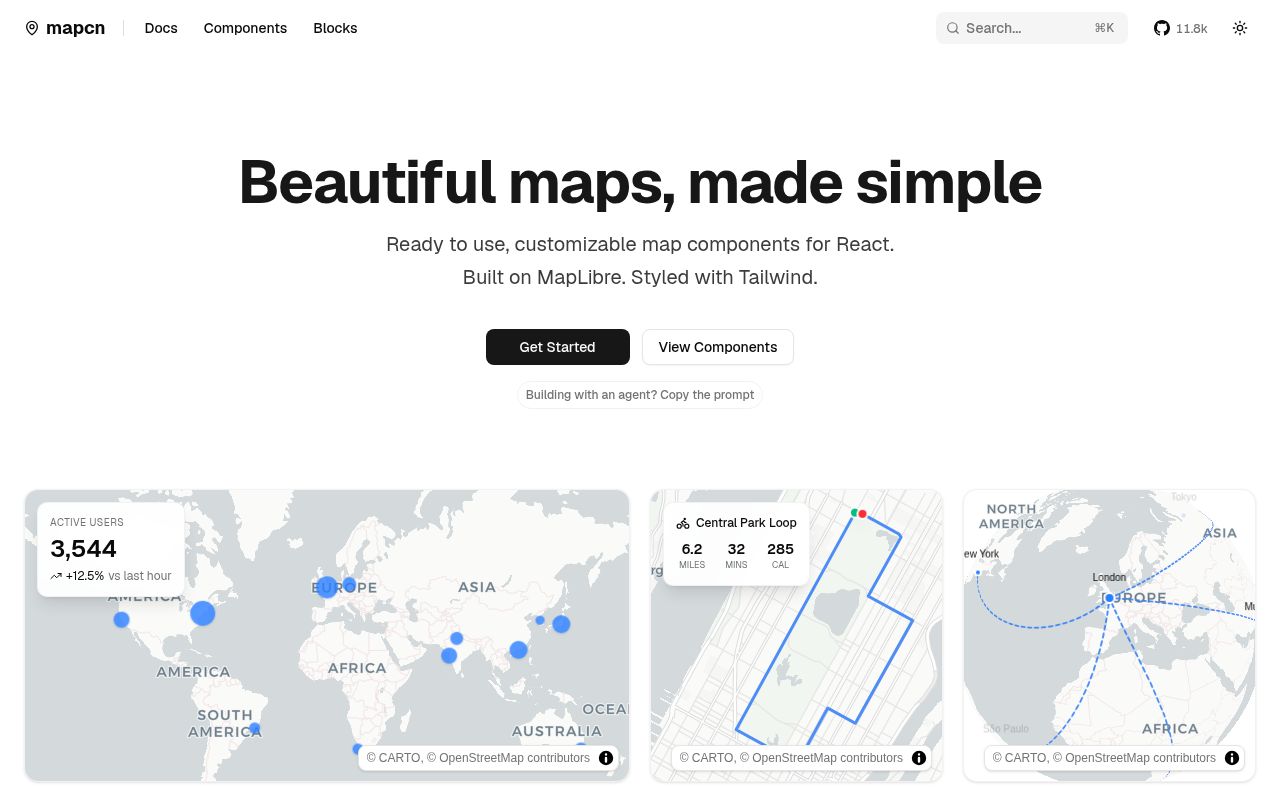
mapcn applies the shadcn/ui distribution idea to maps. You run a registry command, and the project copies a large TypeScript component into your application. That file wraps MapLibre GL with React components for the map, markers, popups, labels, tooltips, controls, routes, arcs, GeoJSON, and point clusters. The code uses Tailwind classes and the same utility conventions common in shadcn projects.
This is different from adding a normal component library. Your application receives the source at components/ui/map.tsx, so you can edit the renderer, change styles, or remove features. There is no private top-level API blocking deeper changes. The tradeoff is equally direct: once you edit that file, you own it, and upstream fixes do not appear automatically through a routine package bump.
The default presentation is useful for product work. Light and dark modes select matching CARTO styles. Controls cover zoom, location, compass, and fullscreen. Marker content is rendered through React portals, while route, arc, GeoJSON, and cluster helpers manage MapLibre sources and layers. Registry blocks show larger compositions such as a delivery tracker, store locator, analytics map, and logistics view.
Installation is easy only within its chosen stack
The documentation assumes an existing React project with Tailwind CSS and shadcn/ui configured. From there, the registry command adds @mapcn/map, installs MapLibre GL, copies the component, and adds the required CSS. A basic map needs a fixed-height container, a center and zoom, then optional controls or children.
That path is pleasant for its target user. Someone starting from plain CSS or another design system has more adaptation work. The copied component imports a local cn utility and uses shadcn-style color classes throughout. You can change those pieces, but mapcn stops being a one-command setup once its assumptions diverge from your project.
The component is client-side code. MapLibre creates a browser map, worker, canvas, sources, and controls after mounting. Server-rendered applications still need to place it behind the client boundary and give the container real dimensions.
What happened when we ran it
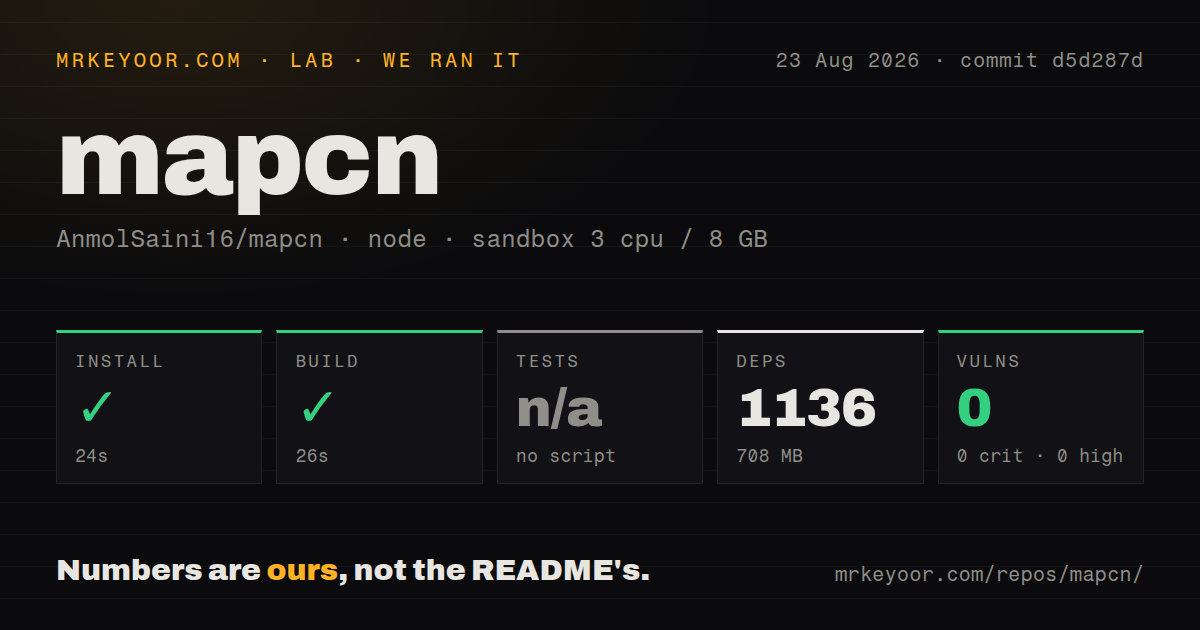
We cloned commit d5d287d into a clean Debian container with Node 22, 3 CPUs, 8 GB of RAM, no secrets, and an unprivileged user. It was a small checkout: 156 files, about 13,973 lines of source, and 1.6 MB before installation.
The npm install succeeded in 24 seconds, bringing in 1,136 packages and using 708 MB. The Next.js build completed successfully in 26 seconds. There was no test script or target, so we skipped tests rather than substituting another command. npm audit found 0 known vulnerabilities: none critical, high, moderate, or low.
A clean build and clean audit are welcome, but the lack of a test target is the larger production signal. The repository also had no CI workflows, Dockerfile, or tests directory. Map behavior depends on browsers, pointer input, asynchronous style loading, workers, portals, and external tiles. That surface deserves more than a successful documentation-site build.
Tiles and workers need an explicit decision
The default styles come from CARTO's light and dark basemaps, which use OpenStreetMap data. The README states that commercial use requires a CARTO Enterprise license, while noncommercial use is free only for CARTO grantees under its basemap terms. That makes the default unsuitable for a commercial launch unless the operator has confirmed licensing. mapcn suggests OpenStreetMap tiles or another MapLibre-compatible provider as alternatives, but each provider brings its own usage limits, attribution rules, and credentials.
MapLibre's worker is another external dependency in the default component. mapcn loads it from unpkg, pinned to the installed MapLibre version. Under a strict content security policy, the documentation tells you to allow unpkg for scripts and permit blob workers. It also documents a self-hosted path: copy two MapLibre worker files into public and set the worker URL locally. Production teams with supply-chain or offline requirements should do that before launch.
Basemap hosts also need CSP entries. This is normal mapping infrastructure, yet it makes the README's zero-configuration phrase true only for a permissive development environment using the defaults.
Open bugs affect controlled applications
One current issue describes controlled viewport state failing to restore a rejected pan or zoom. The component skips prop synchronization while the map is moving, then receives no new dependency change when movement ends. An application that treats a React viewport prop as authoritative can therefore display a position its parent rejected. That is a serious edge for editors, synchronized views, or permission-limited map navigation.
Another report says the fullscreen control does nothing in iPhone Safari. An open pull request proposes iOS support, but the issue remains a reason to test the exact browser behavior before promising fullscreen. A separate request asks for manual installation instructions, which reinforces how closely the current path is tied to the shadcn registry.
The repository was pushed on 2026-08-16, and an open documentation pull request was updated two days later. Its GitHub count was 20 issues and pull requests. There is no published GitHub release. Current activity means the missing release is not abandonment evidence, but consumers have no release notes or stable tags to use as an upgrade contract.
The buying decision
Choose mapcn when its source-first model is the appeal. A small React team can get an attractive MapLibre interface quickly, read one main component file, and change every layer. It is especially handy for shadcn dashboards that need markers, routes, or data layers without designing controls from zero.
Treat that copied file as application code. Replace or license the basemap, self-host the worker when policy requires it, and write browser tests for viewport control, mobile interactions, popups, and theme changes. If you prefer package updates and a narrower binding, react-map-gl is the safer base. mapcn saves design time, but your team inherits the maintenance work that its absent test suite does not cover.