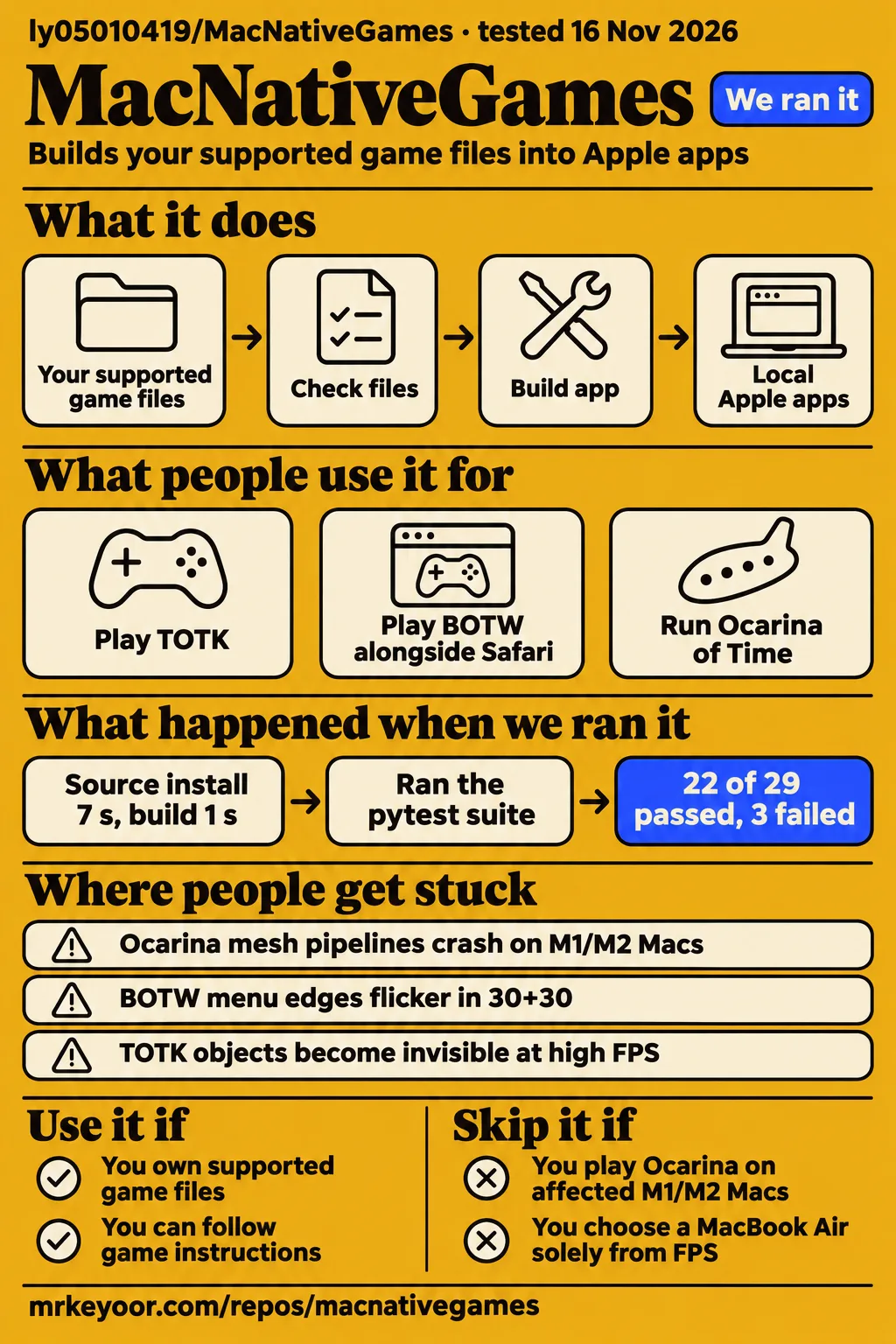
MacNativeGames is a game-specific build route for Apple silicon owners who have the supported game files and can follow revision-specific instructions. Our November 16, 2026 run at commit 49ff9ec installed dependencies in 7 seconds and completed its build step in 1 second, then failed its test command. That run selected the Animal Crossing Python subproject. The Zelda decision rests on separate, attributed gameplay reports and compiler investigations.
Use MacNativeGames when its documented inputs and reports match your game and device. Players seeking predictable Ocarina of Time play on configurations affected by issue #2107 should choose another route. An M1 Max owner in that issue reports better reliability with nxnative on the same game and OS. This makes the configuration-specific comparison more useful than choosing from an isolated FPS figure. Ocarina reliability investigation
Supported versions become local Apple apps
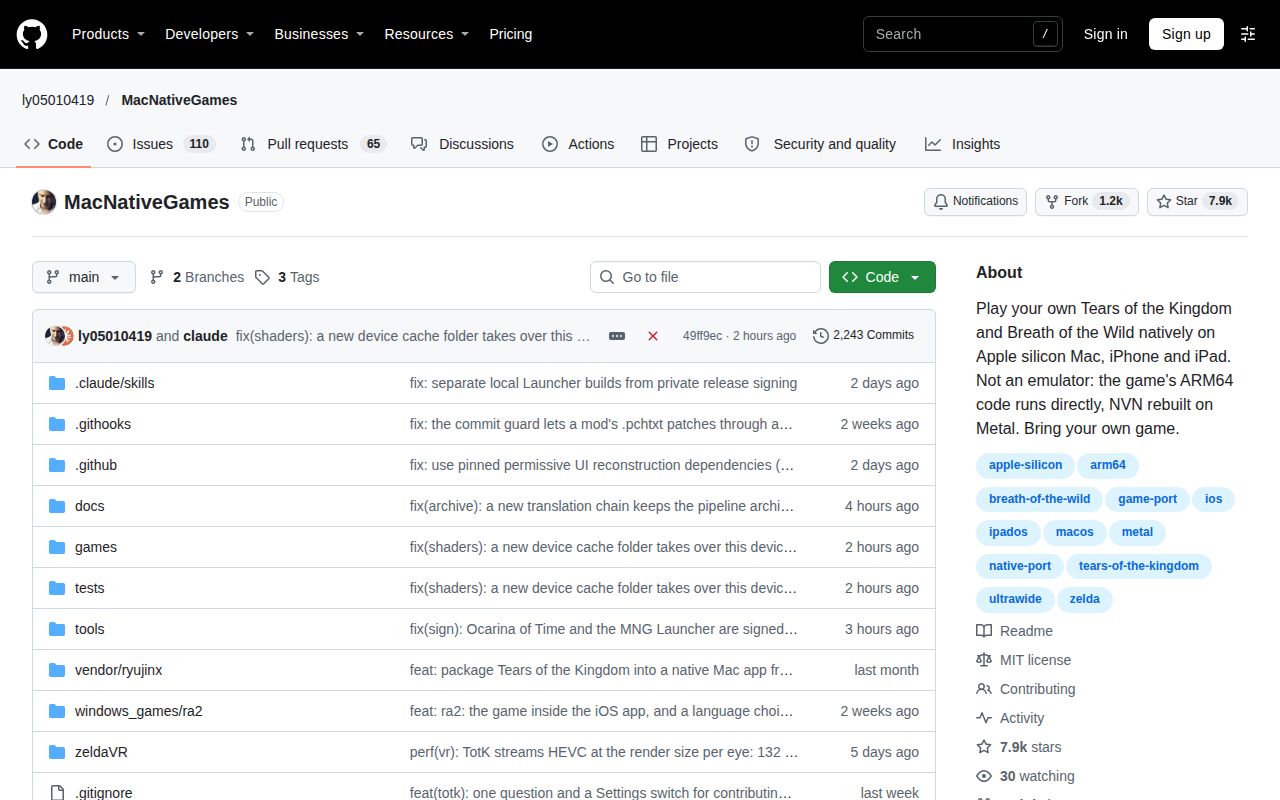
MacNativeGames runs the game's ARM64 CPU code directly on Apple chips and rebuilds its NVN graphics on Metal, according to upstream. A small host answers the expected Switch system services. The repository contains adaptation code, addresses, hashes and supporting information. Upstream distributes no game content or keys. Its README describes the project as a technical exploration and directs owners to the instructions for their selected game. Upstream project description
The documented TOTK/BOTW routes use supported game files and prod.keys, with firmware or shared fonts where required. Ocarina of Time update 131072 instead uses a .nup file or dump folder containing that update; upstream says no keys are needed. The TOTK guide separately identifies game versions and source revisions: its November route accepts 1.0.0, 1.2.1 and 1.4.3, while its older 1.1.2 route uses an October source. Upstream Ocarina inputs · TOTK version and source choices
What people use MacNativeGames for
Users report TOTK play, BOTW multitasking and Ocarina of Time play on different Macs, with different outcomes. The M1 Max account describes both a successful TOTK experience and recurring Ocarina crashes. The BOTW account describes background applications as well as shader pauses and menu behavior. Each report answers a narrower question than whether the repository works equally well for every supported title.
| Who and hardware | What they did | Reported outcome |
|---|---|---|
| Reddit user vexx786, M1 Max with 64 GB | Played TOTK and tried Ocarina of Time | Reported flawless 60 FPS for TOTK, regular crashes and less consistent FPS for Ocarina. Reddit gameplay account |
| GitHub user zoranradulovic, M2 Max with 32 GB | Played BOTW alongside Codex and Safari with 20 tabs | Reported smooth play after shader collection, shader freezes and a double-speed menu. BOTW multitasking account |
| X user lylovefree, M4 Mac mini | Ran Ocarina of Time | Reported 1080p and 60 FPS. Ocarina gameplay post |
| GitHub user koshtaru, M3 Pro | Retested BOTW 1.9.0 after PR #621 | Reported steady 60 FPS and removal of severe stalls on the tested route. BOTW scheduling retest |
Koshtaru's retest connects a particular change, PR #621 at 5424128, to an approximately five-minute route on the M3 Pro. That makes it useful for following the scheduling investigation. Chinese-language Bilibili listings identify a different kind of source: MrYinXx's M4 MacBook Air 16 GB TOTK trial and 老赵爱折腾's V1.0.0 frontend demonstrations and impressions. Their titles identify the hardware or interface being discussed. BOTW retest · Bilibili video listings
What happened when we ran it
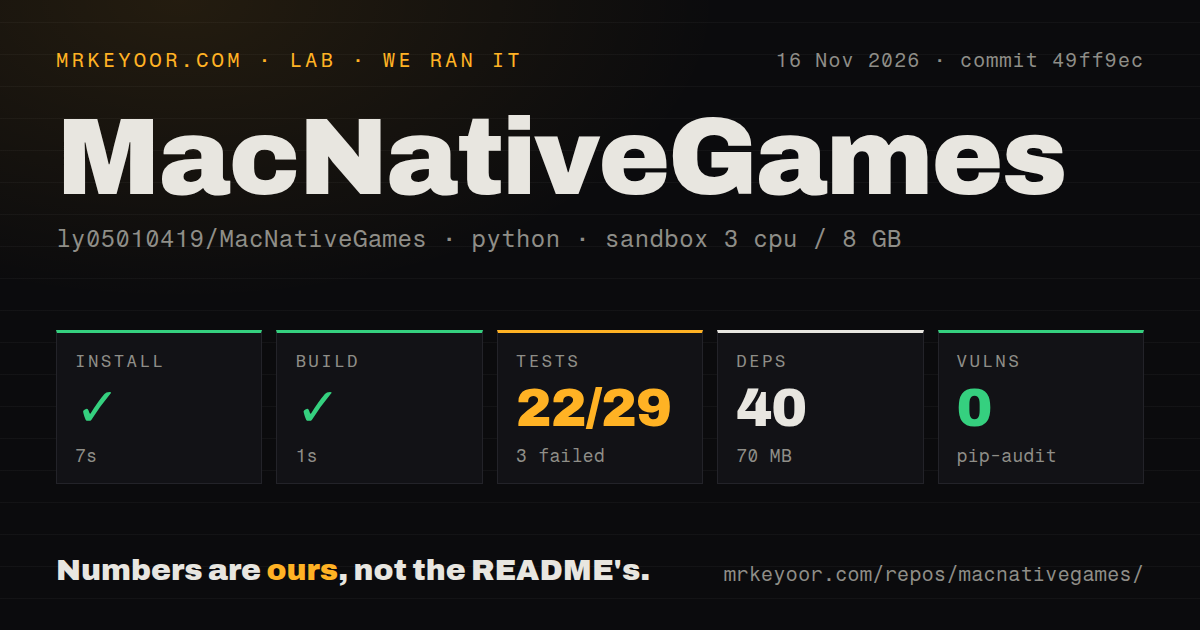
Our run at commit 49ff9ec selected the Python project in ./games/acnh/, installed dependencies in 7 seconds and failed tests after 2 seconds. We measured 40 dependencies and 70 MB on disk. The recorded build step succeeded in 1 second. These are the harness's operation labels: the successful build step and failed test command are separate recorded results.
| Recorded check | Result |
|---|---|
| Dependency installation | Succeeded in 7 seconds, 40 dependencies recorded, 70 MB on disk |
| Build step | Succeeded in 1 second |
| Test command | Failed, exit 1, in 2 seconds |
| Pytest summary | 22 passed, 3 failed, 2 skipped, 4 collection/setup errors of 29 |
| Dependency audit | pip-audit reported 0 known vulnerabilities |
| Repository scan | 10,274 files, about 1,851,878 source lines, 428.6 MB checked out |
| Automation signals | 2 CI workflow files, a tests directory, no Dockerfile detected |
The sandbox configuration recorded 3 CPUs, 8 GB RAM and image label ghcr.io/astral-sh/uv:python3.12-bookworm. In test_acnh_services.py, account enumeration, inactivity queries and save-backup queries each failed with FileNotFoundError naming xcrun. The tail also names test_acnh_frame_rate.py, test_acnh_packaging.py and test_acnh_shader_seed.py as errors. Its summary separately reports 59 subtests passed in 0.47 seconds; that count belongs to the subtest label, separate from the 22 passed tests.
The second hands-on route failed its prerequisite because compose.yaml, compose.yml, docker-compose.yaml and docker-compose.yml were absent. Its rule required a Compose file. The accompanying header nevertheless claimed deployment using Docker Compose with every port bound to 127.0.0.1. We record the route as blocked because those records conflict; teardown reported success. This was the harness's eligibility rule for that route. Compose prerequisite failure · Conflicting deployment header · Successful teardown record
Where people get stuck: match the failing shader stage
Ocarina's corrected M5 compute-shader failure and its open mesh-compiler investigation concern different stages and configurations. The original M5 report reached pre-packaging warm-up and stopped on a float-atomic compute pipeline. Issue #2107 instead tracks mesh-pipeline compiler crashes on affected M1/M2 Macs, including macOS 27 reports. The failing stage determines which investigation is relevant to a build or runtime update.
| Symptom and source | What happened | Recorded outcome |
|---|---|---|
| Ocarina stops before packaging, issue #2070 | A float-atomic compute shader crashed the reporting M5's Metal compiler | Selective lowering, preservation of the workaround list and retries were followed by a successful build at 278f792b. |
| Ocarina cannot rebuild its pipeline archive, issue #2107 | Affected M1/M2 reports describe mesh-compiler crashes, GPU hangs or white-screen episodes | Open in the supplied record. |
| BOTW hitches despite low GPU times, issue #480 | The first spin-gate retest still stalled | The reporter says PR #621 at 5424128 removed the severe stalls in the later route test. |
| BOTW menu edges flicker in 30+30, issue #108 | The thread investigated interpolation and UI handling | The maintainer closed it as fixed by 2f62e23 and dfbfe2b4 after it stopped reproducing on main. |
The original #2070 report also exposed a reporting defect: a plain ValueError bypassed the wrapper's ERROR line. The maintainer subsequently said the build names failing shaders, the GPU and the log, and prints the ERROR line; the thread references 38b08a3 for that correction. For the original failure, the reporter identified the JSON report at the end of logs/compute-pipelines.log as the useful diagnostic. Original failure and reporting correction
Higher frame rates can change movement and visibility
Higher real game frame rates can affect climbing and object visibility in the supplied TOTK reports. Issue #93 records a moving-platform correction in 27c3b432 and sends slower climbing above 60 FPS to #1348. Sliding off moving objects and slower climbing therefore have separate dispositions within the discussion. A closed badge on #93 describes neither outcome as precisely as those individual maintainer responses. Movement report and disposition
In #466, players reported invisible or translucent TOTK 1.4.3 objects and relief with 30+30 or 60+60 interpolation settings. Later discussion proposed alternative fade-counter corrections. The reports distinguish the game's real update rate from generated frames, so both settings belong beside an FPS result. First-use shader work has a different symptom: the guide says new variants can briefly stall and revisiting the scene can reuse compiled variants. Visibility investigation · Shader guidance
Upstream documents two opt-in upload choices
Upstream describes separate shader contributions and frame-rate-board uploads, alongside its rule that the app built from your game files is for your own use. The shared shader list contains identifiers rather than shader code. Each build prepares variants from the owner's files. This distinction explains how a shared list can help subsequent builds without the repository distributing the game's shader code. Upstream distribution and contribution descriptions
For shader contributions, the README says nothing is sent before the player chooses Contribute shaders. After consent, rows are sent over HTTPS shortly after startup and every half hour. The documented payload includes shader and pipeline identifiers, game and app versions, device model, system version and a random ID; on Mac it also includes the contributors-board random ID and nickname. Upstream says the payload excludes game data and saves. Shader contribution policy
The frame-rate board is a separate choice: Join the board is off by default. Once enabled, the README says the session is recorded locally every 5 minutes and sent at startup and every 30 minutes, with anonymous names on the board. These are two documented upload mechanisms with separate choices. Upstream also says issues requesting or containing game files, keys or firmware will be deleted. Frame-rate board and issue rules
English documentation includes a graphical builder route
The TOTK builder guide documents file selection, Check files and Build app, with Tk required for the window. Its Mac command-line route uses Command Line Tools, opus, libvpx and Python 3.14. The graphical route adds python-tk@3.14 and displays four stages, elapsed time and the log. Closing its accompanying Terminal window cancels the build. Builder workflow and prerequisites
The guide targets Apple silicon and macOS 26 or later, recommends 16 GB memory, and lists 25 GB free space for a fresh base build or 40 GB with an update. It pins its November workflow to 821ce8c and its October workflow to 933b6a0. To resume an interrupted build, it instructs the reader to use the same command and work folder; finished steps remain in that folder. TOTK requirements and resume instructions
MacNativeGames vs nxnative and NX2Apple
Issue #2107 supplies a same-machine Ocarina reliability comparison, while NX2Apple's guide describes a graphical builder and library for nxnative. Dmitriy-Romanov reports nxnative running the same game on the same M1 Max and macOS 27.2.1 without mesh-compiler crashes, GPU hangs or a white screen. The reporter describes 0 mesh pipelines in nxnative's archive versus 124 in the MacNativeGames archive. Same-machine Ocarina comparison
| Route | Evidence that helps you choose | When to choose it |
|---|---|---|
| MacNativeGames | Game-specific reports and a documented builder window | Choose the supported route whose inputs and source revision match your game. MacNativeGames builder |
| nxnative | The affected M1 Max owner's same-game, same-OS Ocarina account | Consider it for the configuration described in #2107. Ocarina comparison |
| NX2Apple | A graphical nxnative builder, staged queues and shared iOS library | Choose its queue and library workflow when those fit your devices. NX2Apple workflow |
The Reddit discussion contains different experiences: bluegreenie99 prefers MacNativeGames for TOTK, while MaleficentDark1877 reports both games running well through NX2Apple 1.4.0 and explicitly says they tried only nxnative. NX2Apple's 1.4.0 guide pairs the launcher with engine ccd834e0. It documents a staged build queue, direct installation of built games, grouped settings and console mode. Reddit comparison accounts · NX2Apple release workflow
What the other reviews get wrong
Upstream explicitly describes NVN graphics rebuilt on Metal, which corrects the graphics-translation claim identified in the research pack's Wisevoter comparison. Direct ARM64 CPU execution describes the CPU path; it leaves the documented graphics adaptation in place. The yang-hrb fork's Mac-only description is also stale for upstream, whose README records TOTK 1.4.3 play on iPhone 14 and iPad and BOTW 1.6.0 play on iPhone 14. Wisevoter account · Fork description · Upstream execution and device records
The nxnative.org comparison lists Metroid Dread 1.0.0, while upstream lists a 2.1.0 Mac target. Its absolute no-upload wording also omits the opt-in mechanisms described above. An older BOTW entry describes a Mac route; the later guide records a 1.6.0 iPhone route. These differences change which version and workflow a reader should follow. Comparison page · Later BOTW guide · Upstream targets
The README's no-one-click wording sits alongside a separately documented builder window with Check files and Build app actions. That window still requires tools and user-supplied inputs. Wisevoter makes a broader speed assertion, and Notebookcheck presents a hardware-ranking headline; both concern performance comparisons beyond the build-window question. The specific reports discussed here identify local configurations and scenes. Builder actions · Wisevoter coverage · Notebookcheck coverage
FAQ
Upstream records Ocarina of Time update 131072 reaching Kokiri Forest and the village on an M4 Mac. Other reader questions concern longer Air sessions and distinct build failures. The answers below use the recorded device, game version and failure stage to distinguish those cases. Questions whose answers are missing from the supplied records appear in the final section. Upstream Ocarina status
Can the Switch 2 Ocarina of Time run on a Mac?
Upstream records update 131072 playing from the title into Kokiri Forest and the village on an M4. Its input route uses a .nup file or dump folder containing update 131072 and says no keys are needed. Separately, lylovefree reports Ocarina at 1080p and 60 FPS on an M4 Mac mini. Upstream status and inputs · M4 Mac mini account
Does a fanless MacBook Air throttle during longer play sessions?
MuaZahhh reports an M2 Air with 16 GB throttling after 15 minutes. In the same discussion, Inner-Insurance-6082 describes an M1 Air 8 GB running at 60 FPS and reporting a GPU crash every 40 minutes. Those accounts describe two machines and different symptoms, rather than a single Air result. Thermal and GPU-crash discussion
Why does Ocarina of Time fail to rebuild its pipeline archive on an M1 Max?
Issue #2107 reports mesh pipelines crashing the Metal compiler service with XPC_ERROR_CONNECTION_INTERRUPTED on an M1 Max with macOS 27.2.1. The maintainer describes related M1/M2 reports and successful macOS 26 compilation accounts. The issue is open in the supplied record, with an investigation focused on reducing the failing shaders to identify the compiler trigger. Mesh-compiler investigation
Why does an Ocarina of Time build stop with a ValueError instead of an ERROR line?
The original #2070 failure bypassed the ERROR line because the wrapper handled BuildError, while this path raised ValueError. The maintainer subsequently corrected the reporting path; the thread references 38b08a3. The original reporter directs readers to the JSON report at the end of logs/compute-pipelines.log, and the maintainer's response says the corrected message names the shaders, GPU and log. Original report and correction
Why does BOTW hitch every second even when GPU frame times are low?
Issue #480 investigates BOTW 1.9.0 CPU scheduling and polling stalls on an M3 Pro. The first spin-gate retest still stalled; koshtaru then reported steady 60 FPS after PR #621 at 5424128 on the same route. The original logs showed low GPU times during long frames, which directed the discussion toward CPU scheduling rather than resolution changes. CPU-stall diagnosis and retest
What we have not tested yet
Our recorded execution covers the Animal Crossing Python harness and a blocked Compose-required attempt, not packaged Zelda gameplay, full playthroughs or network behavior. The sandbox image label does not identify the actual runtime or OS version, and the supplied log tail does not explain every collection/setup error. The dependency audit concerns its recorded dependency set, rather than a finished game's behavior or supplied game files.
Can an M4 Air with 16 GB RAM reach 60 FPS?
The supplied evidence does not establish 60 FPS on an M4 Air with 16 GB. The Reddit thread asks that exact question, and MrYinXx's Bilibili listing identifies a TOTK trial on that hardware without supplying a measured outcome. A sustained controlled Air session recording thermals, memory pressure and crashes together is also absent. M4 Air question · M4 Air trial listing
Does the game close when it reports a GPU crash?
The supplied thread does not say whether the game closes. It records the follow-up question after the M1 Air 8 GB user's report of a GPU-crash message every 40 minutes. The warning and the unanswered follow-up are separate parts of the account; neither supplies an observed application closure. GPU warning and follow-up question
How much memory does BOTW use, and can it run alongside other apps?
BOTW memory usage was not measured in our run or in the supplied multitasking account. Zoranradulovic reports playing alongside Codex and Safari with 20 tabs on an M2 Max with 32 GB. That answers the background-app part for the reported machine, while the account supplies no measured BOTW memory figure. BOTW multitasking account and memory question
How do I use the MacNativeGames V1.0.0 frontend for Ocarina of Time?
The V1.0.0 frontend's operation cannot be established from the supplied listings. They identify 老赵爱折腾's demonstration, but provide no transcript or established connection to upstream's documented builder. The separate build guide describes file selection, Check files and Build app; those instructions belong to that guide's builder rather than an assumed match to the video interface. Frontend demonstration listing
What is the MacNativeGames V1.0.0 frontend like to use?
The V1.0.0 frontend's usability cannot be established from the supplied listings. The record names an impressions-and-suggestions video by 老赵爱折腾 without supplying its assessment or measured outcomes. It therefore identifies material for further viewing, rather than supporting a usability judgment or a claim that we used the interface. Frontend impressions listing
Is MacNativeGames or nxnative better for BOTW and TOTK on an M4 Air with 16 GB RAM?
The supplied discussion provides no matched comparison on an M4 Air with 16 GB. It contains a MacNativeGames preference for TOTK and a positive NX2Apple 1.4.0 account from someone who tried only nxnative. Matched comparisons with console and PC routes are also absent, so the broader speed and hardware rankings discussed above exceed the supplied comparative measurements. M4 Air comparison discussion
We have not independently reproduced the #2070 or #480 fixes, resolved #2107, or established which proposed #466 fade-counter implementation merged. Upstream's Ocarina status stops short of a completed playthrough. Its Metroid Dread 2.1.0 mobile scripts are described as updated but not built or validated for that version. The supplied YouTube extract lacks a reliable channel identity, and the X testing mention labels the project Runs with mocks without supplying its underlying gameplay log. Visibility discussion · Upstream status · YouTube extract · Automated-run mention
Rendered layout, assets, automatic related links, recommendation modules and template behavior also fall outside this text review. The useful next step is to select the instructions for your supported game version and compare reports for your chip, OS and source revision. For the affected M1 Max Ocarina configuration, #2107 supplies a concrete nxnative account to investigate before committing to another MacNativeGames build.