Should you use Lumen for terminal review?
Lumen is worth a local trial when you want to inspect changes and attach feedback without leaving the terminal. Its documented review controls are the reason to consider it: annotations can target a selection, a hunk, or a file, and stacked mode lets you move through commits individually. Our sandbox established that the recorded checkout compiled, but it did not establish that an interactive review or agent handoff worked.
Lumen's README separates the viewer from its AI helpers. You can use the viewer without configuring a provider. Commit-message drafting, change explanations, and natural-language Git commands require provider configuration. Treat those as separate adoption decisions rather than a requirement for trying the review interface.
What our run established
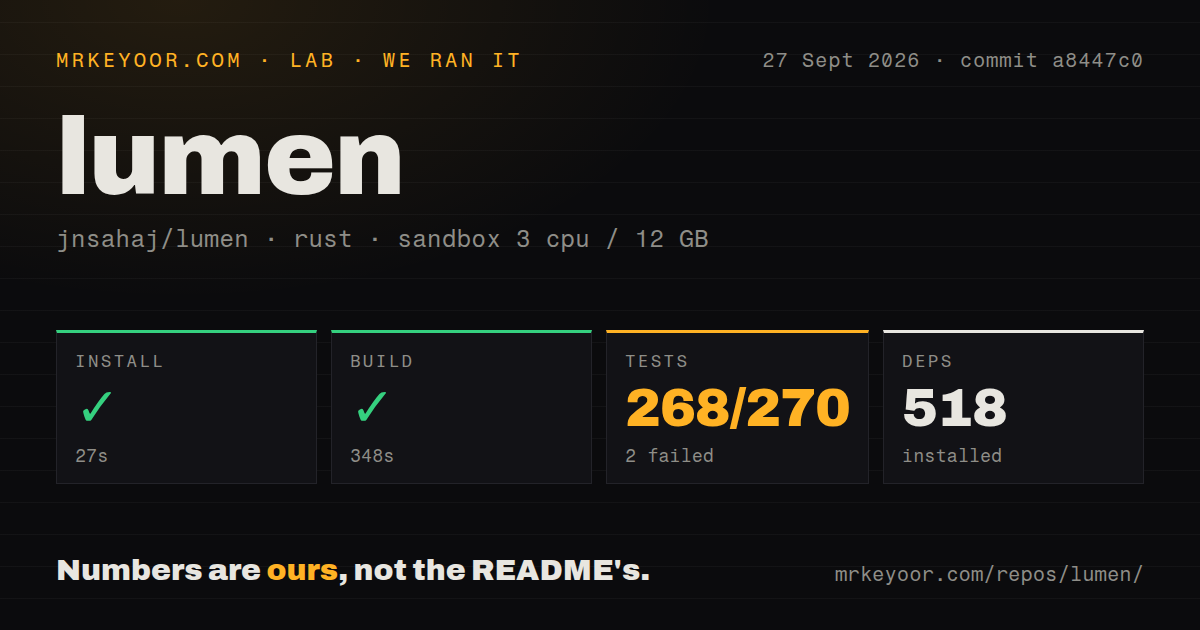
Our run took place on September 27, 2026, at commit a8447c0, whose full SHA is a8447c07577a58b4d5837803e50d9d54525cf3c7. The build log identifies the package as Lumen v2.32.0. These observations come from our stored sandbox record; this correction did not execute Lumen again.
Installation completed in 27 seconds and compilation completed in 348 seconds. The test command returned exit code 101 after 20 seconds. Our harness records command success, exit status, elapsed time, and parsed test summaries separately. A successful build therefore means compilation completed in that sandbox, not that the terminal interface or a deployment was exercised.
The attached stored parser summaries report 268 passed, 2 failed, and 270 total. The record explicitly warns that repeated summaries may double-count suites, so these figures cannot be treated as unique or exhaustive test counts. They should not become a pass percentage or a claim that the suite contains 270 distinct tests.
The raw tail names vcs::git::tests::test_get_merge_base_returns_ancestor. It panicked during checkout with the message "reference 'refs/heads/main' not found". Its local Cargo footer reports 134 passed and 1 failed, and that footer appears again after the replay marker. This explains the counting limitation without replacing the attached aggregate values. The log does not establish why the reference was absent or whether another environment would reproduce the failure.
Some Jujutsu backend tests appear as successful entries in the raw tail. That is narrower evidence than an interactive Jujutsu review. We did not test the terminal display, mouse selection, clipboard integration, a live GitHub pull request, hosted AI APIs, a local Ollama service, or a complete coding-agent handoff. No audit result or scanned-package coverage is recorded, so security scan coverage is unknown.
The MrKeyoor testing methodology explains how command outcomes and measurements reach a review. The linked page describes the publisher's methodology when fetched; it does not establish that every current procedure applied to this older run. The dated sandbox record is the evidence for the observations above.
Check annotation export before depending on it
The README documents character and line selection, annotations at three levels, and an annotation list for viewing, editing, deleting, copying, or exporting feedback. For agent handoff, it says pressing s opens a confirmation modal; confirming exits Lumen and writes formatted annotations to standard output. It also says the TUI routes to /dev/tty when standard output is captured.
Those are documented behaviors, not outcomes from our run. Before using Lumen for a substantial review, create a disposable annotation, export it, and confirm that your intended shell or agent receives the text. Check whether notes survive an exit if recovery matters to you. The supplied primary extracts do not settle annotation persistence or reproduce the terminal problems asserted in the older page, so this review does not present those assertions as verified current defects.
Configure AI only if you need it
The README documents provider, model, and key configuration through command flags, environment variables, and JSON configuration. Its example includes an api_key property, and interactive setup saves settings to ~/.config/lumen/lumen.config.json. Inspect project configuration before using the AI helpers, and keep credentials out of committed files.
Configuration precedence matters: the README places command flags above configuration files, environment variables, and defaults. Among configuration files, it lists a selected custom file, the project file, and then the global file. Check the effective settings rather than assuming an environment variable overrides a repository's configuration.
For generated Git commands, the README says Lumen displays an explanation, warnings for potentially dangerous operations, and a confirmation prompt before execution. Our run did not test that interaction or assess generated commands. Review the proposed command yourself before confirming it.
When difftastic or delta fits better
Difftastic compares files based on their syntax. Choose it when the question is whether code changed structurally, including when formatting makes a line diff harder to read. Its README also warns about memory use and performance on files with many changes. It is an alternative for the comparison task, or a separate tool alongside a review interface; the supplied sources do not establish a Lumen integration.
Delta is a syntax-highlighting pager for Git, diff, and grep output. Choose it when you want to keep a pager-based workflow with highlighted changes, navigation, or side-by-side output. Side-by-side display alone is therefore not a reason to choose Lumen over delta. Lumen's documented annotation and agent-export workflow is the more relevant distinction. Neither alternative's supplied extract establishes an equivalent feedback workflow.
How to read the scores
These are editorial assessments, not benchmark results. The shared scale is 1 for substantial evidenced obstacles, 2 for material friction, 3 for useful capability with unresolved limits, 4 for strong documented support with bounded gaps, and 5 for unusually complete evidence across the assessed dimension. Unknown evidence does not earn a midpoint.
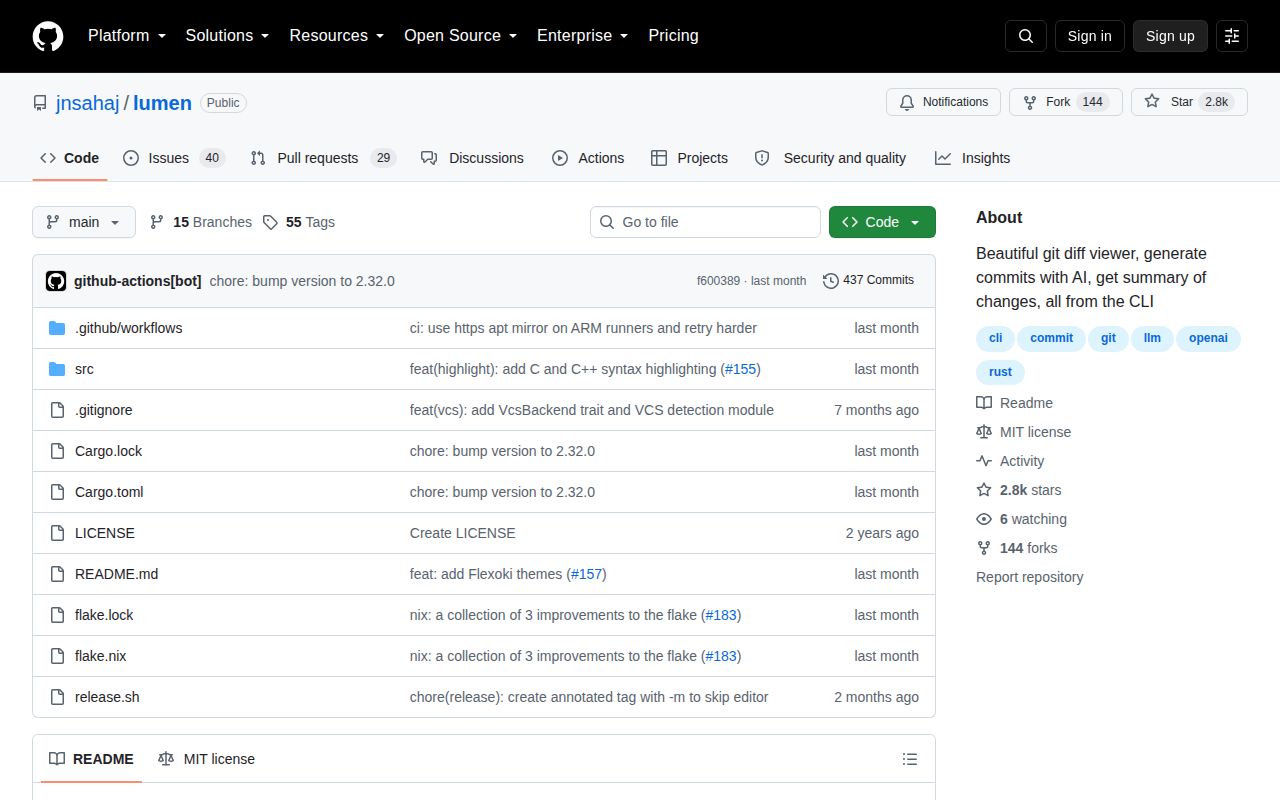
Setup ease considers installation documentation and our command outcomes. Documentation considers how clearly prerequisites, configuration, and workflows are described. Community considers visible repository participation signals, not adoption or support guarantees. Maturity considers documented functionality and the limits of our verification. The repository extract records 2,901 stars and 162 forks; those show attention and participation, not production reliability. The supplied v2.32.0 release notes also identify contributions from several authors.
Start with a disposable local change. Check navigation, annotation export, and any recovery behavior you require. Then try your actual branch range or pull request. That trial answers the workflow questions our compilation and test record cannot.