Delta improves line diffs without replacing Git's judgment
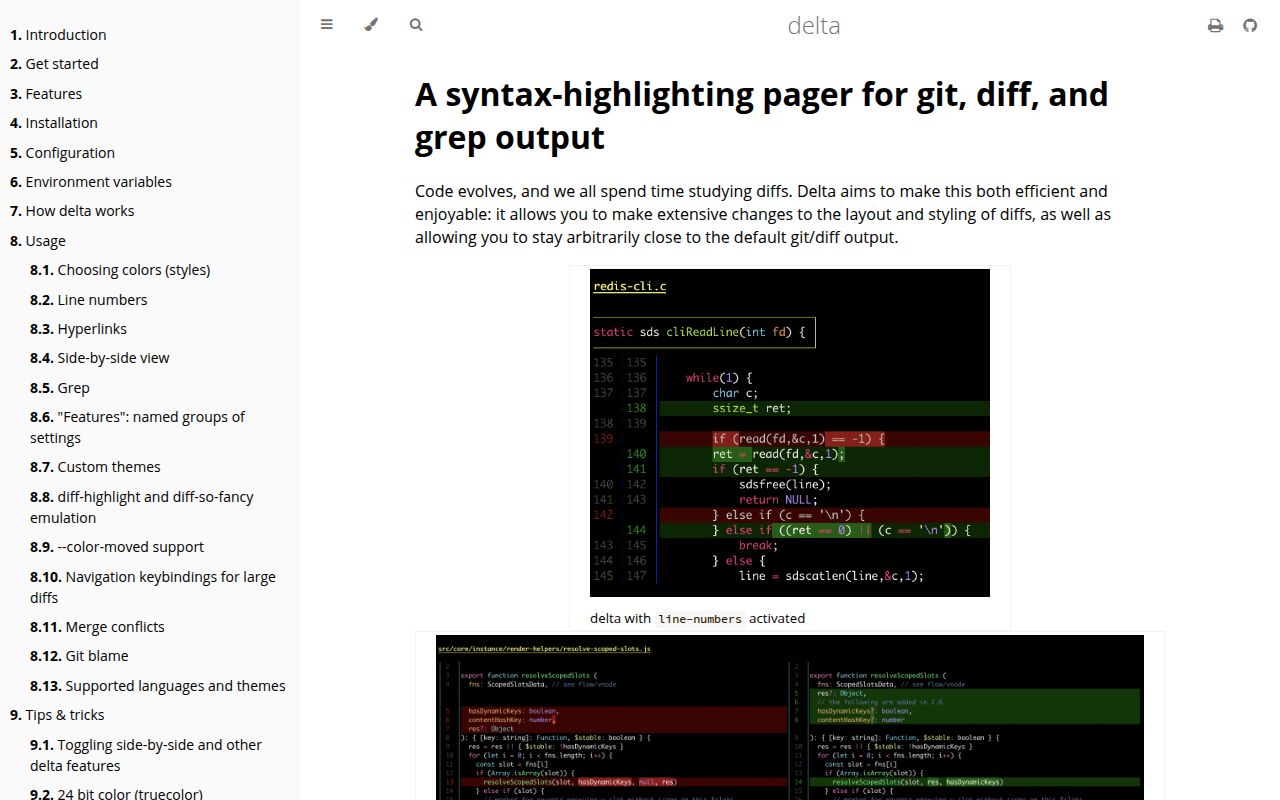
Delta accepts Git output and traditional unified diffs, then changes how they look in the terminal. Syntax coloring comes from the same theme family used by bat. Word-level edits are inferred with a Levenshtein algorithm, while optional line numbers and side-by-side panels give reviewers more context. Git still decides which lines changed. This distinction matters if you are comparing Delta with tools that parse programming language syntax and calculate a different diff.
The repository is substantial for a pager: our checkout had 204 files, about 30,138 source lines, and occupied 4.6 MB. That size supports more than color. Delta handles git diff, git show, patch logs, stash output, blame, grep, ripgrep JSON, merge conflicts, moved lines, and direct unified diff input. It can also strip + and - markers from copied code, which fixes a small annoyance that becomes frequent during reviews.
Side-by-side mode wraps lines and keeps syntax color
Side-by-side viewing is one of Delta's clearest reasons to install it. Both panels retain syntax highlighting, line numbers are enabled by default in this mode, and long lines wrap. Navigation keys move between files in a diff and between patches in git log -p. Commit hashes and file paths can become terminal hyperlinks, with documented hosting support for GitHub, GitLab, SourceHut, and Codeberg.
Customization extends beyond choosing dark or light mode. More than 20 elements can receive foreground colors, backgrounds, and font attributes through Git's style syntax. Delta can emulate diff-highlight and diff-so-fancy, yet those settings introduce another layer of terminal configuration. The defaults are worth trying before copying a large theme block into shared dotfiles. A readable team baseline is more useful than a personal palette nobody else can debug.
What happened when we ran it
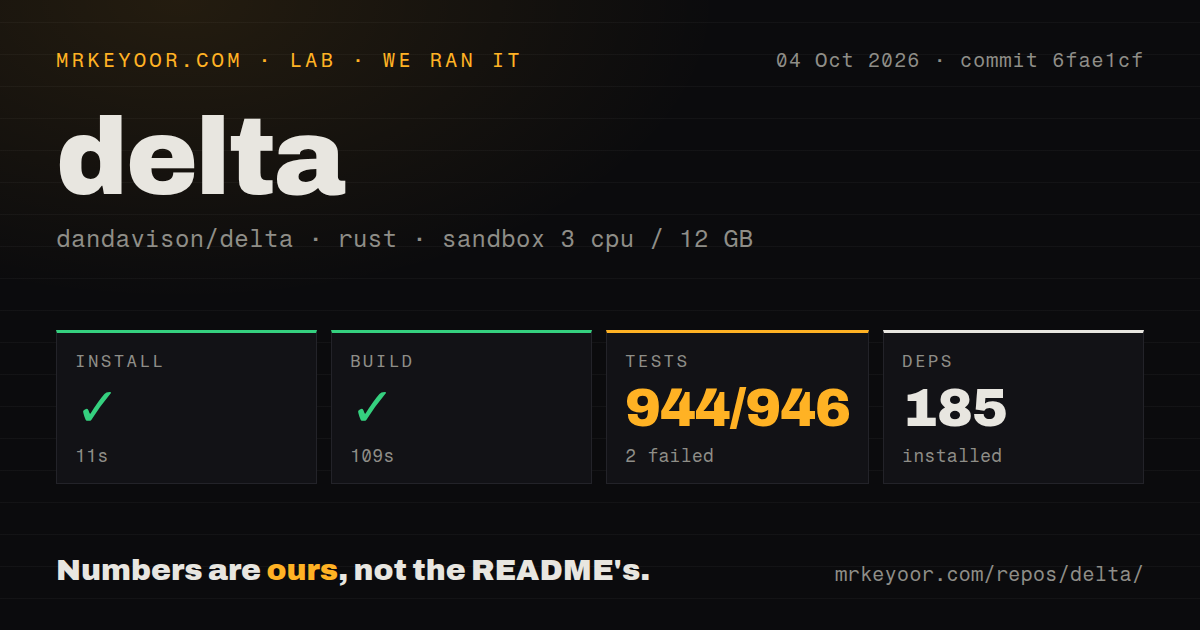
Our sandbox install succeeded in 29 seconds and resolved 185 packages. Building the Rust project took 73 seconds. Cargo test then ran for 206 seconds and reported 876 passed with 0 failed out of 876. These results came from commit 95a0e22 in an unprivileged Debian container with 3 CPUs and 12 GB of RAM. Nothing in the supplied run failed.
The checkout contained 5 CI workflow files and a tests directory, but no Dockerfile. That is a reasonable layout for a cross-platform terminal binary distributed through release archives and package managers. The 206-second suite is long enough to notice on local iterations, although it completed cleanly on our box. Our measurement does not cover visual correctness in every terminal, shell, color mode, or pager configuration.
A binary install is easier than the 73-second source build
Most users should install a release binary or the git-delta package from their operating system. The executable is named delta, a naming mismatch the documentation calls out. Homebrew, Cargo, several Linux distributions, Windows package managers, Conda, and release archives are documented. Release 0.19.2 rebuilt Debian packages against an older Ubuntu base because the prior two packages required a glibc version available in Debian 13, not Debian 12.
Source contributors face the 185-package dependency graph and the 73-second build we measured. End users avoid most of that cost, but Delta still delegates paging to less and asks for a reasonably recent version. Users who build custom bat themes or language syntaxes must match the bat version specified in Delta's Cargo manifest. The manual warns that mismatched versions can crash with a memory error, which deserves a note in managed developer environments.
Git config gives broad coverage and creates hidden inputs
A few lines in ~/.gitconfig make Delta the pager for git diff, git show, git log -p, stash patches, reflog patches, and interactive add. The interactive.diffFilter setting uses --color-only, while navigation and dark or light detection sit under Delta's section. Jujutsu can send Git-formatted diffs to the same pager through its TOML configuration. No API key, account, or network service is required.
Pager behavior can still vary across machines because $LESSOPEN, $LESS, $PAGER, terminal width, background detection, and hyperlink support affect the result. With 5 CI workflows, upstream has visible automation, but your dotfiles remain outside those checks. Teams should commit a small include file, document the required pager version, and test it in the terminals they issue. That makes a rendering problem reproducible without turning personal shell state into archaeology.
Open reports mark the edge cases, not a dormant project
The last repository push was August 2, 2026, and GitHub activity continued later that month. An open August 29 request proposed native Windows ARM64 CI and release assets. Another report described a panic on unusual git grep output using an older Delta version. Issue 117, updated in August, explains how a diff hunk that begins inside a multiline string can leave syntax highlighting with insufficient context to classify following lines correctly.
GitHub showed 432 combined issues and pull requests, so that number must not be read as 432 confirmed bugs. The repository had 31,979 stars, while current pull requests addressed submodule dirty markers, grep colors, paths, and hyperlinks. Release 0.19.2 arrived on March 28, 2026, and August activity shows work continued after the tag. The open queue is large, but it is also specific and visibly active.
Delta is the safer default for familiar diffs
All 876 tests passing makes Delta easy to recommend as a Git pager, especially because removing it only requires reverting configuration. It improves the line-oriented format developers already understand and offers enough controls for narrow terminals, large patches, merge conflicts, and blame. Start with navigation and automatic background detection, then add line numbers or side-by-side mode after using the defaults for a week.
Choose Difftastic when syntax-aware comparison is the requirement, since Delta does not claim to compute semantic changes. Choose diff-so-fancy when a smaller presentation layer is enough. For teams staying with ordinary Git diffs, Delta has the stronger combination of documentation, package availability, test evidence, and active maintenance. The main operational task is keeping Git, less, bat customizations, and shared configuration in a known-good combination.