mrkeyoor.com_
Tue 01 Sept 17:39 UTC
Dev Toolsevaluationupdated 27 Aug 2026

loop-engineering review

Loop Engineering is a collection of patterns, starter files, and command-line tools for running coding agents on recurring jobs instead of prompting them by hand each time. It helps teams define state, budgets, safety limits, worktrees, and human approval points for agents such as Claude Code, Codex, Grok, and OpenCode.

+115stars / 7d
Verdict

Our Loop Engineering checkout installed 8 packages in 3 seconds but offered no root build or test target, so it is easiest to assess as a pattern library rather than one verified application. Use it when recurring agent work needs written state, budgets, worktree isolation, and approval rules. Treat its readiness score as a checklist, then test each chosen CLI separately before allowing automated changes.

We ran it

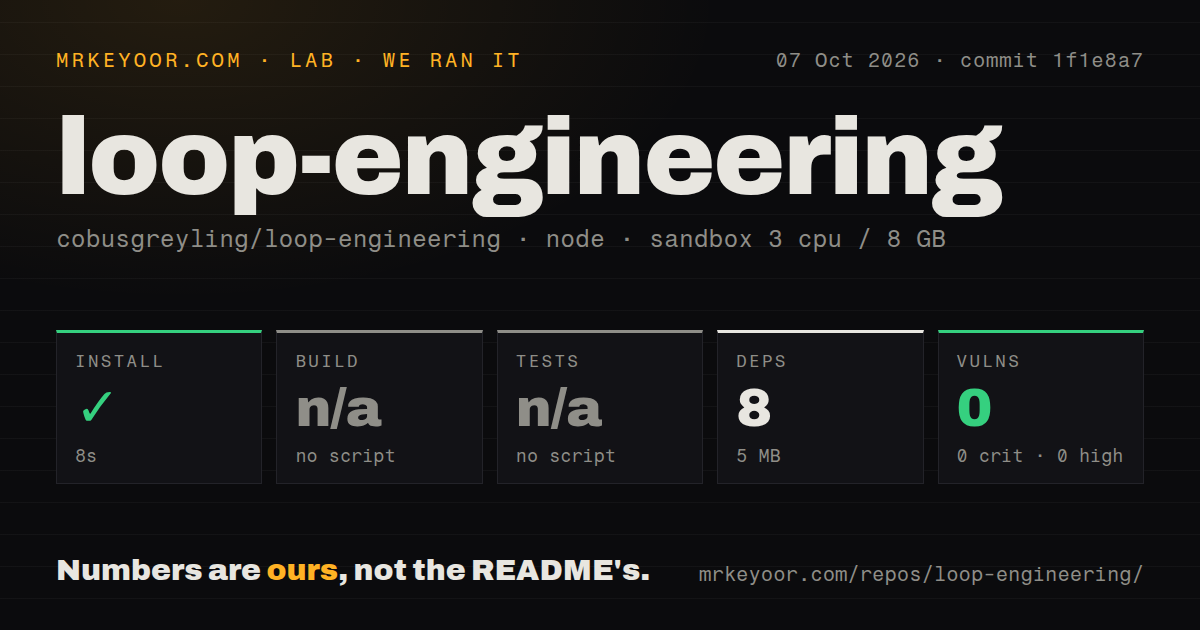
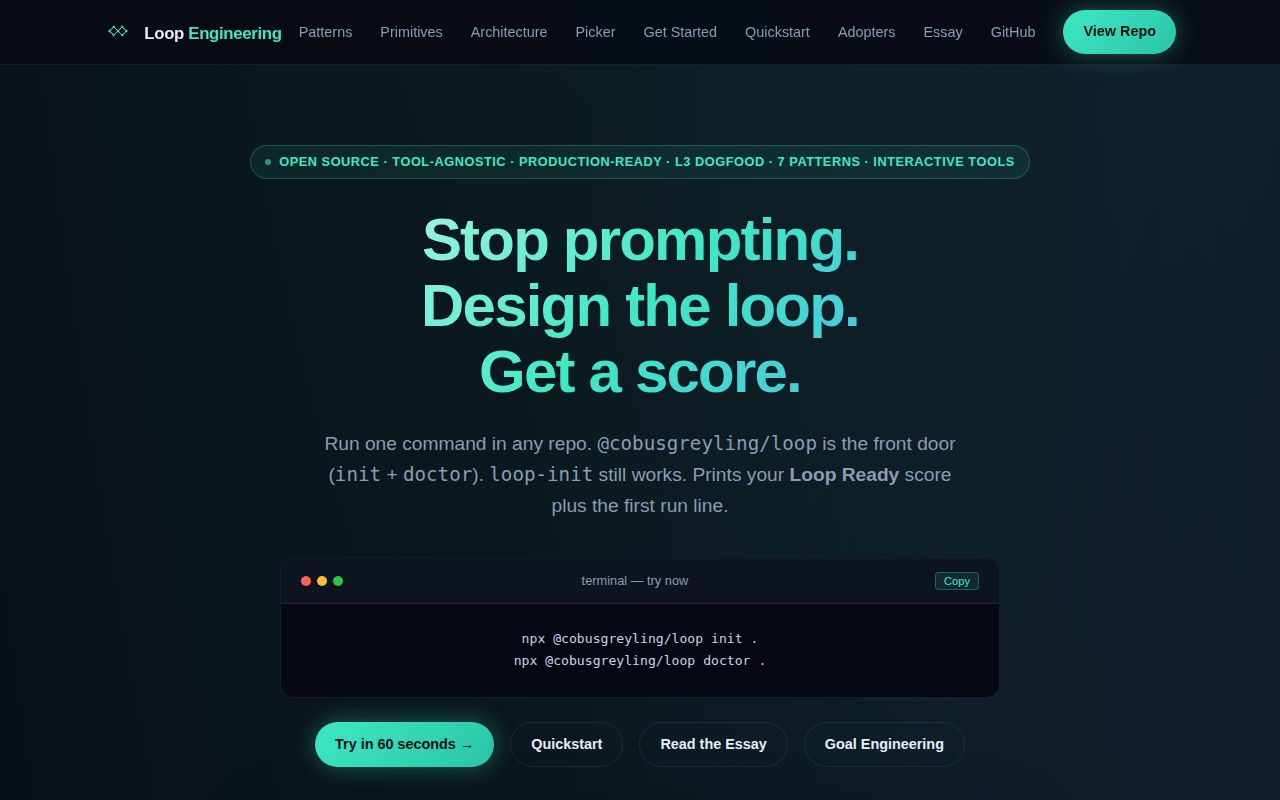
Lab card: what happened when we ran loop-engineeringScreenshot of loop-engineering (cobusgreyling.github.io/loop-engineering)
Install✓ · 3s8 packages · 5 MB
Buildn/ano build script
Testsn/ano test script
Known vulns00 critical · 0 high · 0 moderate · 0 low (npm audit)
Repo568 files~14,918 lines of source · 3.1 MB · 21 CI workflows

Answers from our run

Does loop-engineering build from source?

Dependencies installed in 3 seconds (8 packages), and the project has no separate build step. We cloned commit a6b41ab into a clean Debian container with 3 CPUs and no project-specific setup.

Does loop-engineering have tests you can run?

Not through a standard command: the project exposes no test script or target that our harness could run.

Does loop-engineering have known vulnerabilities in its dependencies?

npm audit found none in the dependency tree at the time of our run.

Who should not use loop-engineering?

Developers seeking a hosted agent service that runs jobs for them: the repository supplies patterns and local CLIs, while scheduling and operation remain your responsibility.

What are the alternatives to loop-engineering?

Superpowers, Spec Kit, 12 Factor Agents. Our Loop Engineering checkout installed 8 packages in 3 seconds but offered no root build or test target, so it is easiest to assess as a pattern library rather than one verified application.

Setup4/5Fast root install, but each real loop needs its own agent and scheduler
Docs5/5Detailed patterns, safety notes, tool guides, and runnable examples
Community4/5Recent push and active issue and pull-request work
Maturity3/5Many useful pieces, with validation split across tool subdirectories

Who it’s for

Developers who already use coding agents and want repeatable triage, maintenance, or pull-request loops.
Teams that need written state, cost limits, and human approval points around recurring agent work.
Claude Code, Codex, Grok, or OpenCode users who want starter patterns they can inspect and adapt.
Maintainers willing to begin with report-only automation and review generated files before granting more autonomy.

Who it’s NOT for

Developers seeking a hosted agent service that runs jobs for them: the repository supplies patterns and local CLIs, while scheduling and operation remain your responsibility.
Teams that want unattended code changes immediately: the README recommends moving from L1 reporting through L2 assisted fixes before L3 unattended work, and warns that unattended loops make unattended mistakes.
Anyone unwilling to monitor token use and state quality: the project's caveats say sub-agents and long-running loops can make costs explode and comprehension debt grow.
Teams expecting one root test command to verify the whole toolkit: our checkout had no root test script or tests directory, while the README gives separate test commands inside individual tool folders.

Setup reality

Our root checkout installed in 3 seconds, adding 8 packages and using 5 MB on disk. There was no root build script, so build was skipped. There was also no root test script or tests directory, so tests were skipped. npm audit reported 0 known vulnerabilities across all severities.

The basic npx @cobusgreyling/loop init path does not require a hosted service or project secret. Real loops still need the coding agent, scheduler, repository access, and any MCP or Git provider credentials their chosen pattern calls. The initializer writes skills, state, budget, and constraint files into the target repository, so review those changes before running an agent against them.

The examples span GitHub Actions, cron, systemd, worktrees, and several agent-specific instruction formats. That makes the library adaptable, but there is no single runtime that makes every example portable. The repository contains 21 CI workflow files and no Dockerfile. Contributors must enter individual tool directories to run the npm tests documented in the README.

Seven patterns turn recurring prompts into repository routines

Loop Engineering documents 7 patterns for agent jobs that repeat on a schedule, including daily triage, pull-request babysitting, CI sweeps, and changelog drafting. Each loop combines written state, an isolated worktree, a maker and checker split, verification, and a human decision when an action is risky. The repository has examples for Claude Code, Codex, Grok, OpenCode, and GitHub Actions.

This is a reference repository and toolkit, not a hosted automation service. Its 568-file checkout contains starters and npm CLIs that initialize project files, audit readiness, estimate token cost, check state drift, manage context, expose pattern data over MCP, and create isolated worktrees. Scheduling and operation remain the adopter's responsibility.

The front-door loop package reduces the initial choice: init scaffolds a pattern, while doctor combines checks and returns the next actions. Start there rather than adopting every companion repository and CLI named in the README. The root install added only 8 packages, but that small dependency count does not represent the coding agent or scheduler a real loop needs.

L1 reporting is the sensible starting boundary

The README defines 3 autonomy levels: L1 reports or drafts, L2 permits assisted fixes, and L3 runs unattended. That progression gives a team time to observe failure modes before expanding permissions. The included material covers denied paths, auto-merge boundaries, MCP scopes, run logs, budgets, and conditions for killing a loop.

Its caveats are refreshingly specific. Sub-agents and frequent loops can burn through tokens. Automated verification does not remove the engineer's responsibility. Reading less of what an agent ships creates comprehension debt. Two developers can run the same pattern and get opposing results because the agent still depends on judgment and context. Begin with one repository chore and keep the first output read-only.

The readiness score is a prompt for inspection. A high score means expected files and controls are present. It does not establish that an agent understood the task or that an MCP credential has minimum permissions. Our root checkout had 21 CI workflow files, yet no root test target, so the presence of automation files alone is not proof that a chosen loop works.

What happened when we ran it

We cloned commit a6b41ab into a fresh Debian container with 3 CPUs, 8 GB of RAM, Node 22, no secrets, and an unprivileged user. The repository contained 568 files, about 14,918 lines of source, and occupied 3.1 MB when checked out. Our root npm install succeeded in 3 seconds, added 8 packages, and used 5 MB on disk. npm audit found 0 known vulnerabilities: 0 critical, high, moderate, or low.

There was no root build target, so we skipped the build. There was also no root test target and no tests directory, so we skipped tests. The README's contributor commands tell you to enter directories such as tools/loop, tools/loop-init, and tools/loop-audit before running their tests. A root install therefore gives no single pass or fail signal for the collection.

We also found 21 CI workflow files and no Dockerfile. That workflow count cannot replace a test run in our sandbox. Anyone evaluating a specific CLI should test that tool in its own directory, then try the generated loop on a disposable branch or repository.

The 5 MB install covers only the scaffold

Our install added 8 packages and used 5 MB, while an operational loop still needs a coding agent and scheduler. The quickest path uses npx @cobusgreyling/loop init . with a pattern and agent choice, followed by loop doctor .. That command writes skills, state, budget, and constraint files into an existing project. GitHub-oriented loops need repository access, and MCP examples need access to whichever connector they call.

Runtime details vary by pattern. Some examples use cron or systemd, some use GitHub Actions, and isolated fixes rely on Git worktrees. The README points to Windows and CRLF notes, yet much of the operational language is shell-oriented. The 3-second install says nothing about path handling, locking, cleanup behavior, or whether a selected agent can run unattended on your runner.

Cost also belongs in setup. A pull-request watcher running every 5 to 15 minutes differs sharply from a daily changelog draft. The project labels cadence and rough token cost by pattern, and its cost CLI can estimate a proposed loop. Set a provider spending limit and make the loop stop cleanly when its state is missing or malformed.

A 2026-08-26 push shows active maintenance

The last push was 2026-08-26, and GitHub listed 11 open issues when we fetched the project. Pull requests merged that day fixed fork contributions and documented a refactor path; other August merges addressed a negative success-rate metric, MCP cost error labeling, and sensitive-path matching. The latest tagged release remains v1.6.0 from 2026-07-20, so recent repository work matters more than the older tag alone.

The README links to pattern details, a quick start, tool-specific examples, architecture diagrams, failure modes, safety guidance, and contributor instructions. Navigation takes time because Loop Ready, Foundry, Outerloop, memory engineering, and fleet engineering appear early. Most new users need one of the 7 patterns and the front-door CLI, not the entire named ecosystem.

Choose Loop Engineering when useful agent work has become repetitive and needs a recorded state, budget, worktree, and approval policy. For a single coding session, Superpowers is simpler. For specification-led product work, Spec Kit is a closer fit. The absent root build and test targets mean your trial should end with the exact CLI and loop you intend to operate, not with the 3-second root install.

Alternatives

ProjectWhat it isPick it when
Superpowers gh↗An agent skills framework built around a defined software-development workflow.pick this instead when you want an opinionated interactive coding method more than recurring scheduled loops.
Spec Kit gh↗GitHub's toolkit for structuring agent-assisted work around executable specifications.pick this instead when the main problem is turning product intent into specs, plans, and implementation tasks.
12 Factor AgentsA set of engineering principles for building dependable LLM-powered software.pick this instead when you need architectural guidance for an agent product rather than repository automation starters.

What people are saying

  1. [github-trending] cobusgreyling/loop-engineering

Sources

  1. Loop Engineering README
  2. Loop Engineering v1.6.0 release
  3. Loop Engineering open issues and pull requests
  4. Loop Engineering safety guide

More dev tools reviews

workmux · v2rayNG · SecLists · hashcat · eslint · fastfetch · the whole board →