The sensible AirDrop substitute for mixed households
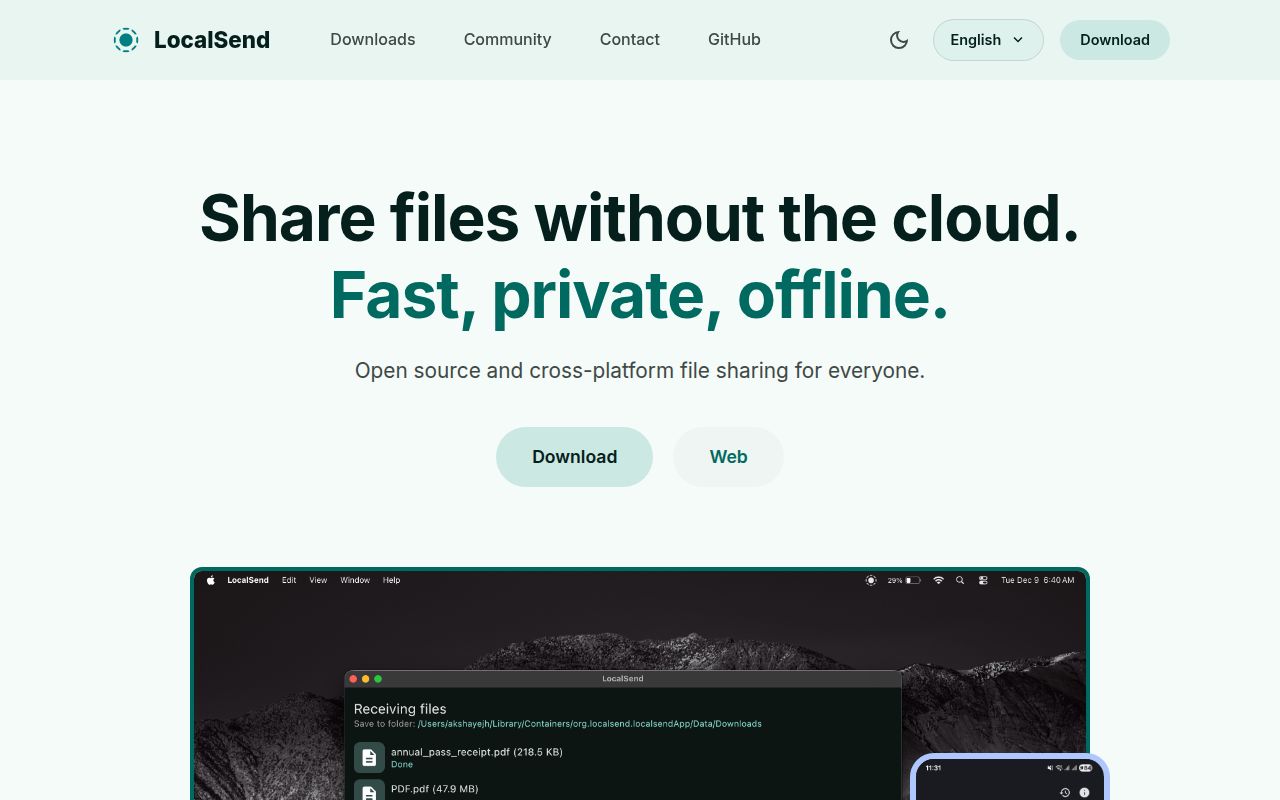
LocalSend solves a small problem that becomes irritating when your devices stop sharing one logo. AirDrop works inside Apple's ecosystem, other vendor tools cover different subsets, and messaging a file to yourself sends it through outside infrastructure. LocalSend puts the same send-and-accept interface on Windows, macOS, Linux, Android, iOS, and Fire OS. Devices discover each other on the local network and transfer files or text directly, without an account or central server.
The narrow scope is a strength. LocalSend does not try to synchronize every folder or become a collaboration suite. You open the app, choose what to send, select a nearby device, and approve the transfer. Friendly generated device names avoid the usual request to find an IP address. For moving photos from Android to a Mac or an installer from Linux to Windows, the workflow is easy to explain.
What happened when we ran it
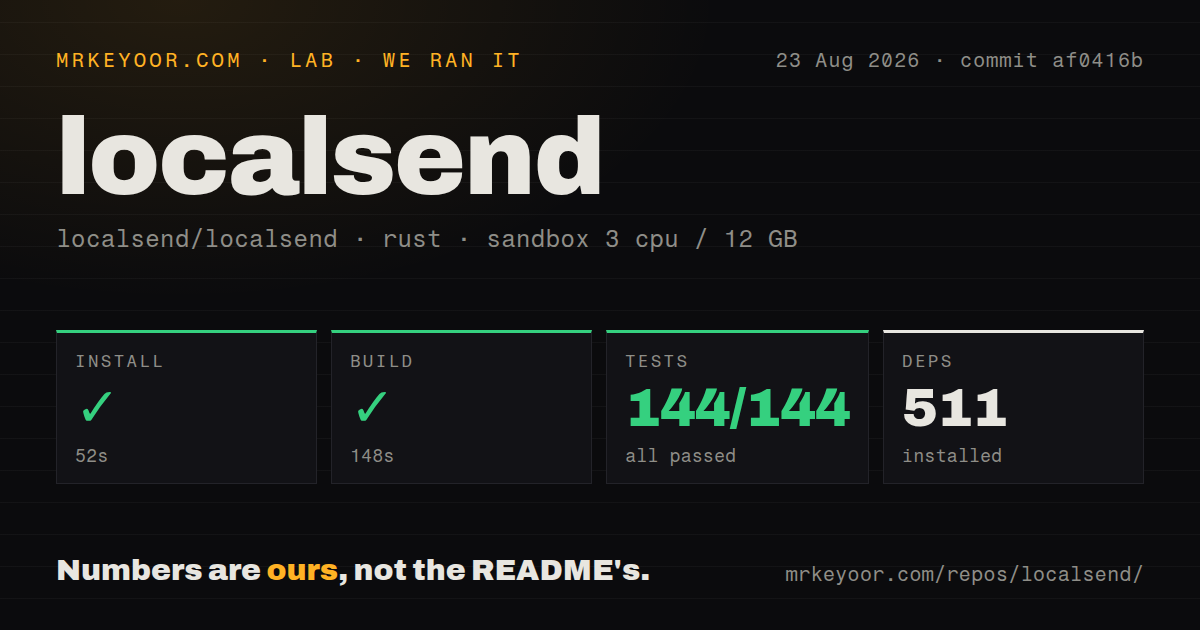
We cloned commit af0416b into an unprivileged Debian container with 3 CPUs and 12 GB of RAM. The lab followed the repository's Rust ecosystem path, installed 511 packages in 52 seconds, and completed the build in 148 seconds. Cargo tests finished in 84 seconds with 144 passed and 0 failed.
That is the cleanest test result in this review batch. It covers the Rust path detected by the harness, not a launch test across every Flutter desktop and mobile application. We did not measure transfer speed, device discovery, app-store installation, or behavior on a real Wi-Fi network, so there is no throughput claim to make.
The checkout was sizable: 15,923 files, about 696,585 lines of source, and 158 MB. The lab found 15 CI workflow files, no Dockerfile, and no top-level tests directory. Those signals fit a multi-platform application whose release work spans several operating systems, while the passing cargo suite gives a concrete result for the shared Rust components reached in our run.
Privacy is strong within a clear boundary
Normal LocalSend transfers stay on the LAN and use HTTPS. Each device creates a certificate on the fly, and the protocol uses its SHA-256 fingerprint to identify the peer. Before upload, the sender provides metadata and the receiver can accept or reject the request. File-specific tokens and a session ID protect the upload. Senders can provide a SHA-256 checksum for receivers to verify, and a PIN can add another gate.
This design avoids leaving a hosted copy with an email provider or cloud drive. It does not make everyone on a shared network trustworthy. Users should keep transfer confirmation enabled around strangers and think carefully before automatically accepting files from favorite devices. A remembered laptop is only as trustworthy as the person controlling it.
The browser-link path differs. LocalSend's protocol says browser downloads use HTTP because browsers reject the sender's self-signed certificate. That allows someone without the app to receive a file, but it does not meet a policy that requires encryption for every transfer. The troubleshooting guide also suggests disabling encryption when transfers are slow. Use that only as a conscious choice on a trusted network.
The network decides whether setup feels easy
LocalSend is distributed through mobile stores and many desktop channels, including Winget, Homebrew, Flathub, Nix, Snap, AUR, installers, and portable archives. The project recommends stores or package managers because the app has no automatic updater. That advice matters for a network-facing application and removes some uncertainty about choosing the right package.
Discovery is where failures appear. LocalSend uses multicast UDP by default and listens for TCP and UDP traffic on port 53317. Guest Wi-Fi often enables AP isolation, which prevents clients from seeing each other. Windows can block discovery when a network is marked public, macOS and iOS can deny local-network access, and desktop firewalls may need an explicit rule. There is no account setting that can repair those network restrictions.
The README documents these cases and notes a known Android speed issue. It recommends 5 GHz Wi-Fi for slow transfers. If devices live on separate VLANs or a corporate network filters multicast, use a relay-based tool or ask the network operator for an approved path. LocalSend is designed for reachable peers on one local network.
Releases are active, packaging still varies
The repository was pushed on August 24, 2026. Release v1.18.2 arrived on August 21, and open issues and pull requests were updated on August 24. GitHub showed 1,089 open issues and pull requests combined. That is a large support queue, though the same-day code activity and recent release show the project is being maintained.
Version 1.18.2 fixed compatibility with 1.17.0 and earlier, stopped peers from following HTTP redirects, ignored system proxies that broke TLS discovery, and restarted dead HTTP or multicast servers. Its notes also say the Windows EXE installer is not yet published. Issue #3270 attributes that gap to waiting for signing keys. Windows users can choose another documented channel, but organizations standardized on the signed EXE should wait for it.
Source contributors have a different setup from end users. The README requires Flutter, the version pinned in .fvmrc, and Rust. It warns that a system-wide Flutter mismatch can cause build trouble and recommends FVM. Platform releases then use separate Flutter targets for Android, iOS, macOS, Windows, and Linux. Installing from a store is far easier than reproducing every release artifact.
Who should choose it
LocalSend is the first app we would install for manual transfers among devices we control on an ordinary network. It has broader platform coverage than a vendor feature and less administration than a synchronization service. The Apache 2.0 license and published protocol also make the behavior inspectable.
Choose Syncthing for continuous folder replication, Magic Wormhole for transfers across separate networks, or KDE Connect for deeper phone integration. LocalSend is a poor fit for isolated network segments, unattended internet transfer, or strict policies that reject its browser-link HTTP route. Inside its intended boundary, it is unusually easy to recommend.