llama-swap starts an upstream from the requested model ID
llama-swap sits between an AI client and one or more local inference servers. A request arrives at an OpenAI- or Anthropic-compatible route, the proxy reads its model identifier, and the configured process for that model is started. If a conflicting process is already running, llama-swap replaces it. Clients keep one base URL while the machine loads only the model or compatible set needed for the current request.
The proxy covers more than chat. Its documented routes include completions, Responses, embeddings, speech, transcription, voices, image generation and editing, Anthropic messages, reranking, code infill, stable-diffusion.cpp, audio.cpp, and a ComfyUI path. A web interface exposes a playground, request captures, metrics, logs, and manual load controls. Version v251 also added vLLM speculative-decoding metrics and changed disconnected-client recording to HTTP 499.
One binary still depends on every model server you configure
A minimal YAML file needs a model ID and a cmd such as a llama-server invocation containing the supplied ${PORT} placeholder. llama-swap can then allocate the port and proxy the request. It does not download the chosen weights, decide a quantization, or tune context and batch settings. Operators must install the upstream executable, store model files, and test the exact flags for their hardware. The proxy simplifies lifecycle and routing, not inference engineering.
Distribution choices are broad. Release binaries cover Linux, macOS, Windows, and FreeBSD, while Homebrew, MacPorts, and WinGet paths are documented. Container users can choose unified nightly images that bundle llama-server and several media backends, or legacy images closer to llama.cpp. The recommended unified images target CUDA or Vulkan. Even there, you mount the model directory and configuration, and GPU runtime compatibility remains your responsibility.
What happened when we ran it
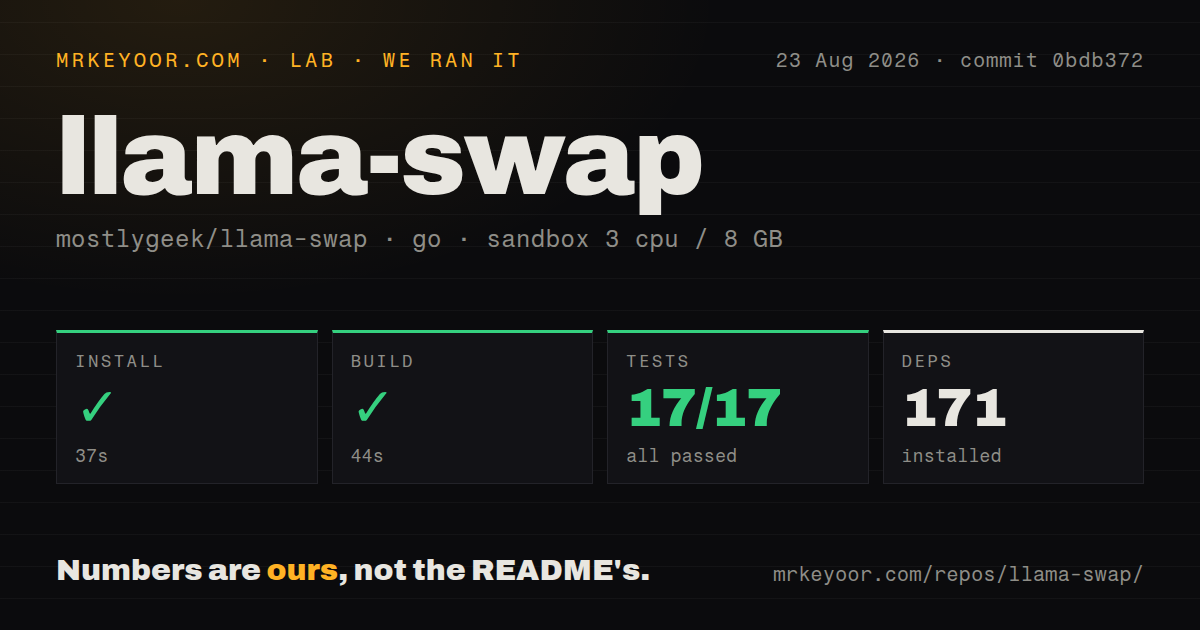
Our Go 1.24 sandbox installed 171 packages in 37 seconds. The source checkout held 481 files, roughly 56,985 lines of source, and occupied 5.6 MB. The build completed in 44 seconds on 3 CPUs with 8 GB of memory. This is a small development footprint for a proxy with a bundled web interface and many API routes, especially compared with the model weights and GPU software that sit outside it.
The test command succeeded in 25 seconds. Go reported 17 passing packages and 0 failures out of 17. That green result applies to commit 0bdb372 and is the strongest reason to trust the proxy code enough for a local trial. It says nothing about a particular llama.cpp build, vLLM environment, model file, CUDA driver, or tokens-per-second result because those components and measurements were outside the lab run.
The repository had 8 CI workflow files, with no top-level Dockerfile or conventional tests directory detected by the harness. Those structural signals do not conflict with the documented container images or Go tests; they describe the checked-out layout. The useful finding is the completed path: install, build, and all 17 tested packages passed without secrets in an unprivileged Debian container.
Swapping saves memory and adds cold-start delay
In the basic mode, only one model runs at a time. A ttl can unload an idle model, and an unload timeout gives the upstream a chance to stop cleanly. Profiles change routing names at runtime. A matrix DSL describes which model combinations may coexist, allowing an embedding model and chat model to remain loaded together when hardware permits. Hooks can preload models at startup, trading memory use for a shorter first request.
The proxy cannot remove load time. Issue 726 describes Kilo Code canceling near 120 seconds while a large-context model was still processing, after which llama-swap recorded a 502 for the canceled request. The report concerns one Windows configuration. It illustrates the client boundary rather than establishing behavior for every deployment. Server, upstream, and client timeouts must cover loading plus prompt processing, and user interfaces need a useful loading state.
Memory scheduling is also manual. Issue 1004 asks for per-model RAM declarations and automatic eviction under a global budget because the matrix becomes harder to maintain across 8 or more models. Today, operators describe valid combinations themselves. That is precise when you know the hardware and model footprints; it is tedious when models, context sizes, or offload settings change often.
API compatibility is broad, while access control stays basic
llama-swap can require API keys and rewrite selected request parameters before forwarding. Aliases let a local model answer to a familiar client-facing name. Logs can stream globally, by proxy or upstream, or for one model. Prometheus metrics and a health endpoint help with operations. These features are enough for a trusted LAN or single-user workstation when the listening address and keys are configured intentionally.
Key management is less suited to a large shared service. Issue 1009 says keys currently come from YAML or environment variables and requests file-backed rotation that would avoid reloading configuration and model state. The request also refers to future per-key permissions. Until such controls exist, place authorization in a gateway if users need different rights. Logs and captured requests may contain sensitive prompts or outputs, so do not expose the UI or log endpoints merely because the inference API has a key.
Streaming needs a proxy exception, and v251 is active
The README warns that Nginx response buffering breaks Server-Sent Events and streamed chat output. It recommends disabling buffering and caching on the relevant routes, even though llama-swap sends X-Accel-Buffering: no as a safeguard. Verify streaming through the actual public URL, since a working direct request does not prove the reverse proxy passes chunks promptly. Container stop behavior also benefits from cmdStop so Docker or Podman processes shut down cleanly.
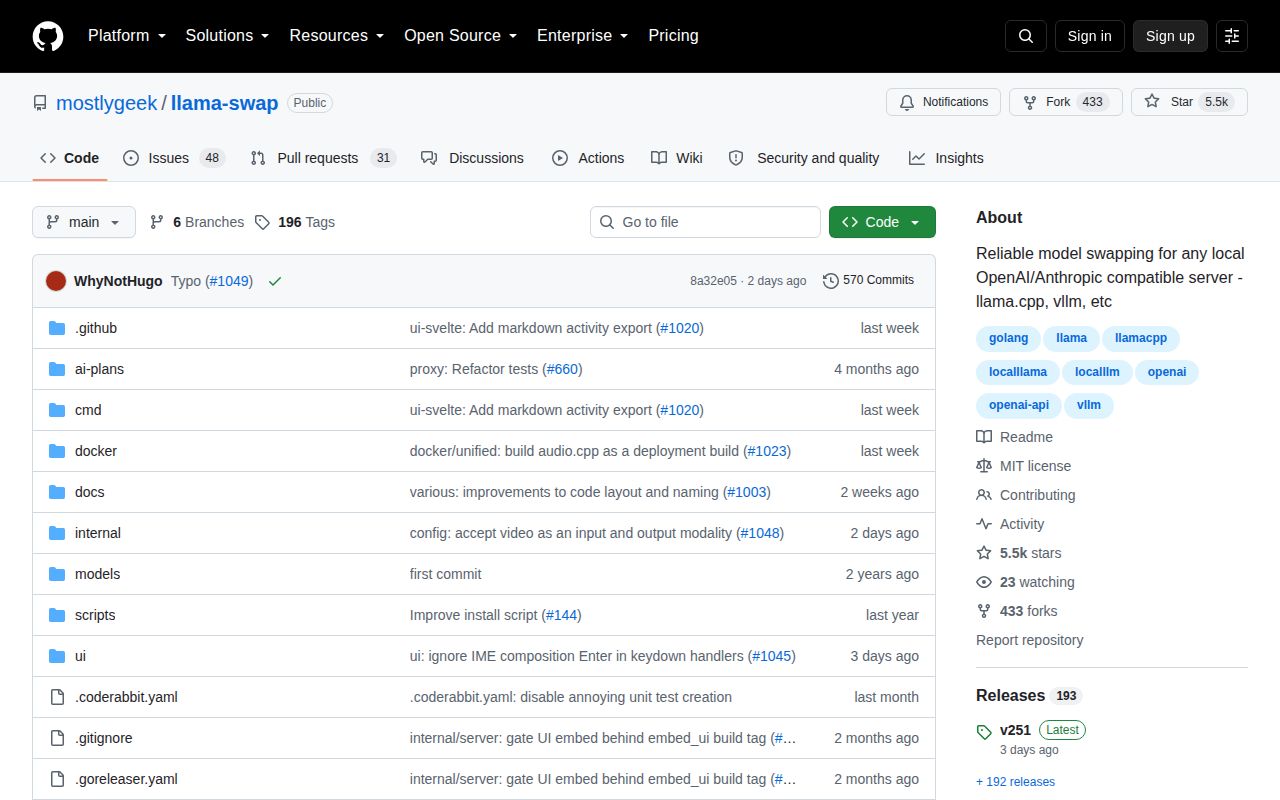
GitHub recorded the last push on August 25, 2026, 2 days after v251 shipped. The repository had 5,473 stars and 79 open issues and pull requests when fetched. Current activity covers metrics, error bodies, audio builds, logs, scheduling, video routes, and client behavior. llama-swap is active and technically focused. Its 17-package green run makes it easy to recommend for a local proof, as long as model performance and hardware fit are tested separately.