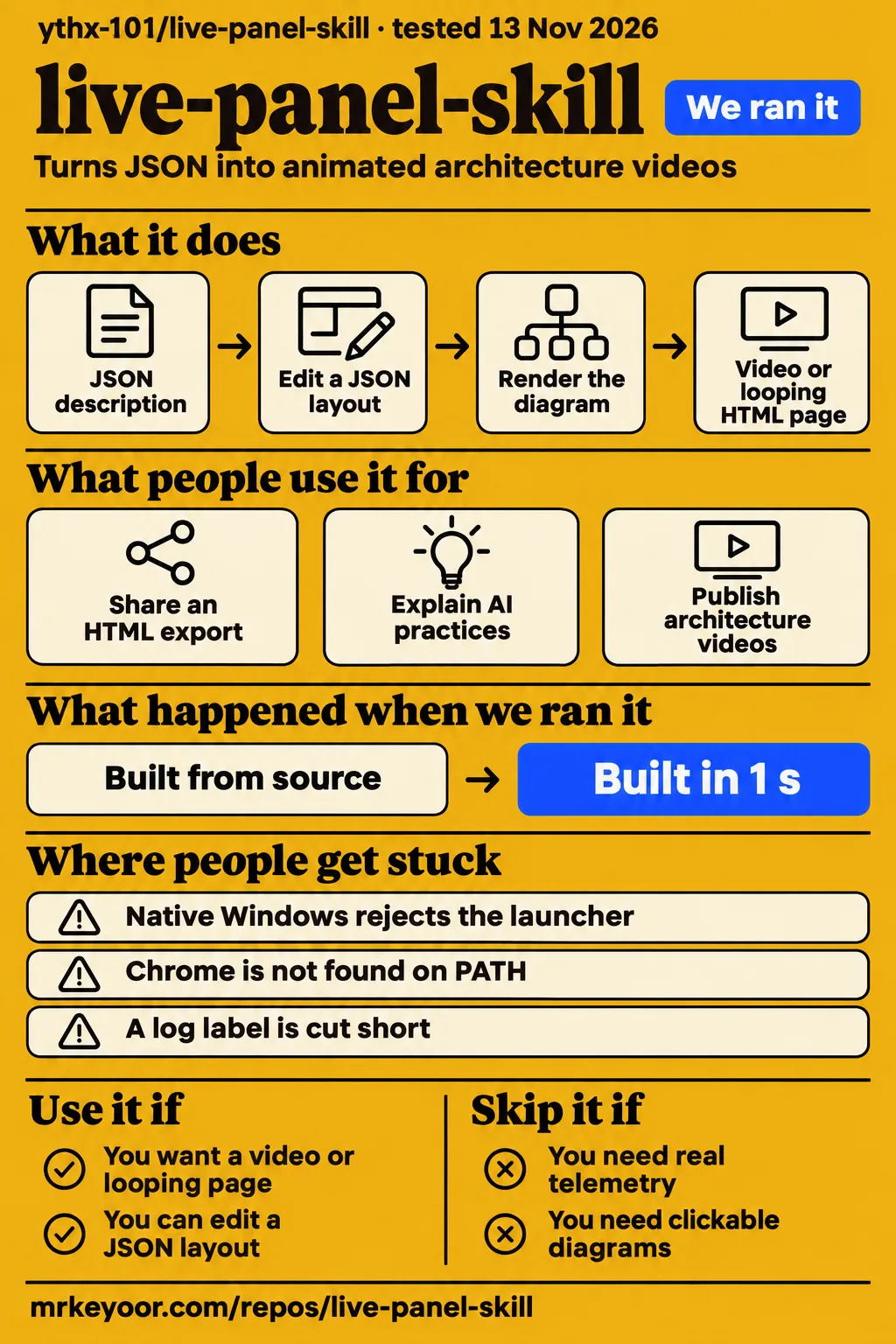
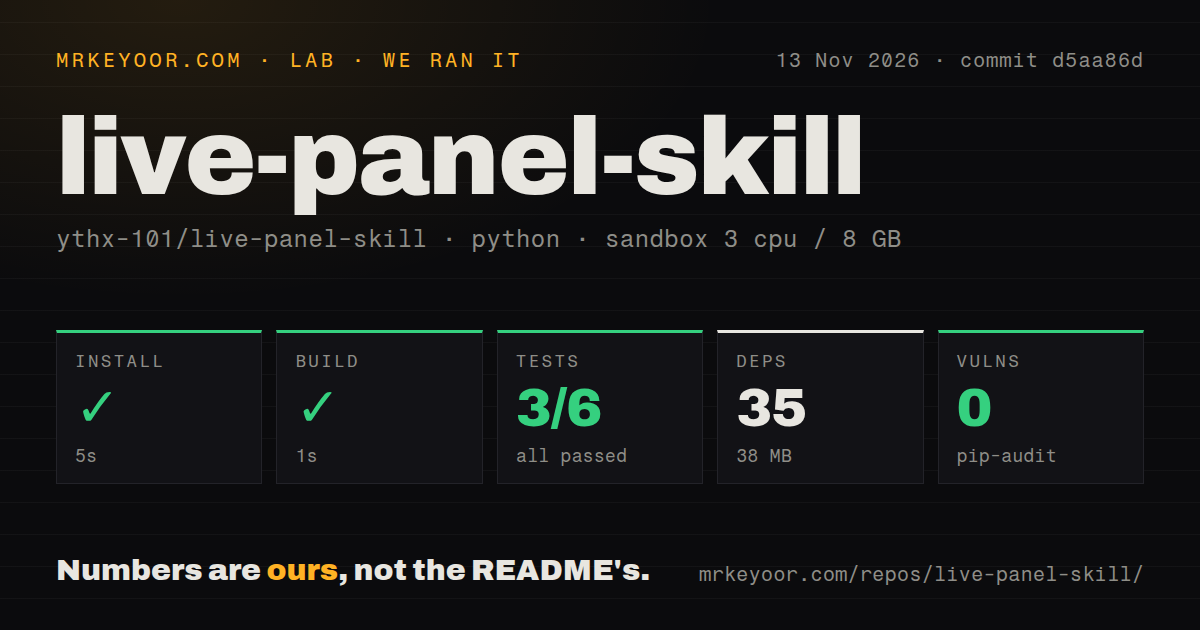
Our live-panel-skill sandbox installed the project in 5 seconds and built it in 1 second, then the test command exited with three setup errors. Use this project if you want an architecture explanation that keeps moving while its boxes stay put. Choose something else for an operational dashboard, a clickable code map or a presentation that reveals one step at a time. Those boundaries come from the author's own skill instructions.
The useful idea is a complete diagram with changing state: packets travel between boxes, logs scroll and counters advance. You can publish the result as a video or a looping page. Our recommendation is to start from an example that resembles your system, keep illustrative numbers visibly labelled and review the exported pictures yourself. A moving counter can look authoritative even when it is only demonstrating a process.
What people use live-panel-skill for
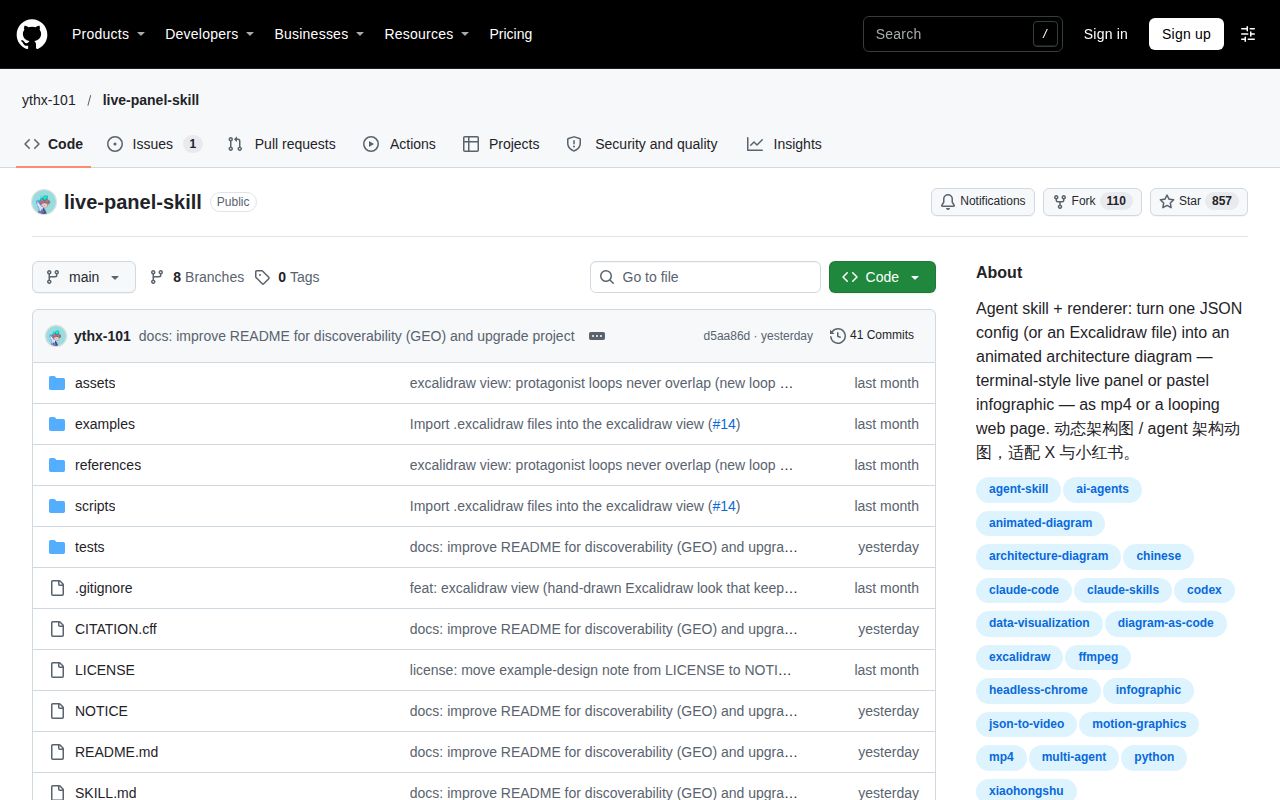
live-panel-skill turns JSON configurations into animated architecture videos and looping HTML pages; its stated scope excludes real telemetry. The research contains a hosted export, a creator-made explanation and a promotional launch report. These are useful examples of the format, with different strengths as evidence.
| Who used it | What they did | Reported outcome |
|---|---|---|
| An issue contributor from deed.page, Avatar 8 LLC | Exported the agent-architecture example and uploaded it to a static host | Reported a self-contained 239 KB file with no external requests and confirmed it rendered when hosted; the contributor deleted the test copy afterward. Issue #15 |
| YuLin807, the account promoting the skill | Animated an explanation of Airbnb's internal AI practices from a Latent Space interview | Published a moving architecture diagram. This is the promoter explaining Airbnb, not evidence that Airbnb used the skill. Creator post |
| YuLin807, describing their own launch | Published videos alongside the skill across social platforms | Reported 9,000-plus Xiaohongshu plays and 110-plus new followers, plus over 200,000 combined views for two X videos. These are unverified promotional self-reports, not typical customer results. Launch report |
For a developer writing a system overview, the first example is the most actionable: a viewer can open a link instead of downloading a video. For a technical writer, the Airbnb example shows how an interview can become a visual explanation. Keep the attribution attached to the underlying facts. The animation's existence says nothing about the company's endorsement, and a simulated counter cannot substantiate an interview's business claim.
What happened when we ran it
In our November 13, 2026 sandbox run at commit d5aa86d, installation succeeded in 5 seconds, the build succeeded in 1 second and the test command failed in 2 seconds. This was a source-harness run with 3 CPUs and 8 GB RAM. The recorded image label was ghcr.io/astral-sh/uv:python3.12-bookworm; actual runtime and operating-system versions require the raw toolchain logs.
| Check | Recorded result | What to take from it |
|---|---|---|
| Installation | Succeeded in 5 seconds; 35 dependencies recorded; 38 MB on disk | The recorded dependency step completed, without proving that browser rendering worked. |
| Build | Succeeded in 1 second | The build command completed. |
| Tests | Exit 1 in 2 seconds; 3 passed, 0 failed, 3 collection/setup errors of 6 | The overall suite did not pass. |
| Dependency audit | pip-audit reported 0 known vulnerabilities | This audit found no known dependency advisories in that run. |
| Repository scan | 71 files, about 4,624 source lines, 22.8 MB checked out | A modest source checkout, separate from the recorded dependency footprint. |
| Automation signals | 0 CI workflow files, no Dockerfile, tests directory present | The scan found tests but no checked-in CI workflows or Dockerfile. |
The first replay test stopped with a concrete message: Chrome was not found on PATH. The two other replay tests ended in AssertionError during setup. Their names concern restoring pixels and restoring text and highlighting when returning to the same time. With setup errors, those names are not evidence that replay produced incorrect output. The summary also records 15 passing subtests. The right reading is an incomplete browser-test result, with one explicit browser-discovery failure and two assertions whose causes the supplied tail does not explain.
A separate hands-on attempt stopped at the runner's safety check because no compose.yaml, compose.yml, docker-compose.yaml or docker-compose.yml existed. Its record labels the repository unsafe under a rule requiring a Compose file. That is a runner eligibility failure, not a finding of malicious code.
The run-summary record says it was deployed with its own Docker Compose, but the failed safety step contradicts that description. We count this as a blocked attempt, with no successful application task or rendered output from that attempt. The teardown record says cleanup was okay.
Where people get stuck: Windows, browser discovery and text fit
Native Windows rendering hits a POSIX file-descriptor limitation, while a missing Chrome path is a separate discovery problem. Issue #1 reports both. It is closed, and the current README documents Linux and macOS with WSL as the Windows route. Closing the issue should be read alongside that documented workaround.
| Symptom | Evidence | Practical response |
|---|---|---|
| Chrome not found on PATH | Our test tail names this error; issue #1 also describes discovery missing Program Files | Make Chrome discoverable or supply its explicit path using the documented browser option. |
| pass_fds not supported on Windows | Issue #1 says subprocess rejects the launcher before Chrome starts | Run the scripts inside WSL, as the current instructions specify. An explicit Chrome path alone does not address this error. |
| Log label cut short | MuseKiln's recorded output cut the page-one-check label despite a passing frame check | The reviewer suggested shorter names. Inspect labels in the actual exported frames. |
| Empty last-advice region | MuseKiln saw this area empty between triggers | Decide whether that idle state tells your story clearly before publishing. |
The Windows report is particularly helpful because the contributor already had Python, Chrome and FFmpeg installed. Reinstalling them would not address the reported file-descriptor error. The issue separates the initial browser lookup from the launcher failure, so troubleshooting should do the same. Follow the supported platform route rather than treating every Chrome-related message as the same problem.
MuseKiln supplies a different kind of warning: its frame checker passed, yet the output still had a truncated label and an empty advice region. A geometry check is useful, but your audience still needs to read the words and understand the quiet moments. MuseKiln's recorded review reports these flaws; its shorter-label suggestion is advice rather than a demonstrated corrected render.
More diagrams mean more layout work
Changing the output aspect ratio requires a separate layout configuration because positions use absolute canvas pixels. The README says width and height overrides rescale and letterbox the existing composition. For a portrait post and a square documentation graphic, budget time to move boxes and rewrite labels for each composition. Shrinking a crowded portrait diagram into a square does not solve the reading problem.
The author's workflow also warns that large configuration writes and extended coordinate planning can end an agent run before it saves usable output. Its remedy is practical: scaffold from a short specification, save a runnable draft early, then edit a few boxes between checks. That is a sensible production workflow for a series of explainers because it gives you an artifact to inspect before the agent spends the rest of its effort refining it.
I would keep the smallest readable diagram as the reusable starting point. Put detailed prose beside the animation rather than squeezing it into scrolling log columns. This is an editorial recommendation drawn from the reported truncation and the project's fixed-layout design, not a throughput measurement. The unit of work is a readable composition, and changing the destination format can change that work substantially.
Security: a clean dependency audit has a narrow meaning
Our sandbox's pip-audit result was 0 known vulnerabilities, which addresses known dependency advisories in that recorded environment. It is not a security review of Chrome control, generated HTML or the coding agent that writes the configuration. Those are separate parts of the workflow, and the renderer's requirements should stay separate from your agent account's permissions.
The README describes a local renderer requiring no API key or network access. That statement concerns rendering, not whichever hosted model you ask to design the diagram. If your architecture description contains internal hostnames or customer details, decide what you can share with the chosen agent before asking it to write the JSON. This is handling advice, not a report of data leakage by the project.
Publishing the exported HTML also publishes the explanatory material you put into the diagram. Read the labels, logs and footer before uploading it. Keep invented activity labelled illustrative, and preserve source credits when recreating another creator's picture. The skill explicitly requires those credits, including the original handle and full source URL, so copying an example is also a decision about attribution.
English documentation exists, but examples carry their own language and credits
The README opens in English and includes a Chinese section, while some example content is Chinese. English readers can follow the documented setup without translating the whole repository. Reusing an example still means replacing its labels and reading its source notes, rather than assuming every included picture is a ready-made English diagram for your system.
Fonts deserve attention when changing those labels. The README explains that different fonts change glyph widths and asks users to rerun frame checks after a font change. It also distinguishes bundled fonts from an optional CJK handwriting-font download. For an English explainer, choose the intended typography before tightening the layout. For multilingual publishing, inspect each language's output: the same box dimensions do not guarantee that translated wording fits.
live-panel-skill vs walkthrough, Panel and conventional diagrams
Choose live-panel-skill for a fixed architecture picture with animated state, walkthrough for clickable code explanations and Panel-style tools for actual application data. These are comparisons of documented purpose. They help choose the right category before spending time on setup.
| Option | Documented fit | Pick it when |
|---|---|---|
| live-panel-skill | Complete architecture diagram with moving packets, logs and illustrative counters | You want a video or looping explanatory page. Skill scope |
| Slides or a conventional diagram tool | The live-panel author recommends these for step-by-step explanations | The sequence of reveals matters more than continuous motion. Author's guidance |
| alexanderop/walkthrough | Clickable Mermaid nodes open explanations with file paths and optional code snippets | Readers need to explore a codebase and drill into details. Creator's explanation |
| HoloViz Panel workflows | Reactive applications, data dashboards and real-time streaming | You need a working data interface rather than illustrative system activity. Panel skill listing |
| dashboards-and-real-time-visualization skill | Update cadence, latency, interactions and stale or failure states | You are designing an operational monitoring workflow. Workflow description |
The walkthrough comparison has a concrete publishing difference too. Its author describes a generated HTML file that loads React, Mermaid and other libraries from CDNs. The live-panel contributor's hosted example made no external requests. Both can be linked from documentation, but those descriptions imply different network requirements for viewers. Use the particular export's behavior when deciding where to host it, rather than assuming every single-file HTML artifact is offline-ready.
What the other reviews get wrong
MuseKiln's installation wording omits prerequisites that its own FAQ lists: Python 3.8+, Chrome or Chromium, and FFmpeg. Its cloning instructions suggest there is no further setup, while the same page later explains the rendering requirements. The current project README adds the platform boundary and WSL route. A clone places the files on disk; it does not supply a supported browser-rendering environment.
That correction does not erase MuseKiln's useful work. It published a recorded output and described specific visual flaws, which is more helpful than repeating an animated preview without inspecting it. Read its example as evidence for that recorded configuration and commit. The setup shortcut is the part to reject. MuseKiln's installation and FAQ contain the conflicting descriptions.
Questions people ask
Rendering requires Python 3.8+, Chrome or Chromium and FFmpeg; the documented Windows route is WSL. An issue contributor demonstrated sharing a self-contained HTML export through a static host. These are the practical questions to settle before choosing between a video attachment and a browser link.
Why do render.py and check_frames.py fail on Windows even when Python, Chrome and FFmpeg are installed?
Issue #1 reports that the Chrome launcher passes POSIX file descriptors through subprocess, which native Windows rejects. It also identifies a separate discovery problem when Chrome's Program Files installation is absent from PATH. Supplying a browser path addresses discovery, while the current instructions direct Windows users to WSL for rendering. Follow that route instead of expecting the path option to resolve the platform restriction. Windows report, current README.
Can I share the live page as a link?
Yes: an issue contributor hosted a self-contained 239 KB HTML export of the agent-architecture example and confirmed it rendered. Upload the exported page to a host that serves HTML, then share that URL. The contributor disclosed working for deed.page and deleted the hosted test afterward. Keep the credit footer when the configuration recreates another creator's work. Sharing report and disclosure.
Does the exported HTML need external fonts, scripts or images?
The 239 KB agent-architecture export in issue #15 made no external font, script or image requests, according to the contributor who hosted it. The README describes self-contained HTML output, but it also documents font choices and optional font downloads during preparation. Distinguish preparation on the author's machine from requests made by the final page in the viewer's browser. The contributor's observation is about a specific exported example. Hosted-export report, font documentation.
What we have not tested yet
We have not completed a browser render, hosted an export or assessed an installed skill in a supported environment ourselves. Our source tests ended with setup errors, and the separate hands-on runner stopped at its Compose requirement. There are no application screenshots or known-answer task results in this pack. The image label alone cannot confirm the actual Python or operating-system version.
The supplied evidence contains no repeated generation benchmark for typical time, cost or success rate, no same-task comparison with the alternatives and no demonstration that MuseKiln's October result represents the November repository state. Broad agent compatibility, native Windows implementation and a corrected rerender of its visual flaws remain untested here. The issue's closed status supports the documented WSL workaround, not a claim that native Windows rendering shipped.
Adoption and support capacity also need more evidence. The November 12 push and the documented issue activity show development and feedback, while the popularity listings and promoter's audience report do not establish sustained organizational use. We have not measured long-running browser resource use, accessibility, mobile readability or security beyond the supplied dependency audit. All four product scores are unassessed: installation alone is too narrow for a supported-setup rating, and the collected documentation and issue extracts do not supply a defensible numerical rubric for the other dimensions.
For your first attempt, render the smallest example on the documented platform, export both formats and read every label in the output you intend to share. Add your architecture only after that route works on your machine. The deliverable to judge is a clear explanation with honest counters and intact credits.