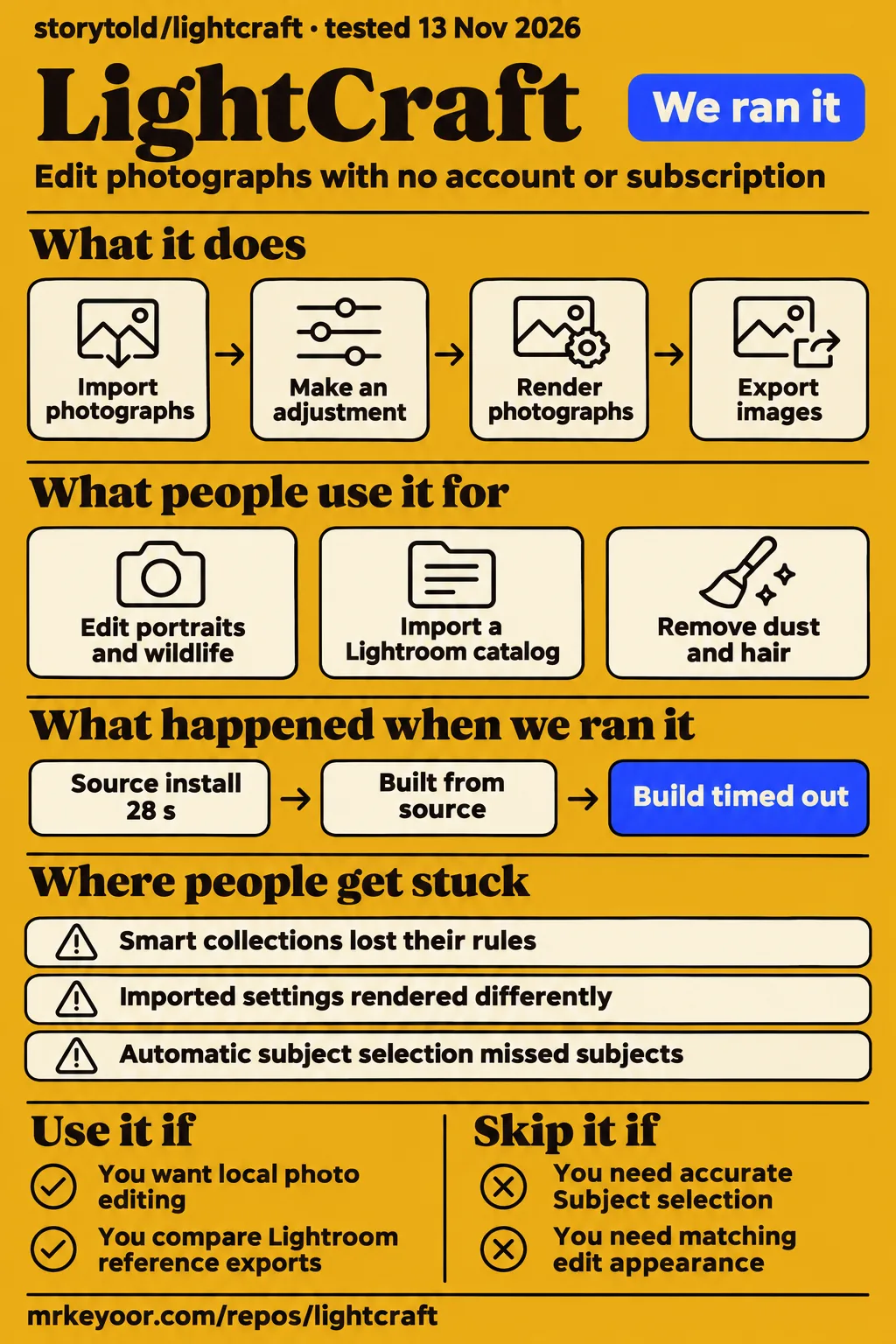
LightCraft's familiar controls make it a candidate for local photo editing, while matching an existing Lightroom result takes a separate comparison. Our sandbox installed dependencies in 28 seconds, but build and tests each timed out at 900 seconds. Independent reviewers supply the completed editing examples in this review. Their photographs, migration results and camera reports give hobbyists concrete starting points for deciding whether to keep using their current editor alongside LightCraft.
What people use lightcraft for
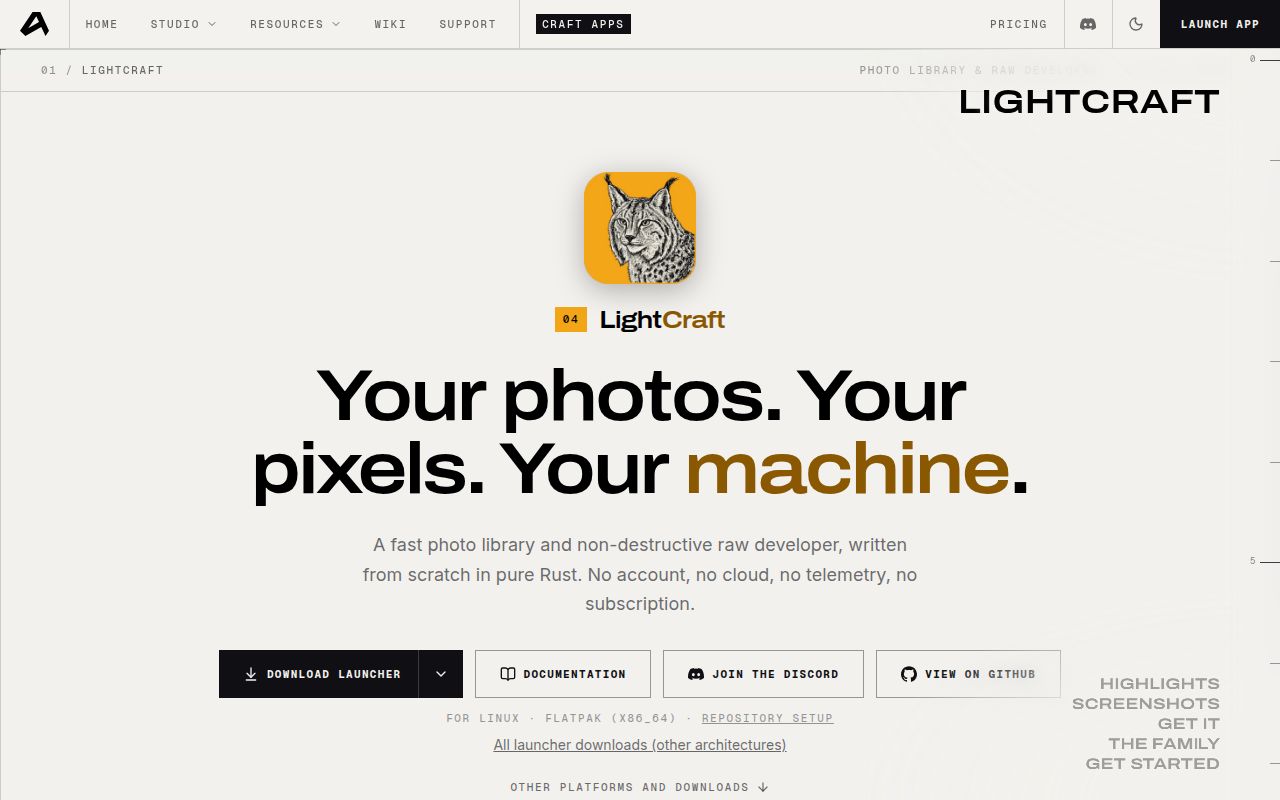
Reviewers and users report editing photographs, importing Lightroom organization and cleaning scanned film images with LightCraft. The official description calls it a free, open-source photo library and RAW developer with no account or subscription. A RAW developer converts camera sensor data into a viewable photograph; its adjustment recipe is separate from the original image. These examples identify particular jobs and outcomes rather than treating a familiar interface as sufficient evidence of a successful switch. Official LightCraft description.
| Who used it | What they did | Reported outcome |
|---|---|---|
| Chris Brenzel | Edited five photographs, including portraits, wildlife and a shed | Reported several results close to Lightroom; the minimally edited shed looked very close at normal viewing size. Brenzel's comparison |
| Aaron Nace / PHLEARN | Imported a six-photo Lightroom Classic catalog | Organization and settings transferred in about ten seconds; smart collections became ordinary albums. PHLEARN's migration |
| Andrew, posting as gryphon1911 | Processed Olympus OM-1 Renaissance Festival JPEGs on an Intel Linux desktop | Used his familiar editing process and shared its output. Andrew's workflow |
| kkazakov on r/DarkTable | Tried dust and hair removal on scanned film images | Reported success for that cleanup task despite other bugs. Film-cleanup discussion |
Brenzel's shed comparison gives a useful first task for a hobbyist: make a modest edit and compare finished photographs at their intended viewing size. His balloon example supplies a different lesson, because applying the same preset produced a darker, more muted starting image in LightCraft. PHLEARN's migration similarly separates moving an adjustment recipe from reproducing its appearance. Choose a photograph whose desired result you already know, then compare the exported image as well as the controls.
What happened when we ran it
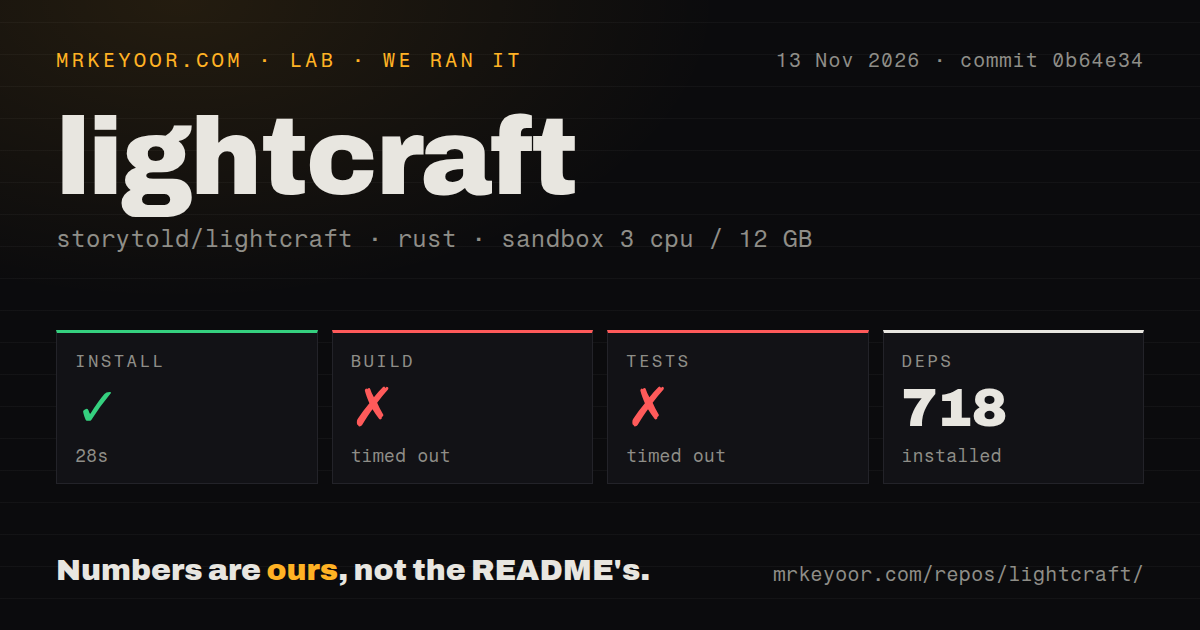
Our source run installed dependencies in 28 seconds; build and tests each timed out at 900 seconds. We measured those results on November 13, 2026, at commit 0b64e34 with 3 CPUs and 12 GB RAM. A separate November 14 hands-on attempt failed its Compose safety preflight. That runner required a Compose file, so its FAILED label describes a deployment prerequisite rather than a security finding.
| Recorded step | Answer | Verdict | Why |
|---|---|---|---|
| November 14 deployment preflight | No supported Compose filename existed | FAILED | The runner required compose.yaml, compose.yml, docker-compose.yaml or docker-compose.yml |
| November 14 teardown | Cleanup reported completion | ok | The teardown record says “teardown: ok” |
| November 13 dependency installation | 718 dependencies recorded in 28 seconds | Succeeded | The installation command completed |
| November 13 build | Reached 900 seconds | Timed out | The command exited at its time cap |
| November 13 tests | Reached 900 seconds | Timed out | The log tail still contained compilation messages |
The November 14 summary says deployment used the project's own Docker Compose with every port bound to 127.0.0.1. The failed preflight contradicts that summary, so the step record takes precedence in this account. Teardown separately reports ok. Keeping both records visible preserves the conflict instead of turning the summary into a successful deployment claim.
The source checkout contained 1,360 files, approximately 403,379 source lines and 42.5 MB. The scan recorded nine CI workflow files, no Dockerfile and no tests directory. Rust projects can contain tests inside source modules, so the directory observation is a checkout detail. The recorded sandbox image label was lab-rust:1. The test tail compiled egui, eframe, compression crates, LightCraft's web and CLI applications, film, wincolor, xtask and lightcraft-raw, including LightCraft crate version v0.21.1.
Where people get stuck: a closed issue can still need an unmerged fix
A closed issue does not establish that its fix shipped: issue #741 still describes PR #762 as unmerged and Radius and Detail as inactive in v0.16.0. That version belongs to the supplied thread's account. The practical distinction is between a reporter confirming a remedy, a contributor demonstrating a change on main and a proposed change awaiting merge. Read the final technical reply alongside the issue label. Sharpening discussion.
| Symptom and source | What the thread says | Practical next step |
|---|---|---|
| Panasonic RW2 remains preview-only, issue #314 | A user confirmed reloading photographs imported with 0.2.1 removed the preview-only state | On a supporting build, select Photo ▸ Reload from Disk |
| Sony A6000 softness, issue #741 | Radius and Detail were inactive in v0.16.0; PR #762 was unmerged | Follow the PR and compare a full-size export |
| Canon EOS 4000D colorless CR2, issue #525 | A contributor opened the supplied ten files in color on main; the difference involved 0.6.0 or the app | Record the app version and answer the contributor's question about whether JPEGs also appear gray |
| Sony A7R V soft zoom, issue #860 | The reporter said the image became sharp after waiting a few seconds | Allow the full-resolution render to finish before judging focus |
The Panasonic discussion also describes #571 changing Reload from Disk to read lens data and enable correction for unedited photographs, while retaining existing settings on edited photographs. That is a separate operation from clearing the preview-only state. In the sharpening thread, comparison images and the reporter's thanks precede the explicit unmerged status. Those exchanges explain development progress, while the later version-specific reply supplies the actionable status for v0.16.0.
RAW color depends on the camera profile and photograph
LightCraft reads the camera model from RAW metadata and uses an available built-in or local camera profile, according to issue #1281. The contributor distinguishes that starting color from the Profile panel's “Color” look. Per-photo fitting uses the photograph's embedded camera JPEG, and rejected fits can produce a different starting appearance. This explains why a camera preview and the developed sensor image can look different. Camera-profile explanation.
| Camera or workflow | State in the supplied records | Decision consequence |
|---|---|---|
| Leica M10-P DNG | Issue #860 identifies the tone fix as included in v0.16.0 through #1316 | Attach the version to older dark-rendering reports |
| Leica S (Typ 007) | Remaining color refinement appears in open PR #807 | Treat its color work separately from the M10-P tone correction |
| Sony muted RAW appearance | Issue #515 includes an a6400 report on 0.9.1 | Compare files from the actual camera and lighting conditions |
| Imported Lightroom settings | Issue #523 reports different brightness and contrast from matching values | Compare exported photographs alongside imported settings |
Leica correction thread, Sony color reports, migration-rendering report.
Issue #1281 describes the interface as showing the chosen look without showing the camera profile that supplied starting color. It also identifies work on displaying the calibration or fallback and on a calibration wizard. For a switching comparison, include photographs with subdued color, mixed lighting and difficult exposure alongside straightforward images. That makes the comparison answer a photographic question: whether the editor gives you a useful starting point and the finished result you want.
Large libraries change the migration decision
Issue #832 reports an importer that read and hashed entire originals while progress barely moved and cancellation waited. Its record concerns a catalog with 38,545 photographs and 1.1 TB of originals on a USB SSD. The thread's proposed work uses header probing and batches of 256 photographs. The branch author's reported result was 2 minutes 2 seconds; those figures belong to that contributor's workload. Large-catalog discussion.
PHLEARN's six-photo migration transferred ratings, a pick, a reject, a black-and-white edit, a collection and the folder tree in about ten seconds. Smart collections arrived as ordinary albums without their rules. The same slider values also produced a different picture. Together, these records suggest a practical migration exercise: choose representative folders and sidecars, inspect the organization you use, and compare reference exports before committing the rest of an archive to a new workflow.
LightCraft vs Lightroom, darktable and RawTherapee
PHLEARN found Lightroom's Subject selection more accurate in its example, while LightCraft transferred organization from a small Classic catalog. Brenzel found LightCraft familiar coming from Lightroom and achieved several close edits. These are useful reasons to compare particular workflows. They support choosing test photographs and tasks rather than assigning one editor a universal image-quality ranking. PHLEARN's comparison, Brenzel's comparison.
| Alternative | Reason to consider it | LightCraft comparison |
|---|---|---|
| Lightroom / Lightroom Classic | PHLEARN's example favored Lightroom's automatic Subject selection | LightCraft transferred catalog organization but rendered imported settings differently |
| darktable | Its documentation describes database-backed organization and RAW development | Brenzel found LightCraft familiar coming from Lightroom |
| RawTherapee | Its documentation emphasizes control over demosaicing and development | LightCraft documents library organization alongside development |
| Capture One | Gampat preferred his existing workflow and retained it | His review considered LightCraft attractive for avoiding software cost |
Sources: PHLEARN, darktable documentation, RawTherapee documentation, Gampat's review.
RawTherapee says professionals may miss peripheral features such as asset management, printing and uploading, and explicitly rejects an all-in-one goal. darktable describes managing digital negatives in a database and developing and exporting them. These documented differences help readers choose which applications to compare. A person concentrating on RAW processing can evaluate RawTherapee with a separate organizer; someone choosing an integrated library workflow has a different set of tasks to assess.
Android and film conversion have separate status records
LightCraft for Android uses a separate repository and a Kotlin/Jetpack Compose interface over the desktop engine. Its supplied record calls it beta and offers a standard APK plus an armeabi-v7a variant for 32-bit ARM phones. Its feature table lists subject and sky AI masks as not started and cloud sync outside its local-app plans. Use that repository's feature list when choosing a phone workflow. Android repository record.
Film cleanup and film conversion also have separate evidence. kkazakov reported successful dust cleanup, while issue #1346 describes inversion and orange-mask removal in open PRs #2490 and #2202. The proposed conversion processes negative RAW data and adds a Negative Craft editing section. A photographer cleaning an already converted scan and someone developing a camera scan of a negative need different operations. Film-cleanup report, negative-conversion discussion.
Local editing includes optional models and automation
The desktop README documents CLI and MCP access to import, query, development, rendering and export commands. The server can run headless or attach to the running application, and mask operations use the command registry. This gives developers a documented route for editing experiments on a separate working library. The interface reaches operations that change edits and export files, so the working library should contain photographs suitable for those experiments. LightCraft automation documentation.
FaitaRyuu's unofficial AI Remove post describes returning an edited DNG alongside the original. The author reports downloads ranging from a few GB to about 52 GB with every model, and labels FLUX, OSOR and Qwen-Image non-commercial. The post recommends LaMa or RORem for paid work and DAI for reflections. Those are the author's model-license descriptions. Its testing account names Windows with an AMD RX 7800 XT and distinguishes that experience from CPU installer checks in CI. AI Remove author report.
What the other reviews get wrong
The Phoblographer's claim that LightCraft competes with Lightroom “in nearly every single way” exceeds the specific results in PHLEARN's mask comparison and issue #523's migration report. Gampat's own review also describes complaints and retains Capture One. Read the broad praise alongside those concrete choices: usable basic editing, automatic selection and reproducing existing edits are distinct reasons to select an editor. Gampat's review, PHLEARN, migration issue.
PCMag describes manual AI Denoise model installation, while mb2m's November 9 post reports denoise and lens profiles working out of the box on a 2018 MacBook Pro. The current desktop README describes separately installed denoise weights. PCMag's “no learning curve” conclusion also conflicts with Brenzel spending time finding controls and Andrew adjusting to crop behavior. PHLEARN's zero-second catalog metric conflicts with its narrative's approximately ten seconds. Use the narrative timing and retain each report's setup and attribution. PCMag, mb2m's report, desktop feature status.
Questions people ask
LightCraft's photo editor lives at storytold/lightcraft, while its Android beta and the Spark/Jetset production tools have separate repositories or product sites. The questions below cover installation, migration and those product distinctions. For an editing decision, start with known photographs and reference exports, then examine the catalog features you depend on. This keeps application identity, installation and photographic results connected without treating similarly named products as one system.
Where is the GitHub repository for the LightCraft photo editor?
The photo editor's repository is storytold/lightcraft. Its README describes a photo library and RAW developer with desktop, browser and command-line routes, and labels its status alpha. The official product page supplies downloads. Those two locations identify the reviewed project and connect its documented features to its packages; the Android application has its own repository and feature table.
How do I install and start using LightCraft?
The official LightCraft product page provides downloads, including the supplied macOS disk-image listing. Developers can follow the README's source instructions, which require Rust 1.95 or newer. Begin with copies of familiar photographs, make an ordinary adjustment and inspect the resulting export. Keep a reference image from your existing editor so the comparison reflects the picture you intend to deliver rather than identical slider positions.
Is LightCraft available for Android, and where does its APK come from?
The LightCraft Android repository supplies APK release guidance for its separate beta. Its README describes a Kotlin interface using the desktop engine and distinguishes the ordinary APK from the armeabi-v7a package for 32-bit ARM phones. Consult that application's feature table for phone editing, including the listed status of AI masks and cloud sync, rather than transferring the desktop feature list to it.
Can LightCraft replace Lightroom or Lightroom Classic for my editing workflow?
PHLEARN transferred organization and settings from a six-photo Classic catalog, but smart collections lost their rules and imported settings rendered differently. Brenzel achieved several close edits through adjustment. For a hobbyist, those results justify comparing a small selection of photographs and catalog features. For a workflow built around existing edits or automatic Subject selection, keep the current editor available while judging the actual output you need.
Is the LightCraft RAW editor the same product as Lightcraft Jetset or virtual-production software?
LightCraft's RAW editor develops photographs; Spark and Jetset belong to a separate movie-production product family. The supplied Spark site describes visualizing scenes, and its support page calls Spark the planning and design layer and Jetset the on-set production layer. Use the photography repository for this review's software and the production product's own site for movie workflows. Spark product page, Spark and Jetset explanation.
What we have not tested yet
Our lab has no completed desktop editing session, export workload, camera comparison or end-to-end MCP result for this review. Build and tests timed out, and the separate Compose preflight failed. Raw orchestration logs would be needed to reconcile its conflicting deployment summary; raw toolchain logs would identify the actual Rust and operating-system versions. The recorded image label supplies neither. The measurements include no vulnerability audit, assertion result or supported diagnosis of the timeout's cause.
The latest-release record identifies v0.21.1, dated November 12, 2026; the source run used commit 0b64e34. We have not retested that release against older sharpening reports, the Canon discrepancy, Leica S color work or calibration proposals. The branch descriptions establish no release availability for the catalog-import work, Panasonic lens-reload change or film conversion. PHLEARN's Subject comparison excludes the separately downloaded Object and Describe models, so its mask result applies to the tested selection method.
NAS migration, long-term catalog preservation, Android behavior, native film conversion, AI Remove licensing compliance and real Mac or Linux GPU operation remain outside our completed evaluation. The plugin author's post reports no real Mac or Linux GPU test. The pack supplies no independent automation reliability measurement or comparable Darkroom workload. Search suggestions supply phrasing rather than worldwide demand, adoption or download figures. Shared engines and individual successful examples supply no general compatibility or quality guarantee.
Documentation receives 4/5 for concrete download, source, optional-model and command guidance plus an explicit feature-status list. The documentation rubric assigns 1 to absent practical guidance, 3 to a usable starting route and 5 to guidance corroborated across the reviewed workflows; incomplete reproduction keeps this assessment below 5. Setup ease, community and maturity are unassessed because the records supply no completed application setup, support-capacity assessment or sustained reliability evaluation. For a switching decision, collect a representative import and reference exports on your actual storage.