Kun keeps desktop and terminal work in one local history
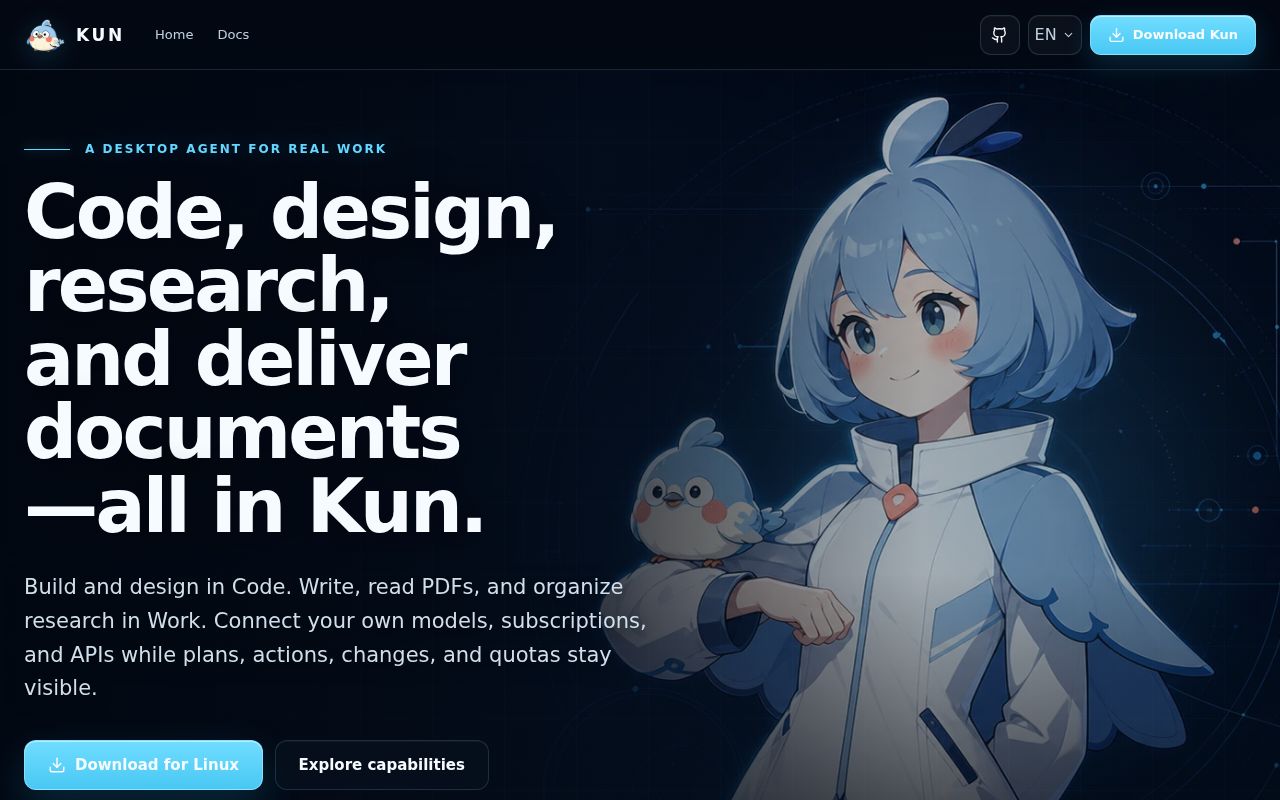
Kun's strongest idea is continuity. The Electron interface and keyboard-focused TUI connect to the same kun serve runtime, sharing threads, plans, goals, approvals, and background tasks. Code mode handles repositories, branches, worktrees, terminals, diffs, tests, review, and a Design canvas. Work mode covers Markdown, document questions, spreadsheets, presentations, and whiteboards. That range makes Kun closer to a local workbench than a coding extension attached to one editor.
Release v0.3.6 supports macOS on Intel and Apple Silicon, Windows x64, and Linux packages, plus standalone TUI archives. The app stores sessions, preferences, logs, and runtime data locally by default. Local storage does not keep a cloud model private: prompts, attachments, and task context go to the selected provider. Presets cover several subscription, API, compatible-service, and self-hosted routes, with actual models and quotas depending on provider rules.
The English path is complete, while Chinese remains primary
The main README is Chinese, but README.en.md mirrors its product, setup, source-build, license, and contribution guidance. English versions also exist for the TUI, workflow loops, extensions, local development, and contribution process. Some linked material remains shared or Chinese-first, but an English-speaking developer can get from download to a source build without machine translation. That is better than a translated summary attached to an otherwise Chinese-only project.
From source, Kun requires Node.js 22.19 or newer, npm, and at least one model connection. npm run dev builds the runtime and starts Electron; separate commands cover the TUI, type checks, lint, tests, production builds, and platform packages. Our checkout contained 5,992 files and about 1,187,327 lines of source. The size matches the feature list, but it also means newcomers are entering a large monorepo rather than a thin desktop shell.
What happened when we ran it
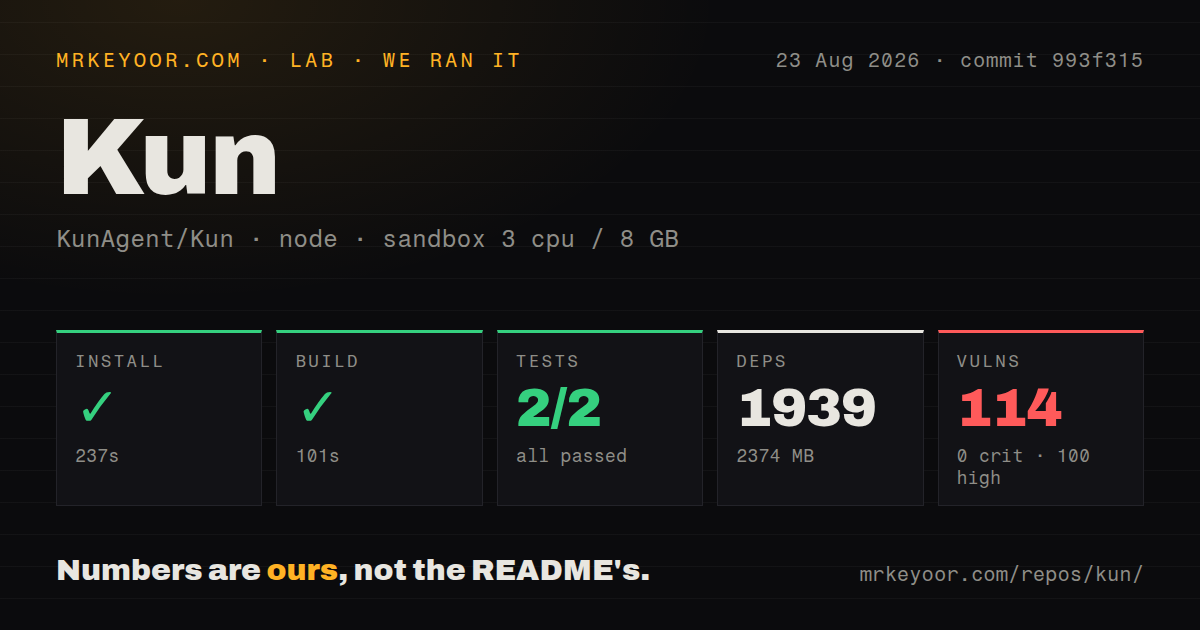
Our sandbox installed commit 993f315 in 237 seconds. Npm added 1,939 packages and used 2,374 MB on disk before any user projects or model caches. The production build succeeded in 101 seconds. The run used a fresh unprivileged Debian container with 3 CPUs, 8 GB of RAM, and no secrets, so it checked the repository without connecting a provider or granting real workspace access.
Tests ran for 626 seconds and exited with status 1. A Node test step reported 2 passed and 0 failed out of 2, while the supplied Vitest tail reported 565 passing files, 25 failing files, and 1 skipped file. At the test level it counted 4,616 passed, 85 failed, and 3 skipped out of 4,704. One visible assertion expected a rejected start hook to return an error object. The log does not establish one shared cause for all 85 failures.
Npm audit found 114 known vulnerabilities: 100 high, 14 moderate, 0 critical, and 0 low. The repository scan found 5 CI workflows, no Dockerfile, no tests directory, and npm workspaces. These audit counts do not prove that every advisory is remotely reachable through Kun. They do make dependency triage mandatory before putting valuable credentials, repositories, or SSH access into the app.
Broad tool access raises the cost of a bad release
Kun can edit files, run terminal commands, use Git worktrees, browse, connect through SSH, install extensions, call MCP tools, and schedule work. Visible permissions and approvals are the right design, yet breadth increases the consequences of a mistaken grant. A 2,374 MB dependency tree with 100 high-severity advisories deserves isolation from production credentials until each relevant path is understood. Start with a disposable repository and a restricted provider key.
Version 0.3.6 also changed plan execution to use agent-managed worktrees by default, added scheduled builds, SSH terminals, agent evaluations, and experimental session visualizations. Those are meaningful capabilities arriving in one v0 release. Open issue 1233 reports that returning to a stopped Design session can unexpectedly reactivate creation. Issue 1235 reports that one subscription provider still fails model synchronization in 0.3.6. Neither issue proves core file editing is unsafe, but both show active edge behavior.
PolyForm blocks ordinary commercial adoption
Kun uses PolyForm Noncommercial 1.0.0 rather than an OSI-approved commercial license. The README limits use to learning, research, and noncommercial purposes. Commercial use, distribution, hosted service, resale, or inclusion in a commercial product requires separate written authorization. A company evaluating Kun for paid engineering work should resolve that point before spending time on provider integration or internal deployment. Source access alone does not settle permission.
GitHub showed 6,254 stars, 9 open issues and pull requests combined, and a last push on August 26, 2026. Release v0.3.6 arrived August 21, so development and user feedback are current. That activity helps a fast-moving desktop product, but it does not cancel our 85 failed tests or 114 audit findings. Kun is compelling as a noncommercial trial for users who want one visible workspace across code and documents. It is not ready to receive blind trust.