A shared endpoint still needs an identity decision
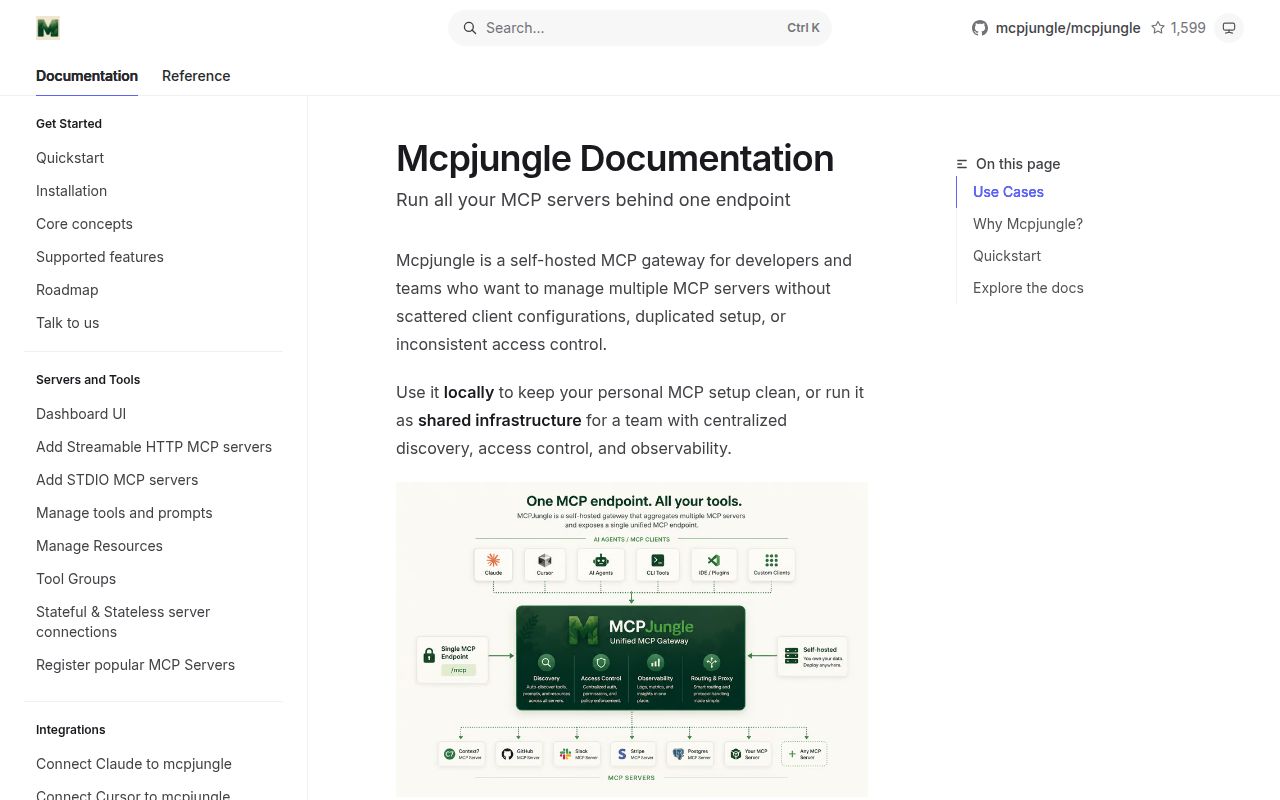
MCPJungle lets Claude, Cursor, Codex and other MCP clients reach registered servers through one endpoint. If you keep repeating the same server configuration across clients, that is a useful job for a gateway. The project README describes unified discovery for tools, prompts and resources, plus optional Tool Groups that restrict the visible tool list. You keep the upstream servers, while MCPJungle becomes another service you operate between them and your clients.
I would evaluate it for a developer's growing collection of MCP servers or a team comfortable managing static client credentials. A team expecting its existing single sign-on to carry through to every tool should stop and check the authentication model first. The documented limitations say downstream OAuth, SSO and OpenID Connect are unsupported. That boundary matters more to the adoption decision than the convenience of registering a server once.
What happened when we ran it
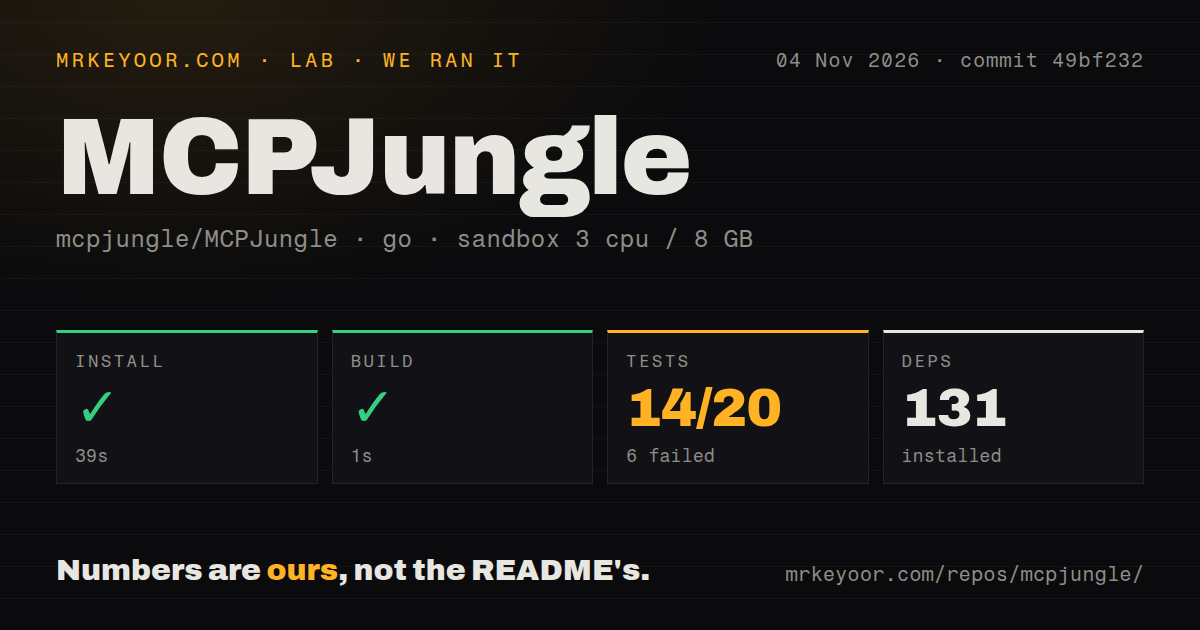
Our run of MCPJungle at commit 49bf232 on November 4, 2026 installed dependencies in 39 seconds and built successfully in 1 second. The record lists 131 dependencies. The test step failed with exit code 1 after 79 seconds, reporting 14 passed and 6 failed out of 20. These are the supplied sandbox results, not a fresh execution of today's checkout or a measurement of gateway request speed.
The visible test tail lists successful package results for the database, model, several services and utility packages, then ends with FAIL. It does not show the failing assertions or their causes. We cannot attribute those failures to a missing service, a runtime mismatch or a product defect. A successful build gives source evaluators something concrete to work with, but this run provides no passing overall test result to carry into an adoption decision.
The recorded sandbox configuration was 3 CPUs, 8 GB of RAM and image golang:1.24-bookworm. That image label does not establish the actual Go or operating-system version. The checkout contained 263 files, approximately 37,566 source lines and 9.3 MB. The scan found a Dockerfile, no CI workflow files and no tests directory. Tests can live beside Go source, so that directory observation does not mean there are no tests. No vulnerability-audit result was supplied.
Local quickstart and shared deployment have different requirements
The README's local example exposes http://localhost:8080/mcp through Docker Compose, registers Context7 with the separate MCPJungle CLI, and connects Claude Desktop through npx mcp-remote. That example requires the gateway, the CLI and a client-side bridge. It also reaches an external MCP service. Our source checks do not establish that this complete client-to-tool path worked, and the recorded installation timing should not be read as time to a working Claude setup.
For team use, the production guide recommends enterprise mode and a dedicated PostgreSQL database. Operators initialize the server with mcpjungle init-server and keep the CLI separately on their machines. The guide's mode table says development mode disables authentication and access controls, while enterprise mode requires authentication and enables access controls. Sharing the local quickstart therefore calls for an explicit deployment change and credential decisions.
The same guide describes a specific reverse-proxy trap: loopback connections require a localhost value in the upstream HTTP Host header because of DNS rebinding protection. A proxy that preserves a public hostname while forwarding to loopback can receive a rejection even after authentication succeeds. Check the backend connection your proxy actually makes. This is documented deployment advice, not our diagnosis of the failed test command.
Static tokens and tool-only groups limit the fit
MCPJungle's supported downstream authentication model uses static access tokens, according to its limitations page. Operators can supply custom tokens or use generated ones. That may fit a small team with an established credential-management process. It leaves organizations requiring native downstream SSO with a separate integration problem. The upstream OAuth feature is described as beta, with authorization scoped to the gateway rather than each downstream user. Do not assume that different client identities imply separate upstream user grants.
Tool Groups have a narrower interface than the main gateway. The limitations page says group endpoints expose tools without prompts or resources, while the main /mcp endpoint can surface everything. If your workflow depends on a resource or a reusable prompt, moving it behind a group is a compatibility decision. Enterprise mode also reserves server registration and Tool Group creation for administrators. That suits central ownership and makes delegated team administration a reason to look elsewhere.
ContextForge and ToolHive answer different operating needs
ContextForge describes federation across MCP, A2A and REST/gRPC APIs. Compare it when your shared endpoint must include existing APIs or agent services alongside MCP servers. ToolHive documents local Docker or Podman execution and a Kubernetes operator. Compare that platform when managing the server runtime on Kubernetes is part of your task. Neither comparison establishes a speed, reliability or setup advantage over MCPJungle: our supplied run contains no comparative workload.
The evidence supports a pilot with explicit acceptance checks
The 79-second failing test step leaves source-level acceptance unresolved, even though MCPJungle built. Documentation earns 4/5 on this review's rubric: 1 means unusable guidance, 3 means a documented path with important omissions, and 5 means detailed guidance corroborated by execution. Four reflects the concrete local, production and limitation guidance we read, with those deployment paths still unverified. Setup, community and production maturity remain unassessed numerically because this record cannot establish their quality.
Start the pilot with the client and upstream server you intend to use. Confirm an allowed call and a denied call through the actual MCP endpoint, then check any prompts or resources your workflow needs. If static downstream tokens or gateway-scoped upstream authorization already conflict with your requirements, choose another authentication design before spending time on the gateway. For source adoption, obtain the failing assertions and resolve the recorded test failure before treating this checkout as accepted.