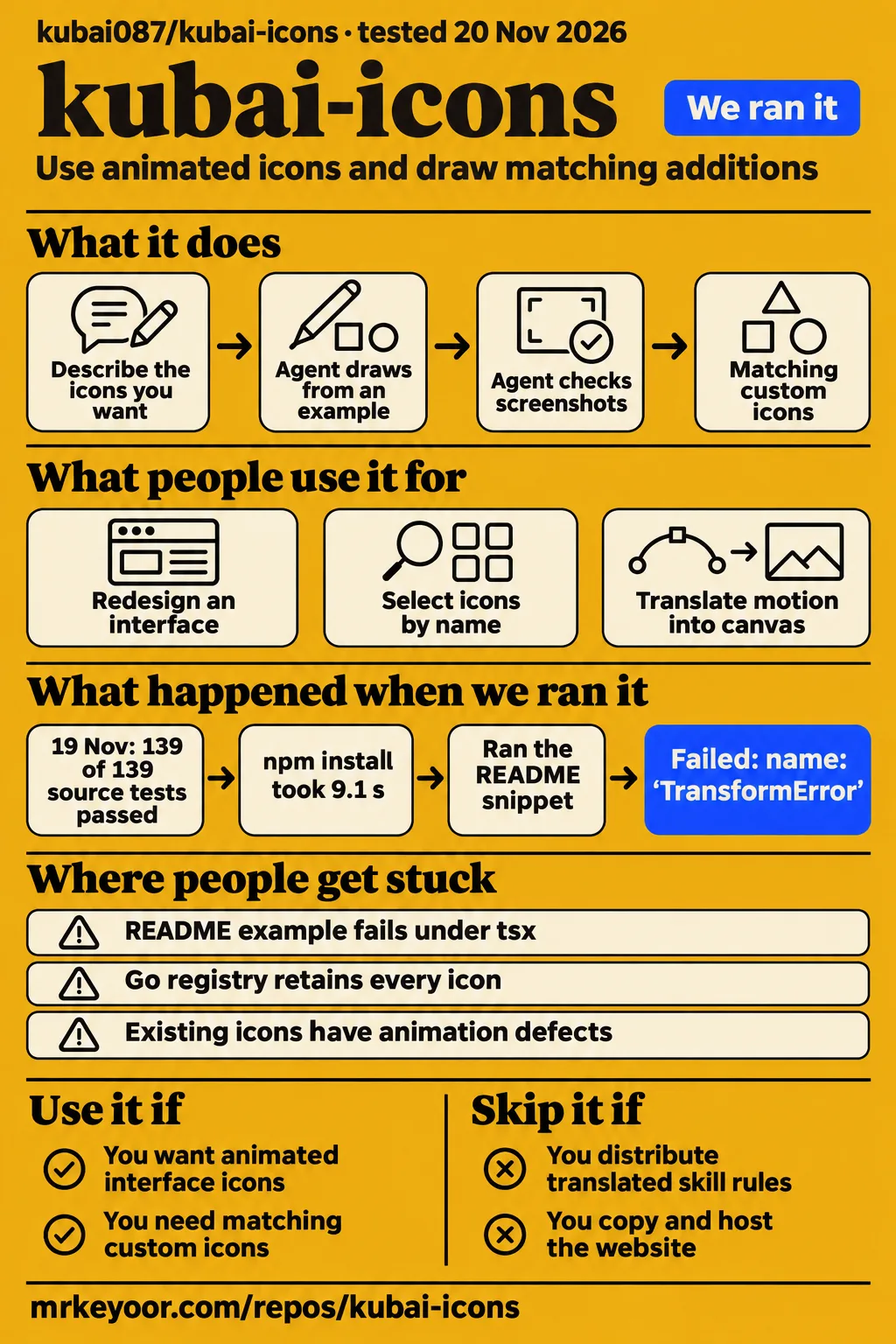
Our React quickstart stopped at TransformError, although the source build and all 139 recorded tests passed in a separate run. Use Kubai Icons if you want animated interface icons with a matching custom-drawing workflow. Skip it if your project needs to distribute modified or translated skill rules: the skill's separate license prohibits that.
The decision is which part you need. The ready-made icons are MIT-licensed, while the agent skill and website have different terms. You can use an existing icon without asking an AI model to draw anything. Our recommendation is to start there, in your application's normal framework, before adding the drawing workflow.
What people use kubai-icons for
Kubai Icons has appeared in a Risopo redesign, and independent developers have documented two Go adaptations for different ways of using its icons.
| Who used it | What they did | What came out |
|---|---|---|
| X user OnafowokanMich2 | Included Kubai Icons in an ongoing Risopo redesign | Shared redesign progress and highlighted the icons, rather than reporting a completed launch |
| yldm-tech/mygo-kubai-icons | Created a registry for galleries and pickers that select icons by name | Documented 2,901 entries and the cost of retaining every icon in the executable |
| nsgo-dev/nsgo-icons-kubai | Built a generator that translates upstream motion into canvas operations | Documented animation tracks compiled from sampled rendering |
The Risopo post is the most useful example for a web developer. On November 20, OnafowokanMich2 described rebuilding an earlier version more carefully and called attention to Kubai Icons in the interface. That is a concrete report of inclusion. The two Go projects show something different: developers adapting the icon format to environments beyond the official web packages. Their documentation explains the mechanism, which is more helpful than another list of attractive folders and bells.
The skill itself takes a product description or repository and proposes an object and an action for each feature. In aiwithbibek's Instagram explanation, examples include a folder opening and a lock springing open; the agent then checks screenshots against existing icons. That account describes the workflow, rather than a measured comparison of generated designs. For your project, the practical attraction is adding an unusual feature icon without introducing a visibly different drawing style.
What happened when we ran it
Our November 20 quickstart installed React package 0.13.1, then the unchanged README TSX snippet exited with TransformError under tsx.
We used commit ef31a206cc13 in an unprivileged container with 2 CPUs and 4 GB RAM, with no published ports or secrets. The task was deliberately narrow: take the 12-line block under “Use the icons” and run it without editing. The clone completed in 2 seconds. Then the package arrived, and the example failed before the run produced a successful render.
| Quickstart observation | Recorded result |
|---|---|
| React package | kubai-icons-react 0.13.1 installed in 9.1 seconds |
| Installed footprint | 69.3 MB in node_modules |
| Additional packages | 2 besides kubai-icons-react |
| Unedited example | Failed in 0.3 seconds, exit 1, TransformError |
| Cleanup | Teardown completed successfully |
The recorded finding is specific: the README snippet did not run as written in this attempt. The error tail shows stream-related stack frames and the error name, without a diagnosis identifying the responsible syntax, configuration or package behavior. Calling this a broken icon library would go beyond that log. Calling it a working copy-and-run example would also go beyond it.
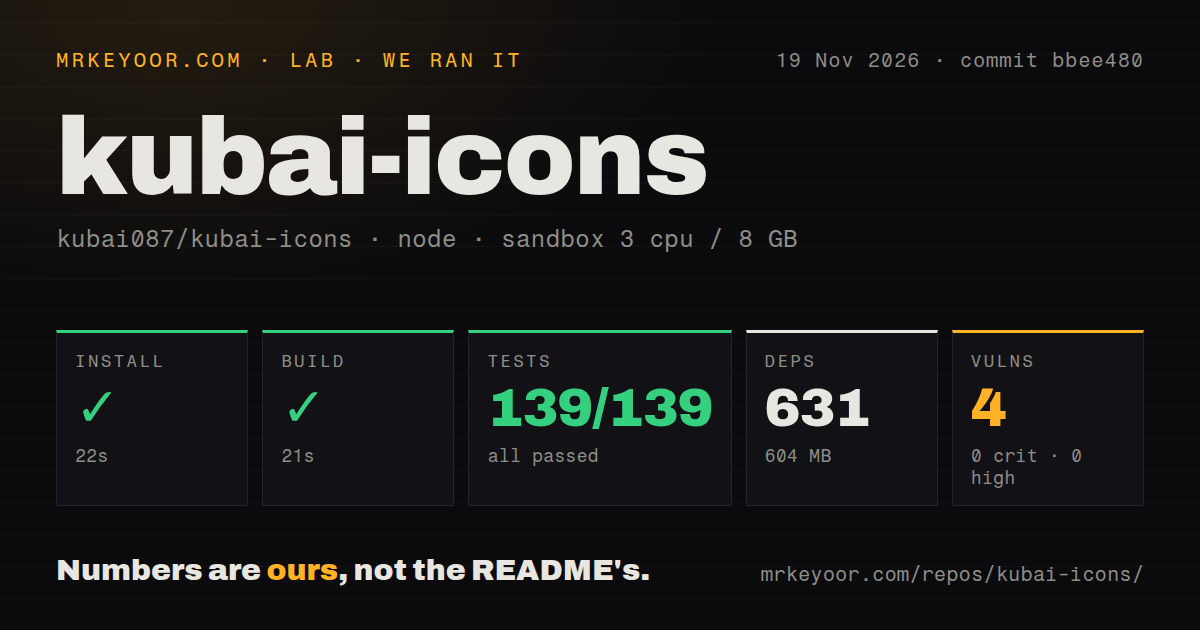
The separate November 19 source run checked commit bbee480 in a sandbox configured with 3 CPUs, 8 GB RAM and image label lab-node:22. That label identifies the configured image, not an independently confirmed Node or operating-system version.
| Source-repository check | Our recorded result |
|---|---|
| npm install | Succeeded in 22 seconds; 631 dependencies recorded; 604 MB on disk |
| Build | Succeeded in 21 seconds |
| Tests | Succeeded in 160 seconds; Vitest reported 139 passed and 0 failed of 139 |
| npm audit | 4 known vulnerabilities, all moderate; none critical, high or low |
| Repository scan | 1,374 files, about 43,666 source lines, 10 MB checked out; 4 CI workflows, tests directory and monorepo workspaces; no Dockerfile detected |
These runs answer different questions at different commits. The source checks completed successfully. The later quickstart exercised an example and failed. Neither the 604 MB developer environment nor the 69.3 MB package installation measures how much JavaScript a visitor downloads. A browser bundle is the code your application actually sends to that visitor after its build chooses and processes imports.
Where people get stuck: examples, motion and whole-set imports
The quickstart's TransformError has no recorded successful correction, while the Go registry documentation supplies a concrete workaround for unnecessary whole-set imports.
| Problem | What you can do | Status of the evidence |
|---|---|---|
| Unchanged README block fails under tsx | Reproduce it in your intended framework and retain the exact error before changing the example | Our run ends at failure; no successful rerun is recorded |
| Go executable retains every registered icon | Use individual functions in package kubai when icon names are known | Documented recommendation from the adapter |
| Existing icons have drawing or animation defects | Compare the affected icon with the author's announced revisions | Author reported adjusting the animation curve and fixing or redrawing 160 icons on November 15 |
The upstream announcement ties those drawing changes to skill 1.2.0 and icon package 0.9.0. It is an author-reported fix, not a retest of each icon by our lab. It also illustrates why the skill version and the npm package version should stay distinct in a bug report: they describe different parts of the project.
For the failed example, a useful report would include the repository commit, resolved package version, runner and full error. Avoid beginning with an invented diagnosis such as “Node 22 incompatibility.” Our configured image name supplies no such explanation. If your goal is a React interface, make successful rendering in that interface the acceptance condition, rather than treating a completed npm command as the finished integration.
The library, skill and website have three different licenses
The icon packages are MIT-licensed; the skill is source-available; the website and its listed tooling directories are all rights reserved.
The README's license table separates icons and badges, the four packages, the skill, and the website. You may use, change and redistribute the MIT icons commercially. Generated icons belong to their creator under the skill's stated terms. The skill also permits shipping the engine and specified supporting files with your own icon project while retaining copyright notices.
The restriction that changes a team's decision concerns the rules themselves. You may change the skill for your own use and share exact unmodified copies for free, but you may not distribute modified or translated PROMPT.md and SKILL.md, sell the skill, or rebrand it as your work. A design team making icons for a client and a platform redistributing its own translated skill are doing different things under these terms.
The website's terms allow reading its source and running it to prepare a contribution, but prohibit copying or hosting it. Downloading an MIT icon does not give you permission to deploy a copy of the gallery website. For a product team, choose the package or exported assets you need and keep the skill's distribution question separate.
Safety scans cover less than the word “safe” suggests
Our source run reported four moderate npm vulnerabilities, and SkillsLLM's earlier passing scan is explicitly limited by that site's own disclaimer.
SkillsLLM dates its automated scan to November 4 and says its checks do not constitute a security certification or guarantee. Our November 19 audit belongs to a different dated run. Those results should stay attached to their dates and scopes, rather than being turned into a permanent yes-or-no safety label.
The README describes a skill that can read a repository, create icon files and run a headless Chrome self-check. Headless means the browser runs without a visible window. That is executable tooling in an agent workflow, so read the skill and scripts you intend to run and give the agent access appropriate to the project. The icon package and the drawing workflow deserve separate decisions about access: importing a ready-made component does not require inviting an agent to inspect your product's code.
English instructions exist, but layered export names use Chinese
The project has an English README, while the layered style's export examples use Chinese icon names and palette names.
The export instructions explicitly distinguish the skill's own examples from the downloadable library. For layered examples, names such as 文件夹 appear in commands. The current README says the separate two-tone style uses English names, and it offers English package imports such as Folder for the React library. Chinese author posts therefore don't mean English-speaking developers must translate every component name.
The distinction is worth making before you copy commands. If you want an existing icon in a web app, use the package documentation or the browser gallery's code. If you are extending the layered skill examples, preserve the documented names. The README specifies Node.js 18 or later and Chrome for the self-check, and Node.js 20 or later for working on the library and website. It is describing separate tasks, rather than one universal requirement for every exported SVG.
Kubai Icons vs Lucide and the Go adapters
Lucide offers SVG icons through official framework packages, while the two Go projects adapt Kubai's own artwork for native rendering and lookup.
| Option | What its documentation establishes | Choose it when |
|---|---|---|
| Kubai Icons | React, Vue, framework-free and static SVG packages, plus an agent drawing workflow | Object-specific motion and matching custom icons suit your interface |
| Lucide | SVG files and official packages, including React, Vue and static assets | You want an SVG toolkit without taking on Kubai's custom-drawing workflow |
| Kubai Icons for MyGo | A complete registry for name-based lookup, with an all-icons retention warning | You are building a Go gallery or picker and need lookup by name |
| nsgo-icons-kubai | A generator that compiles upstream layers and motion for a canvas | Your Go platform needs compiled motion tracks rather than web components |
The Go rows are adaptations, not competing art styles. The MyGo registry is convenient for a picker because users choose an icon at runtime. An application whose icon names are already known can use individual accessors, as its documentation recommends. The nsgo generator does a different job: it samples the upstream renderer at moments along the motion, reads the resulting markup and preserves changing numbers as animation tracks.
Lucide is the more relevant comparison for a conventional web interface. Its README documents an SVG library and several framework packages. Choose by the assets and authoring workflow your product needs. There is no measured speed winner in this table, and no reason to migrate an established icon system solely because another library offers hover motion.
What the other reviews get wrong
PerfectStack's blanket MIT claim and SkillsLLM's open-source skill description erase license distinctions that matter when you redistribute files.
PerfectStack says all libraries and assets are MIT-licensed. The project's own license table limits MIT coverage to the icons, badges and four packages. The skill and website have separate terms. That correction changes what you can ship, not just which license badge belongs on a listing.
SkillsLLM calls the agent skill open source and gives an unconditional safety answer. Its embedded manifest labels the skill source-available, and its own notice says automated checks don't guarantee safety. Read the dated scan as a scan result. Read the skill's distribution restrictions before treating a public repository as unrestricted material.
Dan Kornas's November 15 post gives a library count of 2,613, although the author had announced 2,936 on November 12. Those numbers belong to dated descriptions, not a stable compatibility guarantee. Count growth also says nothing about whether the particular symbol your interface needs is present.
Product Rally's roughly 1.1 KB gzipped-per-icon description concerns compressed delivery, whereas our footprint rows concern installed files. Those are different measurements. Use an application bundle report to answer a download-size question, rather than subtracting one figure from the other.
Questions people ask
Kubai Icons combines ready-made animated icons with an agent skill for drawing matching custom icons, according to its README.
What is kubai-icons?
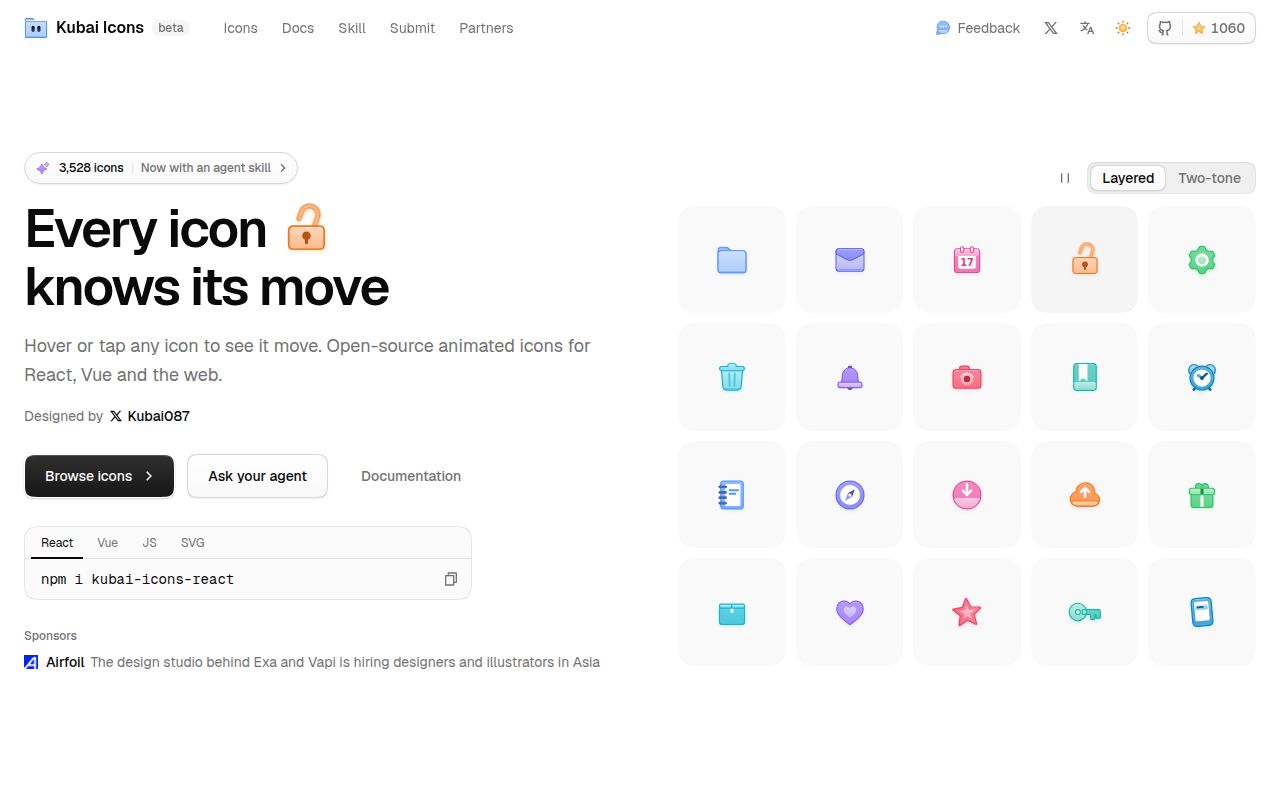
Kubai Icons is an animated icon library and a drawing skill for coding agents. The README separates the library from the rules, engine and self-check, so you can choose existing icons or ask an agent to create a matching one. The library includes framework components and static SVG files.
How do I install kubai-icons?
For React, the README's command is npm i kubai-icons-react. To install the skill, clone the repository into your agent's skills folder and restart the agent. Claude Code uses ~/.claude/skills/kubai-icons; Codex uses ~/.agents/skills/kubai-icons. Installing one is a different task from configuring the other.
Is kubai-icons safe to use?
No unconditional safety guarantee follows from a passing catalog scan. SkillsLLM's notice explicitly says its automated checks are limited. Our source audit found four moderate vulnerabilities. Review the selected version and the actions its skill scripts perform, with particular attention to the files your coding agent can access.
What should I do if the library does not have the icon I need?
Use the drawing skill or request an icon with an object and a hover action. The README documents both paths, as well as contributions drawn by hand. Describe the feature's meaning and intended action, rather than asking for decoration that only happens to match the palette.
How do I use the Kubai Icons skill?
After installation and an agent restart, describe the icons you want in plain words. The documented workflow reads the rules, draws from a structurally similar example and checks screenshots. The self-check needs Chrome and Node.js; the model needs to inspect images for the visual comparison to be useful.
What are Kubai Icons' strengths and limitations?
Its useful combination is shared drawing rules, an engine that derives colors from an accent, and a visual self-check. FollowAgents describes that loop and the restrictions on redistributing rules. For a design team, the tradeoff is control over a matching icon style against the skill's separate requirements and terms.
Are there alternatives to kubai-icons?
Yes: Lucide provides SVG icons through official packages, while the Go adapters above offer ways to reuse Kubai artwork outside the web packages. Pick Lucide for its SVG toolkit, or assess a Go adapter when the target platform requires it. The comparison is about fit, not a benchmark ranking.
What programming language is kubai-icons written in?
Kubai Icons is primarily JavaScript, as SkillsLLM's project description reports. Its ready-made output also includes SVG, the vector image format that describes shapes rather than a grid of pixels. Go ports are separate projects, not evidence that the upstream library itself is written in Go.
Who is Kubai Icons made for?
Kubai Icons suits interface developers and designers who want existing animated assets or matching custom icons. FollowAgents identifies frontend teams, design-system maintainers and static SVG users. You don't need an agent workflow merely to use a ready-made icon, and a familiar static set may already meet your requirements.
What we have not tested yet
Successful browser rendering, custom generation quality and production animation costs remain outside our completed checks.
We have not tested a corrected React quickstart, Vue or Nuxt integration, server rendering, mobile tap behavior, keyboard focus, reduced motion, or a real application's final download size. The quickstart log names TransformError but supplies neither a proven cause nor a working correction. No browser screenshots were captured in that run. The older source run's audit summary gives severity totals without dependency names or remediation details.
We have not generated a custom icon set with several models, evaluated the quality of the self-check's judgments, or measured how reliably its output matches existing artwork. The README's model recommendation is upstream guidance. The community's Risopo post provides no quantified usability or business outcome, and the Go documentation provides no runtime performance comparison.
Maintenance evidence here is also narrow. GitHub's public API reported a November 20 push and zero open issues and PRs when checked, but that snapshot gives no history of support response times. The latest release endpoint returned skill v2.0.0 dated November 20, separate from the npm version in our quickstart. Our source checks belong to bbee480, and the quickstart to ef31a206cc13. A useful next check is one required icon rendered in your own application, including its focus and reduced-motion states.