mrkeyoor.com_
Sun 20 Sept 17:48 UTC
AI Toolsevaluationupdated 20 Sept 2026

OpenCreator review

OpenCreator is a local workspace for making videos, images, voiceovers, translations, articles, and other creator assets with an AI agent. It combines ten creator tools with a Codex-driven conversation interface, so a project can move between guided forms and agent commands without leaving the same workspace.

Verdict

Our OpenCreator install took 12 seconds, but its build and test command both exited 1, so source adopters should budget time for verification before making it their creator workstation. The breadth is useful for a Codex user who wants ten visual tools beside agent conversations and accepts provider setup. Wait if you need a clean source check, a finished Auto Clips or Digital Avatar workflow, or license terms that are clear from the repository itself.

We ran it

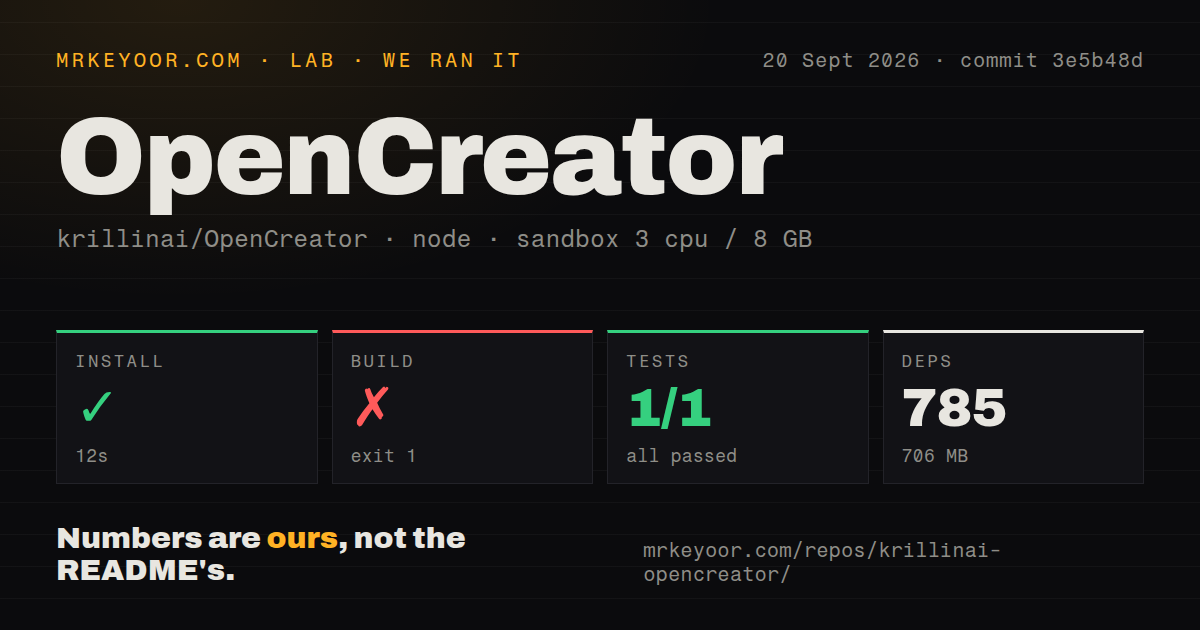
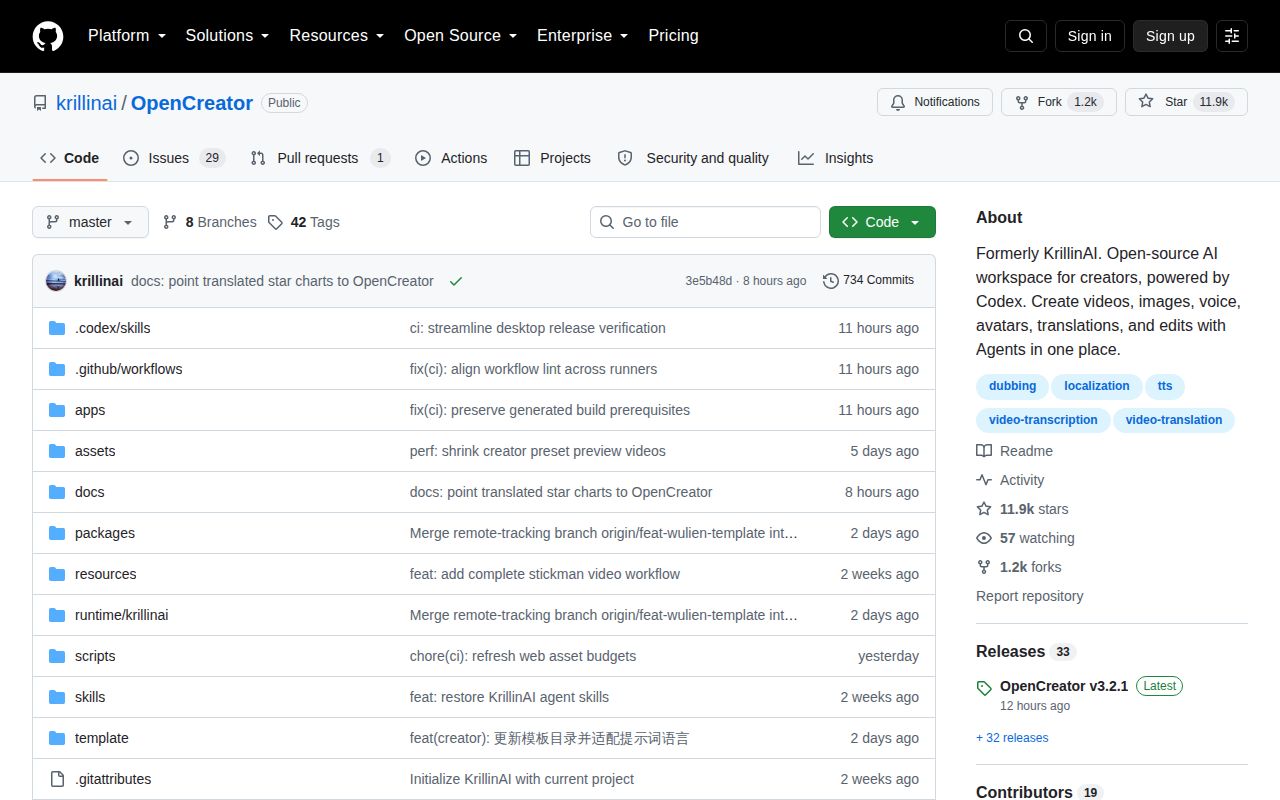
Lab card: what happened when we ran OpenCreatorScreenshot of OpenCreator (github.com/krillinai/OpenCreator)
Install✓ · 12s785 packages · 706 MB
Build✗ · 27s
Tests✗ · 24s1 passed · 0 failed of 1 (vitest)
Repo1898 files~276,389 lines of source · 313.7 MB · 2 CI workflows

Answers from our run

Does OpenCreator build from source?

Dependencies installed in 12 seconds (785 packages), and the build failed. We cloned commit 3e5b48d into a clean Debian container with 3 CPUs and no project-specific setup.

Do OpenCreator's tests pass?

Yes: 1 of 1 passed when we ran the project's own test command (vitest). Some failures need services or credentials a bare container does not have.

Who should not use OpenCreator?

Buyers who require an unambiguous repository license before adoption: the README displays Apache 2.0, but GitHub detects no license and open issue #326 asks the maintainers to add one.

What are the alternatives to OpenCreator?

pyVideoTrans, MoneyPrinterTurbo, ComfyUI. Our OpenCreator install took 12 seconds, but its build and test command both exited 1, so source adopters should budget time for verification before making it their creator workstation.

Setup2/512-second install, but build and test commands both exited 1
Docs5/5Setup, architecture, security, packaging, and provider limits are covered
Community4/511,905 stars, a same-day push, and 30 open issues and PRs
Maturity3/5v3.2.1 ships widely, but two tools and license clarity remain open

Who it’s for

Creators who want video, image, writing, voice, and translation jobs in one local interface.
Codex users who prefer a visual workspace for runs, approvals, files, schedules, Skills, and MCP connections.
Small teams willing to configure their own model and media providers while keeping project data on their machine.
Developers who want to extend creator workflows through TypeScript packages and reusable Skills.

Who it’s NOT for

Buyers who require an unambiguous repository license before adoption: the README displays Apache 2.0, but GitHub detects no license and open issue #326 asks the maintainers to add one.
Anyone expecting the source checkout to pass its advertised verification commands in a fresh Node 22 container: our build exited 1 and the test command also exited 1.
Creators who want every advertised workflow fully finished: the README marks Auto Clips and Digital Avatar as in development.
Teams seeking a provider-free local studio: real agent tasks need a valid Codex login, while image, video, voice, and transcription features depend on configured services or local providers.
Windows users who cannot tolerate installer investigation: issue #303 reports the EXE opening with a missing-command error, and the v3.2.1 notes say the Windows installer is not Authenticode-signed.

Setup reality

Our Node 22 sandbox installed 785 packages in 12 seconds and used 706 MB. The 27-second build failed with exit code 1. Tests also exited 1 after 24 seconds: listed workspace suites passed, but packages/skill-market/test/runtime-import.test.ts recorded one failed test.

Source setup requires Node.js 22 or later, pnpm 9.15.0, a Codex CLI executable, and a valid Codex login for real model work. Creator features also need the relevant image, video, voice, or transcription provider settings.

The checkout held 1,898 files, about 276,389 source lines, and 313.7 MB before dependencies. Desktop packaging, the Web app, the local daemon, FFmpeg, yt-dlp, Whisper options, SQLite, and system credential storage make this a workstation application rather than a small command-line utility.

Ten creator tools share one Codex runtime

OpenCreator puts ten creator tools beside an agent conversation, then keeps both views pointed at the same task state. You can translate or download video, generate images and video, write articles and social copy, make voiceovers, and build stick-figure animation. The agent side adds projects, approvals, files, schedules, memory, Skills, and MCP connections. That shared state is the useful idea here: a generated asset can be revised through controls or conversation without starting a second project.

The package is larger than a creator dashboard. Our checkout at commit 3e5b48d contained 1,898 files and about 276,389 lines of source before pnpm added anything. A React Web app talks to a local Fastify daemon. Electron supplies desktop access, SQLite holds local project data, and Codex CLI runs the agent loop. FFmpeg, yt-dlp, and Whisper-compatible services cover the media work. Each part makes sense, but together they create a full workstation with several failure surfaces.

Two advertised workflows are still in development

The README labels eight creator workflows available and marks Auto Clips and Digital Avatar as in development. Available tools include video translation, downloading, thumbnail creation, image and video generation, article writing, Xiaohongshu posts, short-video scripts, stick-figure animation, and Smart Dubbing. Creation templates give image and video jobs a repeatable starting point, while version history preserves earlier settings and outputs after each revision.

Provider access sets the practical boundary. Language models come from the active Codex catalog or an OpenAI-compatible service. Image, video, voice, and transcription jobs use credentials configured under AI Services, although options such as Edge TTS do not require an API key. Real model tasks also require a valid Codex login. In other words, the 706 MB dependency install does not buy the models or accounts needed to run every tile on the dashboard.

What happened when we ran it

Our fresh Debian sandbox installed 785 packages in 12 seconds, leaving 706 MB of dependencies on disk. The repository itself occupied 313.7 MB. Installation was the clean part. pnpm build ran for 27 seconds and exited 1. The supplied log tail shows a child process with status 2, followed by Node.js v22.23.2 and two lifecycle failures. It does not expose the earlier message that caused that child process to stop, so we cannot assign a cause from this evidence.

The test command also exited 1 after 24 seconds. Several workspace summaries in the log were green, including protocol, writing-template, and stickman-remotion suites. The failure appeared in packages/skill-market/test/runtime-import.test.ts, where one test failed after roughly 20.6 seconds and five passed in that package. Our run proves that the checked-out commit did not clear its full test command in this container. It does not show why the runtime import failed.

A 313.7 MB monorepo asks for workstation-level care

Source users need Node.js 22 or later, pnpm 9.15.0, Codex CLI, and a valid login. Web development can launch the daemon on demand, while desktop development adds Electron packaging and platform behavior. The documentation distinguishes a runnable desktop directory, a local installer, and the formal release path. It also warns that a Web unit test alone does not establish desktop release readiness. That warning matches the architecture: one UI still crosses browser, daemon, desktop, agent, and media boundaries.

Local data is easier to reason about than the provider matrix. OpenCreator stores its database, attachments, run metadata, and managed workspaces under .runtime/ by default. Codex sessions remain under the active Codex home and need a separate backup. The daemon listens on localhost, protects non-health routes with a bearer token, and stores service credentials through the operating system. Those choices are sensible for one machine, though anyone exposing the browser UI remotely would be designing a deployment the README does not describe.

Same-day code activity leaves a license question open

GitHub recorded 11,905 stars, 30 open issues and pull requests, and a push on September 20, 2026. Release v3.2.1 was published the same day with the new template workspace, video clipping work, imported SRT support, provider changes, and desktop fixes. That is active maintenance. The issue list also contains concrete user reports about incomplete yt-dlp downloads, a Windows installer error, and malformed JSON returned by an Ollama-backed translation flow.

Licensing needs a direct answer before a company commits. The README displays an Apache 2.0 badge, but GitHub's repository response contains no detected license, and issue #326 asks for an MIT or Apache 2.0 file. OpenCreator may be a good fit for a creator already living in Codex and willing to test each provider path. Until the repository itself resolves that license gap, the safest trial is technical rather than organizational: run your actual workflow, inspect its output, and do not assume the badge settles reuse rights.

Alternatives

ProjectWhat it isPick it when
pyVideoTransA desktop-focused tool for translating videos and adding subtitles and dubbing.pick this instead when video translation is the job and a broad agent workspace would add distraction.
MoneyPrinterTurbo gh↗An automated pipeline that makes short videos from a topic or keyword.pick this instead when repeatable short-video generation matters more than editing several media types in one workspace.
ComfyUI gh↗A node-based interface and backend for image and video generation workflows.pick this instead when visual generation graphs and model control matter more than writing, dubbing, and agent project management.

What people are saying

  1. [github-trending] krillinai/OpenCreator

Sources

  1. OpenCreator repository
  2. OpenCreator README
  3. OpenCreator v3.2.1 release
  4. OpenCreator license issue 326
  5. OpenCreator Ollama JSON parsing issue 291

More ai tools reviews

editor · autoclip · financial-services · Portable-Local-Studio · json-render · ai-hedge-fund · the whole board →