Kimi Code can edit files and run commands from your terminal
Kimi Code CLI can read a project, change files and execute shell commands, according to its README. Before handing it a real checkout, decide which actions should require your confirmation. The interaction guide provides distinct approval modes, and the choice changes what the agent can do unattended. That matters more to an initial trial than the length of its feature list.
The documented default is Always Ask: read-only operations run automatically, while edits and commands require confirmation. That gives a developer a sensible starting point for evaluating an unfamiliar agent. Our sandbox measured the repository's install, build and test commands. It did not measure whether the agent can complete your coding task correctly or whether its permission controls hold under adversarial inputs.
What happened when we ran it
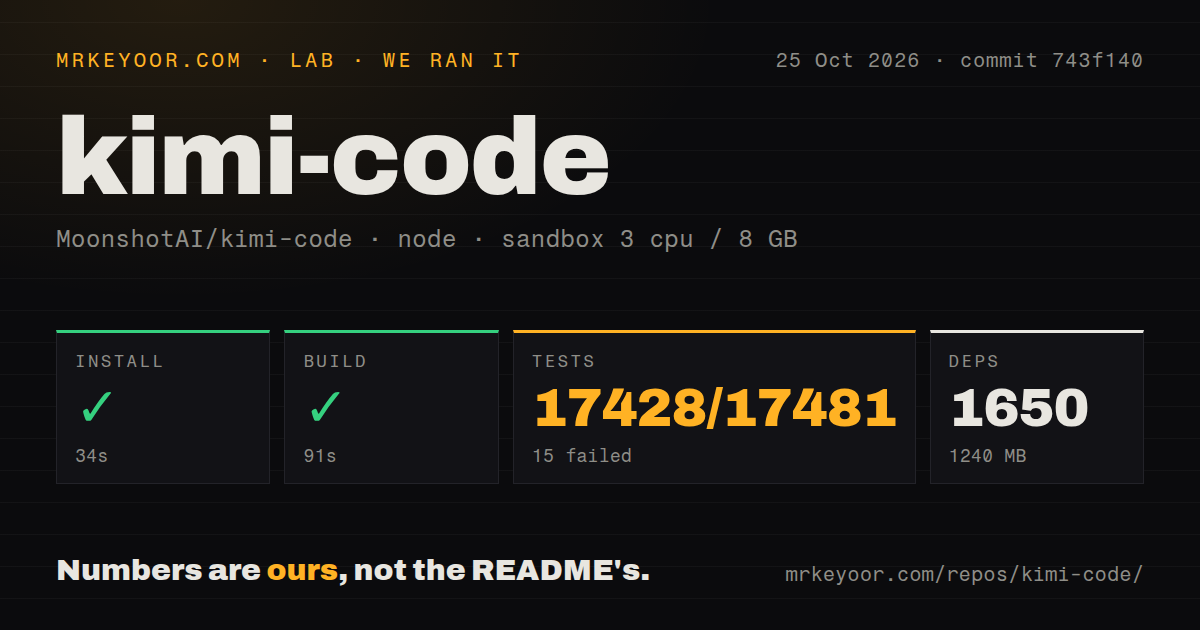
Our Kimi Code checkout at commit 743f140 installed 1,650 dependencies in 34 seconds and built successfully in 91 seconds on October 25, 2026. The installed environment used 1,240 MB on disk. Vitest then failed with exit code 1 after 751 seconds, reporting 17,428 passed, 15 failed and 38 skipped of 17,481. For a contributor, this is a substantial checkout with an unsuccessful baseline suite.
The supplied log tail reports five failed test files, alongside successful and skipped files. It ends with the aggregate totals and an ELIFECYCLE failure. It does not include the failing assertions or explain their causes. The nearby passing OAuth and session-search cases cannot identify what went wrong elsewhere. Calling the failures flaky, provider-related or runtime-related would be a guess.
The recorded sandbox configuration was 3 CPUs, 8 GB RAM and image lab-node:22. That label does not establish the actual Node.js or operating-system version. The checkout contained 4,470 files, about 859,693 source lines and 70.2 MB of data. The scan found nine CI workflows and monorepo workspaces, with no Dockerfile or separate tests directory. The Vitest output makes clear that a missing directory signal is not evidence of absent tests.
The packaged binary and source checkout have different requirements
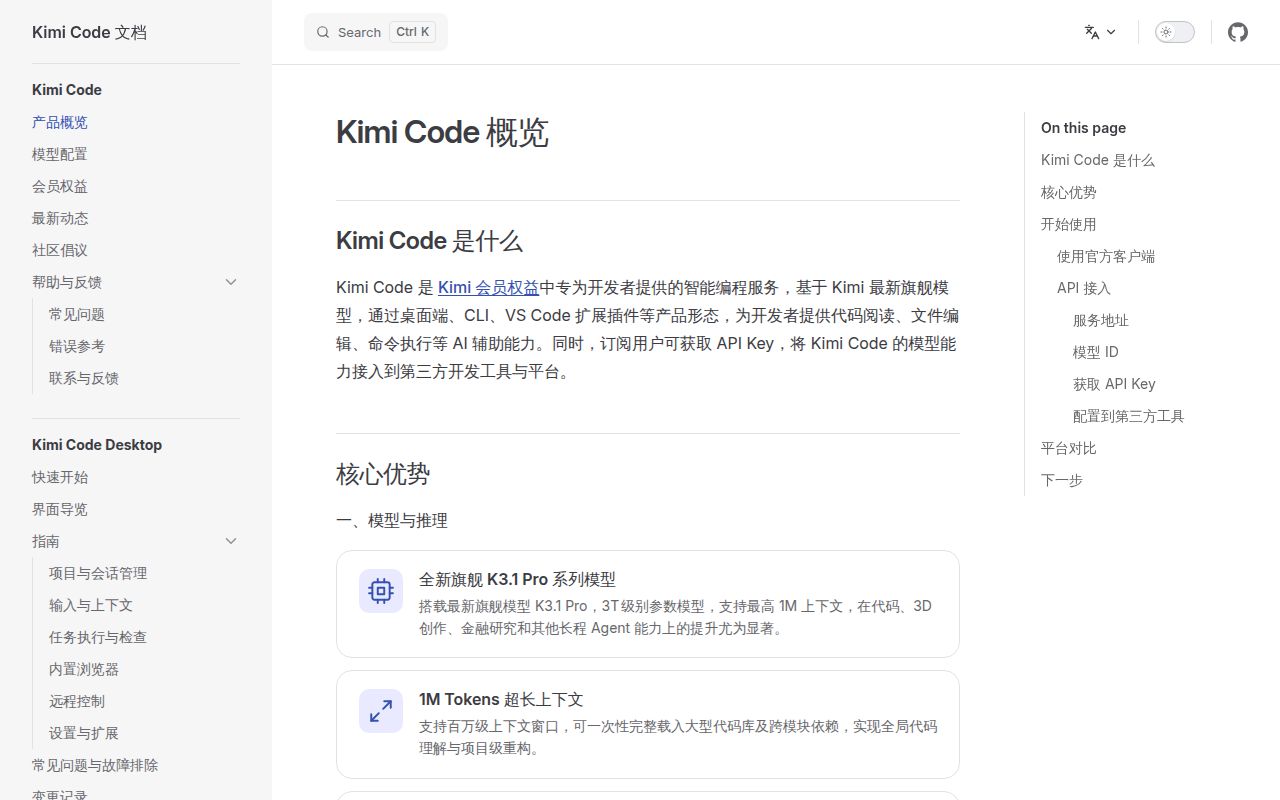
The README describes a single-binary distribution that requires no Node.js setup. Development is a separate route, with Node.js at least 24.15.0 and pnpm 10.33.0 specified. Our dependency footprint belongs to the source run. It is not a measurement of the packaged user's disk cost, and the image label cannot establish whether the development runtime met the documented requirement.
On first launch, /login offers Kimi Code OAuth or a Moonshot AI Open Platform API key. The README also allows configuration for other compatible providers. Having an open-source CLI does not establish a credential-free model service. Before judging whether the tool fits, choose the provider you intend to use and check its access conditions. Our source build did not validate a logged-in coding session.
Windows has another concrete prerequisite: Git for Windows supplies the Git Bash shell environment. A custom Git Bash location requires KIMI_SHELL_PATH. That is a reason to pause on locked-down Windows machines where installing or selecting that shell is outside the developer's control. A binary distribution removes one kind of setup work without removing platform requirements.
Never Ask automatically approves sensitive actions too
The interaction guide says Never Ask handles every tool approval automatically, including access to sensitive files. It also says the built-in dangerous-command guard runs without interruption in that mode. Plan mode retains a review step, but that does not make Never Ask a suitable default for an unfamiliar repository. Treat the permission choice as an operating decision that deserves a deliberate trial.
Ask When Needed occupies a different position: ordinary tool calls run automatically, while sensitive actions still prompt. These are documented behaviors, not security guarantees established by our sandbox. Try a small task in a disposable checkout under Always Ask, inspect the commands and diff, and decide whether reducing prompts is worth the broader unattended access. A passing build alone cannot answer that question.
ACP connects the CLI session to compatible editors
The README documents kimi acp for editors speaking the Agent Client Protocol, including Zed and JetBrains. It says you can log in once and use that CLI session through the editor. This is useful if you want to keep the agent configuration in one place while changing where you interact with it. We did not verify editor compatibility in the lab.
MCP configuration and a marketplace extend the documented workflow beyond repository files. Each additional server or data source introduces something else to authenticate and evaluate. Video input has its own boundary: the interaction guide says media support depends on the current model's capabilities. Do not assume switching to another compatible provider preserves every input type named in the Kimi feature list.
Recent changes affect how delegation starts
The latest-release endpoint returned version 2.3.2, published October 25, 2026. Its notes say agents now handle tasks directly by default and require explicit delegation, while swarms require swarm mode. GitHub also recorded a push that day, and recent issues and pull requests discuss editor copying and model selection. These show continuing development, without establishing that the measured failures are fixed.
Aider documents codebase mapping and automatic Git commits. Consider it when that Git-centered workflow is your priority. goose has a desktop app, CLI and API, making it worth considering if you want a graphical entry point too. Our run compares neither alternative's coding quality. For Kimi Code, keep the first task small enough that you can inspect every edit before accepting it.