Short answer: choose KeyCat for its desktop interactions
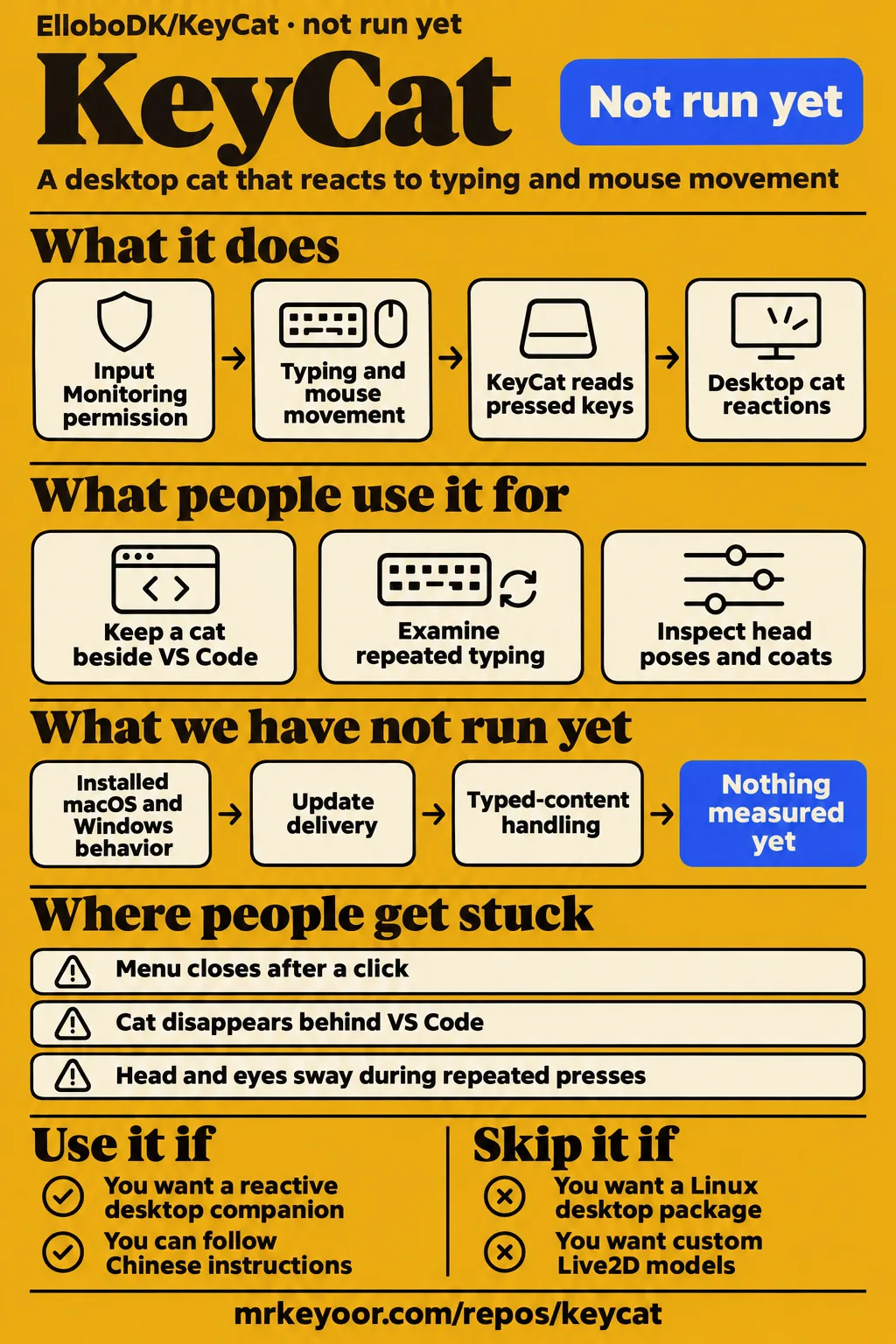
ElloboDK's KeyCat is a desktop cat for macOS 13+ and Windows 10+, according to its Chinese README. Consider it if you want a companion that reacts to typing and mouse movement and can follow those instructions. Users whose installation policy requires independently assessed global input access should choose another approach. The installation decision includes permissions and update behavior: the README describes macOS Input Monitoring, automatic updates and optional administrator operation on Windows.
The most useful maintenance example concerns a drawing fix that initially failed to reach installed macOS copies. In issue #23, the reporter compared a local build with the published package, and the maintainer subsequently reported a rebuilt v1.1.0 package with build number 6. That incident gives readers something specific to examine beyond appearance: whether a source change also reaches the downloadable application through a recognizable update package.
What people use KeyCat for
KeyCat accompanies work in VS Code, where the issue #22 reporter said the cat sometimes disappeared behind the editor. The maintainer reports a Windows visibility fix in v1.1.0 that periodically restores the cat to the top without taking focus. Other users examined source-built copies, repeated keyboard input and coat rendering. Their accounts describe distinct uses of the same desktop companion rather than separate products sharing its name.
| Supported use | Named account | Reported outcome |
|---|---|---|
| Keep a cat beside VS Code | Issue #22 reporter | The cat sometimes disappeared behind the editor; the maintainer reports a v1.1.0 Windows fix. |
| Compare a source-built macOS copy with the download | Issue #23 reporter | The local copy had clean ear roots at rest while the published package retained the defect. |
| Examine reactions to repeated typing | weng5040 in issue #30 | Both repeated and different keys could produce swaying; key releases and overlapping presses were relevant. |
| Inspect appearance across head poses and coats | Issue #28 reporter | Small ear-root protrusions were reported in the v1.1.1 browser scene, especially with calico coloring. |
The README's usage instructions describe dragging the cat, petting its head, slow blinking and watching it push a nearby cup. They also describe a second cat, with an option to divide keyboard and mouse reactions between the pair. These interactions explain what someone would keep on the desktop day to day; the issue accounts above show the particular window, input and appearance behavior users chose to investigate.
What happened when we ran it
Our November 25, 2026 harness assessment at commit 5313050 lasted 3 seconds and recorded NOT RUN. The duration is the harness assessment duration. The harness observation was "NOT RUN: no supported ecosystem (language: null); no Dockerfile." Its recorded configuration was 3 CPUs, 8 GB of RAM and image n/a. The sequence therefore ended with an execution-path finding, followed separately by a failed clone attempt and a recorded cleanup result.
| Question | Answer | Verdict | Why |
|---|---|---|---|
| Did the build/test harness run the application? | NOT RUN: no supported ecosystem; language null; no Dockerfile. The harness assessment lasted 3 seconds. | Harness assessment stopped. | The harness found no supported execution path. |
| Did the separate clone attempt complete? | FAILED: fatal: write error: No space left on device; fatal: fetch-pack: invalid index-pack output. | Failed fetch. | Git reported a disk-space error followed by invalid index-pack output. |
| Does the hands-on header establish deployment? | The header describes docker compose deployment with every port bound to 127.0.0.1. | Header conflicts with the recorded steps. | The clone failed and the harness recorded NOT RUN. |
| Was cleanup recorded? | teardown: ok. | Cleanup recorded successfully. | This is the cleanup result. |
The failed fetch is the concrete interruption in the separate hands-on sequence. Separately, GitHub's repository metadata identifies JavaScript, whereas the harness recorded language null. Those records retain their respective meanings: GitHub classifies the repository, and the harness reports the execution path it recognized during its 3-second assessment.
Where people get stuck: windows, menus and gaze
Issue #32 requests a settings window because the existing menu closes after a click, making adjustment inconvenient. The open discussion includes agreement from leelenliuhong and awmry. This differs from the versioned Windows visibility response in #22: one discussion requests a different configuration interface, while the other contains a maintainer-reported release fix. The current README directs users to right-click the cat or open its menu-bar or tray icon.
| Symptom | Evidence | Status stated in the record |
|---|---|---|
| Cat disappears behind another application | Issue #22 names VS Code. | Maintainer reports a v1.1.0 Windows fix. |
| Menu closes during adjustment | Issue #32 requests a configuration window. | Open request with two supporting comments. |
| Mouse direction looks reversed from the cat's viewpoint | Issue #37 requests a direction switch and names v1.1.1. | Open request. |
| Small corners remain near ear roots | Issue #28 describes head-pose and coat-dependent visibility. | Closed visual report. |
| Head and eyes sway during repeated presses | weng5040's correction in #30 identifies key releases and overlapping presses. | Contributor diagnosis and proposed gaze-selection change. |
In issue #30, weng5040 withdrew the earlier distinction between repeated and different keys. The account instead connects the movement to key releases and whether either paw remains down. It also explains why a fixed 0.6-second delay would merely postpone a return to the stationary cursor when typing intervals exceed that threshold. The contributor proposes selecting gaze by the latest input source and actual mouse movement.
The macOS fix had to reach the download
Issue #23 attributes the macOS update incident to unchanged build information and an unreplaced package. The reporter's account says packaging copied the plist version and build into latest-mac.json. With the installed application and manifest both using build 5, rebuilding without changing that identifier would leave the updater seeing the same build. The report places the delivery problem after the shared drawing-code change.
The reporter compiled main at commit 8a1321d and described clean ear roots while the cat was at rest. The maintainer's reply reports v1.1.0, CFBundleVersion 6, a rebuilt macOS package and latest-mac.json build 6, using the same signing certificate as v1.0.4. The reply says installed macOS copies would receive that version with the ear-root fix. This is the reported remedy for the particular release-delivery incident.
The current README describes release packages built through GitHub Actions, with a vX.Y.Z tag triggering signed releases. The historical issue instead described manual macOS packaging and named the workflows present at that time. Keeping those accounts dated avoids treating the old workflow as today's installation instruction. Readers following the project now should use the current release instructions while retaining #23 as the explanation of the earlier failure.
Customization includes options older requests asked for
The current README documents keyboard colors, desktop transparency and soft gradients for Siamese and Ragdoll coats. Its menu description places appearance controls under 「外观」 and keyboard colors, the mouse cable, the cup and transparency under 「桌面」. For someone whose cat obscures text, transparency is the directly relevant control. The same instructions describe mouse passthrough, which sends clicks to the window beneath the cat while leaving its display and reactions active.
In issue #18, the reporter requested transparency, custom keyboard colors and toys. The current README answers the first two requests with named menu options; toys remain a separate request in that discussion. In issue #17, the maintainer reports adding a mouse-cable toggle, mouse-press feedback and glove colors in v1.1.0. Those specific additions should not be expanded into a claim that the entire wish list shipped.
The issue #29 reporter described hard-edged Siamese markings in v1.1.x compared with v1.0.4 and said switching 3D on or off did not change the transition. Today's README names an optional soft-gradient setting for Siamese and Ragdoll coats. That is the relevant documented control for this appearance preference. The older complaint distinguishes volume shading from the boundary of the coat-color patch, explaining why the reporter treated them as separate settings.
Installation means input permission and platform-specific updates
The README requires macOS Input Monitoring permission followed by an application restart. It says KeyCat reads which key is pressed without recording typed content and limits networking to GitHub update checks and downloads. These are the developer's stated practices. The Windows instructions name WebView2 as the rendering component and describe downloading it during installation on Windows 10 systems where it is absent, with KeyCat installed under Program Files.
For macOS installations in Applications, the README describes an update check 15 seconds after launch and every 6 hours afterward. It says downloads happen in the background and replacement happens on exit, with a menu option to restart and update. Versions 1.0.2 and earlier require reinstallation to gain that mechanism. These instructions give existing users a specific version boundary when deciding whether automatic updating should already be available.
On Windows, the README says ordinary permissions prevent KeyCat receiving input directed to administrator-run games. Its optional administrator mode restarts with a UAC prompt and can use a scheduled task for startup. The instructions also explain that exclusive fullscreen games cover other windows and recommend borderless window mode. For recording, they distinguish whole-screen capture from window capture when KeyCat has higher privileges than the recording application.
Source licensing and source-policy statements differ
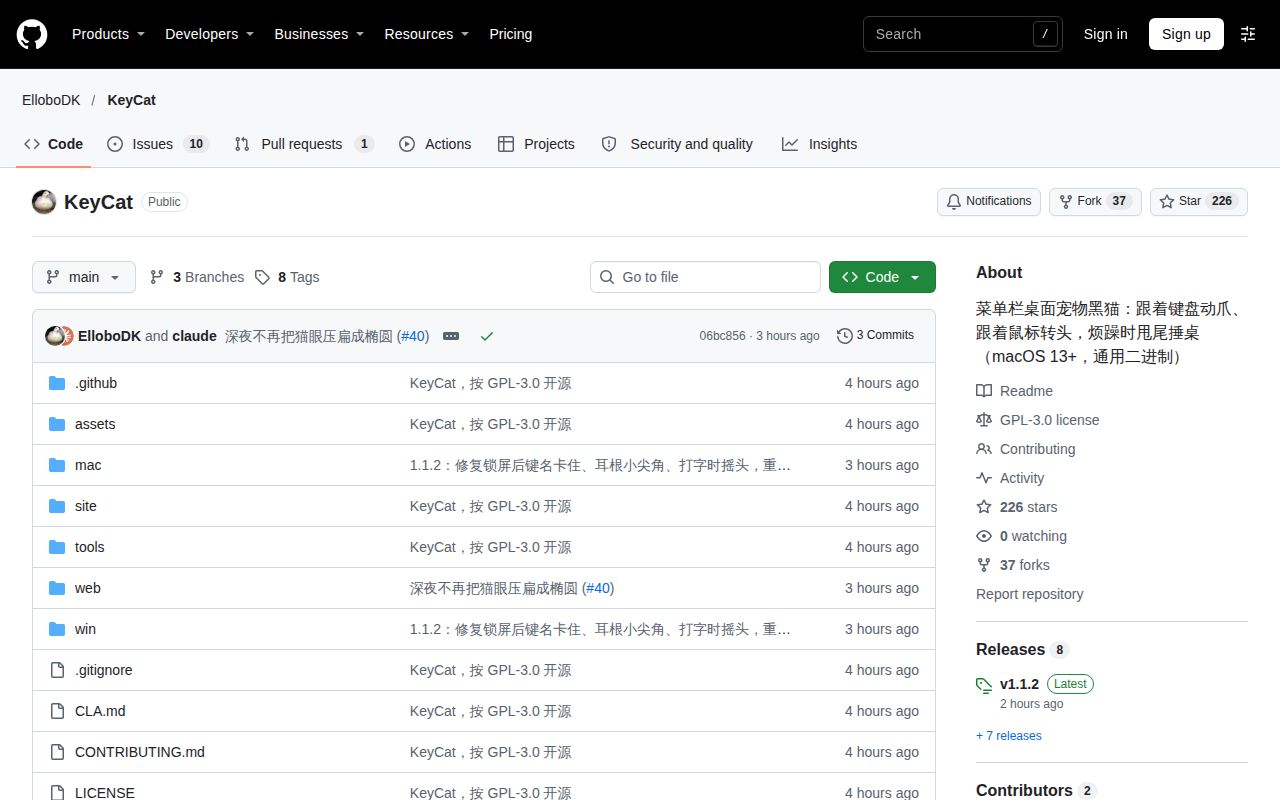
The README declares GPL-3.0 licensing, while issue #35 contains conflicting maintainer statements about source closure and continued open-source maintenance. In that discussion, the maintainer says commercialization of a web version motivated closure, then says open-source maintenance will continue. Reporting both statements preserves the actual wording of the source-policy dispute. The README separately describes the repository's licence and development layout, including shared web code and native platform shells.
The README's licence section permits use, modification and redistribution under GPL-3.0 and requires corresponding source under that licence when redistributing, including modified versions. It excludes the KeyCat name and icon from permission for modified releases. Its build instructions name Xcode command-line tools for macOS and Rust plus Node.js 22+ for Windows packaging. Local macOS builds use a development signing certificate distinct from the certificate used for official releases.
KeyCat vs BongoCat and VS Code Pets
BongoCat's README supports bringing your own Live2D models, while VS Code Pets starts its pet session inside VS Code. Location and character customization therefore provide concrete selection criteria. KeyCat's README describes its own cat, coat controls and desktop scene. For readers choosing a companion, those documented differences are more useful than treating the three projects as interchangeable simply because each includes an animated animal.
| Project | Documented behavior | Choose it when |
|---|---|---|
| ElloboDK KeyCat | Desktop cat with keyboard and mouse reactions, coat settings and desktop transparency. | You want this cat and its documented desktop interactions. |
| BongoCat | Windows/macOS companion reacting to keyboard, mouse and gamepad buttons, with custom Live2D models. | Bringing your own animated model decides the choice. |
| VS Code Pets | Pets in VS Code, with a documented ball interaction. | You want the companion in your editor or want ball play. |
The BongoCat README describes eyes and paws following the mouse, as well as reactions to keyboard, mouse-button and gamepad input. The VS Code Pets README gives an extension installation route and a command to start a pet coding session. Its usage instructions also list additional pets, background changes and throwing a ball. Those are concrete reasons to choose the editor extension when its interaction style suits your workspace.
Outdated claims, corrected: different projects share the KeyCat name
The Ubuntu-and-Chrome restriction belongs to KatreMetsvahi's shortcut trainer, whose README explicitly names that platform combination. ElloboDK's desktop-cat README instead names macOS and Windows. The separate key.cat password-manager discussion, Keycat.js authentication instructions and KEYCAT token website concern other entities. Their platforms, account flows and token claims should stay attached to those projects when interpreting a search for KeyCat.
SaaSHub's KeyCat status page identifies a BuzzFeed-linked password-management entry and reports website reachability. That observation addresses a different target from the desktop cat disappearing behind VS Code. Bitget's KEYCAT material likewise concerns cryptocurrency. Its trading-pairs assertion adds no installation guidance for ElloboDK's application, so the desktop-companion decision rests on the project's README, relevant issues and the recorded execution sequence above.
Questions people ask
KeyCat's menu closes after a click, according to the request for a persistent configuration window in issue #32. That request, the macOS update incident and keyboard-color requests are among the questions raised in the project's discussions. The answers below point to current menu instructions or the specific historical report, keeping feature requests separate from maintainer-reported release changes and from the visual behavior individual users described.
Can KeyCat use a settings window that stays open while I make adjustments?
Issue #32 requests a persistent configuration window because the menu closes after a click. Its open discussion includes two supporting comments. The README's documented route is to right-click the cat or open the menu-bar or tray icon. It also explains that mouse passthrough changes how the menu is reached: with that option active, users open it through the menu-bar or tray icon.
Why did the macOS version stop receiving fixes through automatic updates?
Issue #23 identifies an unchanged build number and an old published package in the v1.0.4 incident. The maintainer reports replacing them in v1.1.0 with build 6. The dedicated release-delivery section above explains the package and manifest relationship. For an installed copy, the practical distinction is whether its updater sees a newer build identifier as well as whether the source repository contains the drawing change.
Can I customize keyboard colors or give the cat toys?
The current README documents keyboard colors under the desktop menu, while issue #18 requests toys alongside keyboard customization. The README also describes petting, slow blinking and cup-pushing interactions. Those existing activities explain some ways to interact with the cat, but the issue's request for additional toys is a separate feature request rather than another name for the documented cup behavior.
Why are small corners still visible at the cat's ear roots in v1.1.1?
Issue #28 reports small protrusions during particular head poses in the v1.1.1 browser scene. The reporter names looking up or down, turning and outward ear movement, and says calico coloring makes the boundary especially visible. The account describes normal functionality alongside a contour problem. It gives readers specific poses and a coat pattern to understand the visual complaint rather than describing the application as generally broken.
Why do the cat's head and eyes sway when I repeatedly press and release keys?
Issue #30 connects the swaying to key releases switching attention back toward a stationary cursor. weng5040's correction says both repeated and different keys can cause it; overlapping presses affect whether a paw remains down. The contributor proposes choosing gaze according to the latest input source and actual mouse activity. The report therefore concerns gaze selection, with the proposed change directed at that behavior rather than paw animation.
Can the desktop cat run locally and respond to both typing and mouse movement?
The README describes keyboard and mouse reactions and says networking is limited to GitHub updates. Its opening description names both input reactions, while the usage section adds shortcuts, petting and a second cat that can split keyboard and mouse duties. These are the developer's descriptions of the local companion. The question also appears in a desktop-cat video search entry, whose title describes local operation and input reactions.
What we have not tested yet
The 3-second assessment produced no installation, build or test outcome; it is neither installation time nor application runtime or performance. The 3 CPUs and 8 GB describe sandbox configuration, not KeyCat's requirements or consumption. The image label n/a establishes no operating-system or toolchain version. commit 5313050 is the recorded assessment target, not a tested release tag. The failed clone and contradictory deployment header support no successful application deployment, and the sequence produced no application screenshots.
Installed macOS and Windows behavior, the browser demo, accessibility, sustained operation, resource consumption, network activity, typed-content handling, administrator boundaries, update delivery and binary-to-source correspondence need direct examination. The README's privacy statements are developer claims rather than an independent security audit. Issue #35's source-policy wording remains unresolved, and closed visual or gaze reports alone establish no shipped correction. The video search entry has no installation transcript. A useful next assessment would record the installed release and runtime versions, then examine the window, gaze, coat and update cases identified here.