Tesseract supplies an OCR engine without a graphical app
Tesseract OCR includes a command-line program and the libtesseract library. It does not include a GUI application. Consider it when you want to build recognition into a document workflow and can manage image preparation, language data and output checks.
The README lists PNG, JPEG and TIFF input, plus output formats including plain text and PDF. PDF output does not imply PDF input: the dependency section says Leptonica opens input images, not documents such as PDFs. If your starting point is a scanned PDF, decide how that document will enter the workflow before choosing the engine.
What happened when we ran it
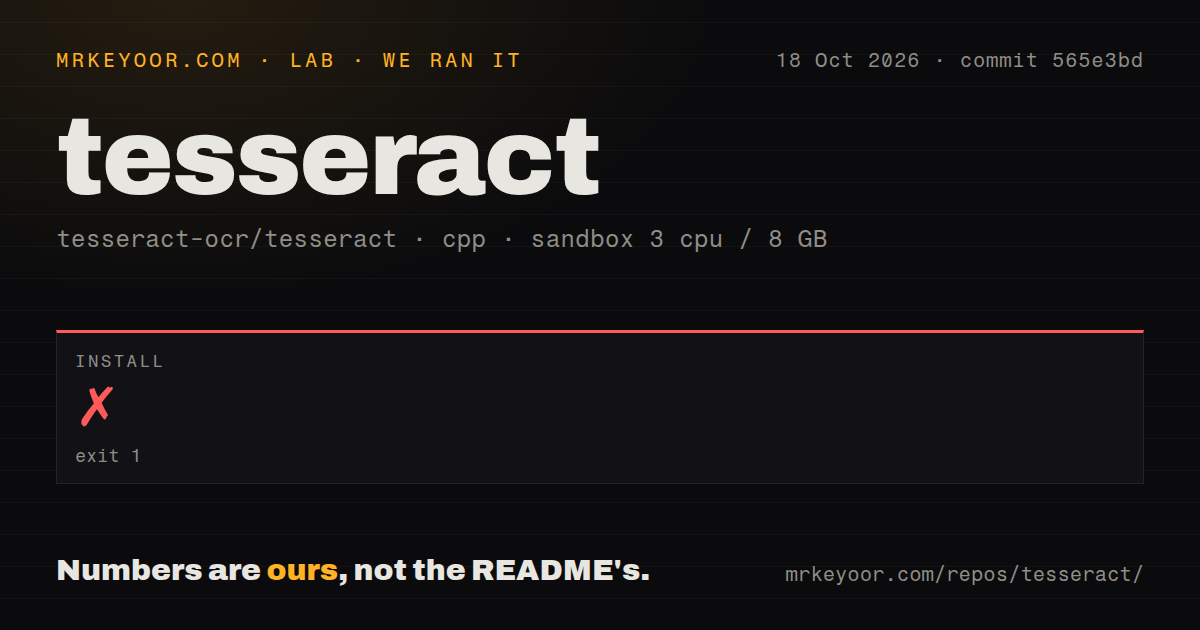
Our Tesseract setup failed after 2 seconds with exit 1 on October 18, 2026, at commit 565e3bd. The configuration log identified version 5.5.3. CMake could not find Leptonica. It reported missing Leptonica_DIR, checked for lept>=1.80 and ended with: "Cannot find required library Leptonica. Quitting!"
The log does not establish whether Leptonica was absent or installed somewhere CMake could not discover. It also reports that ccache was unavailable and disabled, but the fatal stop names Leptonica. Resolve that lookup first; the record contains no successful follow-up showing whether further setup problems remain.
The checkout contained 1,107 files, roughly 317,098 source lines and occupied 46.4 MB. The scan found 15 CI workflow files, no Dockerfile and a tests directory. Those are repository signals, not passing-test results. The sandbox had 3 CPUs and 8 GB RAM, with image lab-cpp:1. Actual compiler and operating-system versions are not established by that label. No build or test outcome was recorded, and no recognition accuracy or processing speed was measured.
Evaluate image preparation before committing to an integration
Tesseract's quality guide describes recognition problems caused by skew and uneven page backgrounds. It also explains that the default segmentation expects a page of text and recommends considering another mode for a small region. Evaluate cropped lines and full pages separately so a single default configuration does not obscure their different requirements.
The quality guide warns that tables need custom segmentation or layout analysis. For invoices or spreadsheet-like pages, recognizing characters does not by itself establish which values belong in which cells. Include that structure in your acceptance criteria.
A useful next step is to select representative images, including a clean page and the least legible input you expect to accept. Keep a checked transcription beside each image. Compare the recognized text and reading order after preprocessing changes, and check cell assignments where tables matter. This is a proposed evaluation procedure, not an experiment performed in our sandbox.
Keep language and review choices explicit
Tesseract uses traineddata language files, and its documented command-line syntax includes language and page-segmentation options. Record those choices alongside the application configuration so an installed executable is not mistaken for a reproduced workflow.
Preserve original images beside extracted text for review. If identifiers or amounts drive later actions, define how discrepancies will be checked before connecting recognition output to another system. A process completing successfully should not be your only acceptance criterion.
Choose alternatives by the workflow you need
OCRmyPDF adds a searchable text layer to scanned PDFs. Its README says it uses Tesseract for OCR and relies on its language packs. Evaluate it first when searchable PDFs are the required result. It supplies a surrounding PDF workflow rather than, in its standard configuration, a different recognition engine. The existing OCRmyPDF review addresses that PDF-focused decision.
EasyOCR returns bounding boxes, recognized text and confidence values through its Python interface. Its README makes it a candidate when that interface fits your application. The supplied evidence contains no paired run establishing that it is more accurate, faster or easier to operate than Tesseract. If recognition quality decides the choice, compare them on the same checked images.
Maintenance metadata does not establish runtime quality
The supplied release page identifies 5.5.3 as the latest release. GitHub API metadata observed on October 22, 2026 records the repository's last push as 2026-10-22T04:37:38Z. The supplied issue list includes a report opened on September 1, 2026.
These records establish dated repository activity. They do not establish support-response quality, recognition accuracy or runtime reliability. Support-response quality remains unassessed.
For an embedded OCR workflow, resolve the Leptonica lookup and then evaluate representative images with the intended language data and preprocessing. For searchable scanned PDFs, begin by evaluating the PDF workflow tool.