A YAML editing CLI with two boundaries to check
Mike Farah's yq puts YAML queries and updates into shell commands, but jq compatibility and exact formatting preservation both have limits. Those limits matter when a short expression becomes part of a deployment pipeline.
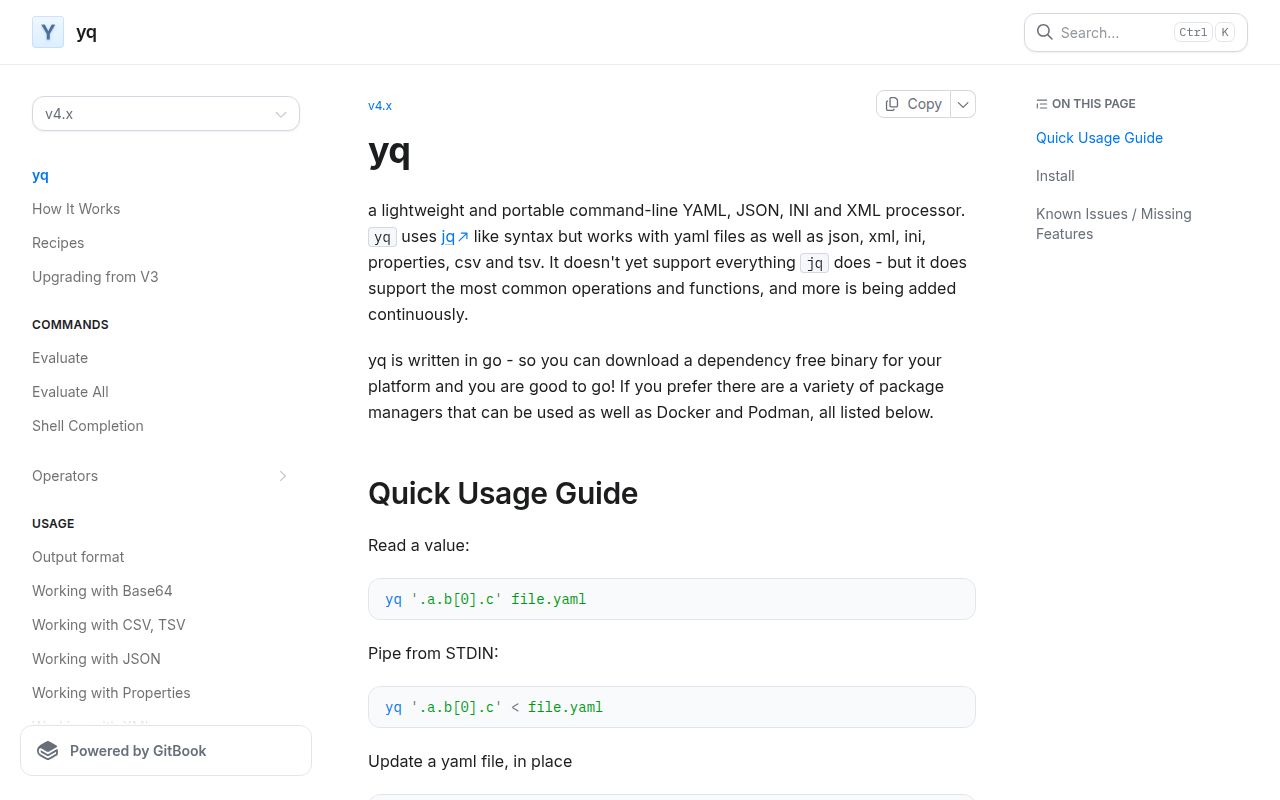
The README documents reading .a.b[0].c, updating files in place, selecting array items, merging documents and using environment variables. It also lists conversions involving JSON, XML, HCL, TOML, properties, CSV and TSV, alongside INI support. These are documented capabilities; our recorded run did not exercise a conversion matrix or measure editing workloads.
The project is written in Go, and its README offers dependency-free platform binaries. That makes it a candidate for shell automation without a separate language runtime. It does not make every packaging route equivalent.
What our recorded run establishes
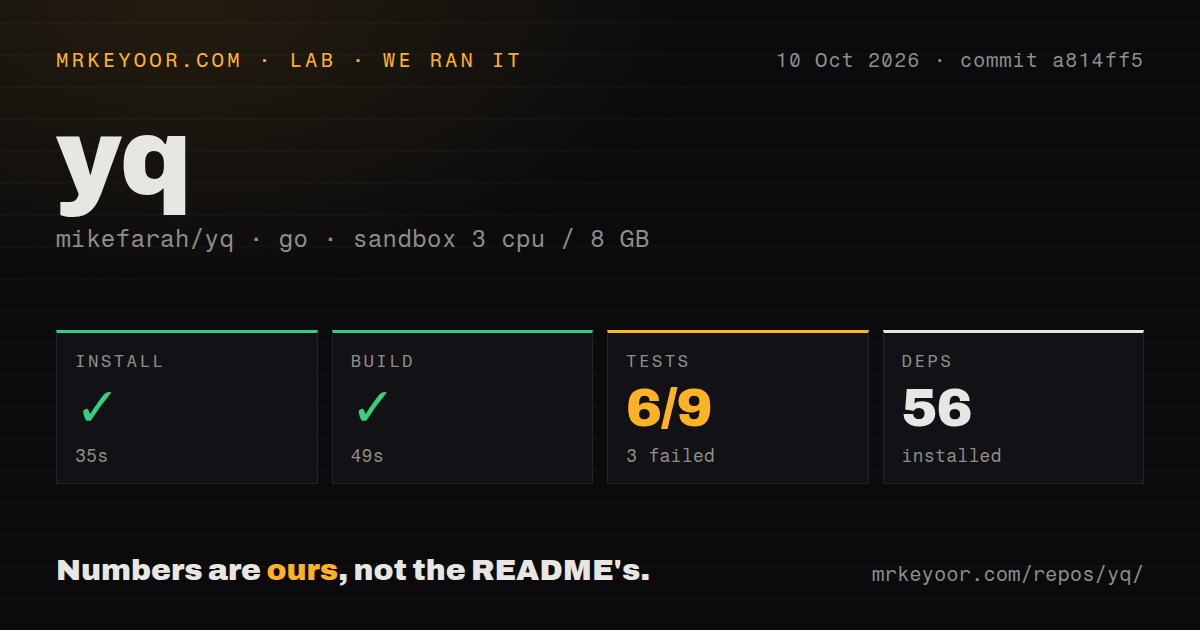
Our stored sandbox run began on 2026-10-10 at 03:38:29 UTC against commit a814ff5 (a814ff5166040ec745a96bddd79ee31c3a548e83). The recorded configuration was 3 CPUs, 8 GB of memory and image golang:1.24-bookworm. The image label alone does not establish the runtime used: the install tail shows a Go 1.26.0 toolchain download.
The install-labelled step exited 0 after 35 seconds, and the dependency summary recorded 56 packages. The build-labelled step exited 0 after 49 seconds, with vet-exit:0 in its retained tail. We do not have the complete command transcript, an installed-binary check or a measured CLI workload. These observations support successful recorded steps, not a claim that we installed and exercised the executable.
The test command exited 1 after 21 seconds. Its parser summary records 6 passing and 3 failing results out of 9, but those figures are not verified unique test or package counts. The retained tail repeats summary lines. Its distinct visible package results show the main module, cmd and test passing, with pkg/yqlib failing.
The visible failure is TestJSONScenarios, in a malformed-JSON case. The expected diagnostic contains json: string of object unexpected end of JSON input; the actual diagnostic contains invalid character 'b' after object key:value pair. This is evidence of an error-message assertion mismatch. The partial log does not establish the cause of every recorded failure or prove that valid JSON processing is broken. File-closing errors and interpolation and merge-anchor warnings also appear in the tail; their broader effect was not investigated in this run.
The checkout summary recorded 556 files, approximately 49,517 source lines, 1.7 MB, 8 CI workflows, a Dockerfile and a tests directory. No new execution, security audit or complete-log reconciliation was performed for this correction.
Specify formats when automatic detection is unsuitable
The README explicitly says that unknown filename extensions and standard input default to YAML. That is documented behavior, rather than an unknown-extension defect established by our run.
For ambiguous input, select the format explicitly. The existing examples -p yaml and -p xml express that choice. Use the same approach in automation when a filename or pipe does not communicate the format reliably.
Check jq assumptions and YAML layout separately
The README states that yq does not support everything jq does. The operator index is a useful starting point for checking the operations a script needs.
Issue 2782 reports different missing-key collection behavior inside select, and and or in version 4.53.3. This is an upstream report, not something reproduced in our run. For configuration conditions, include absent keys, explicit nulls and false values in your fixtures rather than assuming jq behavior transfers unchanged.
Formatting needs a separate check. The README says yq attempts to preserve comments and whitespace but cannot handle every scenario. Review diffs before committing in-place edits.
Issue 2819, reported for versions 4.53.2 and 4.53.3, concerns the output layout of a single-quoted multiline scalar after yq .. A later commenter reports checks against commit ef305ad showing the same scalar value and successful parsing despite the changed layout. Those checks belong to the issue contributor. They support treating that example as a presentation problem, rather than evidence of value corruption, and do not establish behavior at our measured commit.
Issue 2797 separately reports multiline output being emitted as a quoted line with escaped newlines for some UTF-8 characters in version 4.53.3. We did not reproduce that report or verify its status in a selected release.
Choose the installation route deliberately
The README documents strict snap confinement and a privileged piping and write-back arrangement for root files. Its container image runs without root privileges, so mounted-file permissions can affect reads and in-place edits. The Alpine image omits timezone data; the documented adjustment for the tz operator adds tzdata. Podman with SELinux requires the :z shared-volume flag in the documented mount example.
These are documented packaging constraints. Our sandbox did not test snap, container permissions, timezone operations or SELinux behavior.
The supplied v4.53.6 release page identifies commit c14f446 and lists a release-build fix, a line-wrapping fix and dependency updates. It is a release reference, not the commit used in our run, and the supplied evidence does not establish that it is the latest release.
Which tool fits the job?
jq describes itself as a command-line JSON processor. Choose it for JSON input when you want jq itself to evaluate the expression.
kislyuk yq converts YAML to JSON and pipes it to jq, which must also be installed. Its -Y mode carries formatting metadata through that representation; its documentation warns that this can change filter results, including array counts. Choose it when the jq engine is a requirement and you can accommodate that conversion model.
For Mike Farah's yq, the useful next step is a small fixture set using your pinned version: check extracted values, conditional selection, conversions you actually need and the diff from an in-place edit. Our recorded command results do not replace those checks.
How to read the ratings
The ratings are editorial assessments of the supplied evidence, not benchmark results. On this five-point rubric, 1 means substantial documented obstacles, 2 means limited supporting evidence, 3 means a documented practical route with unresolved verification, 4 means broad supporting documentation with clear limits, and 5 requires broad independent verification. Community ratings describe the evidence available here, not a measured adoption level.