Jev chooses one labeled control while Codex holds the mouse
Jev-cu inserts a narrow decision step into Codex Computer Use. Codex reads the current accessibility tree, the text representation that desktop apps expose to assistive tools, and hands Jev a ranked list of controls. Jev answers four questions: which control to target, which action to take, whether the goal looks complete, and whether the next step looks risky. Codex still owns observation and execution. The remote model never receives a screenshot.
That split keeps the model inside a small box. The default candidate list tops out at 40 controls, labels sent to Jev are clipped to 120 characters, and recent actions are limited to six entries. Codex supplies any text, keyboard key, scroll direction, or coordinates needed by the chosen action.
A 0.20 risk score stops the action for confirmation
A Jev risk probability of 0.20 or higher returns confirm instead of executing. Local code also stops on labels associated with deletion, sending, payment, authorization, sharing, installation, or system settings. Apps outside the seven-name default allowlist take the same path. Confidence below 0.30 stops the loop; middling confidence escalates, with a slightly lower threshold for Calendar, Calculator, TextEdit, and Figma.
Dry-run is on by default and previews only one step. It does not pretend that later windows will match the first observation. A caller may add a verify function that checks the full accessibility state before the next step and after the final action. That is the strongest part of the design: the model saying done cannot overrule a failed result check. The guide also warns that an app allowlist is not blanket permission for every write inside that app.
What happened when we ran it
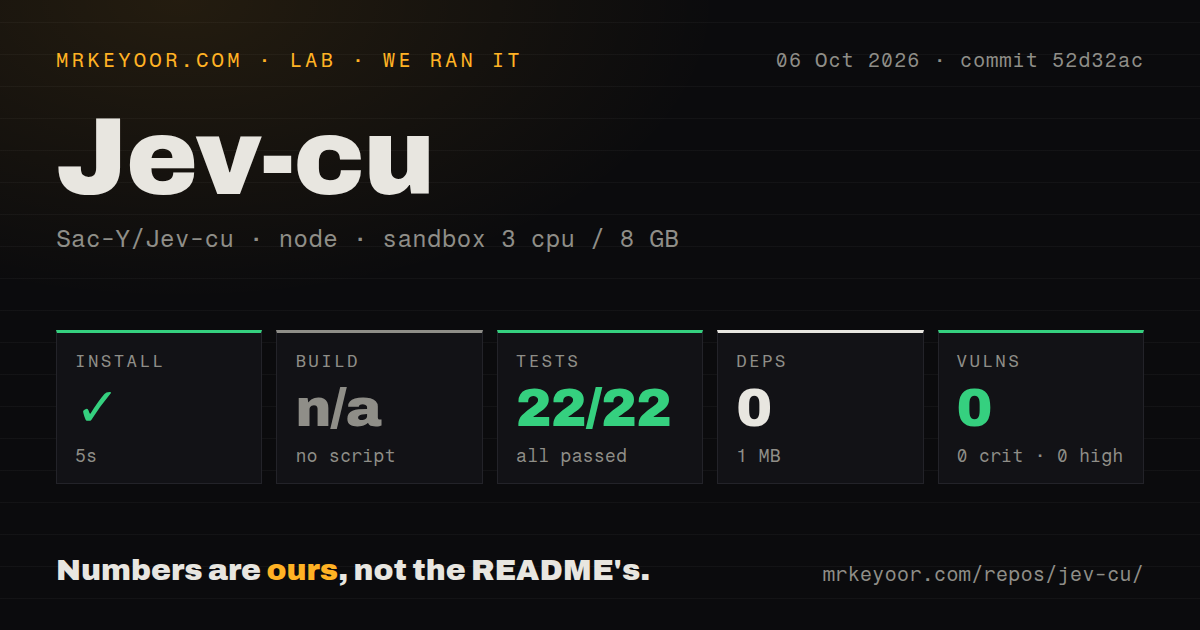
Our 3-CPU, 8 GB sandbox installed commit 52d32ac in 5 seconds. npm added 0 packages, and the installed checkout occupied 1 MB. The repository has 19 files and about 1,179 lines of source, so the result matches what the package file suggests: this is a small private JavaScript package with no dependency tree to pull in. npm audit reported 0 known vulnerabilities.
There is no build script or target, so our build step was skipped rather than passed. node:test completed in 3 seconds with 22 passed and 0 failed of 22. Those tests cover parsing, candidate ranking, policy decisions, Chinese accessibility roles, dry-run behavior, and simulated execution checks. The sandbox had no secrets, so this result does not cover the TypeSafe API or the API-backed P0 evaluation.
The 5-second install is the easy part
The install script copies the skill into ~/.codex/skills/jev-cu, and a new Codex session must load it. A live loop runs inside Codex Desktop's cua_repl, imports the repository module, binds to a named app, and reads that app's accessibility state. Jev needs TYPESAFE_API_KEY in the environment or .env.local.
The examples use English goals because the author says Jev is most accurate with them. The published runtime guide starts with Calendar, a dry run, and at most 2 steps. It also warns that the REPL normally times out after 30 seconds, while an API call plus desktop observations may need 60 seconds. If the outer call times out, the operator must inspect the app and trace before retrying because an action may already have happened.
Text-only input reduces exposure and loses visual evidence
Jev receives candidate text plus at most 1,500 characters of context, rather than a screenshot or the whole desktop state. It is not redaction. The guide explicitly warns that stripping URLs and shortening labels can leave private text in the payload, so callers still have to choose which controls and state lines leave the machine.
The same boundary creates blind spots. The skill rules out canvas layout, 3D modeling, and visual-quality judgments. Its parser recognizes a fixed collection of accessibility roles and currently normalizes five Chinese role names. An icon-only control, an unusual localized role, or a custom canvas may never enter the candidate set. OmniParser is a better comparison for those screens because it starts with pixels; Jev-cu starts with labels.
Two open execution faults rule out unattended use
Issue 12 shows that the 60,000 ms request timer is cleared when response headers arrive, before the JSON body has finished loading. A server that starts a response and then stalls can therefore hold the loop beyond its configured timeout. The current source still parses the body after clearing that timer. Pull request 13 proposes keeping the abort window active through body parsing, but it remains open.
Pull request 3 covers a more serious desktop race. Jev-cu observes the interface, waits for the remote decision, and then executes the returned accessibility index without a fresh observation immediately before the action. If the interface changes during that wait, the index can refer to a different control. The proposed fix rechecks the full state, at the cost of another observation and conservative stops. That protection is not in commit 52d32ac.
Six commits and no release keep v0.1.0 in trial territory
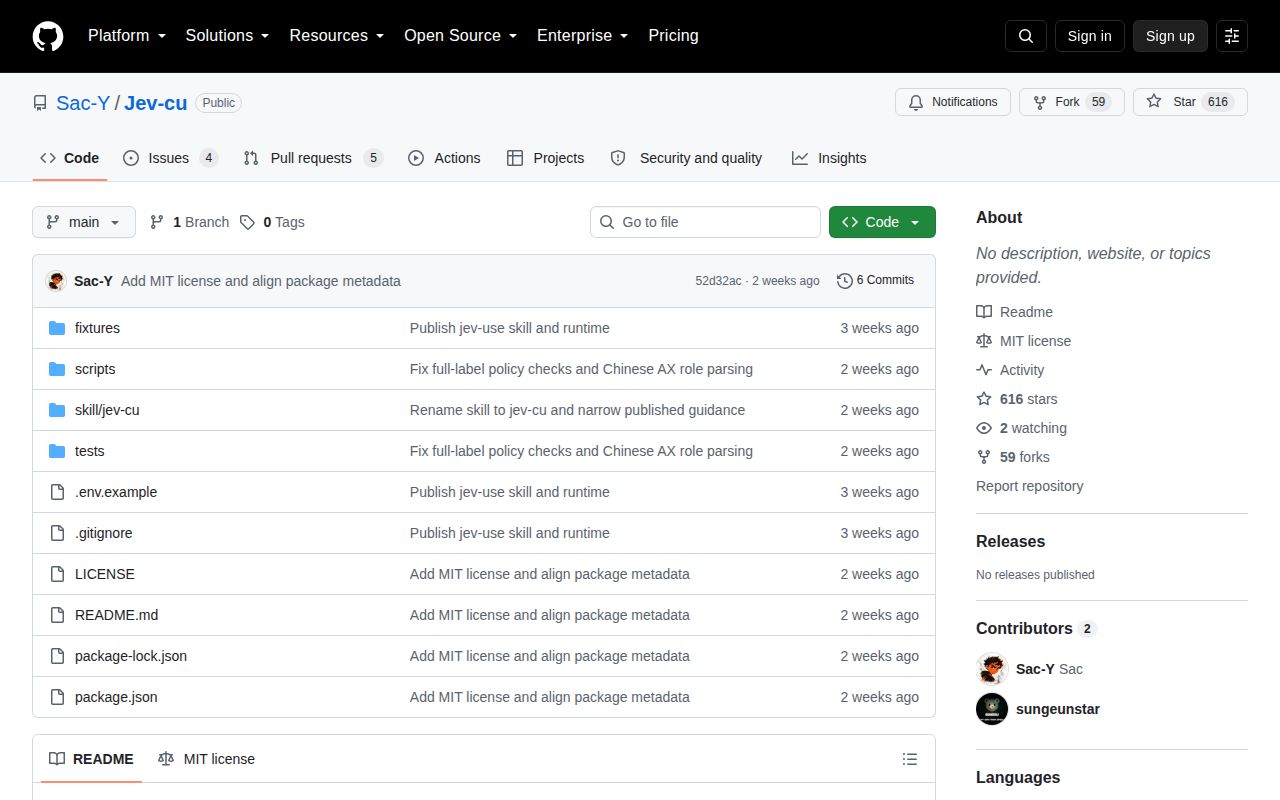
The repository was created on September 18, 2026, and its last push was September 22. GitHub showed 616 stars and 9 open issues and pull requests on October 6, split into four issues and five pull requests. There is no tagged release. The repo also has no CI workflow or Dockerfile, although its checked-in test directory gave us 22 passing tests. Activity arrived quickly, including fixes for Windows line endings, Chinese role parsing, and full-label safety checks.
That is enough evidence for a focused experiment, not for background automation that can change user data. Jev-cu has a sensible control boundary and unusually candid safety notes, yet the current loop still has a stale-index window and an incomplete network timeout. Keep dryRun enabled, supply an explicit result check, and require a person at every sensitive gate. If that operating model sounds too restrictive, this version is the wrong tool.