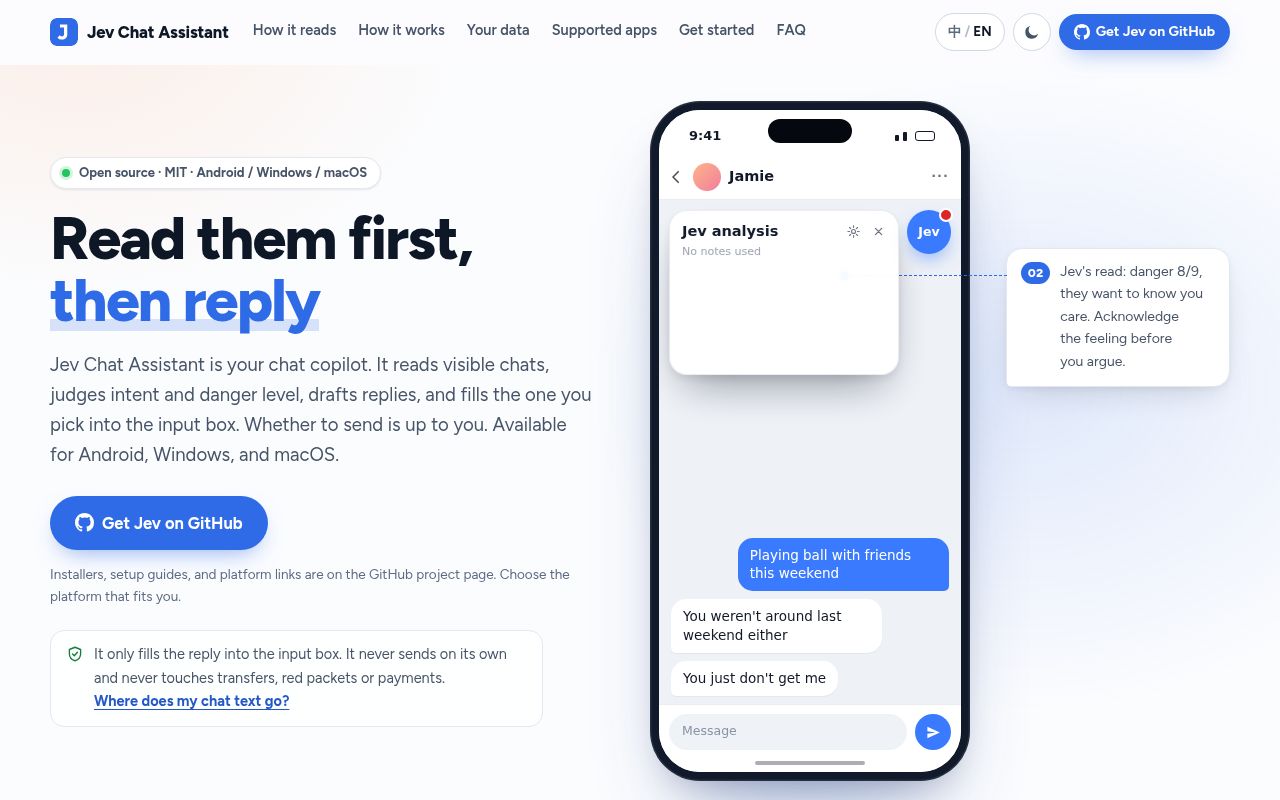
Filling a reply leaves the final decision with you
Jev for WhatsApp reads a conversation, asks what you want to achieve, and puts a proposed reply into the message box. You still press Send. That boundary matters: a suggestion can help with an awkward deadline or a tense exchange without giving a model control over the conversation. The global edition's README describes checks for unwanted promises and replies that cross a stated boundary.
This repository contains separate English and Chinese Android apps. The current overview is in English, with English documentation for both editions. For an English reader, the global WhatsApp app is the relevant starting point. Its scope is narrower than the platform badges suggest: Windows, macOS, and iOS live in sibling repositories.
What happened when we ran it
We did not run Jev at commit fdf8d28: our sandbox harness did not support its Kotlin ecosystem, and the repository had no Dockerfile. The October 7, 2026 sandbox allocation was 3 CPUs and 8 GB of RAM, in an unprivileged container without secrets. There is no install timing, build result, or test result to report. The missing execution path limits our recommendation to what the documentation and public activity establish.
The documented developer route uses JDK 17 and an Android SDK, with separate commands for the global app. That requirement explains why a generic language harness is insufficient, but it doesn't prove the Android route succeeds. We also haven't checked whether a particular phone reads conversations correctly or whether the model's interpretation helps people respond. Treat the screenshots as illustrations: the global README explicitly says its panel images use sample data.
English support stops at personal WhatsApp chats
The global README restricts the app to English, one-to-one WhatsApp conversations. Groups are refused, WhatsApp Business is unsupported, and a latest message consisting of a voice note cannot be analysed. Photos and documents are not opened, so a reply to a file depends on nearby text. If colleagues send their instructions in voice messages or your work happens in groups, these limits rule it out before model quality becomes a question.
Screen reading depends on WhatsApp's view identifiers, and the README warns that app updates can require an adapter update. It also documents shared remembered scenes for contacts with identical display names and missed edits to older messages while cached reading is reused. These are concrete reasons to inspect the conversation yourself. A plausible reply can still be addressed to the wrong relationship or based on text that has changed.
The judgment and drafting models do different jobs
Jev first asks a judgment model fixed questions about the exchange, then turns those answers into response options. You choose a stance and can supply a detail such as a revised deadline. A separate drafting model writes candidates, which Jev checks against the goal. This structure is useful for someone who already knows what they want to say but struggles to phrase it without accidentally making another commitment.
The global documentation describes blocking checks for invented facts, new commitments, and crossing boundaries. Its scoring system is easier to inspect than a bare suggestion because the panel explains the checks behind a candidate. Still, the README says the thresholds were tuned on an authored pilot corpus and that agreement with those labels is not independent validation. A high score is a model judgment, not evidence that the other person will welcome the reply.
Your messages go to your chosen provider
The global edition needs your own OpenRouter key. Messages read from the conversation, your selected scene, and the drafting context travel through OpenRouter to model providers. The project's statement that it runs no chat-receiving server does not make this an offline assistant. That distinction matters when the other person's message contains customer information or a private family detail they didn't expect to reach an AI service.
Android accessibility access also deserves deliberate attention. The global guide explains how to allow restricted settings for an app installed from a file and enable its accessibility service. Unlike the general overview's instruction for both editions, the global guide says this edition needs no separate overlay permission. Follow the edition-specific guide. The README also warns that using the assistant inside another app may breach that app's terms and put the account at risk.
October activity shows maintenance, with platform problems still open
GitHub reported a last push of October 8, 2026, and 28 open issues and PRs when checked. The latest release endpoint returned the Chinese edition's v1.7, published October 5. Those dates, together with recent reports and contributions, show an actively changing project. They also explain why a reader should use the global edition's own release link rather than assume the latest repository release is the English app.
The open report numbered 76 concerns an HTTP 429 while drafting in the WhatsApp edition. Issue 75 concerns WeChat reading in the Chinese edition, so it should not be used as evidence that global WhatsApp reading is broken. Both help identify where support questions belong. Neither establishes failure rates, and the issue list cannot replace the phone evaluation that our Kotlin harness did not perform.
Manual chat clients give you more control over the excerpt
Chatbox and Cherry Studio are reasonable alternatives if you can copy selected text into a general model client and ask for wording help. Their documentation supports multiple providers and local-model connections. You give up Jev's in-chat reading and its specialized stance-and-check workflow, but you choose exactly which messages leave the chat app. That trade is attractive when groups, attachments, or unsupported messengers dominate your day.
I'd try Jev on ordinary personal WhatsApp exchanges where English support and provider access are acceptable. I wouldn't put it between a business account and customers who expect reliable handling of every message type. Keep the final review of the text in your own hands, especially when the proposed answer includes a date or a promise.