Room conversation is the reason to choose Jarvis
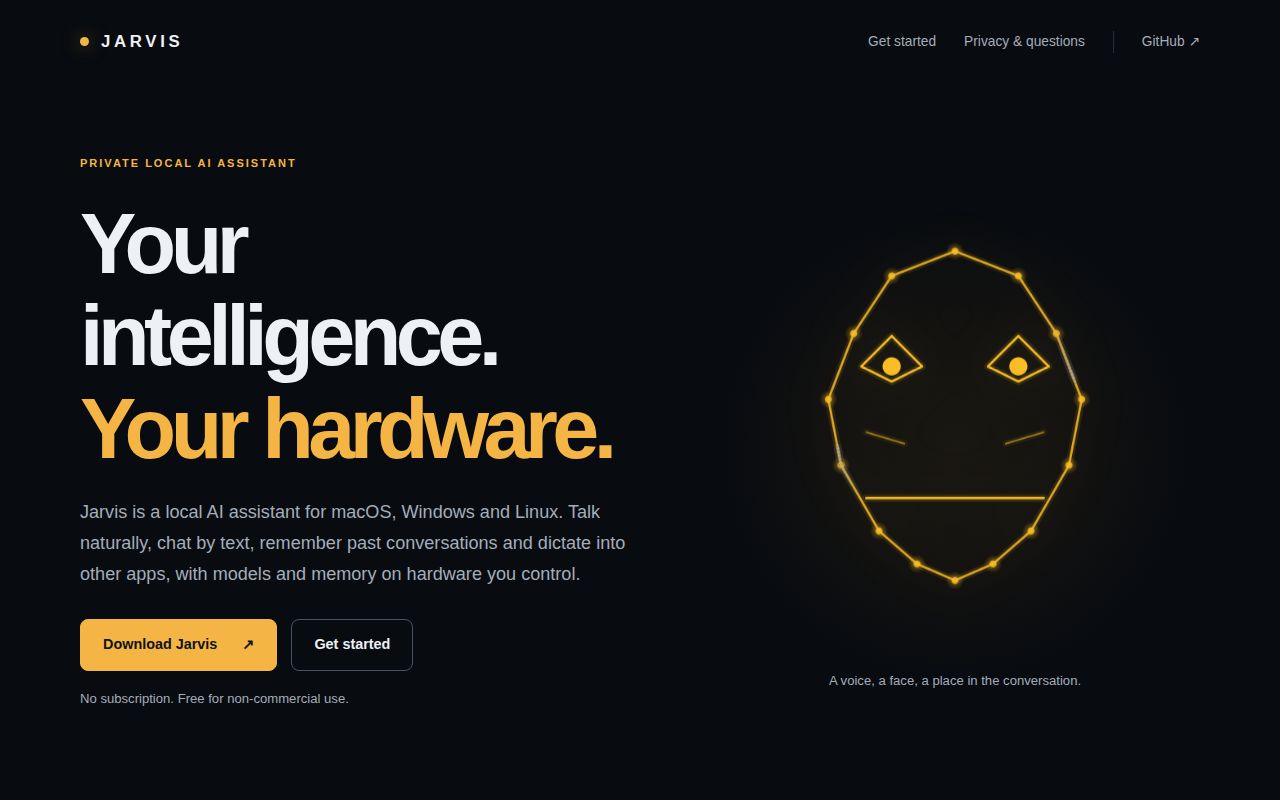
Jarvis keeps a temporary transcript of nearby speech while listening, so addressing it can draw on the conversation that came before your request. That's a useful reason to try a desktop voice assistant: you can discuss something aloud and then ask for help without typing the whole exchange again. The README describes that behavior. Our sandbox measured repository setup, and gives no evidence about how well Jarvis heard or understood an actual room.
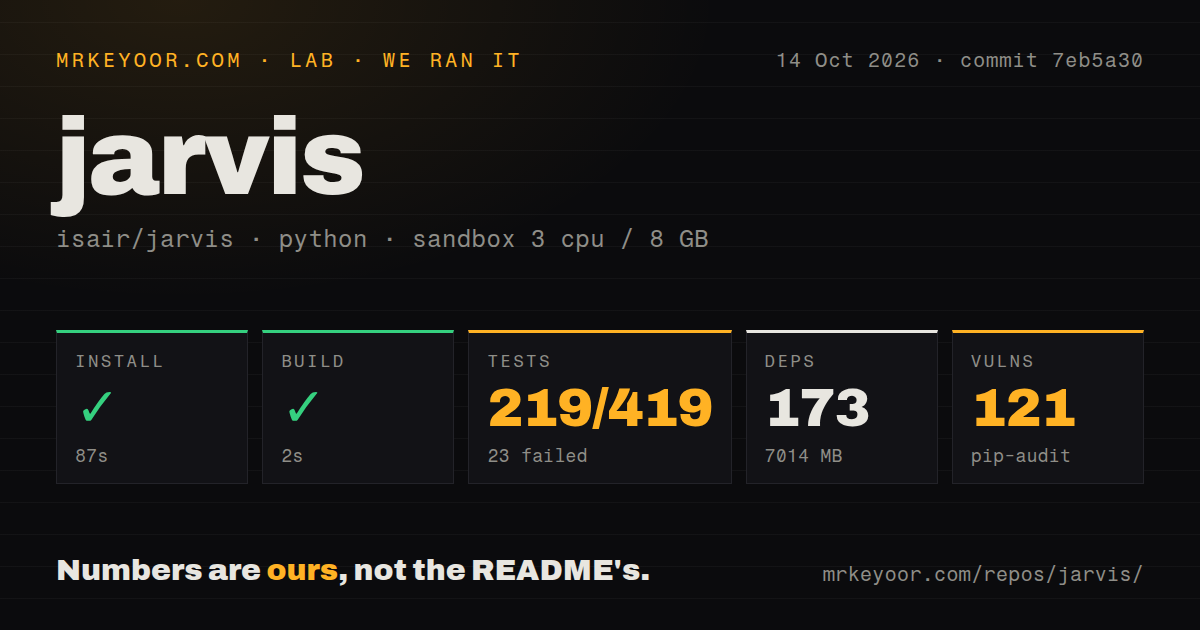
The commitment is bigger than downloading a chat window. Our checkout occupied 13.2 MB, while the installed environment used 7,014 MB after adding 173 packages. Jarvis combines speech recognition with a local model server and speech output, and supports personal memory and MCP tools. I'd consider that footprint for an assistant I wanted available during conversations. For occasional typed questions, maintaining the voice stack would be hard to justify.
What happened when we ran it
Our run installed Jarvis in 87 seconds and built it in 2 seconds, with both steps succeeding. Our harness ran commit 7eb5a30 on October 14, 2026, in an unprivileged Debian container using ghcr.io/astral-sh/uv:python3.12-bookworm, with 3 CPUs, 8 GB of RAM, and no secrets. The source checkout contained 580 files and about 124,687 lines of source. None of these measurements establishes voice accuracy or response speed.
The test step failed with exit code 1 after 29 seconds. Pytest reported 219 passed, 23 failed, 1 skipped, and 177 collection/setup errors. The supplied log tail repeatedly reports an ImportError for missing libGL.so.1, including audio-capture, chat-window, and desktop smoke cases. That identifies a missing system graphics library in those entries. The tail does not explain every failure, and it cannot tell us whether adding that library would make the complete suite pass.
Pip-audit reported 121 vulnerabilities from its advisory database in the measured environment. The supplied results contain no package-level list or severity breakdown, so we can't rank them or establish which application paths expose them. The scan found 4 CI workflow files and a tests directory, with no Dockerfile. Those are useful signs of engineering work, but the measured suite still failed. I'd require a dependency review and a working desktop environment before entrusting this installation with personal conversations.
A local model server needs speech models alongside it
The configuration guide explains the separate model roles: chat, speech recognition through Whisper, and a fast model for voice intent and tool routing. Piper supplies the default speech output. You can use Ollama or an OpenAI-compatible server, with an API credential only when that server requires one. Optional connected services have their own credentials. Setup includes model selection and downloads, microphone access, and a usable recording input.
Our sandbox's 8 GB of RAM isn't a demonstrated memory budget for that running combination. Model size, context length, and concurrent workloads affect what fits. The guide also documents keyword-search fallback when the chosen server cannot supply embeddings for memory search. Low Power Mode skips language-model warmup while keeping speech recognition ready. Those are practical controls, but picking them involves compromises in recall behavior and readiness that the successful build doesn't evaluate.
Dictation is unavailable on macOS 26+
Issue 172 covers Jarvis dictation on macOS 26 and later. It describes disabling dictation to avoid a keyboard-listener crash, and the current documentation still lists the feature as unavailable there. Linux dictation requires X11, with limited Wayland support. If dictating into other applications is your main reason to install Jarvis, check this boundary before trying different speech models. A better transcription model cannot restore an unsupported hotkey path.
Our 219 passing tests don't establish behavior on a Mac microphone or a Wayland desktop. The 177 collection/setup errors came from Debian, a separate finding from the documented dictation limits. The README says development is primarily on macOS, and its Linux troubleshooting covers recording sources and silent input. I would evaluate Jarvis on the actual desktop where it will live, including microphone capture and interruption during spoken replies, before deciding it can stay running throughout a workday.
Local processing still has network and listening choices
The configuration guide makes local Ollama use possible without an API key, while MCP integrations connect external tools. The privacy section also distinguishes local storage from network requests: model downloads and enabled online capabilities can contact other systems, and an external model endpoint receives your requests. Pause Voice Listening stops room transcription while leaving chat available. That pause control matters when other people enter a room or when a meeting should stay outside the assistant's context.
The 121 dependency vulnerabilities reported by our Jarvis audit need investigation even if you keep every model request local. Keep model requests on an endpoint you control, enable only the integrations you need, and inspect the installed dependency findings. Jarvis's documentation describes reducing optional network access and explicitly says those settings are not a firewall. If your requirement is enforced network isolation, configuration switches alone don't satisfy it.
Active releases do not remove the commercial license boundary
Jarvis was last pushed on October 14, 2026. Release v2.7.6 shipped on October 13 with fixes to memory handling, dictation history, and voice behavior. GitHub returned 2,060 stars and 167 open issues and PRs. Recently merged work also addressed memory-graph behavior. The license limits free use to noncommercial purposes and requires a separate commercial license. A company choosing an assistant to incorporate into a paid service needs that decision settled first.
I'd try Jarvis for a personal desktop where conversational listening earns its upkeep. For a browser chat interface backed by local models, Open WebUI provides that interface. For controlling household devices, Home Assistant Assist targets that job. Before giving Jarvis your conversation history, get microphone input and speech output working on your desktop and inspect the dependency audit.