A passing agent check leaves asset durability unanswered
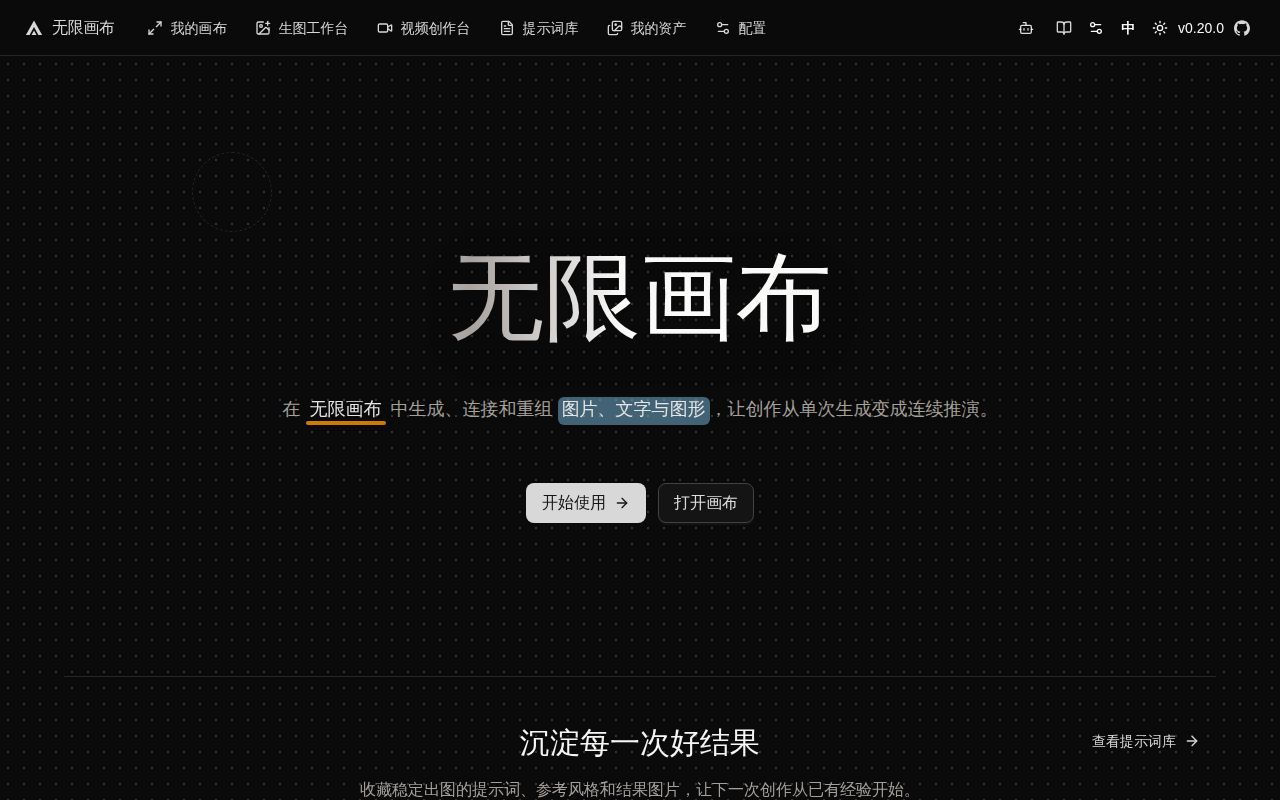
Infinite Canvas combines prompts, reference-image editing and AI generation on a visual canvas. Its local Canvas Agent lets coding assistants operate the workspace through MCP. For a technical creator, the useful question is whether that workspace is suitable for experiments or ready to hold important creative assets.
The supplied evidence supports a limited trial. The agent passed the recorded build and test steps, but the README does not guarantee historical-data compatibility. Keep important originals and deliverables elsewhere.
The supplied main and Canvas Agent README extracts are primarily Chinese; an English operating guide was not assessed. English-speaking readers should account for that when evaluating the documented workflow.
What happened when we ran it
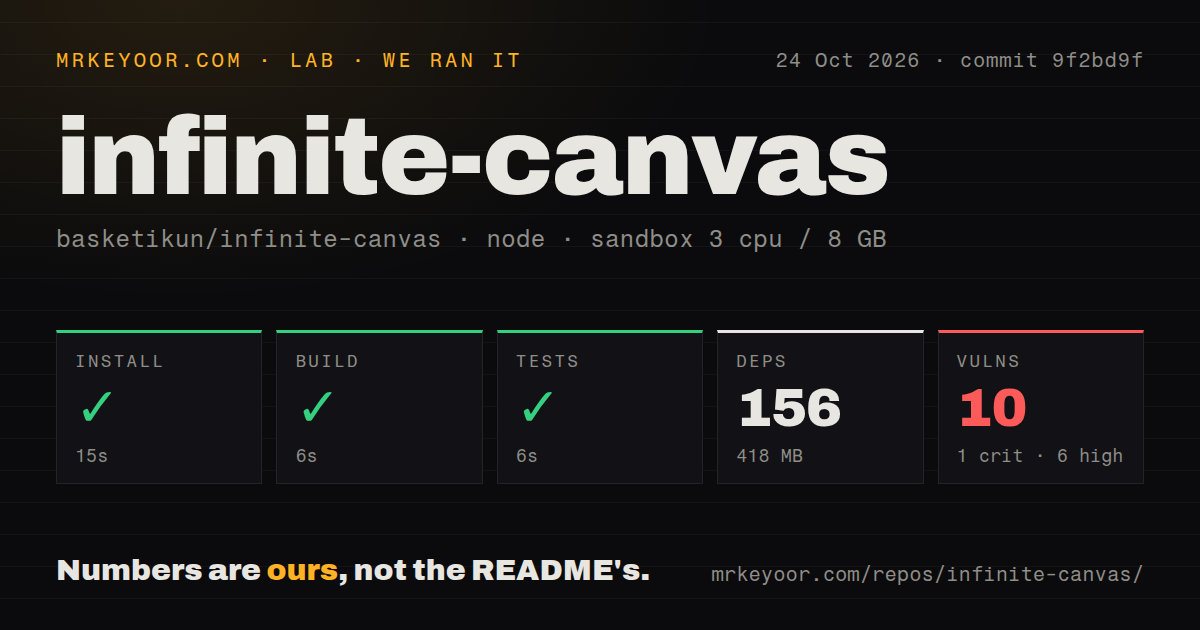
Our sandbox installed canvas-agent/ at commit 9f2bd9f in 15 seconds, recording 156 dependencies and 418 MB on disk. Its build succeeded in 6 seconds, and the test step succeeded in another 6 seconds. No passing-test count was supplied.
The October 24, 2026 run used 3 CPUs and 8 GB of RAM with an image labelled lab-node:22. That label does not establish the actual Node or operating-system version. The repository had 506 files, roughly 43,967 source lines and a 7.7 MB checkout. The recorded scan found four CI workflows, no Dockerfile and no tests directory. The directory scan does not negate the successful recorded test step.
Npm audit reported 10 known vulnerabilities: 1 critical, 6 high and 3 moderate. The supplied summary does not identify packages, affected code paths or available fixes, so it cannot establish exploitability. Investigate those findings before relying on the agent with valuable local material.
The main README starts local development in web/, while the measured run covered canvas-agent/. No browser build, completed provider request, image-quality assessment or browser-to-agent interaction was measured. The passing steps establish a narrower result than a working creative workflow.
Browser storage needs a recovery check
The README says API keys, base URLs, canvases, assets and generation history are stored locally in the browser by default. It also says generation connects from the browser to the configured OpenAI-compatible endpoint. Browser storage does not mean generation requests stay on your machine.
The README warns that the project is under development, historical-data compatibility is not guaranteed and local storage formats may change directly. That warning matters if the canvas would hold the only copy of your work.
For a trial, use material you can afford to recreate. The README lists import and export functions, but the supplied run did not assess restoration or migration. A useful acceptance check is to create a disposable canvas, export it and verify that the material you care about can be recovered. This is a proposed check, not a reported result. Keep the originals separately while evaluating it.
Canvas Agent and canvas-proxy need separate assessments
The Canvas Agent README describes a listener restricted to 127.0.0.1 by default, a connection token and an origin recorded after the first valid browser connection. Starting the local service alone does not register its MCP tools with Codex. The documented plugin or manual MCP registration provides that connection.
The supplied agent README says the current web sidebar exposes only Codex. The Claude Code adapter remains in the code, and separate Claude Code MCP setup is documented. Readers should not assume equal sidebar support. The documentation also describes browser confirmation before canvas modifications; the supplied run did not evaluate that interaction.
Issue 299 reports that wildcard CORS in canvas-proxy lets unrelated web pages read responses from local or internal services through the proxy. The report identifies commit 9f2bd9f1b27c45fd1b8f5323072b07243f9e0fac and published package @basketikun/canvas-proxy@0.1.0. It was open in the supplied extract.
This is the reporter's security finding, not a reproduced lab result. It concerns canvas-proxy and is separate from both the dependency audit and Canvas Agent's documented token controls. Before running the proxy, investigate the report and whether remediation covers the version you intend to use.
Recent activity does not establish data compatibility
The supplied GitHub metadata records a last push on October 25, 2026, and release v0.20.0 on October 10, 2026. These dates show repository activity; they do not establish recovery behavior, historical-data compatibility or resolution of the proxy report. The measured agent checkout was commit 9f2bd9f, not a measured run of release v0.20.0. The agent README also says its package version is independent of the repository's root version.
Infinite Canvas is worth evaluating for disposable visual experiments if you can configure the provider and assistant connections and investigate the security findings. Someone choosing a shared production asset system needs evidence about restoration, upgrades and the intended security configuration that this run does not supply.
Alternatives depend on the job
ComfyUI documents a visual node graph and local execution for generation workflows. Consider it when controlling a local generation workflow is the main job.
Excalidraw is an open-source whiteboard with a hand-drawn style. Consider it when sketching and explaining a visual idea is enough. Neither alternative was benchmarked in the supplied run.
For an Infinite Canvas trial, start with the disposable export-and-recovery check, then evaluate the assistant connection with a narrowly scoped request. Treat both as work still to perform.